Top-5 AI Study Tools: Best Free TurboLearn AI Alternatives
On this page

The market for AI learning tools is moving fast. A couple of years ago, students and professionals had to take lecture notes by hand, summarize research papers manually, or structure meeting notes on their own. Today, you can offload most of that work to neural networks.
We tested several popular services with solid free tiers to figure out which ones solve specific problems best, where their real limits are, and which combo gives you the biggest learning bang for zero bucks.
Turbo AI (formerly TurboLearn)

This platform started as TurboLearn AI, but recently rebranded to turbo.ai. All accounts and user data carried over, so if you’ve seen it before, it’s the same tool with a fresh coat of paint.
The idea is simple: upload any study material—a lecture (live or recorded), PDF, video, audio file, or YouTube link—and the AI turns it into structured notes, flashcards, quizzes, and even audio podcasts.
The platform handles a wide range of input formats:
- PDFs, slide decks, text documents
- Audio and video recordings (lectures, meetings, podcasts)
- Direct YouTube links
- Live lecture recording with transcription (claimed 99% accuracy)
Here’s what you get on the output side:
- Rich notes with tables, diagrams, formulas, and emojis for visual cues
- Flashcards with spaced repetition support
- Auto-generated quizzes for self-testing
- Audio summaries in podcast format—great for learning on the go
Bonus features include a chat-based AI assistant that answers questions about your uploaded content, a Google Docs-style editor, folders for organizing by subject or semester, and sync between web and mobile apps (iOS and Android).
Who It’s ForThe main audience is students (over 5 million active users). The tool is especially helpful if you have a packed schedule or struggle with focus (e.g., ADHD), where manual note-taking eats up too much time. Professionals also use Turbo AI for meeting summaries and working through research papers.
Pricing: FreemiumThe free tier lets you test the waters, but it’s heavily limited: roughly 2 hours of audio/video processing per month, 5–10 quizzes, and one PDF upload. Not enough for regular use.
The paid Pro plan starts at $9.99/month with annual billing (monthly runs $15–20). It removes most limits and unlocks advanced features.
- Very wide range of input formats and output types
- Fast processing (around 30 seconds)
- Mobile apps with real-time sync
- Podcasts as a passive learning format—a genuinely nice feature
- Free tier is too restrictive—pushes you to pay quickly
- Occasional inaccuracies or hallucinations on tough topics (e.g., higher-level math)
- User complaints about billing: auto-renewal issues and cancellation headaches
- Doesn’t replace deep understanding—treat it as a first draft tool
User Feedback
On the App Store and Google Play, it holds a 4.8 rating based on hundreds of thousands of reviews. People praise the time savings and convenience. Trustpilot tells a different story: 2.8—fewer reviews, but lots of negativity around support and charges. On Reddit (r/school, r/studytips), some say it’s convenient but not worth $10/month when free alternatives like NotebookLM exist. YouTube reviewers in 2025–2026 agree: “Great for a first draft, but fact-check everything.”
Why You Should Look at Turbo AI’s Competitors
Turbo AI is great for fast studying, but its free tier is a bottleneck. If you’re a student who doesn’t want to spend money but still wants to use AI to its full potential, there are excellent completely free or very generous freemium alternatives out there. They all run on modern AI models, keep hallucinations to a minimum, and focus squarely on academic content.
Below are the top 5 most advanced free AI alternatives to Turbo AI. We based our picks on functionality, Reddit/Trustpilot feedback, and current test data. They cover 90–100% of what Turbo does—but mostly without asking for your credit card.
Google NotebookLM
Google NotebookLM is a free research assistant powered by Gemini. Instead of just transcribing or summarizing, it focuses on synthesizing knowledge across multiple sources. It tries to find connections between the documents, videos, and articles you upload.
What It DoesThe service accepts a wide range of formats:
- PDFs and text files
- YouTube links
- Audio files
- Google Docs and Google Slides
What you get on the output side is fairly unique:
- Audio Overviews (the killer feature) — generates a podcast with two hosts who discuss your material. They ask each other questions, debate, and explain tricky concepts. It works surprisingly well.
- Study guides — structured overviews of your topic
- Flashcards for key terms
- Mind maps and timelines to visualize processes
- FAQ based on your sources
- A chat that always cites original sources — this dramatically reduces hallucinations
- Deep research mode for working with large volumes of material
NotebookLM is ideal for students and researchers who need to make sense of a complex topic using multiple sources. It’s perfect for literature reviews where you have to compare different authors’ positions. The audio podcasts also make it a great choice for passive learning—listen to a “discussion” of your material on your commute.
PricingMost features are free with generous limits:
- 100 notebooks
- Up to 50 sources per notebook
- 50 chats per day
- 3 audio generations per day
For power users, there’s NotebookLM Pro (part of the Google One AI Premium subscription at ~$20/month). It raises limits to 300 sources per notebook and removes chat and audio caps.
- Completely free base tier with genuinely useful limits
- Very high accuracy—the AI grounds itself in your sources and rarely makes things up
- Innovative audio podcasts that competitors don’t have
- Deep integration with Google’s ecosystem
- No live lecture recording in real time
- Free tier limits can feel tight for heavy use
- Less focus on spaced repetition and active testing (no built-in graded quizzes)
NotebookLM gets some of the best reviews among AI tools in 2025–2026. Users call it “the most underrated free AI tool.” They praise its accuracy and the creativity of the audio format—many say the podcasts help them understand material better than reading. Complaints are rare and usually about limits for power users.
Knowt
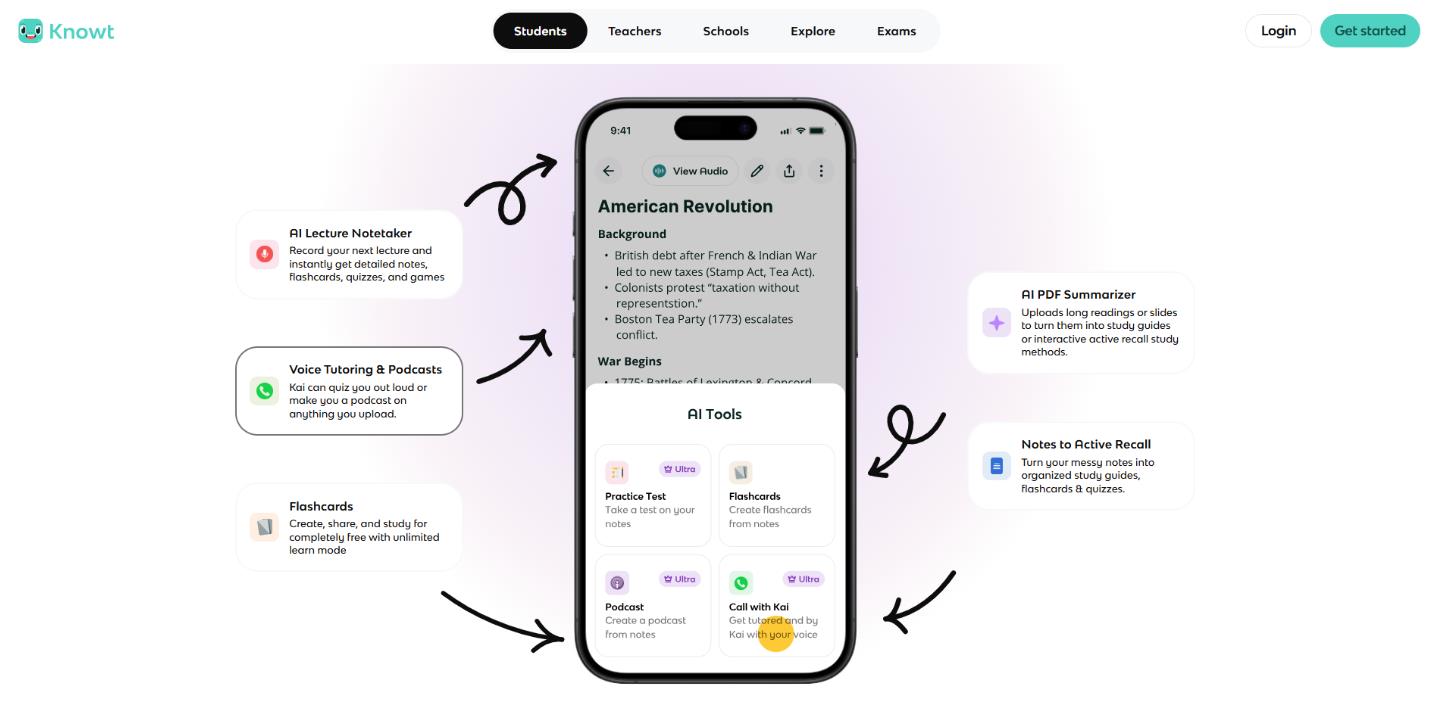
Knowt started as a free alternative to Quizlet after Quizlet began locking down its free features. Over time, it added its own AI tools, and now it offers not just flashcards but full content generation from your materials.
What It DoesKnowt accepts:
- PDFs and text documents
- Videos (including YouTube)
- Existing Quizlet sets (one-click import)
What you get:
- Flashcards with spaced repetition support
- Practice tests in multiple formats
- Study guides
- A “learn” mode for active recall
Extras: a Chrome extension and an AI chatbot (paid only).
Who It’s ForKnowt is for students who love spaced repetition and active testing but don’t want to pay $35/month for Quizlet Plus. It’s great for quickly turning long materials—like a textbook chapter or a YouTube lecture—into flashcards. For many, it’s the go-to tool for fact-heavy exams (anatomy, history, law).
PricingKnowt has one of the best free tiers on the market:
- Free — unlimited flashcards and notes. There are ads, but they’re not too intrusive.
- Student Ultra — $10–15/month or $60–120/year for the AI chatbot, priority processing, and no ads.
- Almost everything you need is free (unlike many competitors)
- Very clean, simple interface
- The best free alternative to old-school Quizlet
- The main AI features (generation from video/PDF, chatbot) are behind the paywall
- Some users find the navigation a bit confusing
- Free version includes ads
On the App Store, it has a 4.8 rating from thousands of reviews. Users call Knowt a “test saver” and “what Quizlet should have stayed as.” On Trustpilot, it’s 2.3, but the negativity is mostly about navigation confusion and which features are actually free—not billing issues (which sets it apart from many competitors). On Reddit, it’s actively recommended as the best free Quizlet alternative.
Polar Notes AI
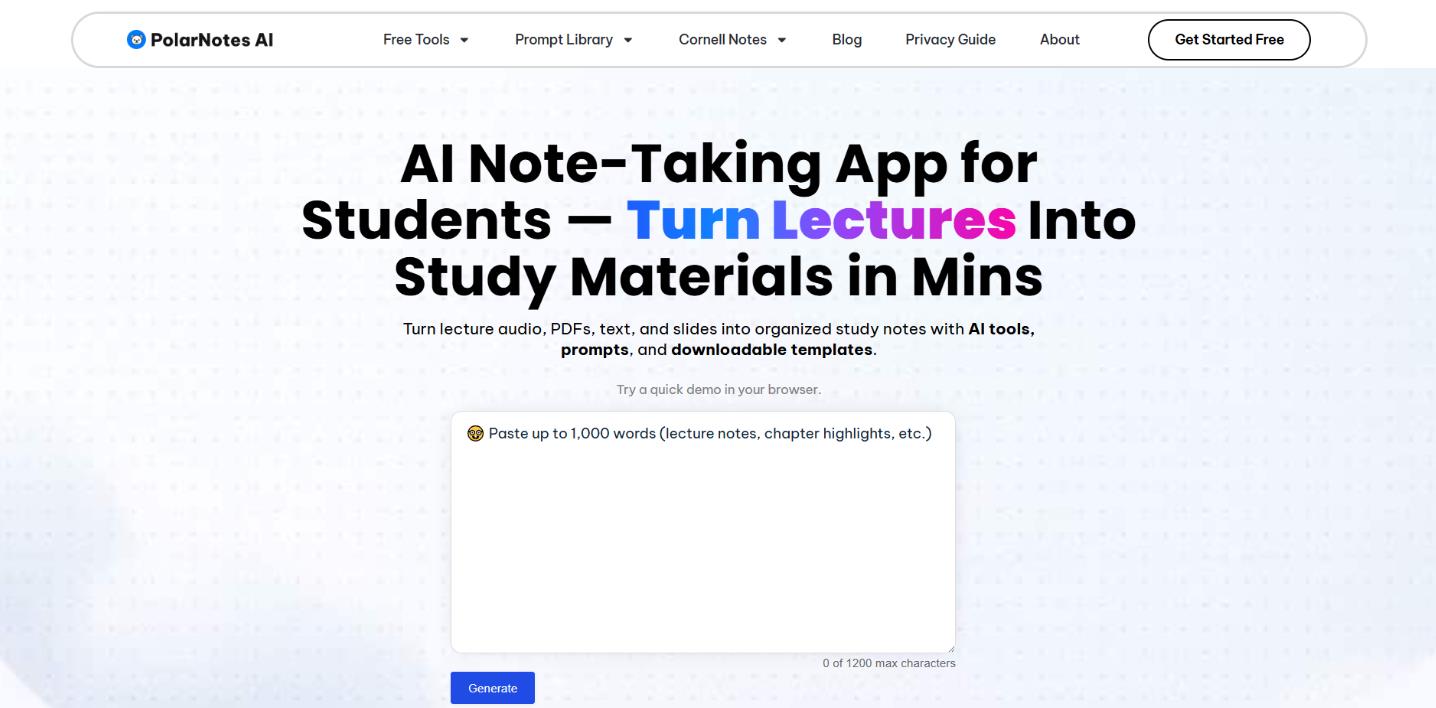
Polar Notes AI calls itself a “lecture-to-study-pack” generator. Instead of offering scattered tools, it builds a complete pipeline: from one source (lecture, audio, PDF, YouTube), it creates an entire exam preparation package.
What It DoesThe service takes standard formats:
- Live or recorded lectures (via recording or upload)
- Audio files
- PDFs
- YouTube links
What you get is a full study pack:
- AI Note Taker — transcription plus structured notes
- Study Pack Generator — automatically creates study guides, flashcards, quizzes, and Cornell notes from your notes
- Free standalone online tools for generating quizzes, flashcards, and study guides individually
Polar Notes AI is built for students who regularly record lectures or watch YouTube courses. The main advantage: one click and you have a complete exam kit. No jumping between multiple tools or manually polishing materials. It’s for anyone who values time and wants the most complete extract from each lecture.
PricingPolar Notes AI has one of the most generous free models:
- Most tools are completely free (basic generations don’t even require sign-up)
- Generous credits for creating study packs
- 7-day trial for premium features
- Full “lecture → everything for the exam” pipeline in minutes
- Can use basic features without an account
- iOS app available
- Some advanced sync features are only in the app
- Less oriented toward working with multiple sources at once
Users say Polar Notes AI “cut exam prep time by a third.” It’s especially popular with students who want an “all-in-one” free tool without fiddling with complex settings. It’s a solid choice for a fast, complete breakdown of a single lecture or video.
Qlipify
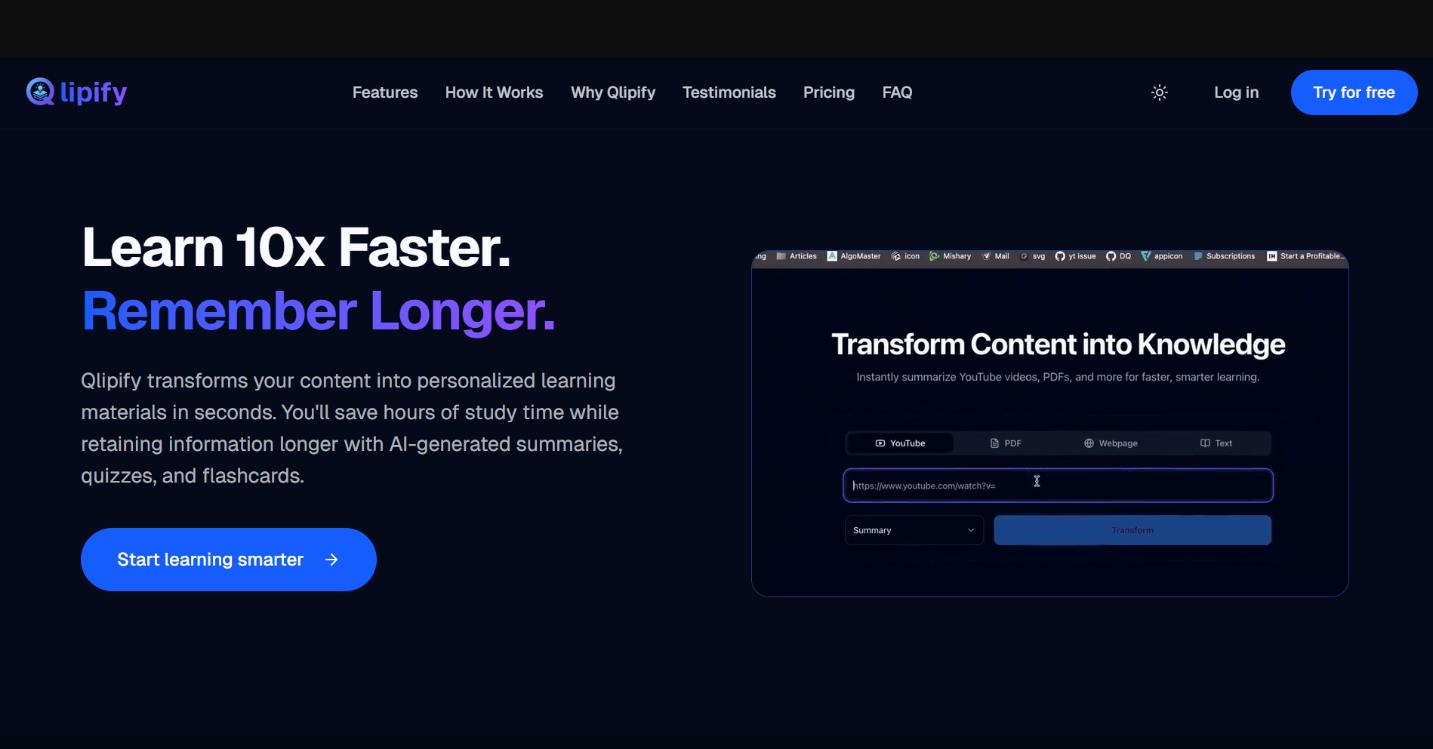
Qlipify is a simple but powerful AI tool that specializes in quickly transforming content—especially YouTube videos and PDFs. It doesn’t try to do everything. It does one thing well: instantly turn material into tests and flashcards.
What It DoesQlipify works with three main source types:
- YouTube videos (via link)
- PDFs
- Web pages
What it generates:
- Short summaries
- Flashcards
- Practice quizzes (auto-generated tests for exams)
Qlipify is for students who learn from video lectures and articles. If you watch YouTube courses and want to immediately check your understanding, this is your tool. It’s also good for quick test prep when you need to turn a single article or video into a set of self-check questions.
PricingQlipify has a solid free tier:
- The free version is enough for regular use (a few processes per week)
- All core features are available
- Paid plans for heavier usage
- Very simple interface — upload and get results instantly
- Fast flashcard and quiz generation
- Good free tier with no hidden limits
- Less focus on spaced repetition compared to Knowt
- Not designed for live lectures or audio-only files
On Reddit (2026), users call Qlipify “the best free all-in-one for video lectures.” They praise its speed and simplicity. Some note that the quizzes can be too shallow and miss nuances, but for a first-pass knowledge check, it works fine.
CuFlow AI

CuFlow AI positions itself as the most complete free AI study companion. Unlike most competitors, it offers not just content generation but a full exam prep system with visualizations and progress tracking.
What It DoesCuFlow accepts:
- PDFs
- Text-based lectures
- Audio files
What you get:
- Summaries and structured notes
- Mind maps — visual connections between concepts
- Flashcards with spaced repetition
- Quizzes for self-testing
- Performance tracking — see how your retention improves over time
CuFlow is for students who want more than just a material generator—they want a complete exam prep system. If you want to track what you’ve actually learned versus what still needs work, this is your choice. The mind maps make it especially useful for visual learners and for studying complex interrelationships (e.g., biology, history, philosophy).
PricingThe free tier covers core features:
- Document processing
- Flashcard and quiz generation
- Reasonable limits: roughly 3–5 processes per week
That’s enough for most students to use regularly. Paid plans expand limits and unlock extras.
- Visual mind maps — a unique feature among competitors
- Retention tracking — you can see your progress over time
- All in one system: from creation to knowledge check
- Free tier limits are tighter than NotebookLM’s (3–5 processes per week vs. 100 notebooks)
- No live lecture recording
Users call CuFlow “the most practical free alternative to Turbo AI.” They like having everything in one system. Mind maps and progress tracking get special praise. The main complaint: some wish the free tier allowed more weekly processes.
Comparison Table
Tool |
Main AI Feature |
Free Limit |
Flashcards / Quizzes |
Audio / Mind Maps |
Best For |
Turbo AI |
All-in-one + podcasts |
Tight (2h/month) |
Yes / Yes |
Yes (podcasts) / No |
Universal note-taking (paid) |
NotebookLM |
Audio Overviews + grounded chat |
100 notebooks, 50 sources |
Yes / Yes |
Yes (podcasts) / Yes |
Synthesis and passive learning |
Knowt |
AI flashcards + unlimited modes |
Unlimited core + AI summaries |
Yes (best) / Yes |
No / No |
Active recall and fact-heavy exams |
Polar Notes AI |
Lecture → full study pack |
Generous credits, 7-day trial |
Yes / Yes |
No / No |
Fast breakdown of a single lecture |
Qlipify |
YouTube/PDF → instant quiz |
Good free tier (few/week) |
Yes / Yes |
No / No |
Video lectures and quick tests |
CuFlow |
Mind maps + progress tracking |
Core features (3–5/week) |
Yes / Yes |
No / Yes |
Full prep system with visualization |
Final Verdict: What to Pick
If your budget is zero, the best move is a two-tool combo. Google NotebookLM gives you deep understanding and synthesis across multiple sources (plus the unique audio podcasts). Knowt adds a powerful spaced repetition and active testing system. Together, they replace paid Turbo AI for 100% free—and often beat it on accuracy.
If you want to get the most out of a single lecture or video in minimum time, go with Polar Notes AI. It turns one source into a full study pack faster than anything else.
If you mostly learn from YouTube courses and articles, Qlipify is the obvious choice. The simple interface and instant test generation let you check your understanding on the fly.
If you need not just material generation but a complete prep system with visualizations and progress tracking, take a close look at CuFlow. Mind maps and retention tracking make it the best pick for visual learners and anyone facing massive exams.
Bottom line: Test 2–3 services on your actual course materials. The accuracy difference between humanities and STEM subjects can be significant. In 2026, a combination of free AI tools delivers better results than a single paid Turbo AI subscription. Save your money and time—study smarter.
❓ Frequently Asked Questions
Answers to relevant questions about this AI tool