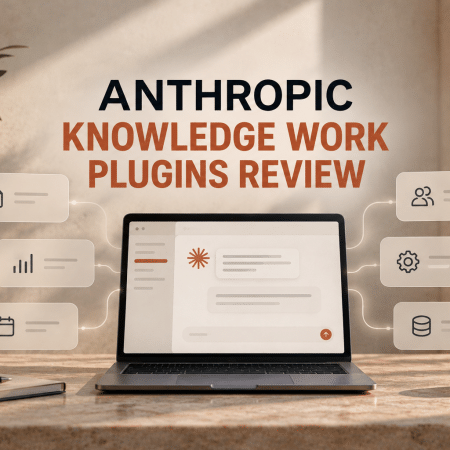
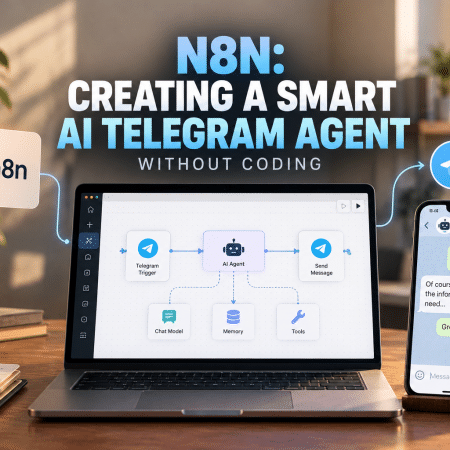
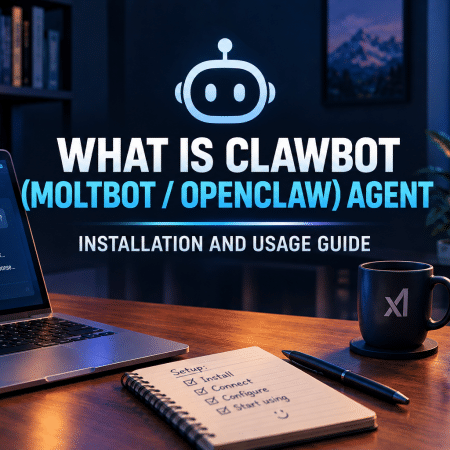
The AI guides section serves as an educational repository designed to help users master the practical application of various artificial intelligence tools. While the news section focuses on what is happening in the industry, the guides section explains how to use these developments in real-world scenarios. This category includes step-by-step tutorials, installation manuals, and creative workflows that translate technical features into usable skills.
The primary goal of this category is to reduce the learning curve associated with new software. Whether a user is setting up an advanced autonomous agent or learning how to refine their search results, these guides provide the technical instructions needed to achieve specific outcomes.
Core Functions of AI Guides and Tutorials
The resources in this category provide structured pathways for learning. Their functions are generally divided into three main operational areas:
Installation and Configuration Manuals
Modern AI tools often require more than a simple login. Guides for complex agents like OpenClaw (formerly known as ClawBot or MoltBot) provide detailed instructions on installation and initial usage. These manuals walk users through the technical setup, ensuring that the software is configured correctly for autonomous tasks. Having a reliable guide prevents common setup errors that can occur with advanced AI agents.
Case Studies and Practical Workflows
Theory is most useful when combined with practice. The section includes collections of real-world stories, such as the top use cases for OpenClaw, to illustrate how others are successfully using a tool. Similarly, guides on how to use NotebookLM for civil investigations or to analyze large file sets show the specific prompts and settings needed for deep data analysis. These resources act as a blueprint for users who want to apply AI to professional research or investigative work.
Visual and Creative Execution
For those in the creative arts, guides provide the “how-to” for viral content creation. This includes tutorials on how to create specific AI-driven dances or how to manage visual assets in tools like Kling AI. These guides often address practical user questions, such as how to remove watermarks or adjust output settings, ensuring that the final creative product meets professional standards.
Target Audience and Educational Use Cases
The guides category is built to support various levels of technical expertise:
- Researchers and Analysts: They use deep-dive guides to learn how to use tools like NotebookLM for summarizing and cross-referencing vast amounts of documentation or legal files.
- Developers and Tech Enthusiasts: These users rely on technical installation guides for agents like OpenClaw to stay at the forefront of autonomous software development.
- Creative Marketers: They follow tutorials on generating viral visual content to improve their brand’s social media presence without needing a large production team.
- General Internet Users: Simple guides, such as how to manage Google AI Overviews, help everyday users customize their digital environment and control how AI influences their search results.
Classifications of AI Learning Resources
To help users find the right level of instruction, the guides are categorized by their technical objective:
- Setup and Integration Guides: Focus on the “first steps” of using a tool, covering downloads, account settings, and API connections.
- Advanced Prompt Engineering: Tutorials that explain how to communicate with an AI to get the most accurate or creative results.
- Niche Skill Tutorials: Specific guides for unique tasks, such as novel critiquing with AI, using AI for tarot combinations, or financial record analysis with bank statement generators.
- Efficiency and Customization: Instructions on how to turn off unwanted AI features or adjust platform settings for a smoother user experience.
Key Features of a High-Quality AI Guide
When following a tutorial in this catalog, look for these markers of technical clarity:
- Step-by-Step Logic: A good guide should move linearly from the beginning to the end of a task, ensuring no technical steps are skipped.
- Contextual Troubleshooting: Useful guides often include “what to do if it doesn’t work” sections, helping users overcome common hurdles during installation or generation.
- Real-World Examples: Showing the final result of a workflow, such as a viral video or a summarized document, provides a clear goal for the user to work toward.
- Updated Information: Because AI tools change their interfaces and features frequently, the best guides are those that reflect the most current version of the software.
The shift in AI education is moving toward “agentic” learning—where the guide does not just show you how to do something but helps you set up a system that does it for you. By mastering tools like OpenClaw or NotebookLM, users move from being passive consumers of AI to being active orchestrators of digital workflows.
The AI guides category provides the technical knowledge needed to make this transition. Whether you are looking to improve your novel with a critique tool or want to set up a complex data-mining agent, these resources offer the factual base for success. The key is to find the guide that matches your current project and follow the structured path to mastery.