





AI Tools

Main page » AI Tools

A verify-first conversational AI that explains cryptocurrency market movements and platform features without giving trading signals.

T&Cs Apply
Pricing Model:  Basic access is free; advanced features require login and depend on VIP status. Developer: Gate Technology

A browser-based AI studio for product shots, stickers, background replacement, and watermark removal.

T&Cs Apply
Pricing Model: Freemium. Developer: Meitu (China).

AI-powered virtual staging and instant interior redesign for real estate professionals, designers, and homeowners.

T&Cs Apply
Pricing Model: Freemium.  Developer: SofaBrain AI
A disguised web platform that provides unblocked browser games under the cover of an educational flashcard service.
T&Cs Apply
Pricing Model: Freemium. Developer: DuckMath Student Project

A search engine that finds exact spoken phrases from movies and TV shows and returns short video clips.

T&Cs Apply
Pricing Model: Freemium. Developer: Evgeny Potapenko.
An all-in-one generative AI platform for creating professional videos, images, and avatars.
T&Cs Apply
Pricing Model: Freemium. Developer: Akool Inc.

A platform of specialized AI employees that automate a lot of work for small businesses.

T&Cs Apply
Pricing Model: Single subscription. Developer: Ulric Musset and Cyril Pluche

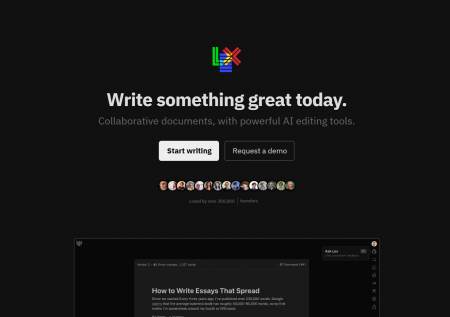
AI-powered workspace that turns brain dumps into organized tasks using multiple LLMs.

T&Cs Apply
Pricing Model: Freemium. Free tier available; Pro starts at 15/month,Ultraat15/month,Ultraat67/month. Developer: David Ondrej

An AI-powered Google Dork generator that converts natural language into advanced search operators.

T&Cs Apply
Pricing Model: Free. Developer: PredictaLab (France)

An AI-powered music generator that creates full songs with vocals from text prompts.

T&Cs Apply
Pricing Model: Freemium. Developer: Udio Inc.

Is a mobile scanner enough for family archives? We analyze Photomyne's batch scanning, AI colorization, pricing traps, and whether the paid subscription justifies itself compared to free alternatives and pro scanners. 

T&Cs Apply
Pricing Model: Freemium.  Developer: Photomyne (Israel)

 An experimental AI recipe generator from Google Arts & Culture that blends two national cuisines into unique fusion dishes with instructions and AI-generated images.

T&Cs Apply
Pricing Model: Completely free.  Developer: Google Arts & Culture Lab (artists-in-residence Emmanuel Durgoni and Gaël Hugo)

All AI Services

Just in the past year, 2025, the world was flooded with a real wave of new AI services – over 3,000 appeared! From smart text and image generators to simple analytical platforms that predict trends. The choice is huge – just pick and use! But here’s the catch: surveys show that 80% of users face the same problems.

User Problems
Information Overload: The challenge – which service really fits your task?
New names appear constantly, glowing reviews abound, but how do you find a truly working tool among the “duds”? Recommendation algorithms often suggest either the most popular (not necessarily the best for you) or just ads. Where are the objective comparisons?
Unnecessary Payments: Many AI tools are marketed as “universal soldiers,” but in reality, they offer only a narrow set of features.
And the prices are astronomical! It’s easy to buy a “cat in a bag” and overpay for capabilities that don’t justify the investment.
Service Availability in Your Region: It’s frustrating to find a great service and then see: “Sorry, not available in your region.” Some platforms block access from Russia or require constant VPN connections, slowing work and causing headaches. Support often doesn’t respond due to regional restrictions.

AIMarketCap solves this problem. We constantly monitor the market, test, compare, and select truly worthwhile AI tools.
We write not ads, but honest AI service reviews: our experts analyze the real capabilities of each service – what it can actually do, and where it’s just pretty promises. Convenient tables and comparisons show which service is best for your specific task and budget. We immediately indicate whether a service works in Russia, requires a VPN, and whether there is Russian-language support or interface.
We help you understand if the price matches the features offered. Where the real power is, and where it’s just “paying for the brand.”
AI Tool Categories
We’ve organized neural networks so it’s easier for you. Each AI service collection is tailored to your tasks. It includes everything you might need.
Here are the main sections:
  1. Text: AI text generators, ads, SEO (like Jasper, MaxText).
  2. Video/Audio: Avatar services (Synthesia) or voiceover (Murf).
  3. Analytics: Research assistance (Semantic Scholar, source search in Elicit).
  4. Programming: Coding and test assistants (GitHub Copilot, CodiumAI).
  5. Design: Image generators (Midjourney) and logo makers (Looka).
How to find what you need?
  1. Filter by price: Free, trial version, or subscription-only.
  2. Select features: Need Russian language? API? Integrations?
  3. Check subsections: for example, in “Text” there are separate sections for SEO, dialogues, or translation.
How to Choose an AI Service That Really Helps?
First, ask yourself: “What do I need?”
Writing social media posts? — Check text generators (like Rytr).
Analyzing mountains of data? — Look for something like Tableau with smart plugins.
Don’t take a “universal” solution for a narrow task — you’ll overpay. Try free first. Almost all AI-based tools offer test generations!
  1. Suno (music) — gives 50 tracks for free.
  2. Canva — 25 images per month via their AI.
Why pay immediately if you can test?
Compare 2-3 neural network options.
This is where AI service reviews help:
  1. Accuracy: Does it recognize accented speech well?
  2. Integrations: Does it work with your Slack or Google Docs?
  3. Complexity: Runway, for example, can confuse a beginner — is there an easier option?
Before paying — DO A TEST DRIVE!
Generate one article in Jasper.
Make one video in Pictory.
This way, you’ll know if the service fits your workflow and quality needs.
Regular Database Updates: The Growing AI Market
The AI industry changes daily:
300+ new services monthly — from specialized ones (legal document generators) to multi-task platforms.
We track updates:
  1. Service closures (e.g., Lumen5 in 2024);
  2. Price changes (like Midjourney — switch to a credit system);
  3. New features (DALL-E 3 in ChatGPT 2);
  4. Focus on accessibility — adding AI tools that work in Russia: YandexGPT, GigaChat, ChadGPT.
Important! 20% of large companies already use generative AI. Don’t fall behind — save up to 2.6 hours a day with the right services. Our AI tool catalog is your guide in this chaos. Instead of digging through forums and comparing plans manually — come to us. Everything is already checked, organized, and up-to-date.

This category description provides an objective overview of the AI Tools ecosystem as curated by AIMarketcap. It analyzes the functional diversity, technical infrastructure, and practical applications of the software solutions listed in this directory.

The AI Tools directory serves as a centralized hub for software powered by artificial intelligence, machine learning (ML), and large language models (LLMs). These tools represent a broad spectrum of applications designed to augment human productivity, automate repetitive workflows, and generate synthetic media. Unlike traditional software, which relies on rigid, rule-based programming, AI tools leverage neural networks and probabilistic algorithms to perform tasks that typically require human cognition such as natural language processing, visual recognition, and predictive analytics.
The core objective of this directory is to categorize these technologies into functional niches, allowing users to identify specific solutions for professional or personal use. By consolidating tools like ChatGPT, Midjourney, and Jasper, the platform provides a structured view of how generative and analytical AI is being commercialized across industries.

Read More

Core Functions of Modern AI Software

The software found within this category generally falls into three functional pillars: Generative AI, Analytical AI, and Automated Logic. Each pillar utilizes different technical architectures to deliver results.

1. Generative Capabilities

Generative tools focus on the creation of new content. This includes text-to-image generators, video synthesis tools, and code completion engines. These systems are trained on massive datasets to recognize patterns and recreate them based on user-provided prompts. For instance, tools such as DALL-E or Stable Diffusion interpret natural language to produce high-fidelity visuals, while text generators produce human-like prose or technical documentation.

2. Analytical and Predictive Processing

Analytical AI tools are designed to parse large volumes of data to extract insights, identify trends, or forecast outcomes. This is common in financial modeling, sentiment analysis, and SEO research. These tools help users navigate "information overload" by summarizing documents, analyzing market shifts, or providing data-driven recommendations that would take a human analyst hours or days to compile.

3. Task Automation and Workflow Orchestration

Automation tools act as the "connective tissue" between different software applications. They use AI to trigger actions based on specific inputs, such as sorting emails, managing project timelines, or automating customer support queries through intelligent chatbots.

Target Audience and Industry Use Cases

The utility of the AI tools listed here extends across various professional domains, providing targeted solutions for specific operational challenges.

  1. Content Creators and Marketers: Professionals use tools like Copy.ai or SurferSEO to streamline the production of marketing copy, blog posts, and social media content. These tools assist in overcoming "blank page syndrome" and optimizing content for search engine visibility.
  2. Developers and Engineers: AI-assisted coding tools, such as GitHub Copilot or Cursor, provide real-time code suggestions, bug detection, and documentation generation. This reduces the cognitive load on developers and accelerates the software development lifecycle.
  3. Business Operations and Management: Enterprise-level AI tools focus on resource planning and customer relationship management (CRM). By integrating tools like Notion AI or Fireflies.ai, businesses can automate meeting transcriptions and organize internal knowledge bases more efficiently.
  4. Designers and Visual Artists: Visual AI tools are used for rapid prototyping, image upscaling, and asset generation. They allow designers to iterate on concepts quickly without manual rendering for every minor variation.

Classification of AI Solutions

To better navigate the directory, it is helpful to understand the different technical and delivery models available:

Platform-Based vs. Point Solutions

Some tools are comprehensive platforms (e.g., OpenAI’s ecosystem) that offer a suite of diverse capabilities, while others are "point solutions" designed for one specific task, such as removing backgrounds from photos or generating a specific type of legal contract.

Proprietary vs. Open Source

The catalog includes proprietary software (closed-source models like Claude by Anthropic) which often offers high user-friendliness and integrated support. Conversely, open-source models (often found via platforms like Hugging Face) allow for greater customization and local hosting, which is critical for developers concerned with data privacy.

Cloud-Based vs. Local Execution

Most modern AI tools operate in the cloud due to the high computational power required for processing. However, there is a growing niche of "local" AI tools that run directly on a user’s hardware, ensuring that sensitive data never leaves the local machine.

Key Technical Features to Evaluate

When selecting a tool from the AIMarketcap directory, users should evaluate several technical standard features:

  1. Model Transparency: Does the tool specify which underlying model it uses (e.g., GPT-4, Llama 3, or a custom proprietary model)?
  2. API Integration: For professional workflows, the ability to connect the AI tool to existing software (like Slack, Google Drive, or Trello) via API is essential.
  3. Data Privacy and Security: High-quality tools offer "Enterprise-grade" security, ensuring that the data you input is not used to train the public model.
  4. Customizability (Fine-tuning): Some tools allow users to upload their own datasets to "train" the AI on a specific brand voice or technical vocabulary, increasing the relevance of the output.

Selecting the Right Tool from the Directory

The AI Tools category is not a "one-size-fits-all" collection. A user looking for a research assistant will have vastly different requirements than a user looking for a video editing suite.
When browsing the listed tools ranging from productivity giants like Canva Magic Studio to niche utilities like Otter.ai it is important to consider the User Interface (UI) versus the API capability. Beginners may prefer tools with intuitive dashboards, while technical users may look for tools that offer a robust API for custom builds.
Note on Tool Selection: The AI field moves rapidly. A tool that is a market leader today may be superseded by a more efficient model within months. Users are encouraged to look for tools that demonstrate frequent updates and a clear roadmap for model integration.
By categorizing these resources, AIMarketcap enables a more methodical approach to digital transformation. Whether the goal is to reduce operational overhead, enhance creative output, or gain a competitive edge through data, the tools listed in this section represent the current frontier of accessible artificial intelligence.