

Best Free AI Agents in 2026: Top 5 Autonomous Tools
On this page
It is worth noting the difference between a chatbot and an AI agent. A chatbot answers your question. An agent is an autonomous system that takes a goal from you in natural language, breaks it into subtasks, calls tools (search, API, code), and iterates without constant supervision.
In 2026, developers and companies are increasingly starting projects not with expensive off-the-shelf platforms, but with open-source or conditionally free tools. According to surveys, 75% of engineers now start with them, compared to 30% two years ago. The number of open-source frameworks for agents grew by 240% in 2025.
In this article, we will look at the five best free solutions on the market. Each has its own philosophy, strengths, and pitfalls.
1. CrewAI — Multi-Agent Crews for Python Developers
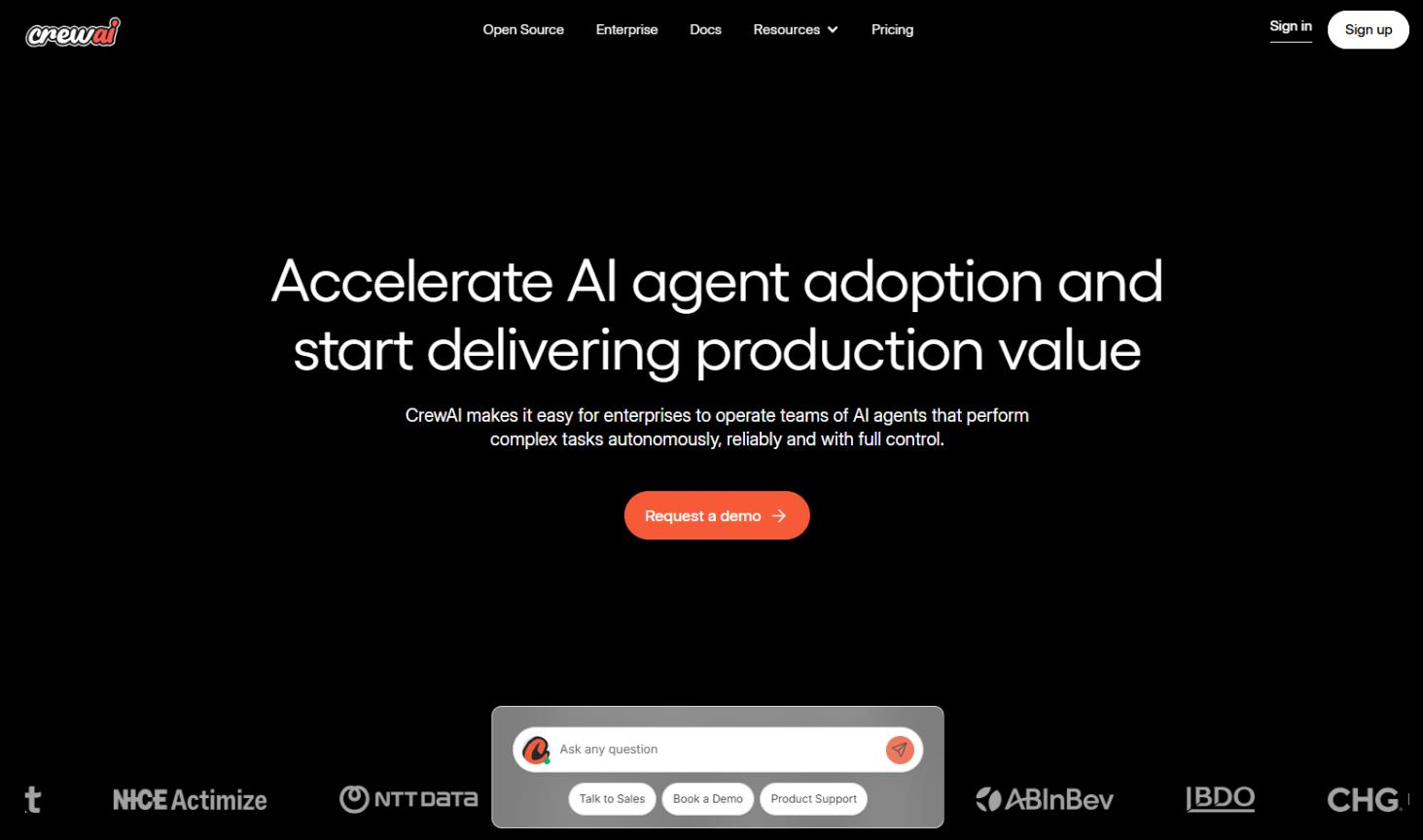
CrewAI is an open-source Python framework for orchestrating crews of specialized AI agents. Instead of one universal agent, you create a “crew”: a researcher, writer, analyst, and reviewer.
The project was created by Brazilian engineer João Moura, with its release at the end of 2023. The GitHub repository had over 30,000 stars as of early 2026. MIT license, the AMP cloud platform is a separate paid product.
How It Works
The framework is built on three abstractions:
- Agent: an LLM worker with a role, goal, and “backstory” that influences its reasoning style and communication with other agents.
- Task: a task with an expected result, tied to an agent. Tools can be attached to the task: web search, SQL queries, files, custom functions.
- Crew: a group of agents working on a set of tasks. Supported processes: sequential, hierarchical (a manager agent delegates and validates), consensual (experimental, agents negotiate).
- Flows: a newer event-driven orchestration layer for connecting multiple crews, error handling, and building production pipelines.
Older versions had LangChain integration under the hood, but that was dropped, now it works directly with LLM providers.
Features
On Reddit, a common piece of advice is: start with CrewAI for speed and migrate to LangGraph when you hit scaling limits. Developers praise the readability of the architecture and its ability to model real-world teams. Criticism includes being overkill for simple tasks and difficult debugging when errors occur. It is used for content marketing, lead scoring, automated analytics, and supply chain optimization.
Unique features:
- Role-based agent design as in a real team: the architecture is easy to explain to business.
- CrewAI Studio: a visual drag-and-drop builder on the AMP platform. Allows prototyping with non-technical stakeholders, then exporting to Python.
- About 20 ready-made templates: content management, lead analysis, scoring, and others.
- Support for any LLM: OpenAI, Google, Azure, Hugging Face, and local models.
- Built-in CLI commands for training and testing agents.
- Isolated VPCs for each crew.
- Exporting a multi-agent crew to a REST API.
Pricing
The open-source framework is completely free with no limitations. The AMP cloud platform has a free tier, Pro — about $49.99/month (according to Futurepedia, not officially confirmed), Enterprise — upon request.
Important nuance: there is no public pricing page on the site; you need to schedule a call. Pricing is based on executions: one crew session = one execution, regardless of the number of steps. This may surprise new users.
- 100% free framework, no artificial limits.
- The fastest-growing framework for multi-agent systems.
- Intuitive team-based model.
- User rating 4.7/5 based on 238 reviews (SelectHub).
- Excellent documentation and introductory courses.
- Active Discord community.
- ALess boilerplate code than LangChain.
- Requires Python knowledge, not for non-technical users.
- Debugging multi-agent setups takes time.
- Opaque pricing for the paid part.
- Execution costs may unexpectedly grow in complex scenarios.
- OpIntegration ecosystem is still smaller than LangChain’s.
- Can be overkill for simple tasks — better to use LangGraph.
Our Verdict
CrewAI is an excellent choice for Python developers building multi-agent systems. It is ideal for research teams, content pipelines, and startups that need to quickly test a hypothesis.
2. n8n — Workflow Automation with AI Agents
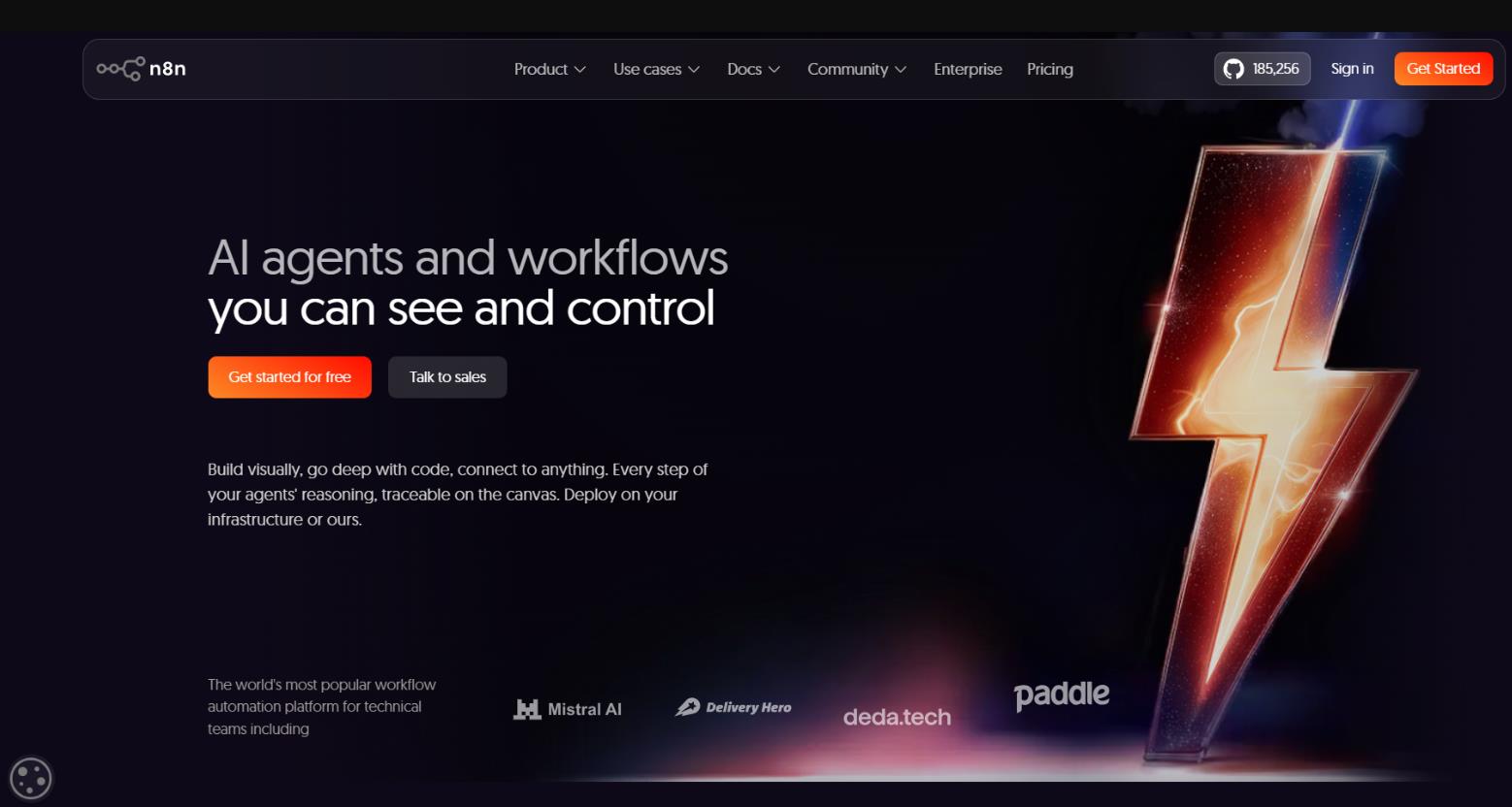
n8n is an open-source platform for workflow automation with native support for AI agents. A Berlin-based project, founded in 2019, operating under a “fair-code” license: the self-hosted version is free, the cloud service is paid. As of early 2026, the project has 65,000+ stars on GitHub. It positions itself as “Zapier without astronomical bills,” but with AI.
How It Works
The service has carved out a niche between lightweight no-code tools and heavy frameworks.
- Visual canvas based on nodes: drag and drop nodes and connect them.
- Over 500 native integrations (including community nodes: 1200+): CRMs, databases, messengers, payment gateways, and REST APIs.
- AI Agent node: runs a LangChain tool agent. Can call any other n8n node as a tool, supports conversation memory and streaming.
- About 70 LangChain-based nodes: agents, memory, vector stores, LLM calls.
- Vector Store nodes for Pinecone, Qdrant, Supabase, and Azure AI Search (RAG).
- Chat Trigger node turns any workflow into a chatbot endpoint.
- Code nodes: JavaScript and Python right inside the workflow when the visual layer is not enough.
- Support for Claude, GPT, Gemini, and local models via Ollama.
Features
Setup via Docker takes about 30 minutes. Users on G2 write that with one n8n instance they replaced Zapier, internal scripts, and part of their LangChain backend. People on Reddit share their experience of using it on Railway for $5/month as a great hobbyist solution. The DEV Community notes that after 8 months with n8n, they wouldn’t go back to Zapier for complex projects. Criticism mainly concerns support on basic plans and sometimes a laggy interface.
Unique features:
- Execution-based billing: one workflow run = one execution, regardless of the number of steps. This is 3-20 times cheaper than Zapier for complex scenarios.
- AI agents are priced the same as regular workflows; no markup for AI.
- Self-hosted version: completely free, no limits on executions.
- In April 2026, limits on the number of active workflows were removed from all plans.
- Native support for Claude, Gemini, and expanded vector store integrations.
Pricing
Community Edition self-hosted: free, unlimited. Then you’ll have to spend more:
- Cloud Starter: €24/month (€20 with annual payment), 2,500 executions/month.
- Cloud Pro: €60/month, 10,000 executions.
- Cloud Business: €800/month, 50,000 executions.
- Enterprise: upon request.
Hidden costs: a server for self-hosting ($5-10/month on a VPS like Hetzner or DigitalOcean) and direct payments for LLM API (not to n8n).
- Self-hosted is completely free with unlimited executions.
- Native AI stack with full-fledged agents.
- Execution-based billing makes complex workflows significantly cheaper than Zapier.
- Capterra: 4.9/5, G2: 4.5/5.
- Full data control with self-hosting (GDPR-friendly).
- 500+ community templates.
- Active community of 45,000+ members.
- One client handles 1000+ AI interactions per day without problems.
- Steep learning curve for users accustomed to Zapier (first month is hard, then productivity jumps sharply).
- Self-hosting requires Docker and Linux skills.
- Errors often manifest as empty output with no obvious reason.
- Support on lower tiers is only a community forum.
- Credential connections for some services (e.g., Firestore) may unexpectedly expire.
- Sharp price jump at the business plan ($800/month).
Our Verdict
n8n is a powerful tool for technical users and developers who need AI automation with data control. It is especially beneficial for companies looking to reduce costs on Zapier. Not suitable for non-technical founders expecting a “just works” scenario.
3. Flowise — Low-Code Platform for AI Agents and RAG
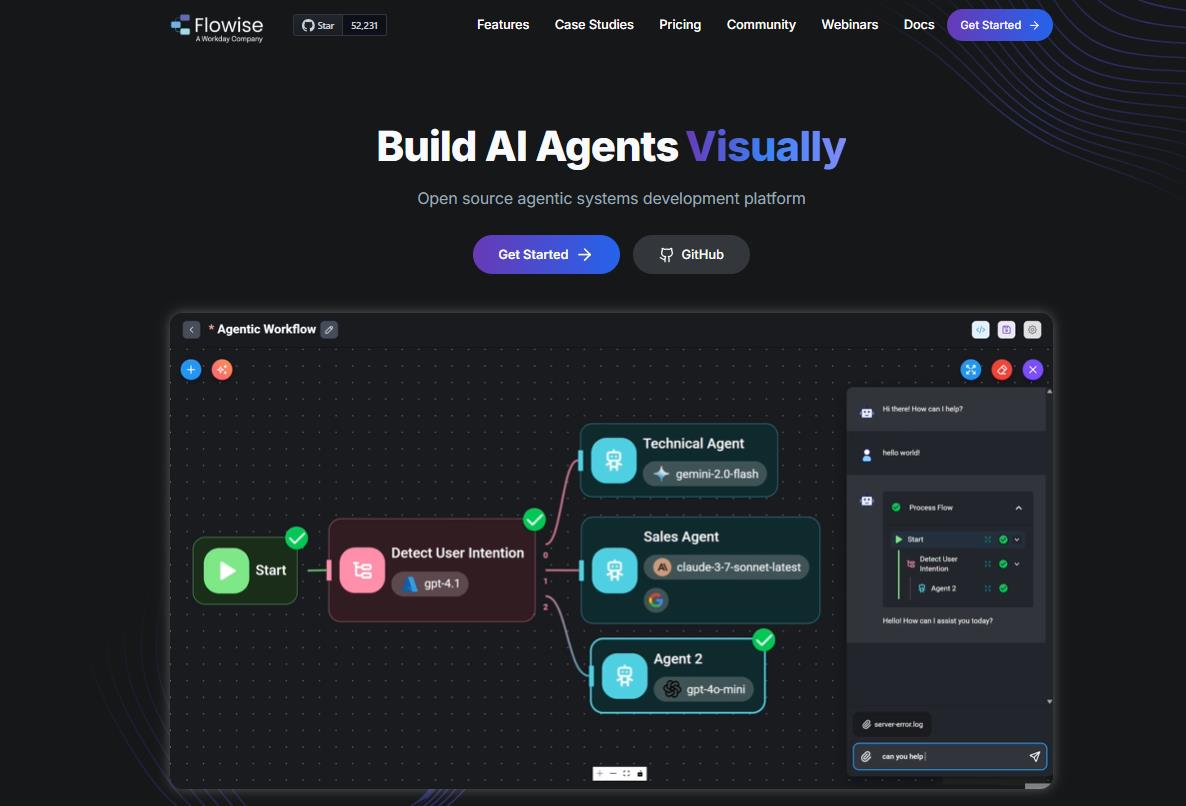
Flowise is an open-source low-code platform for creating AI agents and LLM workflows through a visual drag-and-drop interface. It wraps the complexity of LangChain into understandable visual components.
Founded by Henry Heng and Chung Yau Ong in 2023, alumni of Y Combinator S23. In August 2025, Flowise was acquired by Workday, a major enterprise vendor in HR and finance. The open-source version continues to be developed on GitHub.
The service is trusted by Deloitte, AWS, and Accenture. GitHub: 40,000+ stars. Rating on AIAgentsDirectory — 5/5 based on 2,385 reviews.
How It Works
Flowise has three modes of operation:
- Assistant: creating an AI assistant with instructions, document upload (RAG), and tool calling. No code.
- Chatflow: single-agent systems and chatbots. Support for advanced RAG: Graph RAG, rerankers, and custom chains.
- Agentflow V2: multi-agent orchestration: multiple agents with different roles, conditional routing, parallel execution, and handoffs.
Technically, these are visual blocks connected by lines on a canvas. Each block is a function: LLM call, document loader, vector store, tool, API.
Features
In reviews, the project is described as simple enough to prototype in minutes yet powerful enough for production. On DEV Community, people write that Flowise changed their approach to building AI solutions for clients. If you are building AI and not using Flowise, you are seriously wasting time.
Criticism mainly concerns documentation that doesn’t keep up with development and concerns about changes after the Workday acquisition.
Unique features:
- Over 100 integrations: LLMs (OpenAI, Claude, Gemini, local models), vector databases, and document loaders.
- RAG out of the box: PDF, TXT, DOC, CSV, SQL — automatic ingestion into a vector store.
- Human-in-the-loop: built-in checkpoints for reviewing and approving agent actions.
- Full observability: tracing of every execution, integration with Prometheus and OpenTelemetry.
- Auto-generation of API: ready-made REST endpoint for each flow + TypeScript/Python SDK.
- Embeddable chat widget for any website.
- Support for air-gapped (completely offline) deployment.
- Self-hosted and cloud options available.
Pricing
Exact figures for 2026 should be checked on the official website, as the pricing policy may have changed after the Workday acquisition. General scheme:
- Self-hosted: free, MIT license for the OSS part.
- Cloud Free: basic functions.
- Cloud Pro: for freelancers and teams, unlimited number of agents.
- Enterprise: customizable, includes on-premises deployment.
- The lowest entry barrier among all five tools; no need to write code.
- Prototype in 5-60 minutes, production-ready solution in a day.
- Full LLM flexibility (100+ models).
- Strong developer community.
- HITL mechanism for safe automation.
- Full observability stack.
- Trusted by Deloitte, AWS, and Accenture.
- After the Workday acquisition, there is a guarantee of long-term development.
- Documentation for advanced features is incomplete, which is a common complaint.
- The Workday acquisition has caused concern among indie builders: will it become enterprise-only?
- Occasional reliability issues on complex flows.
- For very complex multi-agent architectures, a switch to code-first solutions (LangGraph, CrewAI) may be required.
- Less powerful for non-AI tasks; unlike n8n, it lacks 500+ business integrations.
Our Verdict
Flowise is the ideal choice for developers and technically savvy non-coders who need to quickly build AI agents, RAG assistants, and chatbots with document upload. It is suitable for startups and corporate teams, especially now that Workday stands behind the platform with enterprise support.
4. AutoGPT — The First Mass Autonomous Agent
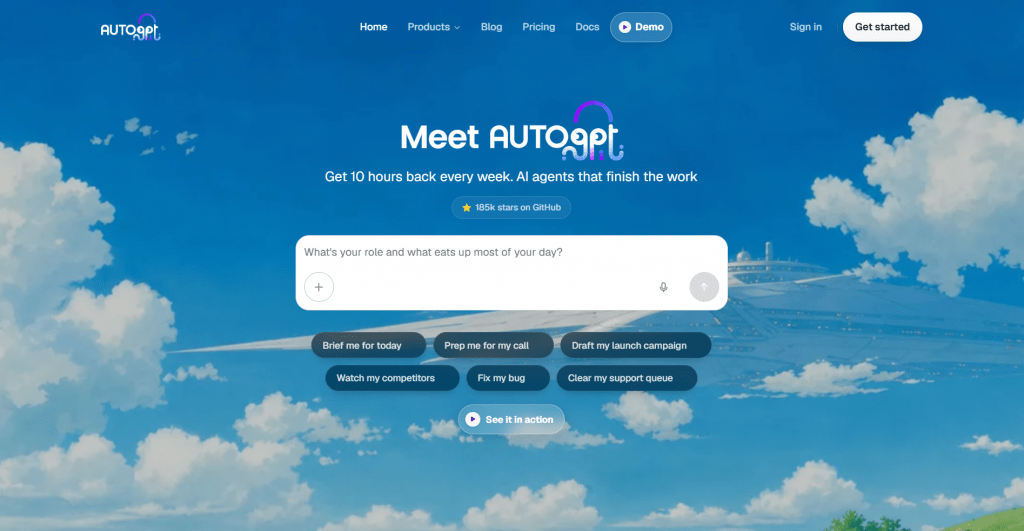
AutoGPT is the historically first widely available autonomous AI agent that kicked off the entire hype around agents in 2023. Created by Toran Bruce Richards (Significant Gravitas Ltd.), released on March 30, 2023, and instantly became the most popular repository on GitHub.
By 2026, AutoGPT is no longer just an experiment: it includes a visual workflow builder, a template marketplace, a plugin architecture, and a cloud platform. In October 2023, the company raised $12 million in venture funding.
GitHub: 170,000+ stars. MIT license for the classic agent and Polyform Shield for the new platform. Discord: 50,000+ members.
How It Works
The classic scheme, still relevant today:
- The user sets a goal in natural language and up to 5 sub-goals.
- AutoGPT builds a chain of LLM “thoughts” (chain of thoughts).
- It creates subtasks, executes them, learns from the results, and repeats.
- It uses tools: browser, file system, and API.
The new 2026 platform adds:
- A visual low-code builder for creating complex workflows.
- An agent marketplace with ready-made templates: a Reddit agent for trend monitoring, a YouTube agent for transcribing and publishing posts, and others.
- Continuous deployment — agents run in the cloud indefinitely, triggered by events.
- Non-agent processing for speed and cost reduction.
Features
AutoGPT gained widespread fame after the ChaosGPT experiment, an agent with the goal of “destroying humanity,” which sparked a massive discussion about AI safety. A positive case is ChefGPT, which generates unique recipes by browsing the internet.
On Reddit, reviews are mixed: the tool is powerful, but loops kill productivity. Many praise the ability to deploy locally. In the hacker community, AutoGPT is called the “OG,” but it’s noted that CrewAI and LangGraph are more practical for production. Andrej Karpathy called the finite context window problem the main technical limitation.
Unique features:
- Historically the first AI agent, hence a huge community and recognition.
- Works with GPT-4, GPT-3.5, supports other LLMs via API.
- Browsing the internet, file management, long-term and short-term memory.
- A constraint system to keep agents acting predictably.
- Self-hosted option requires Docker and an OpenAI API key.
Pricing and Real Costs
Open-source classic AutoGPT is completely free. The real cost is your OpenAI API bill. An autonomous agent can burn up to $50/day with intensive use and no limits. It’s extremely important to set spending limits. Model routing is recommended: cheap models (DeepSeek, Haiku) for simple tasks, expensive ones (Claude Opus, GPT-4o) only for complex ones.
- The most famous AI agent in the world, a huge ecosystem, and documentation.
- 170K+ GitHub stars: the largest community.
- Full autonomy: set a goal so the agent works without constant supervision.
- The visual builder in 2026 removed the barrier for non-technical users.
- Marketplace of ready-made agents for a quick start.
- GPT-4 delivers noticeably better results than GPT-3.5.
- Suitable for long batch tasks: market research, competitive analysis.
- Prone to looping: a known problem; the agent can get stuck in repetitive cycles without reaching the goal.
- Hallucinations: the agent relies on its own feedback, which can compound errors.
- Expensive: the recursive nature leads to constant API calls; bills can be surprising.
- Limited long-term memory (the “finite context window” problem mentioned by Andrej Karpathy) leads to going in circles.
- Too autonomous for some tasks: it doesn’t ask clarifying questions or let you easily adjust course.
- Complex setup via Docker for non-technical users.
- In 2023, Tom’s Hardware wrote: “might be too autonomous to be useful.”
Our Verdict
AutoGPT is suitable for researchers and enthusiasts exploring the capabilities of autonomous agents, as well as developers who need a fully autonomous agent for long-running batch tasks. It is not recommended for production systems with strict reliability requirements.
5. OpenHands — Open-Source AI Engineer for Software Development
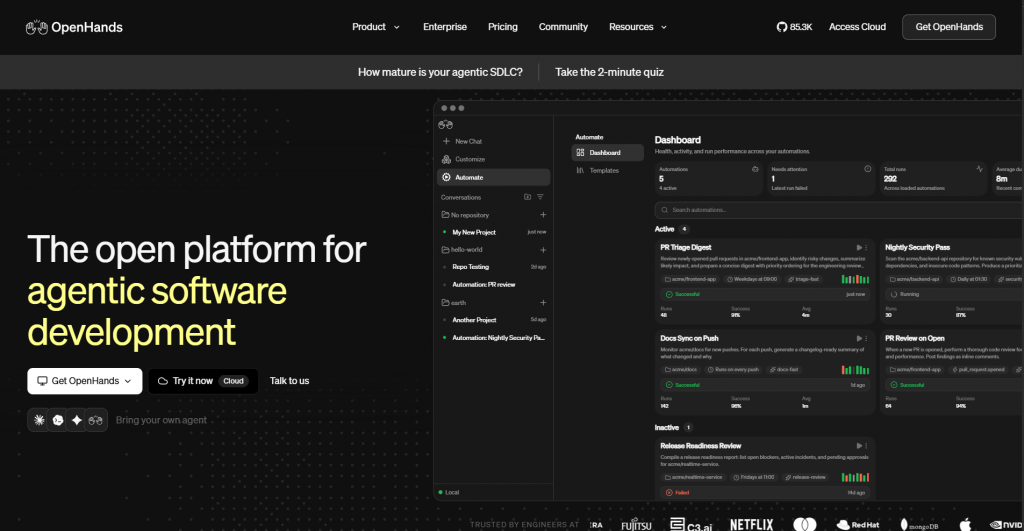
OpenHands is an open-source platform for AI agents in software development. It’s “your own Devin”: free, open-source, runs on your infrastructure, and with any LLM.
The project started as OpenDevin in early 2024; the community created it in response to the Devin announcement from Cognition. The rebranding to OpenHands took place at the end of 2024 under the organization All-Hands-AI. Funding: $18.8 million Series A.
GitHub: 70,000+ stars, 490+ contributors.
How It Works
Version v1.6.0 was released on March 30, 2026, with Kubernetes support and a beta version of Planning Mode. MIT license for the core; you can inspect, fork, and modify.
The project uses an event-stream architecture:
Agent → Actions → Environment → Observations → Agent
- Receives a task via Web UI, CLI, or SDK.
- Creates a plan.
- Executes steps inside an isolated Docker container:
- reads and writes files,
- runs shell commands,
- browses websites,
- calls APIs,
- creates pull requests.
- Every action is logged, promoting full transparency.
- Supports human-in-the-loop intervention during execution.
Three interfaces are available: Web GUI (React), CLI (familiar to Claude Code/Codex users), and Python SDK. Connect to any LLM via OpenRouter, direct API keys, or local models via Ollama.
Features and Performance
OpenHands can clone a repository, set up dependencies, write a feature, run tests, and make a commit. On hacker forums, it’s called “the open-source Devin that actually works.” The Vibe Coding blog notes: open-source and free does not automatically mean easy and reliable, but for developers with Docker skills, it’s an easy recommendation. The academic community mentions OpenHands at ICLR 2025 and actively uses it for AI agent research.
Unique features:
- SWE-bench Verified: solves 53%+ of real GitHub issues when using strong models (Claude 4.5).
- OpenHands Index (launched January 2026), the first broad benchmark for coding agents. Five tasks: issue resolution, greenfield apps, frontend dev, software testing, and information gathering.
- Claude 4.5 Opus and OpenAI GPT-5.2-codex are leaders on the OpenHands Index, significantly ahead of the rest.
Pricing
Self-hosted (MIT) — free. OpenHands Cloud (try free) — free with the Minimax model, login via GitHub/GitLab.
Real costs: LLM API — about $0.15-0.60 per task (50k-200k tokens with Claude 4.5). For comparison, Devin costs $20/month fixed.
Hidden costs: time to set up and maintain the self-hosted instance, plus the server.
- The only real production-grade free AI software engineer.
- Full transparency: you see every action the agent takes.
- Model-agnostic: Claude, GPT, Gemini, DeepSeek, and local models.
- Savings compared to Devin: with 100+ tasks per day, self-hosting is 5-10 times cheaper.
- 70k+ GitHub stars: one of the most powerful open-source coding communities.
- Active development: weekly releases, responsive maintainers.
- Kubernetes support (v1.6.0, March 2026).
- Integration with GitHub, GitLab, Slack, and CI/CD pipelines.
- Requires Docker and technical knowledge for self-hosting.
- Complex tasks with open-ended specifications can lead to planning drift and looping.
- Long-horizon, multi-repo changes: context fragmentation reduces reliability.
- Fragile environments (flaky tests, complex docker-compose) can break the agent.
- Not for non-technical users.
- Setup and maintenance time is a hidden cost.
Our Verdict
OpenHands is a tool for developers and engineering teams who want to automate routine coding tasks: bug fixing, documentation, tests, pull requests. It is ideal for teams with data privacy requirements (data on their own servers) and for AI researchers. Not suitable for non-technical users or teams without the resources to maintain infrastructure.
Final Comparison Table
|
CrewAI |
n8n |
Flowise |
AutoGPT |
OpenHands |
|
|
Type |
Framework |
Automation |
Low-code builder |
Autonomous agent |
Coding agent |
|
Requires code? |
Yes (Python) |
No (visual) |
No (visual) |
No (low-code) |
No (but Docker) |
|
Free version |
Full OSS |
Self-hosted |
Self-hosted |
Classic OSS |
Self-hosted |
|
GitHub Stars |
30,000+ |
65,000+ |
40,000+ |
170,000+ |
70,000+ |
|
Best for |
Multi-agent teams |
Business automation |
AI chatbots/RAG |
Long batch tasks |
Software development |
|
Entry barrier |
Medium |
Medium |
Low |
Medium |
High |
|
Production-ready |
Yes |
Yes |
Yes |
Use with caution |
Yes |
|
Community rating |
4.7/5 |
4.9/5 Capterra |
5/5 (2,385 revs) |
Mixed |
High (academia+dev) |
Final Summary
The AI agent space, which barely existed in 2023, had become mature and production-ready by 2026. But “free” almost always means a trade-off: you pay for LLM APIs, hosting, and your own time for setup and maintenance. Truly free only the self-hosted options with local models via Ollama.
The level of autonomy varies greatly. AutoGPT offers maximum autonomy with minimal control, which is suitable for research but risky for business. CrewAI, n8n, and Flowise offer managed automation with the ability to intervene. OpenHands occupies an intermediate position with a transparent agent and HITL.
There is no universal winner. The choice depends on your task:
- No code and need AI chatbots or RAG → Flowise.
- No code and need for business automation → n8n.
- You code in Python and build multi-agent workflows → CrewAI.
- You need an autonomous coding agent → OpenHands.
- You are exploring maximum autonomy or working with batch tasks → AutoGPT.
The trend for 2026 is the convergence of classical automation and AI agency. Now, n8n and Flowise have become full-fledged agent platforms, almost not inferior to pure-agent frameworks. If you haven’t tried AI agents at work yet, now is the best time to start.


My biggest lesson after testing five of these agents: the tool itself being free doesn’t mean much if your OpenAI API bill hits $50 because the agent hallucinated and ran in circles for 200 iterations. Always set hard token limits and step caps before letting any agent run autonomously.