Everything you need to know about Google’s Gemini AI assistant: what this chatbot is, what features it offers, and how to use it in Russia. A detailed overview of its features includes working with text, code, and images, a comparison of plans (free and paid Gemini Advanced), and the pros and cons of its neural network.
Gemini: Google AI Assistant
On this page
Gemini is an AI chatbot developed by Google. In short, it’s Google’s intelligent assistant—their answer to ChatGPT.
What exactly is Gemini?
Imagine a program you can simply talk to. You ask a question via text or voice, upload an image, and it responds. It can write text, brainstorm ideas, translate content, explain complex topics in simple terms, or even help with code. Its main advantage? It’s “multimodal”—meaning it understands not just words but images too, a feature not all AI tools offer. What can it actually do?
Gemini can do a lot: chat conversationally like a human; search the web (unlike many competitors); generate texts—from poems to business emails; and analyze documents and images. In short, it’s a Swiss Army knife for handling information.
How to access it in the United States? There’s no complication here — Gemini is fully available and optimized for U.S. users. The easiest way to get started is to visit the official website: https://gemini.google.com/app . No workarounds needed — it’s ready to use right away.
What Can the Gemini Chatbot Do?
Gemini isn’t just a chat tool — it’s a highly versatile assistant.
Here’s what it can do:
- Write texts. Any kind — from business emails or reports to poetry. It can translate text or rephrase it in simpler terms.
- Work with code. If you’re a developer, it can help write code snippets in various languages, explain how existing code works, or debug errors.
- Understand images. Upload a picture, and it will analyze it, i.e., describe what’s in the photo, extract text from images, or even generate new images based on your description.
- Think across modalities. This is called multimodality: it can combine different types of information. For example, upload a chart (an image) and ask for a written summary—it’ll deliver a textual analysis.
- Search and summarize. Perfect for digesting large volumes of content. Paste a long article or document, and it quickly extracts key points and summarizes the essence.
Essentially, Gemini from Google is a Swiss Army knife for managing information. It takes over routine tasks and proves useful for everything from schoolwork and professional projects to creative endeavors.
How Does Google’s AI Work?
Think of Gemini as an incredibly well-read, multidisciplinary expert. Google trained its AI model on a massive dataset — books, articles, source code, and images — enabling it to understand relationships between words, visuals, and concepts. That’s why it doesn’t just match keywords — it genuinely grasps the meaning behind your requests.
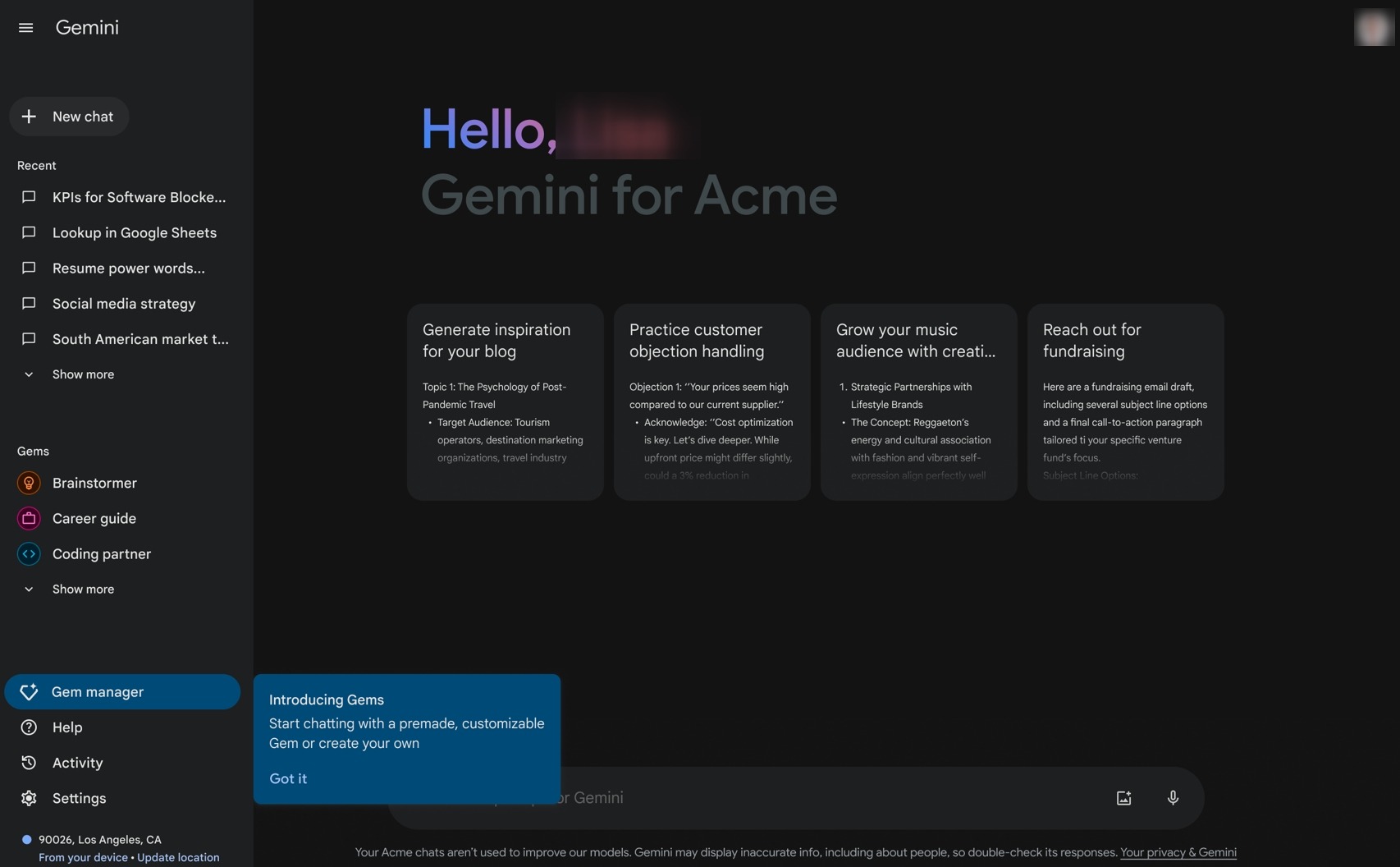
How do you use this chatbot? It’s simple — just talk to it.
- You visit the official website or open the app.
- You’ll see a simple text box, just like in a messaging app.
- Just type your question or task (this is called a “prompt”). The more specific and detailed your instructions, the better the result. You can even upload files — images or documents — and ask for analysis.
- Gemini processes your request and delivers a response. If something’s unclear or needs refinement, just continue the conversation — like you would with a real person.
The key skill for using Gemini isn’t coding — it’s clear communication. Ask vaguely, and you’ll get a generic answer. Be specific, and you’ll get exactly what you need.
Who Is Gemini For?
Gemini from Google is a tool that can significantly assist across a wide range of activities — from professional work to creative projects.
- If you manage social media or advertising, Gemini can effortlessly draft post captions, brainstorm campaign ideas, or even write email newsletters. Developers also benefit — it can generate code, debug errors, and translate code between programming languages.
- For students, it’s a game-changer: it can break down complex topics into simple explanations, create concise summaries of lengthy documents, or quickly extract key insights from articles. Content creators — whether writing articles, scripts, or blog ideas — will find it invaluable. It can even generate images from text descriptions or rewrite existing content.
- For business professionals, it’s incredibly useful: it can parse complex reports, distill key takeaways from massive documents, and even help draft polished, professional business correspondence.
In short, Google Gemini is a universal digital assistant. Marketers, developers, students, managers — anyone who needs to process information and text quickly can benefit. If you haven’t tried it yet, we highly recommend giving it a spin. It’s incredibly convenient to have everything at your fingertips.
- Intelligent model that handles text, images, and code
- High-quality text generation and explanations
- Free access to test core capabilities
- Limited availability for certain regions may require additional setup
- Occasionally generates factual inaccuracies or “hallucinates” information
Pricing and Subscription Plans
The free version of Gemini is more than enough to experiment, ask casual questions, or generate simple text. But, as usual, there are limits: daily request caps may apply, and responses might arrive slightly slower.
The paid tier is called Gemini Advanced. It removes these restrictions and unlocks access to the most powerful AI model (powered by Ultra 1.0). Users report significantly more detailed, accurate responses and expanded capabilities for creative or complex tasks like advanced programming.
Subscribing is straightforward for U.S. users — payments via major credit cards or PayPal are fully supported.
Final Thoughts on Gemini
Gemini is indeed a powerful AI from Google and an exceptionally smart chatbot. Its biggest strength is its ability to seamlessly work with text, images, and code — a truly useful combination. The interface is simple — you just chat as if using a messenger. A free version is available to try it out. While language support for non-English content is still improving, and occasional inaccuracies can occur (as with any AI), it remains an outstanding tool. Should you pay attention to Gemini? Absolutely — especially if you’re already using Google’s ecosystem.
❓ Frequently Asked Questions
Answers to relevant questions about this AI tool
Sources
-
Gemini — gemini.google.com
-
Google AI Subscriptions — gemini.google
-
Gemini Developer API pricing — ai.google.dev
-
Billing - Gemini API - Google AI for Developers — ai.google.dev
-
Gemini - TechCrunch — techcrunch.com
-
Gemini Reviews 2026 - G2 — g2.com
-
Gemini task automation is slow, clunky, and super impressive — theverge.com