Google Antigravity vs Cursor: AI Code Editors Compared
On this page
 The end of 2025 marked a true tectonic shift in the world of development. We’ve moved from the era of “autocomplete” to the era of “execution.” Simple AI assistants have been replaced by agentic IDEs — development environments where artificial intelligence takes on not just lines of code, but entire tasks: architecture planning, coding, testing, debugging, and even deployment.
Two main contenders are vying for the title of best developer tool: Google Antigravity, an ambitious project from the tech giant, and Cursor, the community favorite known for its speed and flexibility. Both tools are forks of Visual Studio Code, but their approaches to organizing AI workflows couldn’t be more different. Which one suits your style? Let’s find out.
The end of 2025 marked a true tectonic shift in the world of development. We’ve moved from the era of “autocomplete” to the era of “execution.” Simple AI assistants have been replaced by agentic IDEs — development environments where artificial intelligence takes on not just lines of code, but entire tasks: architecture planning, coding, testing, debugging, and even deployment.
Two main contenders are vying for the title of best developer tool: Google Antigravity, an ambitious project from the tech giant, and Cursor, the community favorite known for its speed and flexibility. Both tools are forks of Visual Studio Code, but their approaches to organizing AI workflows couldn’t be more different. Which one suits your style? Let’s find out.
What is Google Antigravity? “Mission: Impossible” for AI
 Imagine not just a code editor, but a mission control center. Google Antigravity is a platform built on the flagship Gemini 3 Pro model that takes AI autonomy to a whole new level.
Key Features of Antigravity
Antigravity’s core philosophy is delegation. Here, the developer acts as a tech lead or project manager—setting tasks and reviewing results, rather writing every single line of code.- Agent Manager Surface: This isn’t just a chat. It’s a dedicated workspace where you can spin up multiple agents in parallel across different workspaces. While one agent refactors the backend, another can be working on the frontend or generating icons with the built-in Nano Banana model.
- Full Browser Control: Thanks to a special Chrome extension, Antigravity agents can independently open a browser, click links, fill out forms, and read console logs. This allows them to run E2E tests without your involvement and debug visual bugs autonomously.
- Verifiable Artifacts: One of the biggest trust issues with agents has been solved elegantly. The agent doesn’t just say “I fixed everything.” It provides screenshots, screen recordings of its work, checklists, and implementation plans. You can comment on these artifacts line-by-line, like in Google Docs, and the agent will incorporate your feedback in its next work cycle.
- Work Modes: Antigravity offers two modes: Planning Mode, where the agent first details a step-by-step plan before touching any code, and Fast Mode for quick, routine edits.
Cursor: The “Reactive” Assistant at Your Fingertips
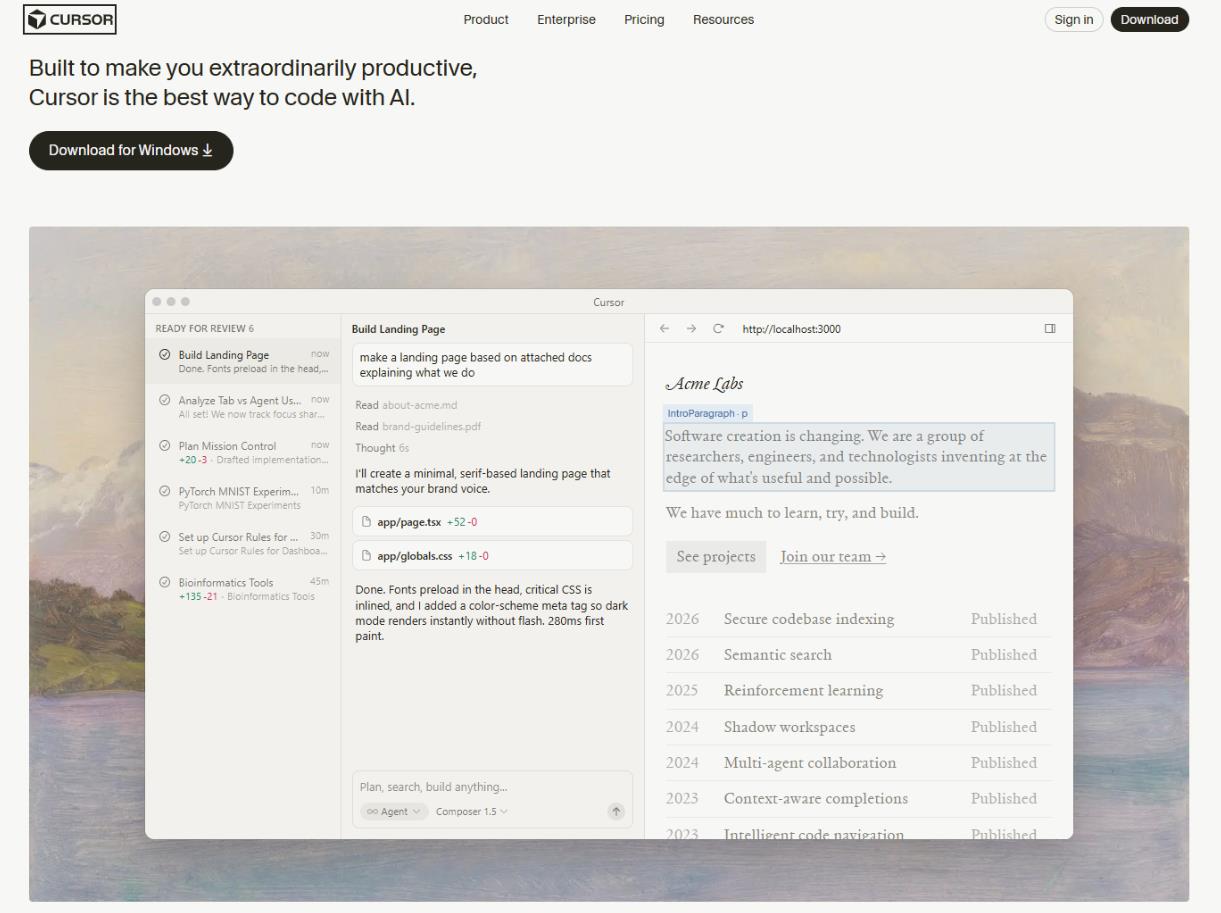 Cursor, from the company Anysphere, represents the evolutionary development of the AI assistant idea. If Antigravity is a “team of interns” you manage, Cursor is the “super-intuitive extension of your own hands.”
Key Features of Cursor
It’s built for developers who want to maintain complete tactile control over the process, just at warp speed. Cursor 2.0, announced in late 2025, doubled down on speed and context.- Proprietary Composer Model: Unlike Antigravity, which aggregates different models, Cursor introduced its own low-latency Composer model. It’s trained specifically for coding tasks and, according to the team, is 4x faster than similar solutions, completing most actions in under 30 seconds.
- Three-Mode System: Interaction with AI in Cursor is cleanly divided into modes: Ask (inquire about code), Edit (make changes), and Agent (autonomously perform a task). This lets developers precisely control the level of AI autonomy.
- Background Processing and Bugbot: Cursor can spin up agents in the cloud for long-running tasks without blocking your local machine. The integrated Bugbot works at the CI/CD level (GitHub, GitLab), automatically checking pull requests and flagging potential issues before they ever reach a human reviewer.
- Deep Context Understanding: Cursor is renowned for its ability to grasp the entire codebase. Instant Grep and the automatic inclusion of relevant files in the context allow the model to deliver incredibly accurate responses without needing constant reminders of what you’re working on.
The Dark Side of the Force: What the Marketers Don’t Tell You
For all their strengths, neither tool is perfect, and the community is actively discussing the issues that have piled up.Cursor: “Stop Breaking My UI!”
Cursor often faces criticism for its overly frequent and chaotic user interface changes. On forums and social media, users complain that buttons and panels “relocate” with every update, disrupting their established workflow. For instance, the toggle between Agent Mode and Editor Mode might disappear from a dropdown, forcing developers to dig through settings. After an update, the IDE might default to opening in Agent Mode, ignoring the user’s previous preferences. Furthermore, frequent releases lead to bugs: freezes, terminal issues, and memory leaks when working with large files. One developer on Reddit sarcastically noted: “Cursor feels like a company without product management—just devs running random experiments on users.” The Cursor team acknowledges the problem and promises to “minimize UI changes,” but the criticism persists. Some have even started calling it “enshittification”—product degradation due to feature bloat.Google Antigravity: The “Vibe-Coding Trap”
Antigravity has a different problem: the risk of over-trusting your agents. The term “vibe-coding trap” has stuck in the community. The gist is that developers, especially inexperienced ones, start giving agents overly abstract prompts like “build me a killer backend,” relying entirely on AI magic. The issue is that Antigravity agents can be over-eager: in response to a request to update a README, they might “also” restructure the dependencies in package.json or silently delete a critical edge-case during refactoring. The resulting code might look beautiful but contain hidden bugs that only surface in production. The trap works flawlessly: newcomers are dazzled by the AI’s power and stop paying attention to details, while seasoned developers stick to the “trust, but verify” rule, using artifacts and diffs for validation. In skilled hands, it’s a powerful tool; in inexperienced ones, it’s a time bomb. However, judging by the discussions, neither problem seems to significantly impact community loyalty: Cursor users are willing to tolerate UI instability for the speed, and Antigravity fans are ready to verify agent artifacts for the ability to delegate complex tasks.Head-to-Head Comparison: Antigravity vs Cursor
To figure out which tool to pick, let’s break down the main criteria.1. Philosophy and Autonomy (Agent-first vs Developer-flow)
This is the core difference.- Antigravity embraces an “Agent-first” approach. The agent is the main actor, working in a dedicated space (Manager), often asynchronously. Your role is to set tasks and review “artifacts.” Autonomy is rated Very High.
- Cursor sticks to the “Developer-flow” approach. The agent is a tool always at your fingertips, but initiative and control stay with the human. Cursor is ideal for synchronous work: you write code, AI completes; you ask, AI refactors. Autonomy here is Medium to High, but always under your direct supervision.
2. Multitasking and Parallelism
- Antigravity: This is its forte. You can spin up parallel agents in different workspaces. One fixes a bug in old functionality, another writes a new feature, a third generates UI mocks. This is true multitasking, implemented via git worktrees or remote machines.
- Cursor: Supports parallel agent work (also using git worktrees), but this feature arrived later and is often seen as a way to run multiple experiments simultaneously, rather than a constant orchestration of an “agent team.” The main focus is on a single agent session.
3. Interaction with the External Environment
- Antigravity: Offers the deepest integration. Browser (via extension), terminal, editor—the agent works everywhere at once. It can write frontend code, spin up a server, open Chrome, check the layout, and send you a screenshot report.
- Cursor: Focuses primarily on the editor and terminal. Browser capabilities are limited (a basic browser view exists, but it’s not designed for automated actions).
4. Pricing
- Antigravity: Currently in a free public preview with generous limits that refresh every 5 hours. This is a huge advantage for indie devs and enthusiasts.
- Cursor: Operates on a subscription model. $20/month for the Pro version and up to $200/month for the Ultra tier, which provides more queries to top-tier models. Cursor hits its free limits much faster, nudging you toward a paid plan.
5. Transparency and Trust
- Antigravity: Bets on maximum transparency. Artifacts (plans, screenshots) and the commenting mode are designed for you to trust the agent by understanding its logic.
- Cursor: Uses a more traditional verification approach: real-time diffs. You see exactly which lines are changing and can accept or reject them immediately. This is faster for small edits, but more complex for evaluating large features.
Our Verdict: What Should You Choose?
The choice between Antigravity and Cursor isn’t about “what’s better”—it’s about “who you are as a developer.” Choose Google Antigravity if:- You’re a team lead or architect. You need to manage numerous tasks and review outcomes without diving into every line of code.
- You’re building complex systems. Your features require changes across backend, frontend, and database simultaneously. Delegate it to an “agent team.”
- You appreciate free tools. Antigravity’s public preview is a great way to try cutting-edge tech without spending a dime.
- You value visibility. If you want to see not just code, but screenshots of the working application before it hits production.
- You’re ready to verify artifacts. You understand the risks of “vibe-coding” and won’t give agents free rein without oversight.
- You’re a solo developer or part of a small team looking to accelerate your personal coding flow. Cursor is the ideal “pair programmer” who’s always one step ahead.
- You’re a control freak. You like keeping your finger on the pulse, controlling the AI’s every move, but don’t want to waste time on boilerplate.
- You crave speed. Cursor’s autocomplete and fast Composer are unmatched for quick, iterative, “here and now” development.
- You work with massive legacy codebases. Deep context understanding and Instant Grep will help you navigate unfamiliar territory.
- You can tolerate UI experiments. If frequent interface updates don’t throw you off, you’ll get access to the newest features first.