Best Free AI StuDocu Downloaders in 2026
On this page
StuDocu holds millions of student-uploaded notes, past papers, and summaries, but most content requires either uploading your own files or paying for access. StuDocu downloaders are tools and browser extensions that let you view or save this content without a subscription. They differ in how they work and their features. Some remove the blur overlay directly on the page, others get the document through a third-party server, and a few use AI to answer questions from locked content. It all depends on what your end goals are.
What Are StuDocu Downloaders?
A StuDocu downloader is a tool that bypasses the access restrictions on StuDocu’s platform, letting you view or save locked study documents without a subscription or uploading your own files.
The typical workflow looks like this:
- Find a locked document on StuDocu.
- Copy the document URL.
- Paste it into a web-based tool or activate a browser extension.
- View the full document or download it as a PDF.
- Save it locally for offline study.
These tools are used by students who need occasional access to a specific past paper, lecture summary, or study guide and do not want to commit to a monthly plan or the upload-to-unlock model.
Top StuDocu Downloader Tools 2026
1. Docdownloader
Official website: docdownloader.com
Platform: Web-based document downloader supporting multiple platforms.
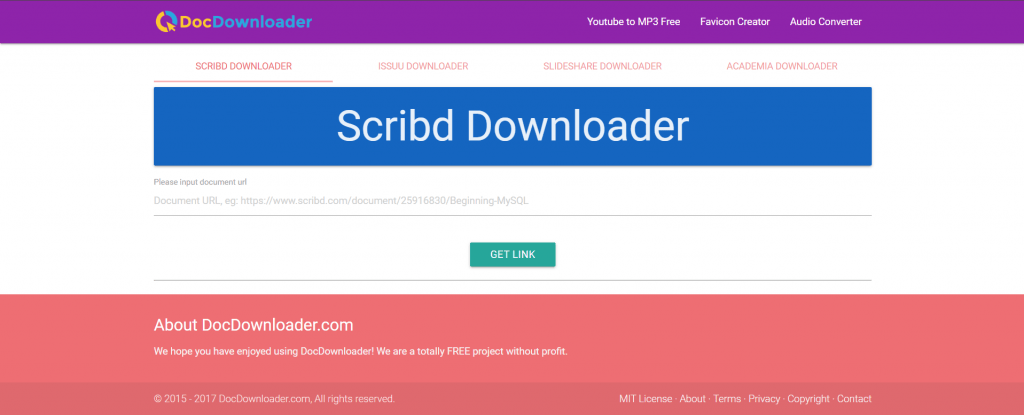
Features: Docdownloader is one of the most widely used tools for accessing locked study documents. Paste a StuDocu URL into the input field, and the service fetches and renders the document on its own server, bypassing the client-side blur. The result can be viewed in the browser or downloaded as a PDF. It also works on Scribd and Academia.edu documents, making it a practical all-in-one option for students who use multiple study document sites.
Pricing
|
Plan |
Price |
Key features |
|
Free |
$0 |
URL-based document access, PDF download |
|
No paid plan |
— |
Fully free, ad-supported |
Public feedback: Users report that Docdownloader works reliably on most StuDocu documents and loads results quickly. The main complaints center on intrusive ads and occasional failures when StuDocu updates its page structure.
- Free with no account required
- Works on StuDocu, Scribd, and Academia.edu
- PDF download available
- No installation needed
- Heavy ad load on the site
- Breaks periodically after StuDocu updates
- No mobile app
2. StuDocu Unblur (Browser Extension)
Official website: Available via Chrome Web Store
Platform: Chrome and Firefox browser extension.
Features: The StuDocu Unblur extension runs directly inside your browser and removes the blur overlay applied to locked documents on the StuDocu page. Unlike web-based tools, it works without copying and pasting URLs — simply navigate to any StuDocu document and the extension processes it automatically. It targets the CSS blur layer that StuDocu applies client-side, which means it works as long as the document content is technically loaded in the browser but visually hidden.
Pricing
|
Plan |
Price |
Key features |
|
Free |
$0 |
Automatic unblur on StuDocu pages |
|
No paid plan |
— |
Fully free |
Public feedback: Students appreciate the seamless experience — no extra steps, no copy-pasting, just browse normally and read. The downside is that StuDocu frequently updates its blur mechanism, which can disable the extension without warning until the developer releases an update.
- Works automatically without extra steps
- No URL copying required
- Free and lightweight
- Available for Chrome and Firefox
- Breaks more frequently than web-based tools
- Requires browser extension permissions
- Only works on StuDocu
3. CourseHero and StuDocu Unlocker
Official website: Various third-party sites
Platform: Web-based multi-platform unlocker.
Features: Several web tools market themselves as combined unlockers for both CourseHero and StuDocu. The approach is similar to Docdownloader: paste a URL, and the service renders the document through its own infrastructure. Some versions also include a question-answering layer, where you can ask about the content of a locked document without downloading the full file. Availability varies since many of these sites shut down and relaunch under new domains.
Pricing
|
Plan |
Price |
Key features |
|
Free |
$0 |
URL-based access, limited daily uses |
|
Some offer credits |
Varies |
Additional unlocks per day |
Public feedback: Useful as a backup when primary tools fail, but less consistent than dedicated tools. Users report that some sites in this category collect URLs or display misleading download buttons.
- Works across multiple study platforms
- No account required for basic use
- Some include AI question-answering
- Inconsistent availability
- Some sites are unreliable or ad-heavy
- Quality varies significantly between services
4. Homeworkify
Official website: homeworkify.co.uk
Platform: AI-powered homework and document Q&A tool.
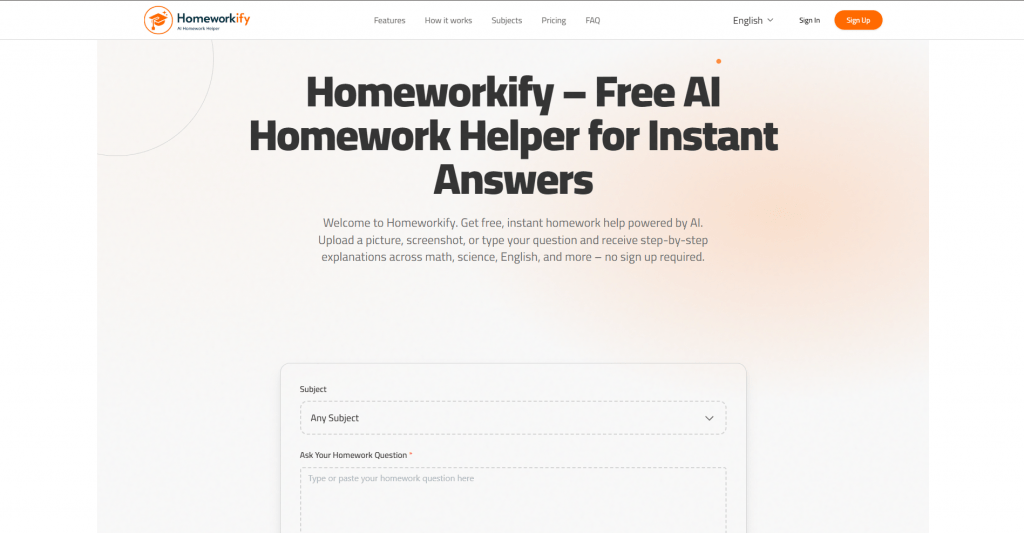
Features: Homeworkify takes a different approach to locked study content. Rather than downloading the full document, it uses AI to answer questions based on what it can access from a StuDocu page or similar source. Paste a question or a document URL, and the tool generates a step-by-step answer. This makes it particularly useful when you need a specific piece of information from a locked document rather than the entire file. It covers over 30 subjects, including mathematics, chemistry, economics, and history.
Pricing
|
Plan |
Price |
Key features |
|
Free |
$0 |
5 questions per day, step-by-step answers |
|
Advanced |
$9/month |
Unlimited questions, most accurate model |
Public feedback: Students use Homeworkify most for answering specific exam questions rather than downloading full documents. The free tier is functional for light use, and the paid plan is competitively priced compared to StuDocu’s own subscription.
- AI-generated step-by-step answers
- No download required
- Free tier available without registration
- Works across 30+ subjects
- Does not download the full document
- Free tier limited to 5 questions per day
- Less useful for reading full lecture notes
5. Google Cache and Proxy Access
Official website: Various (Google Cache, CroxyProxy, others)
Platform: Search engine cache and web proxy tools.
Features: Some StuDocu documents are indexed by Google before access restrictions are fully applied. Accessing the cached version of a page through Google Cache or routing a request through a web proxy like CroxyProxy can surface the original content. This method requires no tools or extensions — just a browser and knowledge of where to look. It is the least reliable approach but also the one with no setup required and no third-party software involved.
Pricing
|
Plan |
Price |
Key features |
|
Free |
$0 |
No account or installation needed |
|
No paid plan |
— |
Fully free |
Public feedback: Works inconsistently depending on how recently a document was cached and whether StuDocu has since updated its restrictions. Experienced students use this as a first check before turning to dedicated tools.
- No tools or accounts needed
- Works through a standard browser
- No privacy risk from third-party extensions
- Very inconsistent results
- Only works on recently cached pages
Comparison Table
|
Tool |
Type |
Free |
Works on mobile |
Also covers other sites |
|
Docdownloader |
Web-based |
Yes |
Yes (browser) |
Yes (Scribd, Academia) |
|
StuDocu Unblur |
Browser extension |
Yes |
No |
No |
|
CourseHero & StuDocu Unlocker |
Web-based |
Yes (limited) |
Yes (browser) |
Yes (CourseHero) |
|
Homeworkify |
AI Q&A |
Yes (5/day) |
Yes |
Yes |
|
Google Cache / Proxy |
Manual / proxy |
Yes |
Yes |
Yes |
Free Study Material Alternatives
If a downloader stops working or you want more reliable free access to study materials, these open educational resources cover a broad range of subjects without requiring any bypass tools:
- OpenStax — peer-reviewed, openly licensed university textbooks
- MIT OpenCourseWare — full course materials from MIT, free and indexed
- Khan Academy — structured learning across STEM and humanities
- Library Genesis — textbook PDFs across most academic fields
- University repositories — many institutions publish lecture notes and past papers directly on their own sites
- Z-Library — large repository of academic books and papers
- Project Gutenberg — public domain texts for literature and history
Conclusion
The right StuDocu downloader depends on what you need and how often you need it.
Docdownloader is the most practical starting point for full document access with no installation required. The StuDocu Unblur extension offers the smoothest experience for regular StuDocu users but breaks more frequently. CourseHero and StuDocu unlocker tools are worth bookmarking as backups, particularly if you use multiple study platforms. Homeworkify is the best option when you need answers to specific questions rather than a full document download. Google Cache and proxy access require no tools at all but work inconsistently.
All five approaches are free. For students who use StuDocu regularly, comparing the cost of a monthly subscription against the time spent managing broken bypass tools is worth doing before the next exam season. Or if the cost is an issue, you can always look at the alternatives listed above.
❓ Frequently Asked Questions
Answers to relevant questions about this AI tool