N8N: Creating a Smart AI Telegram Agent Without Coding
On this page
Automating customer interactions and building autonomous digital assistants have become vital for modern business operations. Traditionally, building an intelligent Telegram chatbot required a dedicated software engineering team, expensive hosting, and ongoing code maintenance. Low-code automation platforms like n8n have completely transformed this pipeline, allowing business owners and managers to assemble complex automated workflows visually.
By connecting Telegram directly to advanced language models, you can launch a responsive digital assistant that handles support tickets, schedules client appointments, or filters incoming leads automatically. This guide outlines the setup process, comparing historical methods with modern artificial intelligence nodes to help you deploy a stable automation infrastructure.
Advanced AI Nodes vs. Legacy HTTP Workflows
Earlier iterations of n8n automation required users to route messages using standard HTTP request blocks, sending raw JSON payloads directly to external provider interfaces. While this method successfully delivered basic answers, it limited the bot’s intelligence because a simple request-response loop possesses no operational memory. Modern setups leverage n8n’s dedicated Advanced AI suite, which natively incorporates LangChain principles. Instead of a single text predictor, you configure an actual autonomous manager centered around an AI agent node. This node acts as a central brain, capable of dynamically deciding when to call external software, query internal company databases, or reference past user statements before rendering a final output. This development eliminates conversational drift and ensures high accuracy during complex professional interactions.
How to Build an Autonomous Telegram Agent in n8n
Building a 24/7 AI assistant on Telegram comes down to five stages: creating the bot, catching incoming messages, wiring up the AI brain, sending the reply, and going live. Follow them in order.
Step 1: Create Your Telegram Bot and Get a Token
Open Telegram and start a chat with the official BotFather account. Use it to create a new bot profile, which generates a unique application token. Copy this token and keep it safe, as it is the credential that lets n8n control your bot.
Step 2: Set Up the Telegram Trigger Node
On your n8n canvas, add a Telegram Trigger node. Set the webhook registration parameter to listen for incoming text messages, then paste your token into the credential field.
If you are running n8n locally on your computer for testing, the messaging platform cannot reach your machine directly. Use a secure tunnel service like Ngrok to generate a public URL so Telegram can transmit live server updates to your local environment.
Step 3: Connect and Configure the AI Agent Node
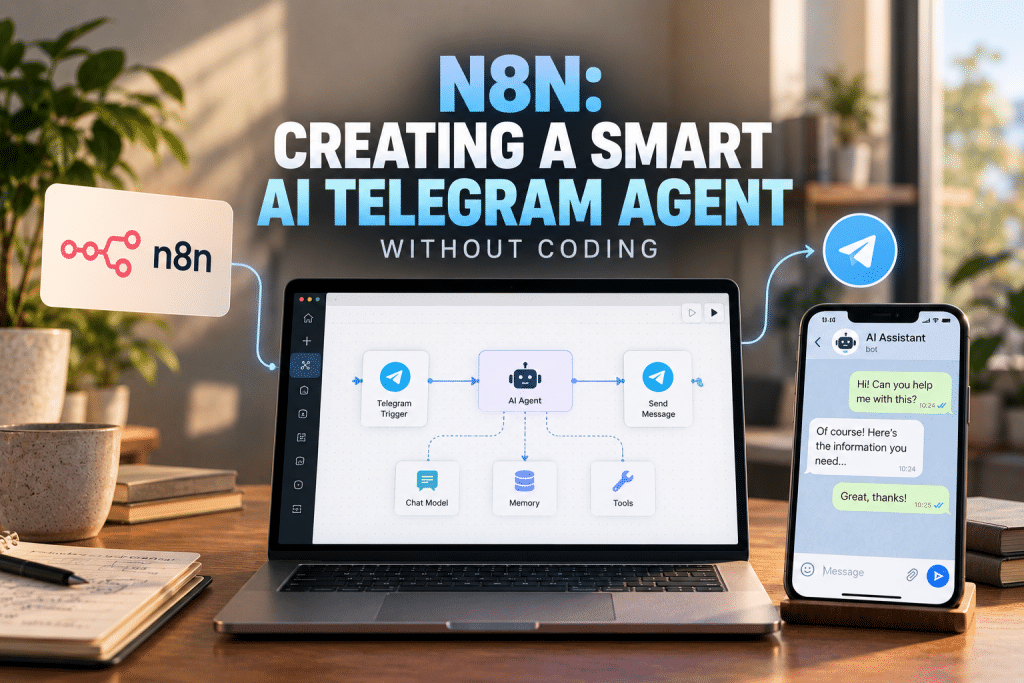
Connect the trigger’s output directly to a core AI Agent node, rather than routing it through an individual script node. This node is the orchestrator for your assistant’s logic and behavior. Attach three sub-nodes to its designated slots:
- Chat Model. Select your provider (OpenAI, Claude, or DeepSeek), enter your API key, and write your system instructions. This is where you give the assistant a professional persona, explicit boundaries, and a clear objective tailored to your use case.
- Window Buffer Memory. This stores a set number of recent conversational turns and feeds them back into the model on each new prompt, so the bot handles multi-turn chats and remembers details like a customer’s name or an order number mentioned earlier.
- Tools. Attach database nodes, a Google Search connector, or an internal calendar here, giving the model the ability to look up live operational data before it replies.
Visit the official n8n website
Step 4: Send the Reply Back to Telegram
Connect the AI Agent’s output to a standard Telegram node and set its action to Send Message. In the text parameter box, drag and drop the output variable generated by the agent, so the final answer streams straight back to the matching chat session.
Step 5: Activate the Workflow
With every block mapped, flip the workflow’s active toggle to push the assistant live. From here, n8n monitors incoming customer requests and responds around the clock without manual intervention.

Architectural Comparison: HTTP Requests vs Native AI Nodes
Choosing your implementation method dictates how easily your team can scale automation logic as corporate demands expand. While raw web requests offer minor speed advantages for basic text replies, advanced native nodes are mandatory for building interactive agents that control software.
| Operational Metric | Legacy HTTP Workflows | Native Advanced AI Nodes |
|---|---|---|
| Setup Complexity | High; requires manual JSON structuring and API mapping | Low; visual node connectivity with predefined slots |
| Context and Memory Retention | None; requires building custom external database logs | Automated via plug-and-play memory buffer nodes |
| Tool and API Execution | Manual routing through conditional branching logic | Autonomous; the AI independently chooses which tool to deploy |
| Error Debugging Process | Requires inspecting raw server network payloads | Visual step-by-step trace mapping directly on the canvas |
| Model Interchangability | Difficult; requires rewriting request headers and bodies | Instant; swap model blocks without modifying adjacent logic |
| Production Suitability | Limited to simple single-turn auto-responses | Optimized for complex multi-stage enterprise automation |
Conclusion
The implementation of advanced low-code automation has made it possible to build and scale interactive business assistants completely without writing complex code. By utilizing n8n’s native AI nodes, organizations can bypass traditional development bottlenecks to link messaging interfaces with powerful reasoning systems in minutes. Each software block features distinct connectivity parameters, meaning long-term success relies on selecting the model architecture that aligns with your specific operational data. Combining visual workflow construction with proper security protocols ensures your automated assistants maintain high reliability, accurate conversational memory, and clear business utility.
❓ Frequently Asked Questions
Answers to relevant questions about this AI tool