Best Peter Griffin AI Voice Generators
On this page
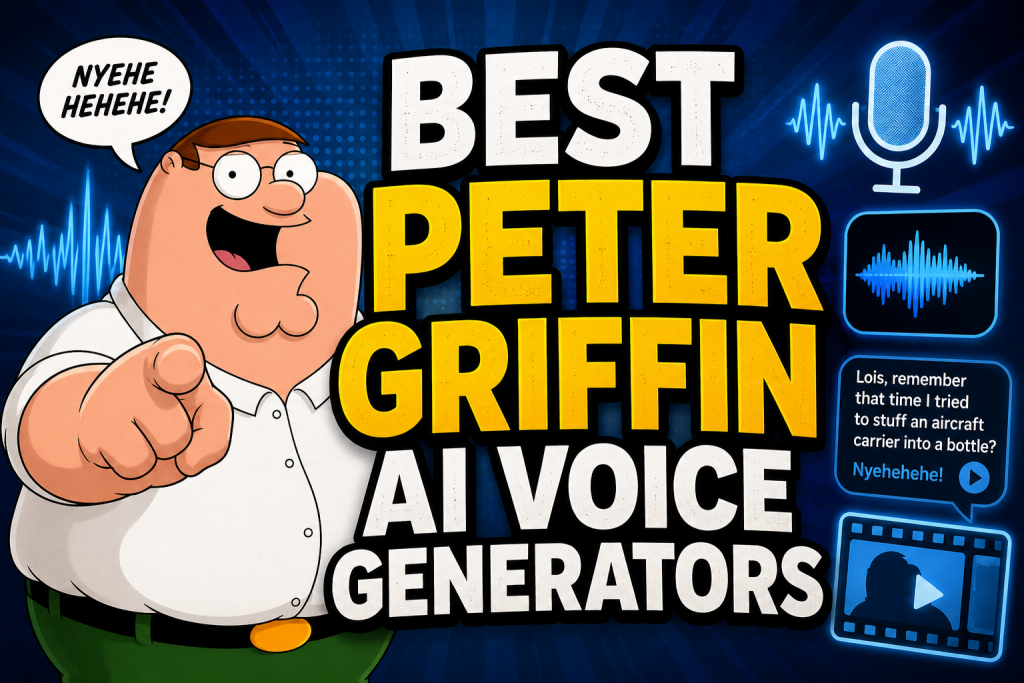
“Gosh, it’s not like the internet to go crazy about something small and stupid,” Peter Griffin would say about all this. And damn it, he’d be right! Yes, this is a real trend of 2025–2026, and it is incredibly powerful. Peter Griffin AI Voice is one of the most viral formats on social media right now, especially on TikTok, Instagram Reels, and YouTube Shorts.
Well, Family Guy has always been a meme factory. AI just gave it a powerful new tool.
Why Peter Griffin Specifically
In 2025, a format took off online where famous movie or cartoon characters explain everything under the sun. People try different characters, but Peter delivers some of the best results. A term has even emerged: the “Peterverse,” which is an entire universe of accounts featuring AI-generated Peter.
The main reason is virality and engagement. Peter’s voice grabs attention instantly in the feed. Even if the topic seems boring, like taxes, crypto, history, the Bible, politics, Minecraft mechanics, or how to properly cook a steak, delivered by this lovable goof, it becomes addictive and memorable. People stop scrolling, watch through, and share.
The thing is, Peter is the perfect “relatable dumb guy.” He can be simultaneously stupid, overconfident, and touching. His characteristic raspy timbre, Rhode Island nasal accent, signature “nyehehehe” laugh, and habit of veering off into random stories about “that one time” can make even a tax return hilarious. And most importantly, this voice is easy to clone and synthesize with modern AI models.
What It’s Used For
Many accounts are making thousands of dollars a month from this, millions of views per video, growing from zero to hundreds of thousands of followers in just a couple of months. People entertain each other while also solving practical problems.
- Creating viral content for TikTok, YouTube Shorts, and Instagram Reels. Peter explaining quantum physics or harshly critiquing modern cinema? I would watch that without understanding a thing about either subject.
- Quick voiceover for fan-made animations or parodies of Family Guy episodes.
- Pranking friends and making personalized birthday greetings. Haven’t you tried surprising someone with Peter’s voice on their birthday or in a voice message yet?
- Voicing videos for streams and podcasts in a humorous style.
OK, So What About AI Generation, Lois?
Peter Griffin AI Voice Generators are specialized tools based on deep learning technologies. At their core lie text-to-speech (TTS) technology or voice cloning techniques.
You simply type a line: “Lois, remember that time I tried to stuff an aircraft carrier into a bottle? Oh my God, that was epic! Nyeh heh heh.” You press a button — and the model generates an audio file where Peter Griffin voices that phrase with maximum realism, correct pauses, and authentic intonation.
Some services let you adjust speech rate, pitch, and emotional tone (anger, joy, surprise) and even add those absurd digressions.
Important Disclaimer
All these tools exist in the gray area of parody rights. No one is stopping you from having fun, but passing off generated audio as official Seth MacFarlane or Fox content is a bad idea. Always add a disclaimer that the recording was created by artificial intelligence and is not the original voice of the actor.
Top 5 Services for Generating Peter Griffin’s Voice
We tested dozens of tools and selected the five best for 2026. Our criteria: imitation quality (recognizability of timbre and signature laugh), speed, interface usability, and value for money.
1. Fish Audio — Best Free Option With Professional Quality
- Official website: https://fish.audio/
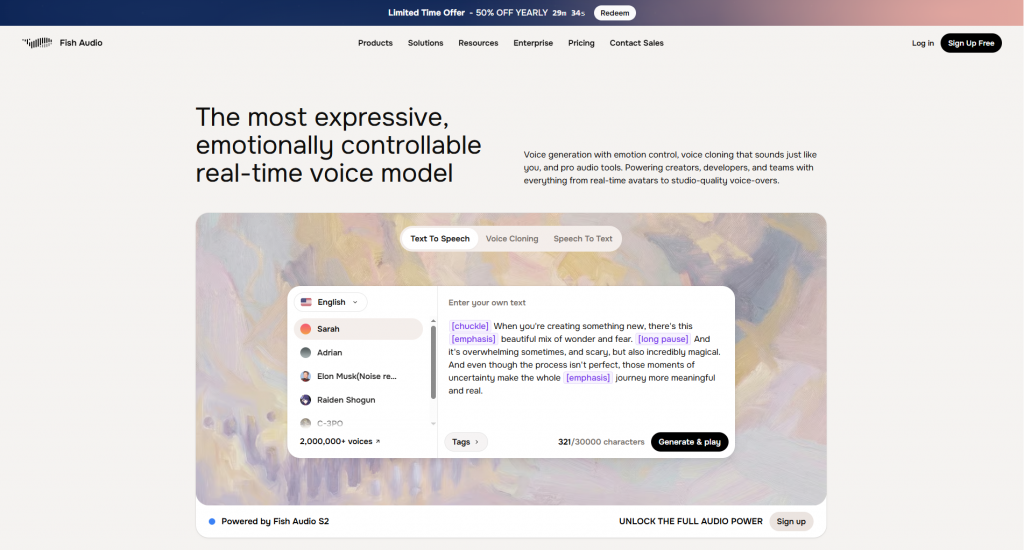
Fish Audio rightfully takes first place in our ranking thanks to its unique combination of high-quality generation and a generous free tier. The service is built as a library of user-contributed voices, where the community uploads and trains its own models. Dozens of versions of Peter Griffin’s voice are available — from simple TTS models to finely tuned variants with perfectly replicated laughs and intonations.
It is available as a web version for all browsers. There is also an open API that allows developers to integrate voice generation into their applications, Discord or Telegram bots, and automated content creation systems.
How It Works
The process is extremely simple. You go to the website, type “Peter Griffin” or “Family Guy” into the search bar. The system shows a list of all available models. The best ones have tags like “high quality” or “accurate laugh.” You select the one you like, paste your text into the input field, and hit the generate button.
Fish Audio uses a modern diffusion architecture — similar to what works in Midjourney, but for sound. Within 2–5 seconds, you get a finished audio file that you can download in MP3 or WAV format.
Features and Settings
Fish Audio’s main feature is a detailed voice parameter control panel. You can adjust:
- Speech rate from 0.5x to 2x
- Pitch for lower or higher sounding voice
- Emotional tone: “calm,” “happy,” “angry,” “surprised”
- Add pauses and emphasis on specific words
The service supports multiple languages. You can generate Peter’s voice not only in English but also in Spanish, French, German, or Russian. Quality suffers slightly, but for short memes it’s more than enough.
Pricing
Free tier: 30 minutes of generation per month, access to all models, but a 30-second limit per audio file.
Paid tiers:
- Pro at $8/month: 300 minutes of generation, file length limit removed (up to 5 minutes), priority generation queue.
- Business at $29/month: unlimited generation, commercial license, priority technical support.
Paying annually gives you a 50 percent discount on any paid plan.
User Reviews
On independent forums and in developer communities, Fish Audio is called “the most underrated service of the year.” Users note that the quality of the free version is practically on par with paid competitors. The main complaint is that, among the many user-uploaded models, you need to spend time searching for a truly high-quality version of Peter.
Pros and Cons
- Very high quality in the free version
- Fine-tuning options (speed, pitch, emotions)
- Huge library of pre-trained models
- Multi-language support
- API for developers
- You have to search for the best Peter model among many duplicates
- Free version is limited to 30 seconds per audio file
- English-only interface
- Some advanced features are paywalled
2. ElevenLabs — Professional Cloning for Production-Level Work
- Official website: https://elevenlabs.io/
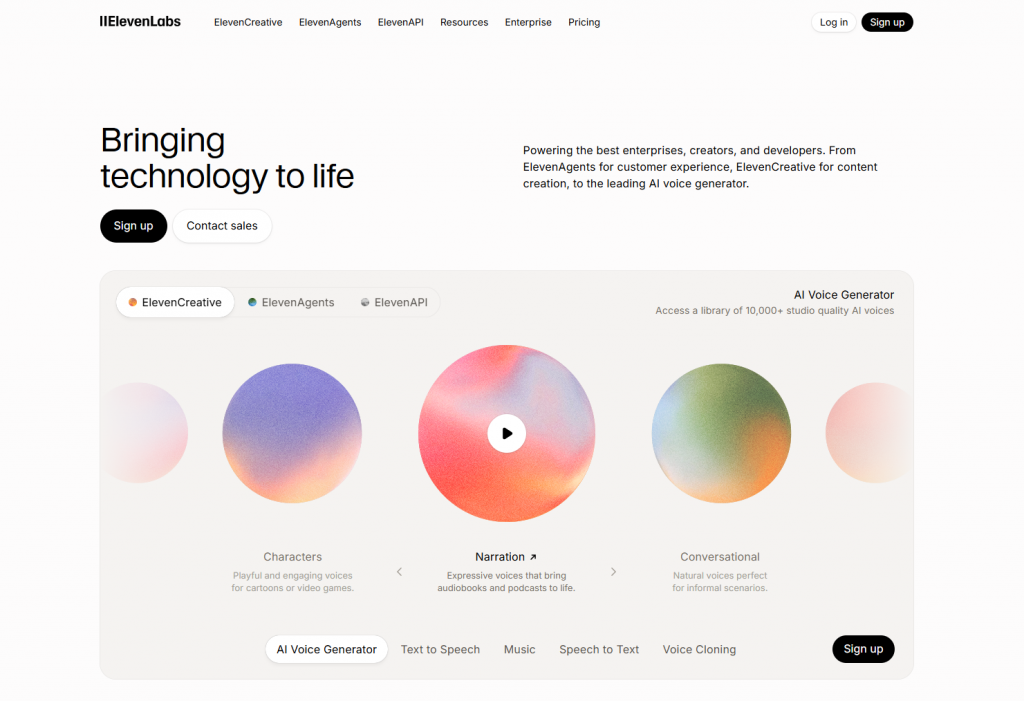
ElevenLabs is the “heavy artillery” of speech synthesis. The company uses the most advanced transformer models on the market, based on an architecture similar to GPT — the same principles used in large language models, but adapted for audio.
The voice generated by ElevenLabs sounds strikingly smooth and alive, with the micro-dynamics of breath and articulation that other services simply cannot reproduce.
It is available on all platforms: web version, native apps for Windows and macOS, and mobile apps for iOS and Android. There is also a powerful REST API for professional integrations — from voice assistants to game engines.
How It Works
ElevenLabs offers two ways to get Peter Griffin’s voice. First: browse the public Voice Library, where users upload their custom models. You can find several versions of Peter Griffin’s voice there, with varying quality.
The second, more accurate method is custom cloning. You upload 5–10 clean audio clips from Family Guy (each 10–30 seconds long), where Peter speaks clearly without background noise. The neural network analyzes timbre, resonance, characteristic overtones, and speech patterns, then creates a digital copy of the voice. The training process takes 5 to 20 minutes depending on server load.
Features and Settings
ElevenLabs offers several unique functions:
- Voice stability adjustment: from maximally steady to “lively” and slightly unpredictable
- Similarity control: higher values give more accurate imitation but increase the risk of artifacts
- Emotional intelligence mode: the model automatically places emphasis and intonation by analyzing the meaning of the text
- Professional video dubbing with automatic timecode synchronization
- Sound effect and background noise generation
Pricing
Free tier: 10,000 characters per month (roughly 10 minutes of audio), access to basic voices, watermarks.
Paid tiers:
- Starter at $5/month: 30,000 characters, access to Voice Library, custom cloning available.
- Creator at $22/month: 100,000 characters, professional quality, commercial license, watermark removal.
- Pro at $99/month: 500,000 characters, priority support, expanded usage rights.
- Enterprise: custom terms for companies.
User Reviews
Professional YouTubers and podcasters agree: ElevenLabs is ideal for long scripts — interviews, lectures, narrations. However, the service’s policy can be problematic. ElevenLabs actively blocks the generation of content with clearly recognizable celebrity voices if it suspects reputation harm or commercial use without a license. Users get around this by using locally trained models based on open-source weights, but that requires technical skills.
Pros and Cons
- Benchmark realism, indistinguishable to the ear
- Professional mixing and post-processing tools
- Best-in-class API for developers
- Multi-language support while preserving timbre
- Fast generation even on the free tier
- More expensive than competitors for heavy usage
- Risk of Peter Griffin’s voice being blocked during moderation
- Free version is heavily limited by characters
- Truly high-quality cloning requires 5–10 clean samples, which takes preparation time
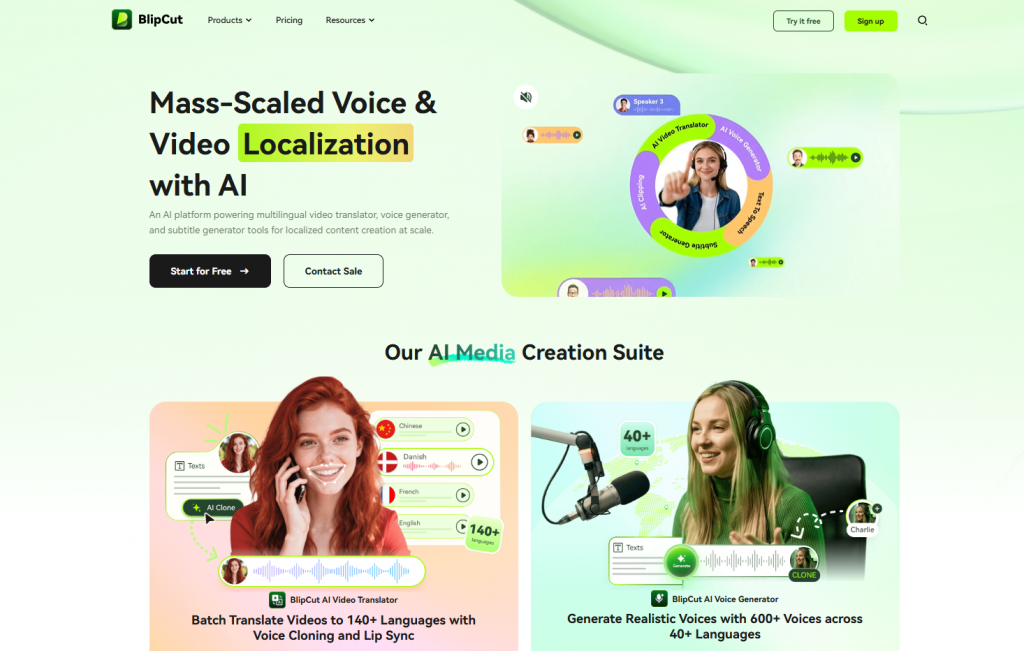
3. BlipCut — Ideal Choice for Fast Video Dubbing With Subtitles
- Official website: https://www.blipcut.com/
BlipCut positions itself as an AI Video Translator. But hidden inside is a powerful TTS engine with a library of recognizable voices, including Peter Griffin. If your goal is not just to generate audio but to directly put Peter’s voice into a finished video with precise synchronization, this is the best service on the market.
It works as a web version for all browsers. There is also a native desktop application for Windows and macOS.
How It Works
You upload a video file in MP4, MOV, AVI format or a YouTube link (direct import available). In the settings, you select “Peter Griffin voice” under the AI Voiceover section. The service automatically transcribes the original audio track into text if you want to replace someone else’s voice with Peter’s, or you can manually enter your own text. Then BlipCut synthesizes speech in Peter’s voice and synchronizes it with your video based on timecodes, preserving the duration of the original phrases.
Features and Settings
BlipCut stands out from competitors with a set of video-specific functions:
- Automatic subtitle generation in 70+ languages with font and positioning options
- Batch processing — you can upload up to 10 videos at once
- Mode for preserving original intonation during voice translation
- Frame-by-frame preview of synchronization before final rendering
- Support for accents in several languages (British, Australian, Indian English)
Pricing
Free tier: 3 exports per month, up to 5 minutes per video, BlipCut watermark on output.
Paid tiers:
- Basic at 9.99/monthor9.99/monthor69/year: 20 exports, up to 30 minutes per video, watermark removal.
- Pro at 19.99/monthor19.99/monthor139/year: 100 exports, up to 2 hours per video, batch processing.
- Business at $49.99/month: unlimited exports, priority support, commercial license.
User Reviews
YouTubers and TikTokers praise BlipCut for the massive time savings. Manually syncing audio to video is a one-to-two-hour task. BlipCut does it in three minutes.
The main criticism concerns the quality of Peter’s voice itself: it is noticeably inferior to Fish Audio and ElevenLabs. The voice sounds flatter, with fewer overtones, and the signature laugh often comes out unnatural.
Pros and Cons
- Direct video editing integration — no separate video editor needed
- Automatic subtitle generation and overlay
- Support for 70+ languages and accents
- Direct YouTube import via link
- Batch processing of multiple videos
- Peter Griffin voice cloning quality is noticeably lower than the top competitors
- The “nyehehehe” laugh often generates with artifacts and sounds unnatural
- Premium subscription required for serious workloads
- Free version leaves a large watermark on videos
4. Jammable — King of Musical Parodies and Short Comedy Sketches
- Official website: https://www.jammable.com/
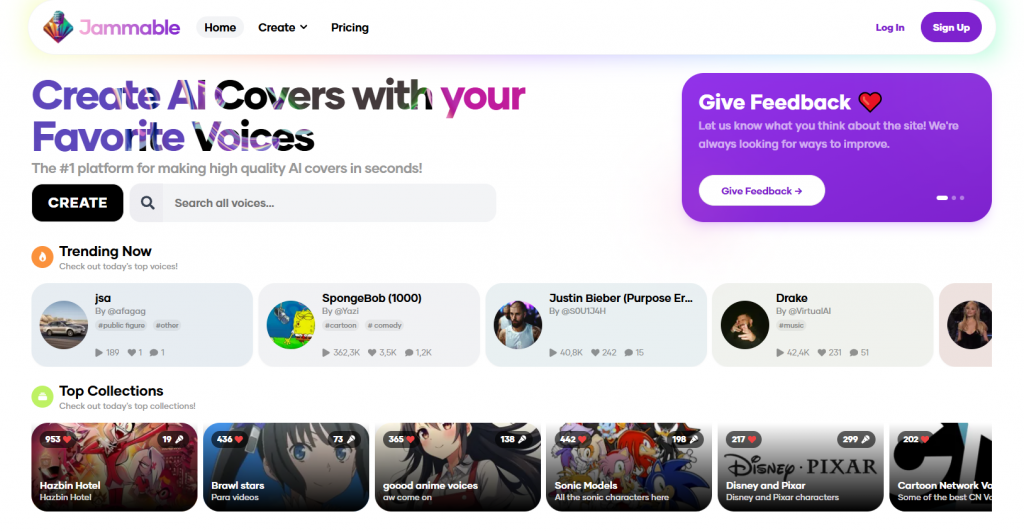
Jammable (formerly called Voicestars — the rebranding happened in early 2025) specializes in a hypertrophied, exaggeratedly comedic sound. Not for serious podcasts or documentary cinema. This tool is designed for absurd memes, song parodies, and short crazy sketches where Peter Griffin raps or shouts at friends in a voice chat.
Jammable is available as a web version and as a Discord bot. There are no mobile apps, but you can use the service from a smartphone through the Discord bot.
How It Works
Jammable has two main modes. First — standard TTS: you enter text, select Peter’s voice, and the system generates speech.
But the real magic happens in the second mode — AI Covers. You upload an audio recording (for example, you hum a tune into your microphone or take an acapella from YouTube), specify the desired voice, and Jammable turns your singing into Peter Griffin’s performance. The neural network preserves the original melody and rhythm but changes the timbre and delivery style.
Features and Settings
Jammable offers several unique features for this market:
- Five levels of emotional intensity: from “playful” to “nuclear rage”
- Mode for exaggerating characteristic traits — you can make the voice even more nasal or add more rasp
- Library of ready-made backing tracks for creating songs from scratch
- Discord integration for generating voice directly in voice channels during streams
- Quick generation mode for short sounds (up to 3 seconds) for memes, soundboards, and notifications
Pricing
Free tier: 5 generations per day, TTS only, maximum length 20 seconds.
Paid tiers:
- Creator at $9.99/month: 200 generations per month, access to AI Covers, length up to 60 seconds.
- Pro at $19.99/month: unlimited generations, length up to 120 seconds, priority queue.
- Studio at $49.99/month: commercial license, priority support, ability to train custom models.
User Reviews
On Product Hunt and Reddit’s r/aiwars, Jammable is called “the perfect tool for TikTok content makers.” Users note that the service delivers the most recognizable and “meme-friendly” version of Peter — louder, more emotional, and more absurd than the competition. The signature laugh comes out especially juicy. The main complaint: generation takes 10–15 seconds, which is slower than Fish Audio and ElevenLabs.
Pros and Cons
- Best service for musical parodies (AI Covers)
- Excellent laugh and emotion transfer quality
- Simple and intuitive interface
- Discord integration for voice chats
- Large library of other character voices
- For long narrative texts, the voice becomes excessively exaggerated
- Free version limits are strict — only 5 generations per day
- Slower generation than competitors
- No API for developers
5. Open-Source Automation Solutions — Maximum Flexibility and Zero Cost
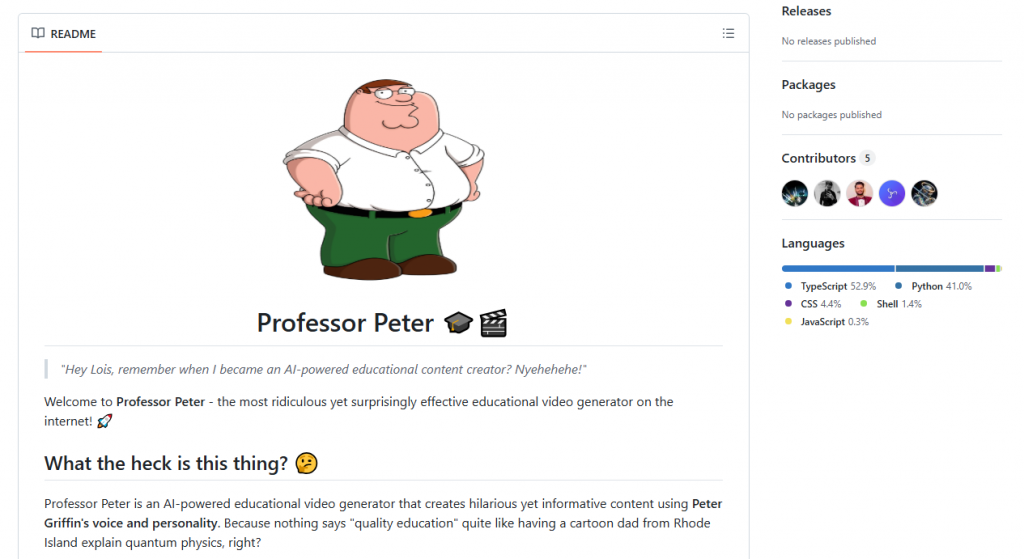
If you are a developer or a technically savvy user for whom standard services are not enough, check out open-source solutions. Projects like GriffinGPT, Professor Peter, and Peter-Griffin offer full automation of the content creation process. These are no longer just voice generators — they are complete pipelines for producing viral videos.
Warning: you need basic command-line knowledge and familiarity with Python or Node.js dependencies.
How It Works
This is standard for open source. You run a Python or Node.js script. It connects to a language model API (e.g., GPT, Gemini, or local Llama) and asks it to generate a script in Peter Griffin’s voice on a given topic. Then the script sends that text to a voice generation API (typically Fish Audio or ElevenLabs) through their open interfaces.
In parallel, it downloads random video with Family Guy attributes (screensavers, Peter clips) and overlays the audio track via FFmpeg. The output is a finished vertical video for TikTok or YouTube Shorts, complete with subtitles, intro, and Peter’s voice.
Features and Settings
Open-source solutions have practically no limits:
- Ability to train models extensively on your own dataset of hundreds of hours of audio
- Local execution without sending data to third-party servers (provided you have a powerful GPU)
- Integration with any API of your choice
- Automatic playlist creation, background video swapping, and effect addition
- Prompt parameterization for generating different voice tones
Pricing
Formally free, because the code is open. However, you pay for API keys from LLMs and voice generators if you don’t use local models. A local language model and local TTS require a powerful computer with a GPU of at least 12 gigabytes.
User Reviews
Developers on GitHub call these tools “the far end of the insanity spectrum.” The systems do work and can produce hours of content without human intervention. But for ordinary users, the entry barrier is unacceptably high. Even experienced developers often run into errors with audio-video synchronization or unnatural script generation.
Pros and Cons
- Completely free and open code
- Full control over all generation stages
- Ability to run locally without sending data to third-party servers
- Full automation from idea to finished video
- Unlimited generation if you have powerful hardware
- Requires programming skills and command-line familiarity
- Powerful computer needed for local high-quality model execution
- Setup and debugging take hours or days
- Risk of low-quality content generation if prompts are not tuned properly
- No technical support — only the community
Comparison Table of Services
| Service | Authenticity (1–5) | Best for | Starting price | Main pro | Main con |
|---|---|---|---|---|---|
| Fish Audio | ★★★★☆ | Quick tests, podcasts | Free | High quality free | Need to find the ideal model |
| ElevenLabs | ★★★★★ | Professional dubbing | $5/month | Indistinguishable from original | Expensive, risk of blocking |
| BlipCut | ★★★☆☆ | Video dubbing, localization | Free | Video synchronization | Average voice quality |
| Jammable | ★★★★☆ | Song parodies, TikTok | Free trial | Great laugh and emotion | Weak for long texts |
| GriffinGPT | ★★★☆☆ | Automation, meme farms | ~$0 (Open Source) | Fully automated video creation | Requires coding skills |
I’m Done. Night, Lois.
We’ve presented the top tools. The choice is yours. It completely depends on your tasks, technical skills, and budget.
- For quick experiments and short memes without any investment, Fish Audio is ideal — it’s free, delivers good quality, and doesn’t require registration for trial generation.
- If you are a professional YouTuber or podcaster who needs perfect imitation for long texts, invest in ElevenLabs — the price difference is justified by the quality.
- For fans of musical parodies and exaggerated comedic sketches, Jammable is the way to go.
- If you need to quickly dub a video with subtitles and don’t have time to mess with editing, choose BlipCut — but be prepared to compromise on voice quality.
- Finally, if you are a developer with a powerful computer and a desire to tinker with code, open-source solutions will give you absolute freedom at the cost of setup time.
The technology continues to improve rapidly. Models are becoming more compact, quality is rising, and the entry barrier is lowering. Experiment, but remember the nature of parody and the ethics of using other people’s voices. And yes, if you really need to explain to your friends why pizza is the best food in Minecraft — you know who is the “Greatest American Hero” for the job. Nyeh heh heh heh.
❓ Frequently Asked Questions
Answers to relevant questions about this AI tool