Superhumanizer is a free AI humanizer that rewrites stiff, robotic AI text into smoother, more natural writing. We review what it actually does well, how it handles readability, its honest limits around AI detectors, and where it fits, plus what to know before you rely on it.
Superhumanizer: Free AI Humanizer Reviewed
On this page
AI writing tools have a tell: flat, repetitive phrasing and sentences that all breathe at the same length. Superhumanizer is one of many tools built to fix that, rewriting AI-generated text to read more naturally. It is free, needs no signup, and works on output from ChatGPT, Claude, Gemini, and others. This review covers what it genuinely does well, its real limitations, and the truth about its detector claims.
What Superhumanizer Does
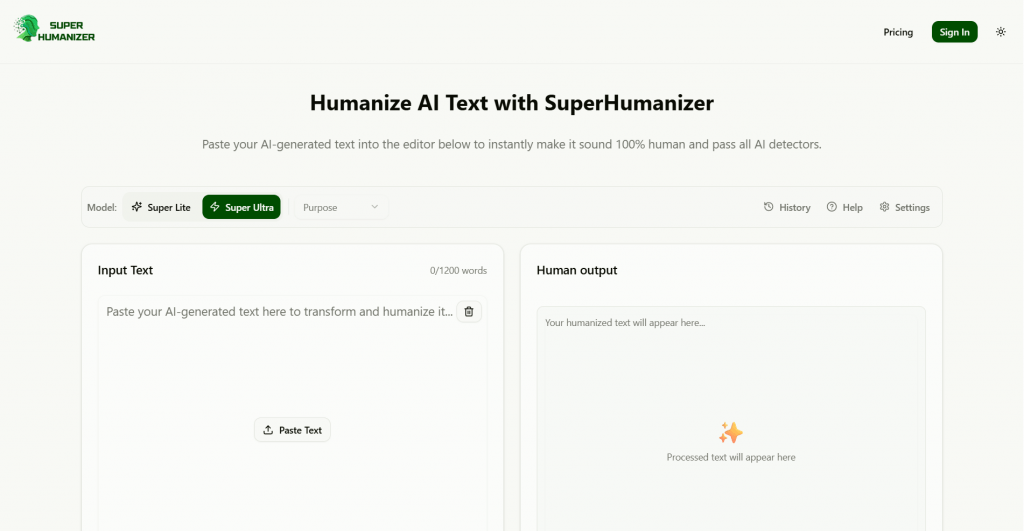
Superhumanizer is a web-based tool with a single job: take AI-generated text and rewrite it to sound less robotic. You paste your text, choose a rewrite mode, and it returns a version with varied sentence structure and less of the pattern-based phrasing that AI models produce.
Its genuine strength is readability. AI drafts often need a human pass to fix stiff, formulaic writing, and Superhumanizer automates a first version of that cleanup. Used to improve the flow of content you are entitled to use, that is a legitimate function.
Key Features
-
Two rewrite modes. A lighter polish and a more aggressive “Super Ultra” mode that reshapes sentence structure more thoroughly.
-
Free, no signup. The core tool is free to use without an account, with a per-request word limit rather than a hard paywall.
-
Multi-model support. Works on text from ChatGPT, Claude, Gemini, and other generators.
-
Built-in AI detector. Shows an estimated “human” score for your rewritten text.
-
Local history. Recent inputs are stored in your browser session for easy access.
How Well It Works
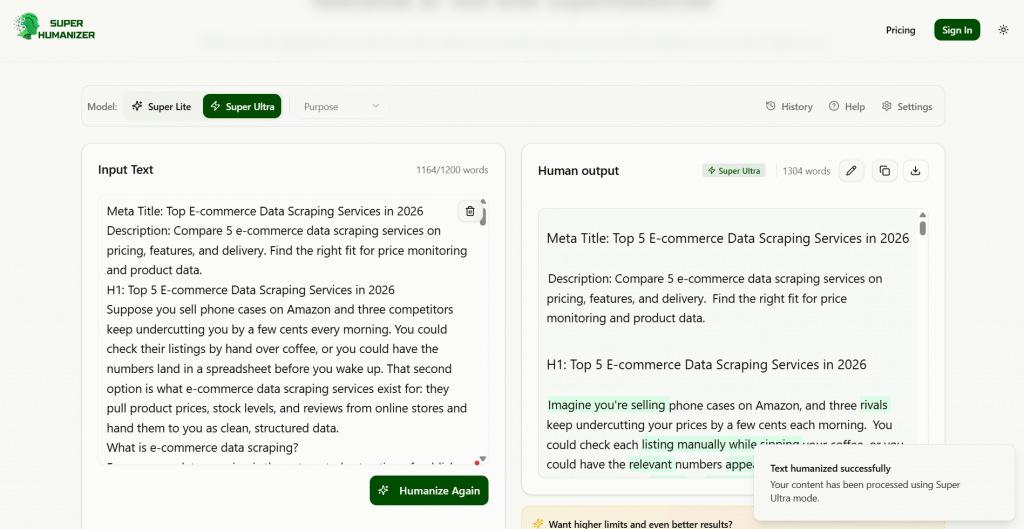
On its core job, readability, Superhumanizer performs reasonably. The Super Ultra mode produces the most natural output, breaking up the repetitive rhythm of raw AI text. As a fast first pass to make a draft flow better, it does the job.
The important caveat is its detector claims. Superhumanizer markets itself heavily on making text “undetectable,” and this is where honesty matters. Independent testing found it passes weaker detectors like Copyleaks but is still caught by strict ones like Originality.ai. More importantly, its built-in detector “grades its own homework,” labeling text as human that third-party detectors flagged as AI. So the in-app score overstates how undetectable your text really is, and should be treated as a rough hint, not proof.
An Honest Word on AI Detectors
This tool type sits in a sensitive space, so here is the straight version. Using a humanizer to disguise AI-written work as your own, for a school assignment, a submission with a no-AI policy, or a platform that prohibits it, carries real risk. Detectors are imperfect but improving, no humanizer reliably beats all of them, and getting caught can mean academic misconduct proceedings or lost work. Superhumanizer’s own strongest use cases in its marketing, students passing Turnitin and freelancers evading client checks, are exactly the ones where the consequences land hardest.
The defensible use is different: improving the readability of AI-assisted content you are permitted to use, then editing it yourself so the final work is genuinely yours. Treat any humanizer as an editing aid, not a way to launder authorship.
Who It’s For
-
Writers polishing AI drafts they are entitled to use, who want a faster first pass at smoothing robotic phrasing.
-
Marketers and bloggers refining AI-assisted copy for flow before a human edit.
-
Non-native English writers looking to make stiff phrasing read more naturally.
Who should be cautious: students and professionals tempted to use it to disguise AI authorship where it is prohibited, since the detector-evasion promise is unreliable and the risk is real.
Pricing
Superhumanizer’s core tool is free with no signup, which is its main draw. Paid plans add higher monthly and per-input word limits, billed monthly or yearly (yearly saves 60%), with payments handled by Paddle and a 7-day money-back guarantee.
|
Plan |
Price |
Words/mo |
Per input |
Key feature |
|
Free |
$0 |
Limited |
Capped per request |
Core humanizing, both modes, no signup |
|
Basic |
$12/mo |
15,000 |
1,500 |
Super Ultra Mode |
|
Pro |
$19/mo |
50,000 |
3,000 |
Super Ultra Premium |
|
Advanced |
$39/mo |
200,000 |
5,000 |
Super Ultra Premium |
A SUPER20 discount code is offered at checkout. If you only need occasional cleanup, the free tier is likely enough; the paid plans mainly buy higher word limits and the upgraded Super Ultra Premium rewrite.
Superhumanizer Pros and Cons
-
Genuinely free core tool with no signup required
-
Improves readability of stiff, robotic AI text
-
Super Ultra mode gives the most natural rewrites
-
Works with text from all major AI models
-
Simple, fast, paste-and-go workflow
-
Detector-evasion claims can be overstated and unreliable
-
Strict detectors like Originality.ai still catch its output
-
Per-request word limit slows long documents
Conclusion
Superhumanizer is a capable, genuinely free tool for one honest job: making robotic AI text read more naturally. As a fast first pass on readability, it works, and the no-signup free access is a real plus. Where it oversells is the “undetectable” promise, its own detector inflates the result, strict checkers still catch it, and no humanizer reliably beats them all. Use Superhumanizer to improve the flow of content you are allowed to use, then edit it yourself into genuinely your own work. Rely on it to disguise AI authorship where that is prohibited, and you are trusting a claim that independent testing does not support.
❓ Frequently Asked Questions
Answers to relevant questions about this AI tool