Turn long videos into viral Shorts, Reels, and TikToks with AI. Honest review of ClipGOAT plus best free alternatives: CapCut, Vizard.ai, and Klap.app. Compare features, pricing, and find the right tool for your content workflow.
ClipGOAT: The Ultimate AI Shorts Maker
On this page
Creating short viral videos for TikTok, Instagram Reels, and YouTube Shorts has become not just a trend but a necessity for content creators, brands, and marketers. However, regularly producing high-quality clips is a time-consuming task: you need to find compelling moments, edit, add captions, select music, and design visuals. AI tools that automate this process are increasingly coming to the rescue. One such service is ClipGOAT.
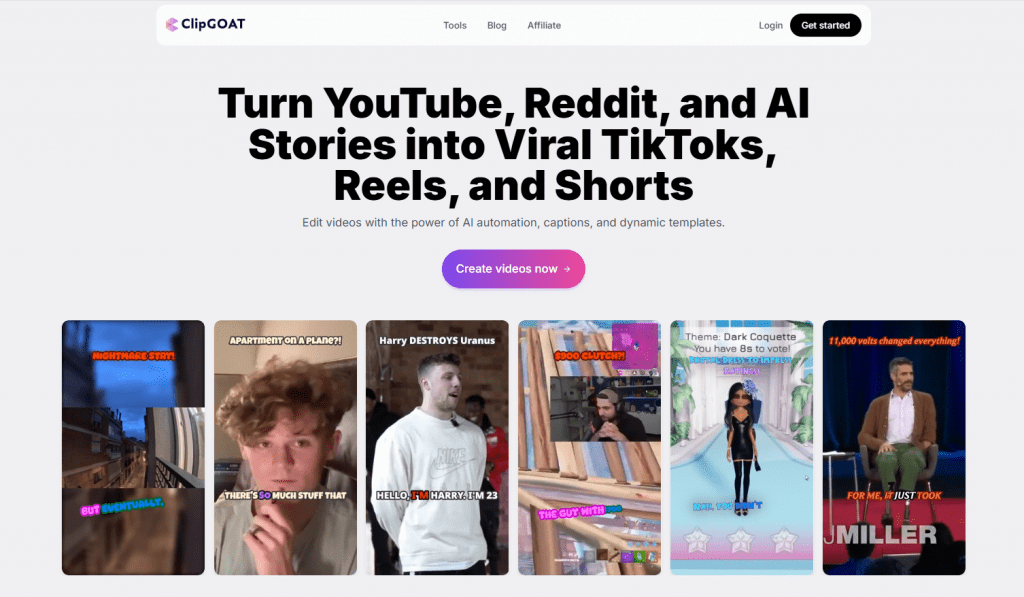
ClipGOAT (site) — a platform that promises to turn long videos and text stories into ready-made short clips in minutes. But is it really that good, and more importantly, are there worthy free alternatives? Let’s find out.
What Is ClipGOAT and How Does It Work?
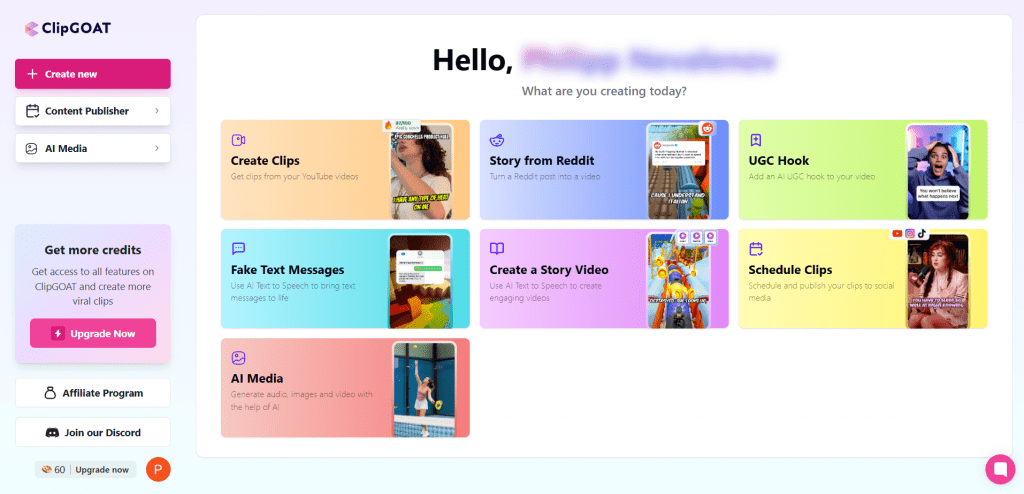
ClipGOAT is an AI tool designed for quickly creating short viral videos from long-form sources . The platform automates the discovery of engaging moments, adds captions, hooks, titles, and hashtags, allowing users to edit everything directly in their browser . Its primary goal is to help content creators scale their presence in short-form video without spending hours on manual editing.
How ClipGOAT Works
Users paste a link to a YouTube video, a Reddit post, or insert text from a story. The AI analyzes the content: it identifies the best moments based on emotion and virality potential, generates captions in 17+ languages, hooks, titles, and hashtags . Users can then apply templates, animations, or customize everything manually using auto-reframing and the subtitle editor. The finished video is exported in 720p or 1080p and can be automatically scheduled for publication on TikTok, Reels, and Shorts.
Key Features of ClipGOAT
ClipGOAT offers several practical AI features that make short video creation as automated and fast as possible. Let’s examine each one in detail.
AI Clipping and Virality Score
At the core of the platform is an algorithm that automatically analyzes long videos, transcribes them, and identifies the most engaging, emotional, or funny moments based on speech patterns, emotional peaks, and audience retention patterns .
The tool ranks potential clips by a Virality Score, enabling users to select the strongest moments for Shorts. Users can generate up to 20 clips simultaneously from a single source.
AI Auto Reframing
This feature solves the classic problem of reformatting horizontal videos into the vertical 9:16 format required for TikTok, Reels, and Shorts .
The AI automatically detects and centers the speaker or main subject in the frame, even during cropping and aspect ratio changes. Combined with AI Clipping, this ensures the speaker remains in focus, eliminating dead zones and awkward empty spaces in the frame.
Automatic Captions and Text Styling
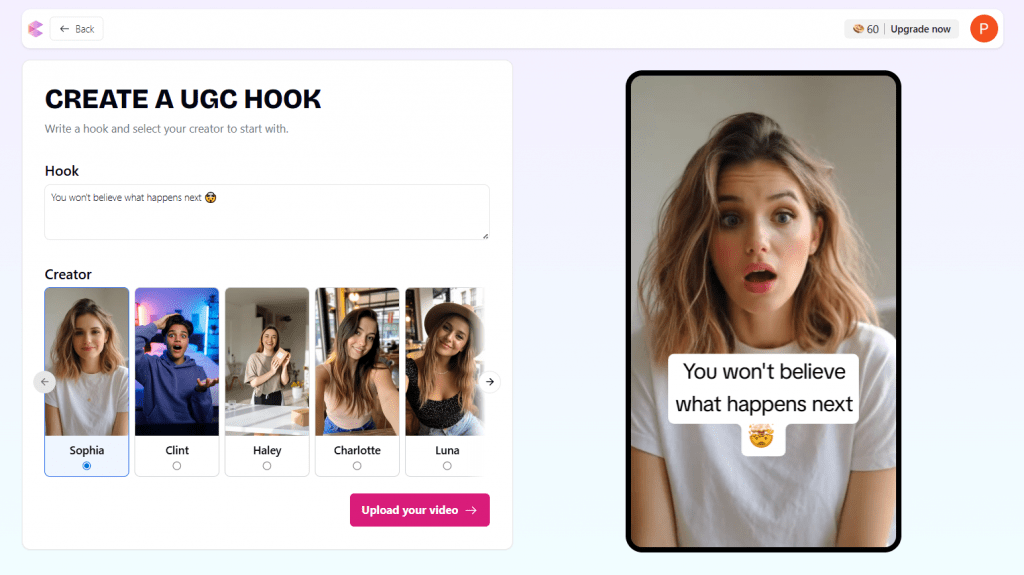
ClipGOAT automatically generates accurate, dynamic, and animated captions that improve content accessibility and maintain viewer attention in the feed . Additionally, the AI suggests attention-grabbing hooks, titles, and hashtags for each clip, which can be edited before export.
Reddit and Story to Video
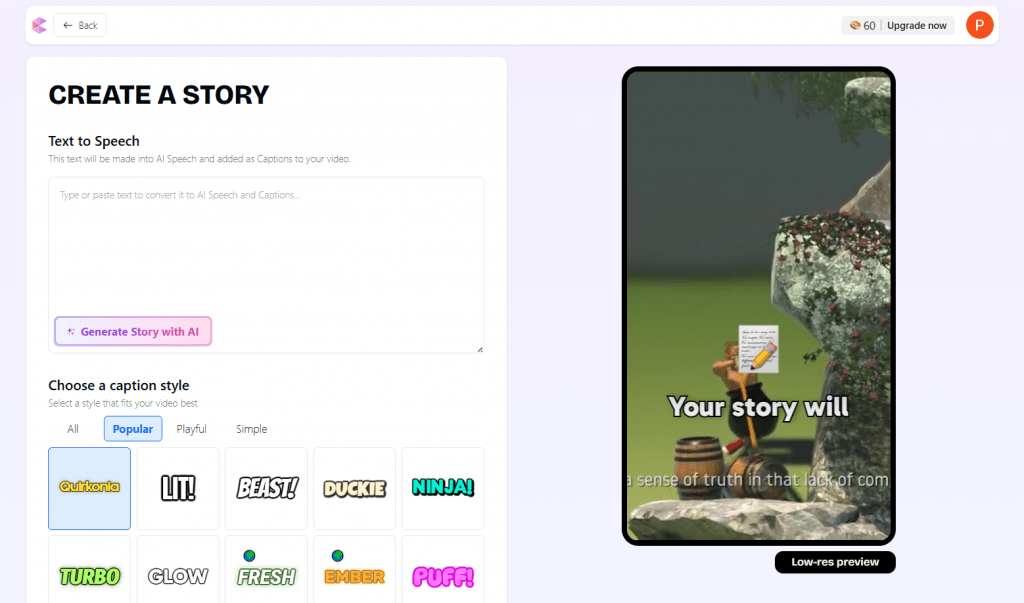
A unique feature that transforms Reddit posts and text stories into full-fledged vertical videos . The tool automatically adds AI voiceovers, captions, and background visuals, creating a ready-to-publish social media clip. This is particularly popular for faceless channels where content is built around storytelling rather than the creator’s personality.
Fake Text Message Video Generator
This feature creates dramatic or comedic sketches from scripts of fake text message exchanges with AI voiceover . These videos gain popularity due to their fast-paced narration, intrigue, and high audience engagement, especially in formats like “what would you do in my situation?”
ClipGOAT Content Scheduler
ClipGOAT includes a scheduler for automatically posting videos to TikTok, Instagram Reels, and YouTube Shorts . This allows users to create a content batch — for example, 30 videos over a weekend — and schedule them for publication over the next 2–3 weeks. This approach ensures consistent posting, which positively affects reach and platform algorithms.
Who Is ClipGOAT For and Why?
The tool is designed for repurposing long-form content — podcasts, interviews, vlogs, webinars — into 10–20 short clips in one go. This accelerates viral content production, boosts social media reach, and saves editing time. Here are specific use cases for different user categories.
YouTube Creators and Podcasters
Long-form creators can turn a single hour-long video into 10–20 short clips for TikTok, Reels, and Shorts.
Example: A podcaster releases a weekly episode and uses ClipGOAT to extract the most compelling quotes, funny moments, or controversial takes, publishing them as separate clips throughout the week. This increases reach and attracts new audiences to the main content.
Vloggers and Streamers (Including Gaming)
Gamers and streamers can quickly convert long stream recordings or VODs into highlights for TikTok and Reels.
Example: A streamer who records a 3-hour gaming session gets 15 top moments — epic kills, funny deaths, or emotional reactions — in a few clicks and publishes them over the following week.
Influencers and Interviewers
Influencers who record interviews with guests can use the AI Virality Score to select the most engaging moments from the conversation.
Example: After a 40-minute interview with an expert, the creator produces 5 clips featuring the most unexpected statements, practical advice, or controversial takes that are guaranteed to attract attention and provoke comments.
Faceless Channel Owners
For channels where the creator does not show their face, ClipGOAT offers the Reddit Story Builder and Fake Text Generator.
Example: A faceless channel creator generates 30 videos over a weekend based on popular Reddit threads: they paste the text, select a format, and the AI adds voiceover, captions, and background — the clips are ready for 2–3 weeks of scheduled publication.
Marketing Teams and SMM Specialists
Marketers can repurpose corporate webinars, podcasts, or presentation recordings into short clips for LinkedIn, Instagram, and TikTok.
Example: A team runs a 2-hour product webinar. Using ClipGOAT, they create 10 clips featuring key features, Q&A responses, and participant testimonials, then automatically schedule them for publication over the following month.
Solo Entrepreneurs and Freelancers
Self-employed professionals without a budget for an editing team can maintain an active social media presence without editing skills.
Example: A business coach records a 30-minute case study breakdown weekly, and ClipGOAT turns it into 5–7 clips with key takeaways, actionable advice, and calls to action, automatically adding captions and hashtags.
ClipGOAT Pricing
ClipGOAT operates on a Freemium model with payment based on processing minutes.
- Free Plan: $0. Provides a one-time allocation of approximately 100 processing minutes, 720p export with a watermark, and basic AI features.
- Pro Plan: Approximately $15 per month. Includes 600 processing minutes per month, 1080p export without a watermark, and full access to all features.
Minutes are consumed based on the length of the source video — longer videos require more minutes.
- Simple and fast browser-based workflow requiring no additional software installation.
- Comprehensive set of AI features including virality scoring and auto-reframing.
- Support for Reddit and text stories in addition to YouTube videos.
- Affordable Pro tier pricing compared to competitors.
- Built-in auto-scheduling for posting across all major platforms.
- Limited free minutes offered only once per user.
- Mixed user reviews with complaints about quality on certain content types and AI accuracy.
- Dependency on credits and minutes, which can be inconvenient for heavy usage.
- Not always ideal for complex visual or gaming content.
Top Free Alternatives to ClipGOAT
If you need more generous free conditions or a different approach to content creation, consider the following tools.
1. CapCut
Official Website: capcut.com
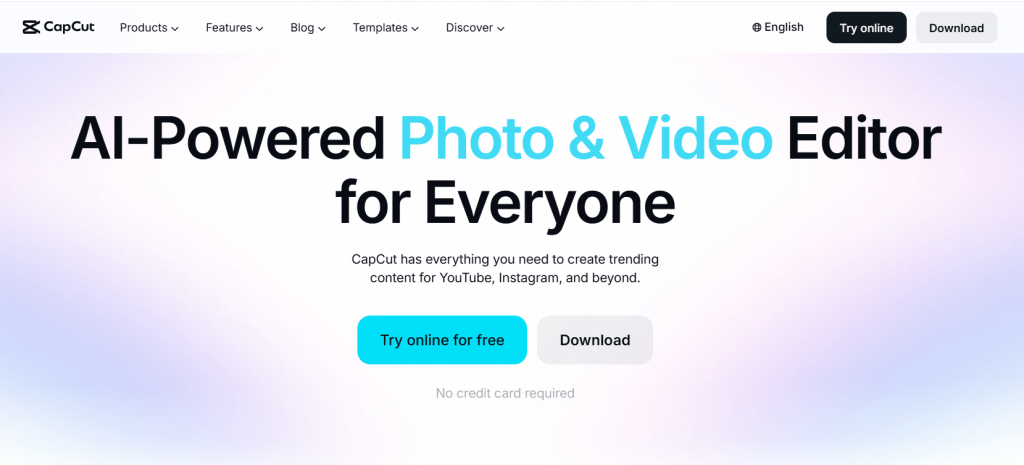
CapCut is a powerful free video editor from the creators of TikTok, featuring an impressive set of AI functions. Unlike ClipGOAT, there are no hard usage limits, and exports are available without watermarks.
Platform: Mobile app + web/desktop.
Features:
- Automatic subtitle generation
- AI effects: background removal, voice isolation, relight
- Extensive library of templates, music, and effects
- Mobile and desktop versions
- Transcript-based editing
Public Feedback: CapCut is highly rated for its simplicity and quality for social media content. It is especially popular among TikTok creators. The main advantage is that it is completely free with no limits. The downside is less clipping automation compared to dedicated AI tools — users need to select moments manually.
- Completely free with no hard limits.
- Excellent template and effects library.
- Available across all platforms.
- Requires more manual work to find the best moments.
- Privacy concerns due to ByteDance ownership.
- Not the strongest AI for automatically identifying viral clips.
2. Vizard.ai
Official Website: vizard.ai
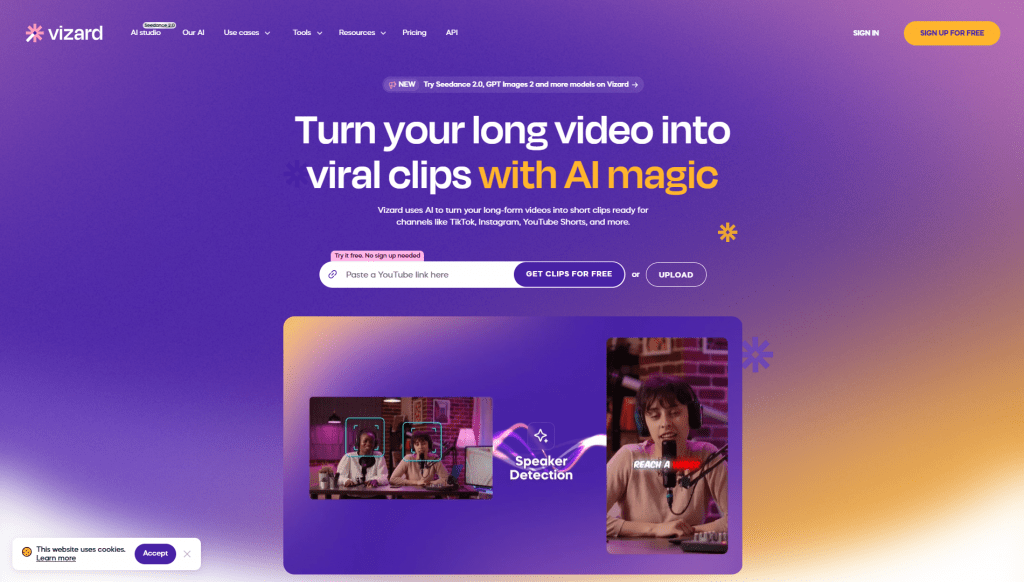
Vizard.ai is an AI tool specializing in turning long videos into short social media clips. It offers a generous free tier and good accuracy for conversational content.
Platform: Web + mobile app.
Features:
- Automatic transcription and speaker identification
- Clip generation from long videos
- Built-in editor with auto-reframing
- Direct publishing to social media
Public Feedback: Users report that the tool speeds up workflow by 10x compared to manual editing and is cheaper than hiring freelancers. They praise the convenience and clip quality for podcasts and interviews.
- Generous free tier: 60 processing minutes per month.
- Convenient editor and direct posting.
- Good accuracy for conversational content.
- Free version exports only in 720p with a watermark.
- Credits deplete quickly with active use.
- 1080p and 4K exports require paid plans.
3. Klap.app
Official Website: klap.app
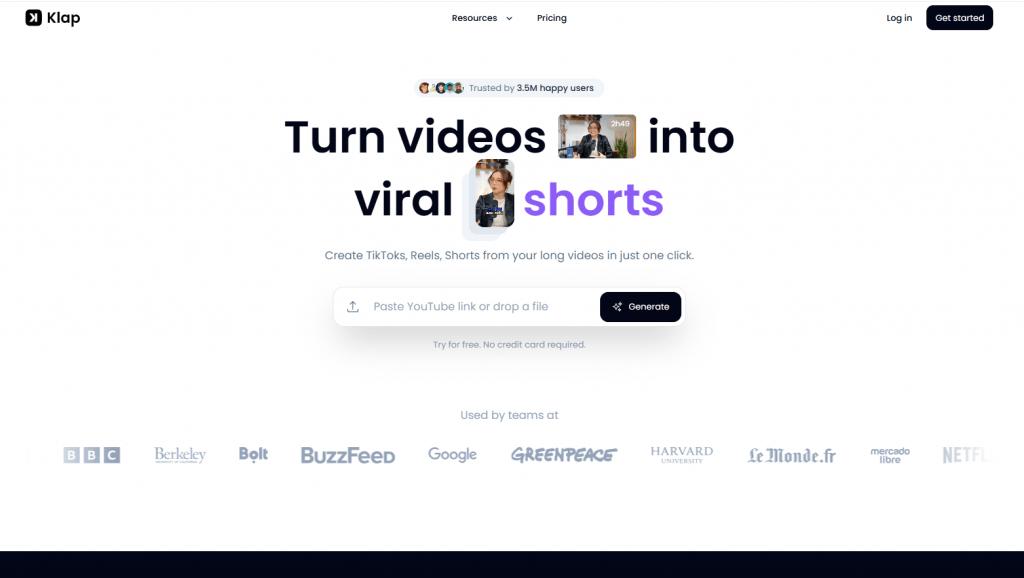
Klap.app is an AI tool focused on maximum automation. It identifies the best moments, adds animated captions, and evaluates the viral potential of each clip.
Platform: Web application.
Features:
- Automatic selection of the best moments
- Custom animated captions
- Auto-reframing and virality scoring
- Built-in editor for final tweaks
Public Feedback: Users call it a “game-changer” for content repurposing. They highly value its speed and good results for podcasts and interviews. Many note the convenience and intuitive interface.
- Strong AI for automatic clipping.
- Intuitive user interface.
- High-quality animated captions.
- Free version has limitations on the number of videos and minutes.
- Clips sometimes require manual refinement.
- Regular use requires a paid subscription.
Comparison Table
|
Service |
Free Tier |
Key AI Features |
Export |
Best For |
Pro Price |
|---|---|---|---|---|---|
|
ClipGOAT |
100 min (one-time) |
Clipping, Virality Score, Captions |
720p/1080p |
YouTube/Reddit → Shorts |
~$15/mo |
|
CapCut |
Unlimited (with AI) |
Auto-captions, effects, templates |
No watermark |
Fast Shorts editing |
Free |
|
Vizard.ai |
60 min/mo |
Clips from long videos, editor |
720p |
Podcasts/talking-head |
~$15—30/mo |
|
Klap.app |
Limited trial |
Viral moments, captions |
— |
Fast repurposing |
Paid |
Conclusion
ClipGOAT is a convenient specialized tool for those who want to automate YouTube and Reddit content repurposing with minimal effort. It works well for startups and medium volumes, thanks to its affordable pricing and unique features like Reddit support and text story integration.
However, for completely free operation or more flexible editing, consider using CapCut as a foundation, supplemented by Vizard.ai or Klap.app for automation. The choice depends on content volume and willingness to pay for minutes or credits. In 2026, these tools significantly democratize short-form video creation, but always test them on your own material — AI quality varies depending on video type.
❓ Frequently Asked Questions
Answers to relevant questions about this AI tool
Sources
-
ClipGOAT — clipgoat.com
-
AI Clip Maker - ClipGOAT — clipgoat.com
-
AI Tools for Content Creators - ClipGOAT — clipgoat.com
-
ClipGOAT - Is This The Best AI Marketing & Advertising Tool in 2026? — bestaitools.com
-
ClipGOAT Reviews - Read Customer Reviews of Clipgoat.comtoolsai-youtube-shorts-maker — clipgoat.tenereteam.com