Getimg.ai packs text-to-image, AI editing, upscaling, and now video and audio generation into one platform, with access to many models in a single workspace. Our review covers what it does, how the credit pricing works, and who it suits best.
Getimg.ai: The All-in-One AI Image Studio
On this page
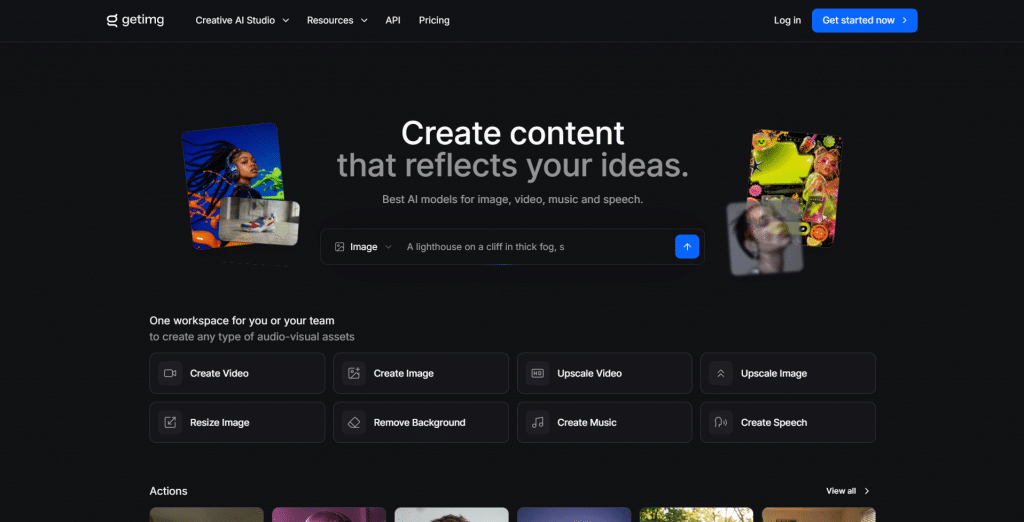
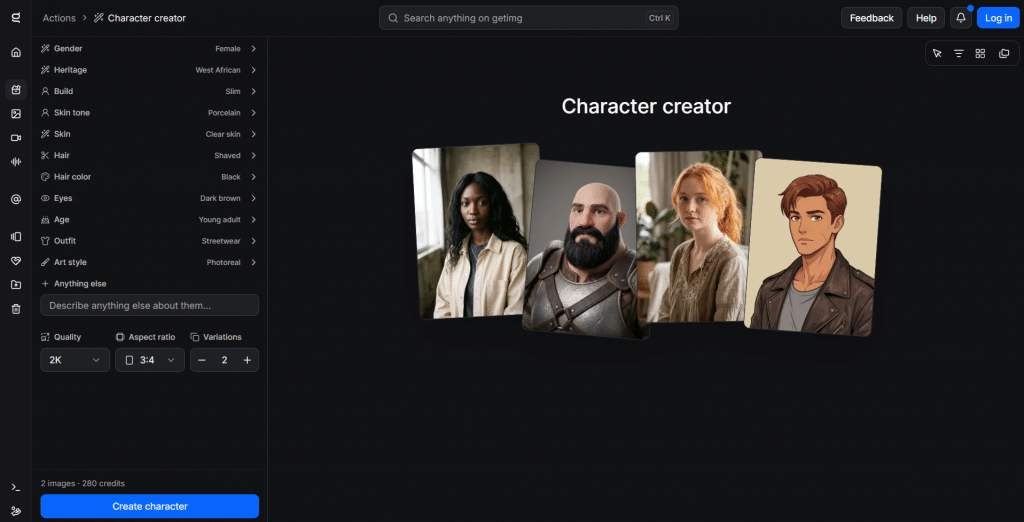
Most AI image tools do one thing: type a prompt, get a picture. Getimg.ai aims to be the whole studio instead. In a single workspace, you can generate images from text across many different models, edit them with AI, upscale them to high resolution, and, more recently, create video and audio too. The pitch is breadth: rather than juggling separate apps for generation, editing, and upscaling, you do it all in one place on one set of credits.
That makes it a strong fit for creators and marketers who want range without stitching tools together. This review covers what getimg.ai actually offers, how its credit-based pricing works, and the honest trade-offs of an all-in-one platform.
What Is getimg.ai?
Getimg.ai is an AI content-generation platform built around image creation, with a growing set of video and audio tools alongside it. Its defining feature is model choice: instead of locking you to one engine, it gives access to a wide range of image models in a single interface, so you can pick the one that best fits a given style or task.
On top of generation, it bundles the editing and post-processing steps most creators need, so a project can go from a text prompt to a finished, upscaled, commercially usable asset without leaving the platform.
Key Features
-
Text-to-image across many models. Generate images from prompts using a broad selection of models, choosing the right one for photorealism, illustration, or a specific style, all in one workspace.
-
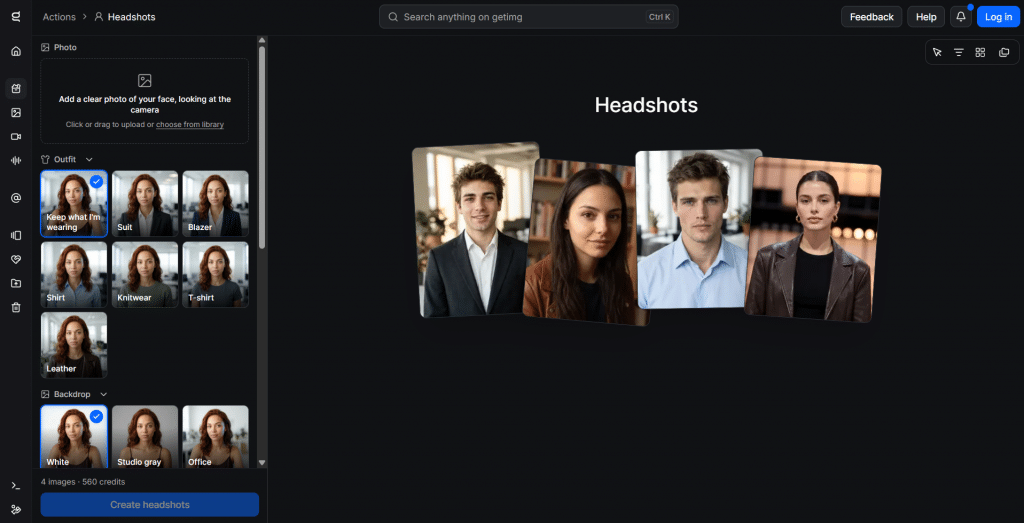
AI editing tools. Edit generated or uploaded images with inpainting, outpainting, background removal, and image-to-image transformation, so you can fix or extend a picture rather than regenerate it.
-
High-resolution upscaling. Enlarge images with a smart resizer and upscale up to 4K, 8K, or 16K, depending on your plan, useful for print and large-format work.
-
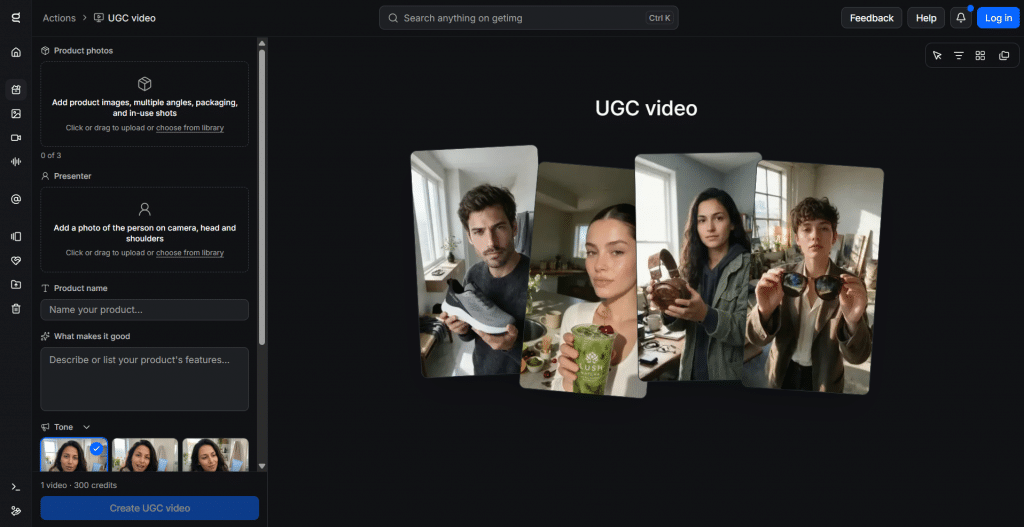
Video and audio generation. Newer tools add UGC-style and model-based video generation plus music and speech generation, extending the platform beyond still images.
-
API access. Developers can plug getimg.ai’s generation into their own apps and workflows through its API, so it works as infrastructure as well as a web tool.
-
Commercial rights. Every paid plan grants commercial rights to what you create, which matters for businesses using the output in real products and campaigns.
How getimg.ai Works
The workflow runs on credits that you spend as you generate:
-
Pick a tool and model. Choose text-to-image, editing, upscaling, or video, and select a model if the task allows.
-
Describe or upload. Write a prompt, or upload an image to edit, extend, or transform.
-
Generate. The platform produces the result, with higher plans allowing more generations at once.
-
Refine and export. Edit, upscale, and download the finished asset, with commercial rights on paid plans.
Credits are the common currency across all of it, so the same balance covers images, edits, upscales, and video, and different outputs cost different amounts.
Who getimg.ai Is For
-
Content creators and marketers who want images, edits, and now video from one subscription.
-
Small businesses needing commercially usable visuals without hiring a designer for every asset.
-
Designers who want to try many models and styles quickly in one place.
-
Developers who want to build AI image generation into their own products via the API.
Who should weigh it carefully: anyone who only needs occasional, casual images, since a credit subscription may be more than they require, and those who want a single best-in-class model rather than breadth, who might prefer a specialist tool.
-
Many image models available in one workspace
-
Full editing suite, not just generation
-
High-resolution upscaling up to 16K on higher plans
-
Expanding into video and audio from the same credits
-
Commercial rights included on every paid plan
-
API for building generation into your own apps
-
No permanent free plan, only paid credit subscriptions
-
Credit system can be hard to budget across different outputs
-
Breadth means some tools are less deep than specialist apps
-
Heavy video or 16K use consumes credits quickly
-
Top-up credits only on the higher tiers
Getimg.ai Pricing
getimg.ai uses credit-based subscriptions. Prices below are for yearly billing, which saves about 26%; monthly billing costs more. All paid plans include commercial rights.
|
Plan |
Price (yearly) |
Credits/mo |
Key features |
|
Entry |
15/mo(180/yr) |
8,000 |
Selected models, AI Actions, 4K upscaling, 2 generations at once |
|
Core |
26/mo(312/yr) |
19,000 |
All models, 8K upscaling, 4 generations at once |
|
Plus |
59/mo(708/yr) |
42,500 |
All models, 16K upscaling, 8 generations at once, top-up credits |
|
Ultra |
149/mo(1,788/yr) |
107,500 |
All models, 16K upscaling, 10 generations at once, top-up credits |
Credits convert across outputs, so, for example, Entry’s 8,000 monthly credits translate to roughly 114 images on a premium model or around two dozen short videos. Monthly billing is higher (for instance, Core at about $35 and Ultra at about $199), and a separate set of business plans is available. Since AI platforms adjust pricing often, check getimg.ai’s current rates before subscribing.
Final Verdict
Getimg.ai is one of the most versatile AI content platforms available, and its strength is range: many image models, a real editing suite, high-resolution upscaling, and now video and audio, all on one credit balance with commercial rights included. For creators and marketers who want to do everything from one subscription rather than paying for several specialist tools, that breadth is genuinely valuable, and the API makes it useful to developers too. The trade-offs are the usual ones for an all-in-one: credit pricing takes planning, heavy video or ultra-high-resolution work burns through credits, and a dedicated single-purpose tool may edge it on any one feature. If you want a single studio that covers the whole image workflow and then some, getimg.ai earns its place; if you only need the occasional picture, a lighter option will cost less.
❓ Frequently Asked Questions
Answers to relevant questions about this AI tool