A detailed review of ChatQ.in — a SaaS platform built on WhatsApp Cloud API. What it is, pricing, personal and business use cases, competitors, pros and cons, user reviews, FAQs, and a final verdict for small and medium businesses.
ChatQ AI: Automate Your WhatsApp Marketing
On this page
WhatsApp has long ceased to be just an app for exchanging messages between friends. For millions of customers worldwide, especially in India, Asia, and Latin America, it has become the primary channel for communicating with brands. People learn about promotions, ask customer support questions, and even place orders there. The standard WhatsApp Business application cannot handle such loads — it does not support team collaboration, bulk broadcasts, or automated response scenarios. Businesses need a more professional tool. One option entering the market is ChatQ.in — a platform built on Meta’s official API that promises to solve these problems without complex technical setup or large budgets.
What Is ChatQ.in
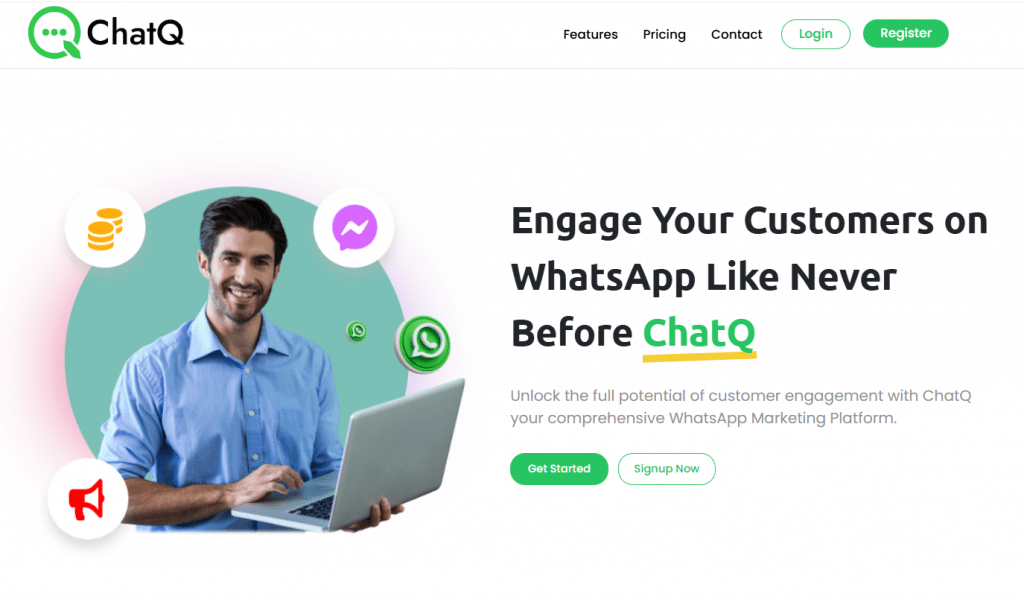
ChatQ.in is a SaaS platform built on top of Meta’s official WhatsApp Cloud API. It solves a typical business problem: how to use WhatsApp not as a messenger for personal conversations, but as a channel for sales, support, and marketing. The service handles the technical side — connecting to the Meta API, managing sessions, storing history, and complying with the messenger’s requirements.
To put it simply, ChatQ.in is a replacement for the desktop version of WhatsApp Business for those who need more than one employee in a chat, broadcasts to thousands of contacts, and response automation. It is a true no-code solution, which may be important for many entrepreneurs who don’t have time to learn coding or find it unprofitable to hire a developer. Most actions — connecting a number, setting up bots, launching campaigns — are performed through a visual interface rather than through code.
What It Is Used For
WhatsApp remains one of the most popular messengers in the world, especially in developing markets — India, Latin America, Asian countries, and Africa. For local businesses that operate there or plan to expand, WhatsApp is the primary channel for marketing communications and even remote management. ChatQ.in gives companies the ability to:
- Serve customers 24/7 through chatbots and distribution of requests among operators.
- Launch marketing broadcasts — send promotions, new product announcements, and personalized offers using WhatsApp templates.
- Collect and qualify leads — automatically ask clarifying questions and pass warm contacts to the sales department.
- Send transactional messages — order confirmations, delivery notifications, appointment reminders.
- Work with customers as a team — multiple managers can handle conversations from a single inbox without confusion.
Roughly speaking, this is a CRM overlay on WhatsApp with a focus on automation and mass communication.
How It Works
From a technical standpoint, ChatQ.in is a Business Solution Provider (BSP) — an intermediary between a business and Meta’s infrastructure. The user registers on the platform, completes WhatsApp business account verification, connects a phone number, and gains access to a web interface with all the tools.
The process looks like this:
- Registration and connection. A company account is created, then through the built-in Embedded Signup mechanism, authorization with Meta occurs and the WhatsApp Business number is linked.
- Contact upload. The customer base is imported from an XLSX file, synchronized via API, or added manually. Custom fields can be created for personalization.
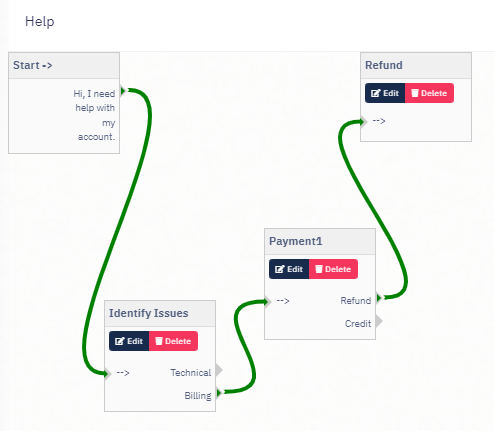
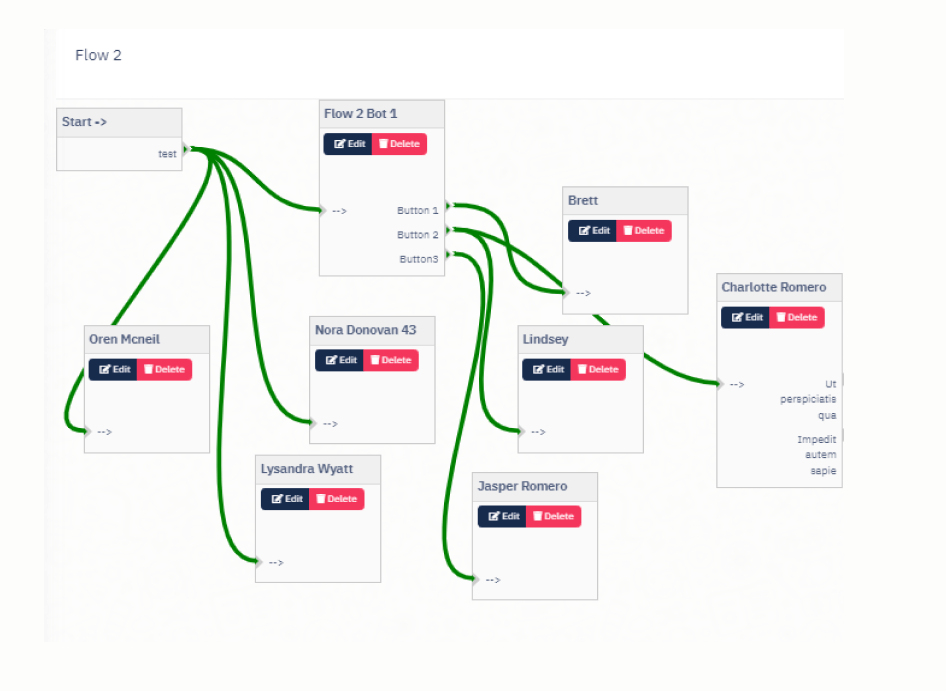
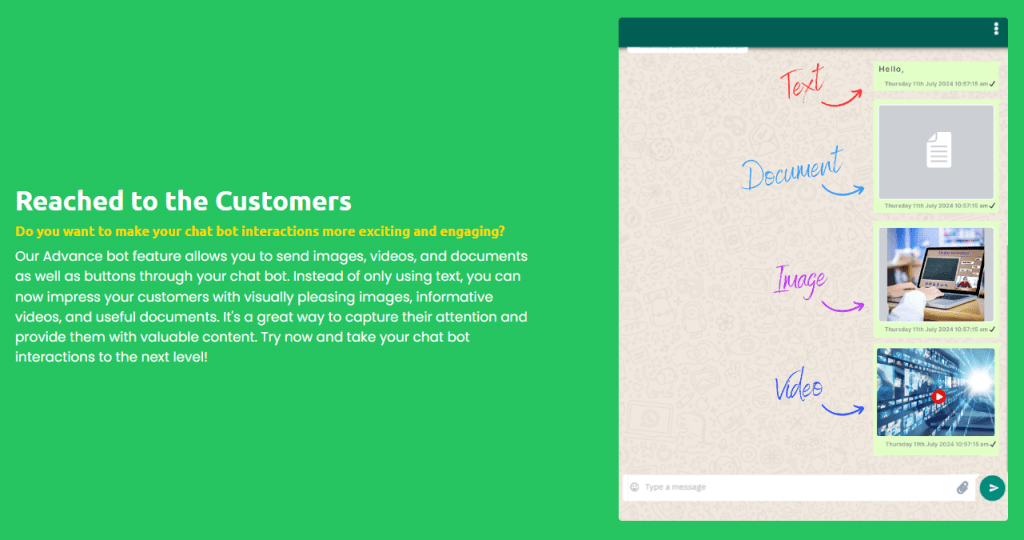
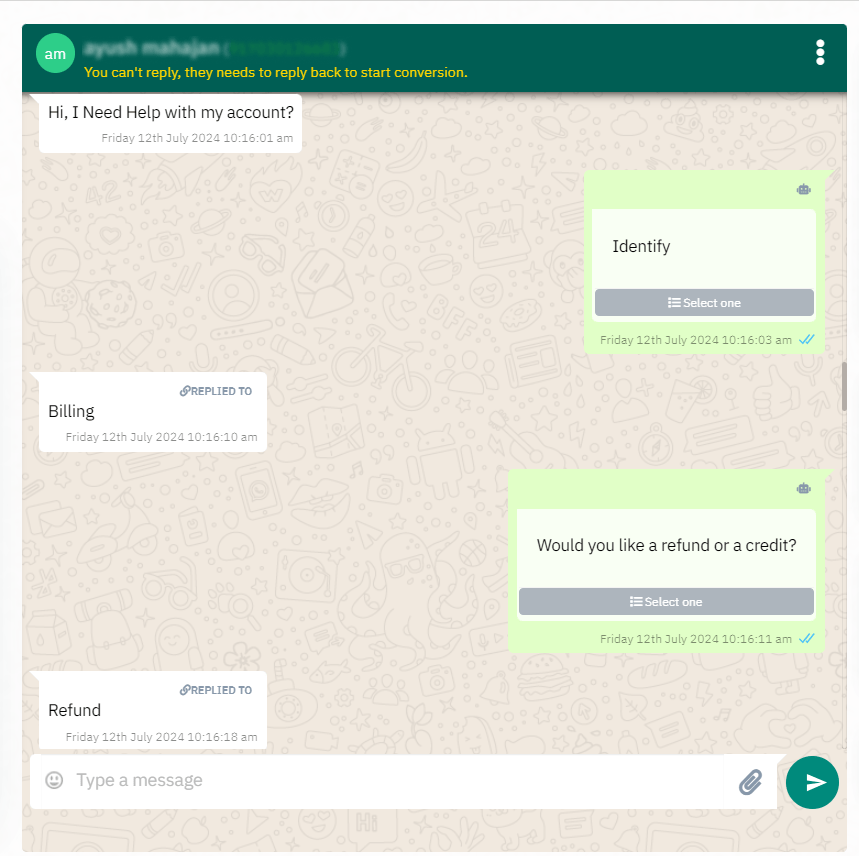
- Chatbot setup. Scenarios are assembled using the visual Bot Flow Builder: greetings, answers to frequently asked questions, routing to the appropriate operator.
- Launching communication. Conversations are handled manually through the interface (which closely resembles native WhatsApp), automatically based on triggers, or in bulk via template-based broadcasts.
- Analytics. Delivery statuses, read receipts, and campaign conversions are tracked in real time.
The key difference between ChatQ.in and using the WhatsApp Business API directly is the built-in team management tools and bots that require no programming. Additionally, the platform handles hosting — you don’t need to maintain your own server to process webhooks.
Nuances to Understand
Before considering ChatQ.in as a working tool, several points are worth noting.
- WhatsApp sets the rules. Meta charges for each conversation session — this does not depend on the provider. ChatQ.in does not include these costs in its subscription; they are paid separately. For small volumes this is negligible, but for mass broadcasts it becomes a noticeable budget item.
- Meta’s template model. Any message initiated by the business (i.e., one that you start, not the customer) must use a pre-approved template. This restriction is imposed by WhatsApp itself; ChatQ.in only provides an interface for managing these templates.
- Broadcast restrictions. WhatsApp does not tolerate spam. If complaint rates are high or template quality is low, the number may be restricted or banned. ChatQ.in is powerless here — you operate under Meta’s rules.
- Regional specificity. The website, pricing in rupees, and focus on the Indian market are no accident. The platform was built for the Indian SMB sector. For businesses targeting Europe or the US, this may not be critical, but you should be prepared for documentation and examples to be oriented toward Asia.
- Trial period. The website does not mention a free demo version, but such services typically offer test access by contacting support. It is recommended to test the platform on a small volume before full deployment.
Pricing
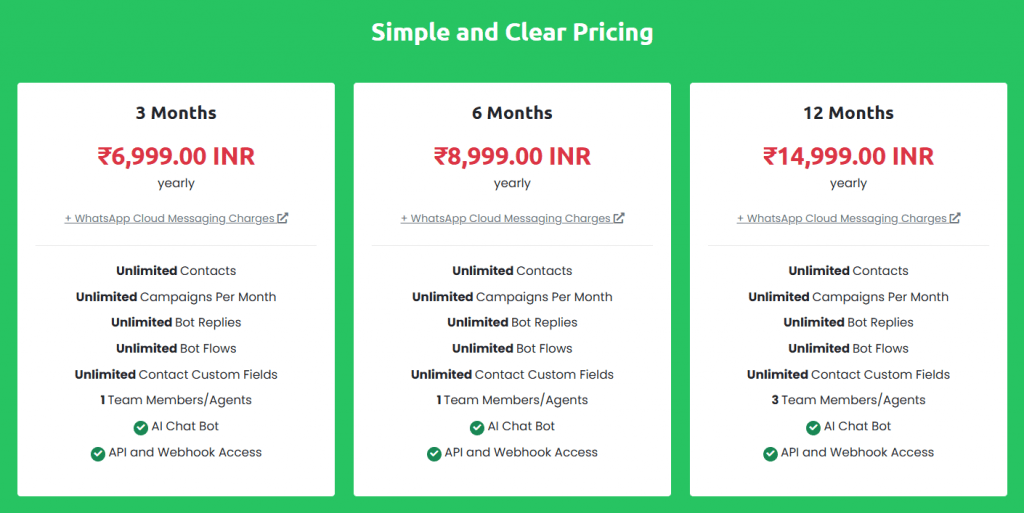
ChatQ.in uses a fixed subscription model without feature-based tiering. All platform capabilities are available in any plan; the only differences are the payment period and the number of agents.
|
Subscription Period |
Cost (INR) |
Cost (USD, approx.) |
Number of Agents |
|---|---|---|---|
|
3 months |
6,999 INR |
$84–85 |
1 |
|
6 months |
8,999 INR |
$108 |
1 |
|
12 months |
14,999 INR |
$180 |
3 |
What is included in all plans without limits:
- Number of contacts
- Number of campaigns
- Number of bot replies and bot flows
- AI bot via FlowiseAI integration
- API and webhook access
What is not included:
- Meta message costs (paid separately)
- Additional agents beyond the plan’s limit
Converting to monthly cost: the minimum 3-month plan comes to about $28 per month, and the annual plan works out to about $15 per month. This is noticeably cheaper than Western alternatives, which start at $50–80 per month for basic functionality.
Use Cases for Personal Purposes
Although the platform is designed for business, individual users with small projects may also find uses for it.
- Managing a client base for a consultant. A fitness trainer, coach, or tutor with 50–100 clients could use ChatQ.in to send schedules, class reminders, and post-lesson materials. Automated greetings and answers to common questions free up time.
- Managing a community or club. An organizer of masterminds or a small club could set up a bot that answers standard questions about format, cost, and schedule, while forwarding complex requests to a human operator.
- Blog or media project. Subscribers often write via WhatsApp — the platform allows you to centrally manage incoming messages, send automatic thank-you notes, and collect feedback through forms.
However, for personal use, it’s worth assessing actual need. If you have 10–20 conversations per day and no team, the regular WhatsApp Business app will work just as well for free.
Use Cases for Business
This is where ChatQ.in truly shines.
- E-commerce. Automatic sending of order confirmations, payment links, and tracking numbers. A bot answers questions about returns, sizing, and delivery. Segment-based broadcasts of new products and promotions (repeat customers, abandoned carts, those interested in a specific category).
- Clinic or medical center. Appointment booking through a bot conversation, automatic reminders 24 hours in advance, and the ability to reschedule. After the appointment, results or prescriptions are sent to the chat.
- Educational platform. Student onboarding through a sequence of messages, deadline and webinar reminders, issuing certificates and materials upon course completion.
- Real estate. Importing client databases, automatic qualification by budget and location, sending property selections via buttons and carousels, scheduling viewings.
- SaaS product support. API integration with your system — customers write via WhatsApp, the bot first tries to solve the problem using the knowledge base, and if unsuccessful, creates a ticket and hands off to a live operator with full conversation context.
The platform is equally suitable for B2C (retail, services) and B2B, where the flow is less intense but sales cycles are longer.
Who Will Benefit From ChatQ.in
It is unlikely to suit large enterprise companies with dozens of operators and millions of messages per month. For those players, solutions like Twilio, Infobip, or Sinch with more developed infrastructure and SLAs exist. However, ChatQ.in is invaluable for the middle and lower tiers, where millions of small companies and individuals operate.
- Small and medium-sized businesses that already communicate with customers manually via WhatsApp but hit the limits of the regular app: 256 contacts per broadcast, one operator, no automation.
- Marketing departments that want to use WhatsApp as a communication channel but don’t want to deal with APIs or hire an in-house developer.
- Businesses operating in India, Southeast Asia, the Middle East, and Latin America, where WhatsApp is the dominant messenger. For these markets, local providers are often more convenient than global ones.
- Relatively tech-savvy users who need the ability to customize via API but don’t want to build everything from scratch.
Real-World Scenarios
Let’s think through — or rather, summarize from extensive practical experience in business communications — some useful ways to apply ChatQ.in.
- E-commerce: abandoned cart recovery. A customer adds items but doesn’t complete the purchase. An hour later, a message arrives: “Forget something? Your cart is still waiting. Proceed to payment →.” The link leads directly to checkout without re-entering data.
- Support: operator relief. Statistics show that 70% of incoming questions are repetitive: “Where is my order?”, “What payment methods are available?”, “How do I return an item?”. A bot answers these automatically, pulling data from your system via API. The operator only sees conversations where the bot failed.
- Marketing: segmented broadcast. You imported a database with fields for “city” and “product category.” When launching an appliance sale, messages go only to customers in the relevant region who have previously shown interest in appliances. Response rates are many times higher than mass broadcasts.
- Onboarding: welcome sequence. A new customer subscribes — they immediately receive a greeting, an hour later a link to a helpful article or video, and a day later a personalized offer. Everything works automatically without manual intervention.
User Reviews and Ratings
At the time of this analysis, public reviews on independent platforms like G2, Capterra, or Trustpilot are scarce. They are practically nonexistent. This is typical for young, niche players, especially from India. The ChatQ.in website lists several advantages and positive case studies, but independent verification is hard to find online.
What can be said with confidence: the platform works on Meta’s official API, and the basic functionality (message sending, contact management, broadcasts) is fully present. The AI integration with FlowiseAI is technically interesting, but how stable it is in production remains an open question without public answers.
The recommended approach for potential users: before purchasing a subscription, contact support (which claims to be available 24/7 via live chat, email, and phone) and request demo access. This will allow you to assess speed, interface usability, and stability for your specific needs.
ChatQ.in’s Competitors
The market for WhatsApp Business API providers is fairly dense. ChatQ.in’s main competitors include:
- Wati — the most direct and well-known competitor, also from India. Wati offers a more mature product with thousands of clients, integrations with HubSpot, Shopify, Zoho, and a developed API. However, Wati is more expensive: basic plans start at $39–49 per month with functional limitations, plus a markup on Meta message costs (up to 20% according to some reports). Wati has also been noted to have issues with support and bugs.
- respond.io — a global player with omnichannel capabilities (WhatsApp + Instagram + Telegram + web chat). More powerful but also more complex, targeting mid-sized and large businesses. Pricing is higher.
- Interakt — another Indian provider focused on e-commerce and payment integration via WhatsApp Pay. Narrower specialization.
- ManyChat and Chatfuel — historically strong on Facebook Messenger and Instagram; they entered WhatsApp later. Their solutions are more marketing-oriented than full-fledged support.
- Twilio, Infobip, Sinch — enterprise-level solutions for large companies with in-house developers. Far more flexible, but also far more expensive and complex.
So where does ChatQ.in stand among them? It holds its own. It is a budget alternative for small businesses that don’t need hundreds of integrations or advanced analytics. If Wati or respond.io can be compared to a full-fledged CRM, ChatQ.in is more like a “simple WhatsApp manager with a bot.” It wins on price and the absence of artificial limits on contacts and campaigns, but loses on product maturity, number of integrations, and public reputation.
- Affordable subscription pricing without tiered feature restrictions.
- Interface closely resembling native WhatsApp, requiring no employee retraining.
- Visual bot builder and FlowiseAI integration allow complex scenarios without programming.
- No limits on contacts, campaigns, or bot replies in any plan.
- Support for multiple phone numbers within one business account and role-based agent permissions.
- Focus on the Indian market with pricing in rupees and case study examples — Western users may find this uncomfortable.
- Practically no independent reviews or public case studies outside the company’s website.
- Number of agents is strictly tied to subscription length (only one agent on shorter-term plans).
- Meta’s message costs are not included in the subscription and are paid separately.
Conclusion
ChatQ.in is a straightforward, useful tool for businesses that want to elevate their WhatsApp communication to a serious level but are not ready to pay for enterprise solutions or hire a development team. Do we recommend it? Readily, if your goal is to turn WhatsApp from a messenger into a working channel for sales and support.
ChatQ.in’s main strength lies in its simplicity and affordability. You pay a fixed amount, get all features at once, and start working without lengthy setup. Its main weaknesses are its unproven reputation and regional specificity.
If your business sits at the intersection of two conditions — active customer use of WhatsApp and a lack of budget for expensive alternatives — then ChatQ.in deserves serious consideration. For all other cases, there are likely more established options with larger communities, richer pools of reviews, and more public case studies.
❓ Frequently Asked Questions
Answers to relevant questions about this AI tool
Sources
-
ChatQ Homepage — chatq.in
-
ChatQ on LinkedIn — linkedin.com
-
ChatQ AI Product Hunt — producthunt.com
-
ChatQ AI on The AI Report — theaireport.ai
-
ChatQ AI Tool Database on The AI Report — theaireport.ai