DALL-E by OpenAI: Generate unique, realistic, and artistic images from text descriptions. Bring any idea to life in visual form
DALL-E 3: Create Realistic Images From Text
On this page
DALL-E 3 is an image generator with the main focus being turning text into pictures. You write a description, and DALL-E creates a fitting image. You can ask it to draw “a dinosaur in a business suit giving a presentation”—and the DALL-E image generator will make it happen. To understand how DALL-E works and use it, no special knowledge is required.
At its core, DALL-E is a way to quickly visualize any idea, even the most unusual one. The service is great for creating illustrations for articles, enhancing projects, or just experimenting. DALL-E opens up new possibilities: now, to create an image, you just need to describe it. 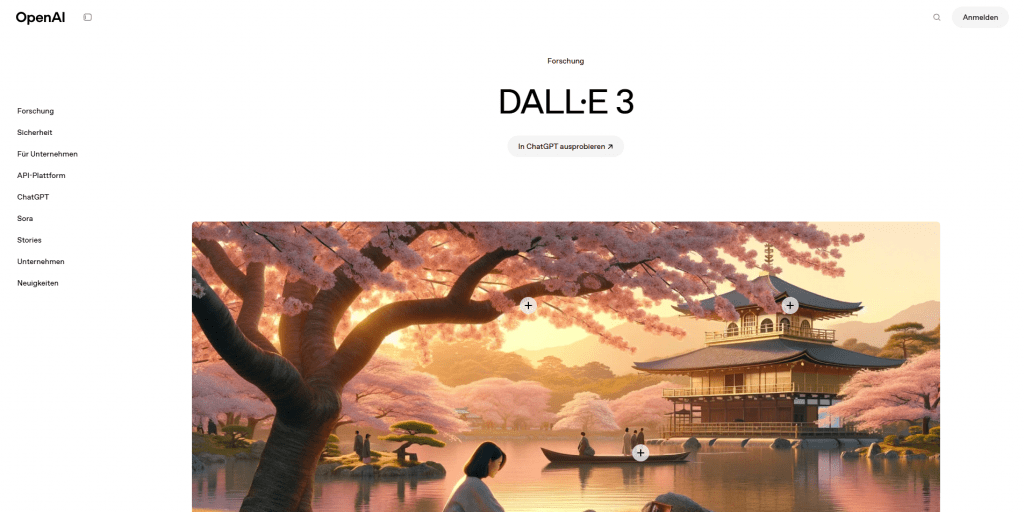
What Can DALL-E 3 Do?
The latest version—DALL-E 3—isn’t just an AI for generating images; it’s a powerful tool packed with useful features:
- Describe it—get the picture. The main skill: you write text (“a fluffy cat astronaut in the style of Van Gogh”), and this AI image generator creates a unique image. That’s the foundation of generative art.
- Extend the edges of a photo (Outpainting). Got a snapshot but want to see what’s beyond its borders? DALL-E image generation will help “expand” the picture by adding a realistic surroundings.
- Edit a finished photo with a text command (Inpainting). Remove an extra object, add a detail, or change the background? Just select the area and say what to do. The DALL-E model will understand and modify the image.
- Any style—with one word. Need it like Picasso, anime, or photorealism? Specify in the prompt—the DALL-E image generator will transform accordingly.
- High-quality images. DALL-E image generation results are sharp and detailed—suitable even for printing or websites.
In essence: It’s your digital artist that draws, edits, and stylizes—just based on your words.
How It Works
Imagine DALL-E as a highly intelligent, well-trained artist inside a computer.
- The foundation: what is DALL-E? Essentially, DALL-E is a specialized AI artist program. It was created by OpenAI, and the latest, most advanced version is DALL-E 3.
- How was it trained? This AI image generator was trained extensively by showing it millions of pictures along with their descriptions. That’s how it learned the connection between words (“a red apple on a table”) and how it looks.
- How DALL-E works in practice? Very simple!
- You come up with an idea. For example: “a poodle in glasses reading a newspaper on a zeppelin in the style of 1950s cartoons”.
- You give the command to the DALL-E image generator. You type (or speak) your prompt into the program.
- The AI image generator “understands” you. It recalls what it knows about poodles, glasses, newspapers, zeppelins, and 1950s style, and envisions the picture.
- DALL-E draws. It generates several variants (usually 4) of what you described right away.
- You choose. Look at the results, pick what you like, or refine the prompt and try again.
Who Would Find It Useful?
A tool like DALL-E isn’t just a toy. It genuinely helps various professionals tackle everyday tasks that involve images:
- Marketers and social media managers: Need a vibrant image for an Instagram post or ad banner in a hurry? Instead of endless stock photo searches or waiting for a designer—describe the idea and get a unique image in minutes.
- Designers (of all kinds!): Stuck on an idea for a logo, app interface, or 3D model texture? DALL-E can quickly sketch tons of options to spark your imagination or find a starting point.
- Content creators (bloggers, copywriters, educators): Writing an article, book, or lesson plan? Need an illustration that’s nowhere on the internet? Describe the scene—and get exactly the image that fits your text.
- Artists and creative folks: Want to experiment with styles (“what would this look like in Japanese woodblock print?”) or quickly visualize a wild idea? DALL-E is your digital sketchpad for instant drafts and inspiration hunting.
- Startups and product developers: Got an idea for a new gadget or packaging, but hiring a designer is premature? Sketch a text description—and DALL-E will show how it could look, ready to discuss with your team or investors.
- Unique and creative results from text prompts.
- Simple and intuitive interface.
- High quality and detailed images (DALL-E 3).
- Useful editing features (Inpainting/Outpainting).
- Full access is paid ($20/month with ChatGPT Plus).
- Subscription requires a compatible payment method.
- Occasionally generates errors (text, anatomy, logic).
Pricing Plans and Availability
- Free access: Limited generations are available through Bing Image Creator (powered by DALL-E 3). Requires a Microsoft account.
- Paid subscription: Full access to the latest DALL-E 3 version with expanded capabilities (more generations, higher resolution, editing features) is included in the ChatGPT Plus subscription for $20 per month.
- Availability: Free access via Bing Image Creator works seamlessly worldwide. Paid ChatGPT Plus subscription is available in most countries with standard payment options.
- Payment methods (for ChatGPT Plus): International cards (Visa, Mastercard) and PayPal are supported for users in eligible regions.
In short, DALL-E impresses with its ability to draw literally anything from your text—even the most incredible ideas become visible images. Mastering it is straightforward: the intuitive interface requires no tutorials.
The quality and detail in the latest DALL-E 3 version are especially impressive—from photorealism to cartoon graphics, any style is within reach for this AI. Plus, it can edit existing photos: you can simply ask in text to extend the background or remove an unwanted object. That said, there are challenges. The $20/month price for ChatGPT Plus may feel steep if you only need the DALL-E image generator.
Sometimes the AI slips up on scene logic, anatomy, or text in images. Strict ethical guidelines block prompts involving celebrities, violence, or styles mimicking living artists. And most importantly—the results heavily depend on your ability to describe what you want clearly: you’ll need to tweak your prompts. These drawbacks can be mitigated: Learn to craft effective prompts, use free access via Bing for basic tasks, and for paid features, ensure you have a supported payment method if needed. Despite the limitations, the DALL-E AI image generator remains one of the most impressive and practical tools in its category.
❓ Frequently Asked Questions
Answers to relevant questions about this AI tool
Sources
-
OpenAI DALL·E Product Page — openai.com
-
OpenAI DALL·E 3 API Documentation — platform.openai.com
-
OpenAI API DALL·E FAQ — help.openai.com
-
OpenAI Terms & Policies — openai.com
-
OpenAI Terms of Use and Privacy Policy updates — help.openai.com