Image generator by text description. Creates high-quality and detailed images in various styles. Works via Discord.
Midjourney: Create Stunning AI Images
On this page
You’ve probably heard of Midjourney — it’s a smart AI image generator. Simply put, you type in a text prompt, and it creates an image in response. Want a photorealistic portrait? Or an abstract painting? Just describe your idea in words, and the AI brings it to life visually. How did it learn to do this? It’s straightforward: the model was trained on a massive dataset of images paired with descriptive captions. For example, it studied millions of cat photos labeled “orange cat on a windowsill” or “black cat playing.” Over time, the AI learned to connect words with visual elements. Now, the same process works for your prompts: you provide text, and the trained neural network generates a unique image just for you. That’s Midjourney generation — transforming text into visual art. 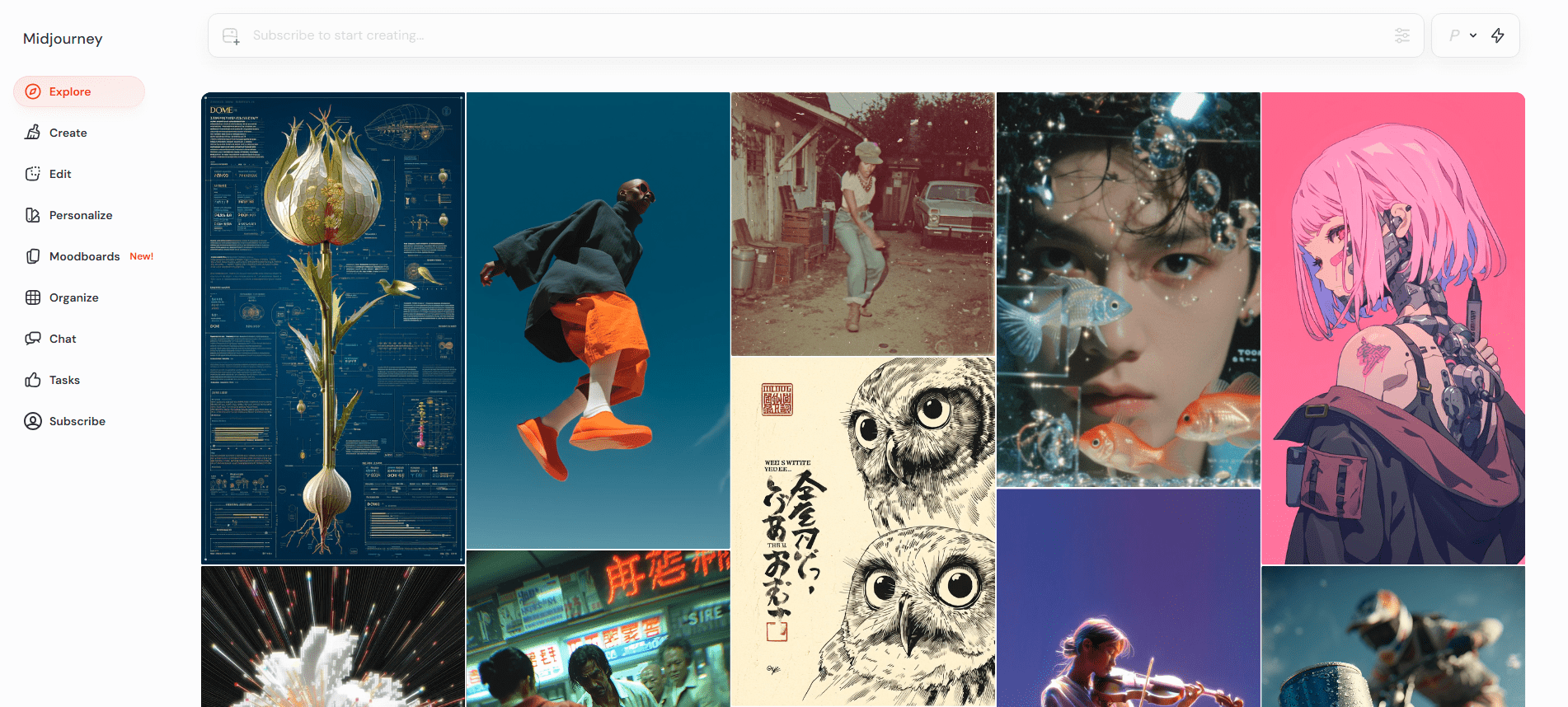
What Can Midjourney Do?
In simple terms, Midjourney is a tool that turns your text-based fantasies into vivid images — often so impressive, you might not believe they were AI-generated. Many users today rely on Midjourney for inspiration — designers brainstorming project concepts, writers visualizing characters, and creators exploring new aesthetics. By the way, Midjourney v7 was recently released — delivering even sharper, more realistic imagery. Rumor has it video generation is coming soon, letting you create short clips from text descriptions. The key? Don’t be afraid to experiment. Some of the most amazing results happen by accident. Midjourney thrives on playful exploration: “What if I try this?”
How It Works
It’s simple: you write a text prompt — for example, “a bear in space, Soviet poster art style” — and launch generation. Within minutes, you’ll receive multiple image variations. Often, they’re so detailed and atmospheric, it’s hard to believe they were made by AI. The latest version, v7, delivers even more realism and precision. Where earlier versions sometimes felt “artificial,” v7 handles fine details like skin texture or water reflections with remarkable accuracy. How to use it? Everything happens through Discord. Sign up, join the Midjourney channel, and type the /imagine command. Then comes the fun part: just describe what you want to see. For example: /imagine cat in a space helmet, retro style Within a minute, you’ll get four image options. If one stands out, you can upscale it for higher resolution or generate variations. Here are a few tips for beginners: Instead of “beautiful castle,” try “menacing castle with sharp towers, fog, Dark Fantasy style” — you’ll get more accurate results. Experiment with parameters You can add special commands to your prompt: –ar 16:9 — for a widescreen image (perfect for wallpapers) –chaos 20 — for more unexpected, creative results –stylize 1000 — for maximum artistic flairYou can upload an image and ask Midjourney to generate something in the same style — super helpful when words fall short.There are two modes: Fast (quick, but consumes your credits) and Relax (slower, but unlimited). Start with Relax. One thing that makes Midjourney stand out — compared to tools like DALL-E or Stable Diffusion — is its focus on aesthetic beauty. It doesn’t just mechanically stitch image fragments; it strives to create cohesive, artistically compelling visuals. Sometimes, the results are genuinely surprising — the AI delivers ideas you’d never have imagined yourself. Essentially, it’s a powerful tool to visualize any idea swirling in your mind. No wonder it’s beloved by designers, artists, authors — anyone who needs to sketch a concept, find inspiration, or experiment with imagery.
Who Is Midjourney For?
Midjourney isn’t just a toy for making pretty pictures. It’s a genuinely useful tool already adopted across many industries. Here’s how professionals are using it:
- For marketers and advertising. Need a unique visual for a social post or banner, and stock photos feel stale? Just describe your concept — and get a ready-made image in minutes. No need to hire photographers or schedule shoots. Saves both time and budget.
- For designers and creatives. Quickly sketch ideas for logos, T-shirt prints, or concept art. The AI excels at color palettes, styles, and composition — like having instant creative inspiration at your fingertips.
- For web design and social media. Need original illustrations for your website, blog, or Instagram feed? Midjourney generates them in your desired style and aspect ratio. You can even specify exact dimensions (e.g., –ar 16:9 for widescreen banners).
- For education and presentations. Need to visualize a complex idea or historical event? Describe it — and get a vivid image that makes any material more engaging and easier to understand.
- High-quality generation: detailed images across diverse artistic styles.
- Easy integration via Discord and web platform.
- Flexible parameter controls (aspect ratio, stylization, chaos level).
- Commercial usage rights included with subscription.
- Mobile-friendly and web-accessible.
- No native support for non-English languages.
- Limited payment methods in certain regions (no PayPal or cryptocurrency accepted).
- No batch image processing available.
- Free trial is temporary and capped at 25 generations.
- Can struggle with precise anatomical details (e.g., limbs).
Pricing and Subscription Plans
Midjourney offers several subscription tiers. The four main plans differ primarily in the amount of “Fast” generation time and bonus features.
- Basic ($10/month). The entry-level package. Includes roughly 3.5 hours of “Fast” mode per month — enough to explore the tool and get started. You can also generate privately, outside public channels.
- Standard ($30/month). The most popular choice. Offers 15 hours of Fast mode plus — crucially — unlimited Relax mode. Relax is slower but lets you generate as much as you want without time pressure. Ideal for most enthusiasts.
- Pro ($60/month) and Mega ($120/month). Built for power users and professionals. Includes 30 hours of Fast mode, unlimited Relax, and Stealth mode — your creations stay private and aren’t visible to other users.
There’s also a free trial — via the web platform, you can generate up to 25 images to get a feel for how it works. How to subscribe to Midjourney? Payment is processed globally via Stripe. Accepted methods include international Visa and Mastercard credit/debit cards. Unfortunately, PayPal and cryptocurrency payments are not supported. For users facing regional payment restrictions, some opt for virtual international cards or third-party services that facilitate subscription purchases.
Conclusion
Midjourney is a surprisingly accessible AI image generator. Both professionals — designers, illustrators — and beginners can use it effectively. You can create images for personal projects or commercial use — the license permits it. Among its strengths: exceptionally high-quality, detailed outputs with flexible customization. It operates via Discord — convenient, no extra software needed, everything happens right in chat. Generated images can be used freely, including for commercial purposes. There’s also a web version and mobile access. Recently, Midjourney added video generation capabilities. Drawbacks? The interface and documentation are English-only. Some users may encounter payment limitations depending on their region. Batch processing isn’t supported — images must be generated one at a time. The free trial is very limited and time-bound.
❓ Frequently Asked Questions
Answers to relevant questions about this AI tool
Sources
-
Midjourney — midjourney.com
-
Comparing Midjourney Plans — docs.midjourney.com
-
Plan Information — docs.midjourney.com
-
Midjourney Docs — docs.midjourney.com