
Lunchbreak AI: AI Detector and Humanizer
On this page
An AI detector and humanizer claiming to bypass Turnitin & GPTZero. Our tests show a high-quality interface, but the humanizer often fails to deliver on its "guaranteed bypass" promise. Effective? Not quite.
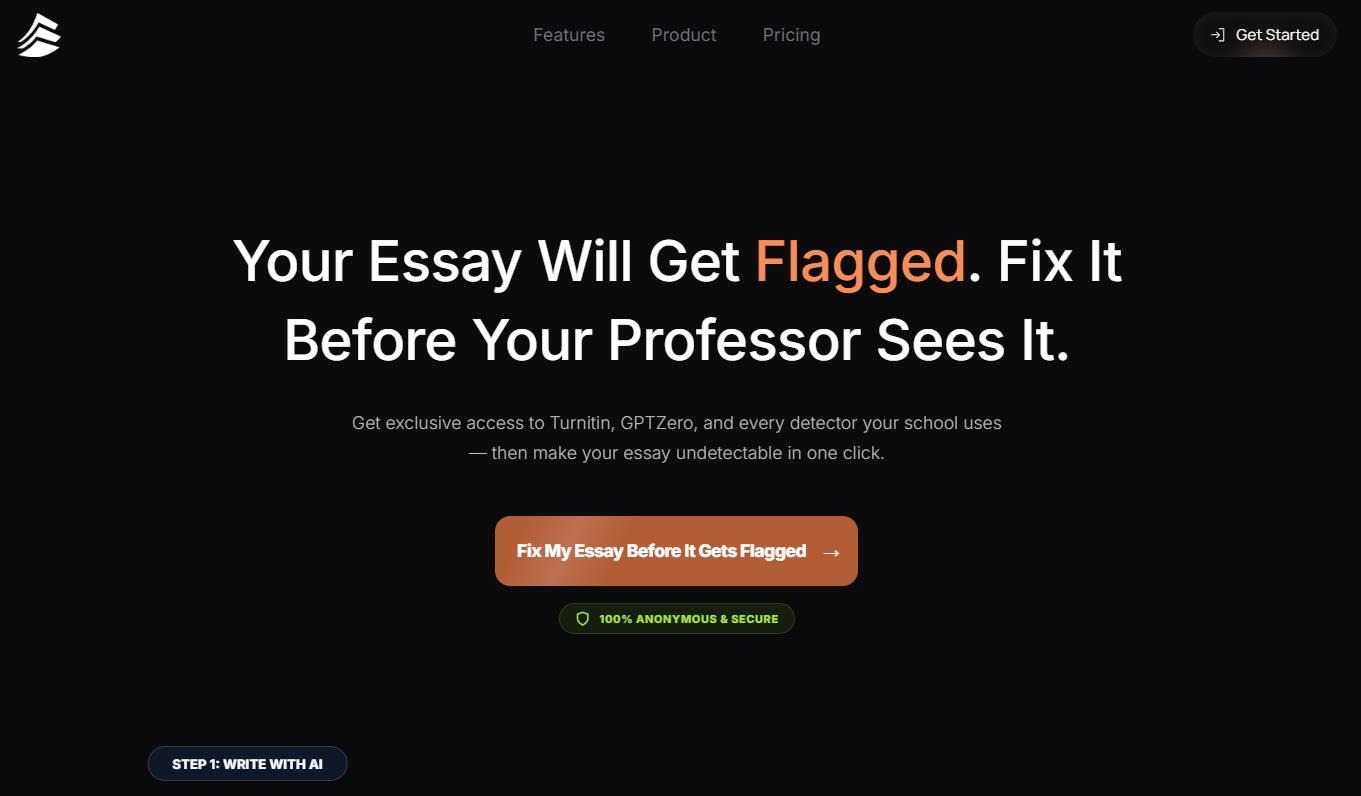
Lunchbreak AI is a web platform offering an all-in-one solution: an AI detector and a humanizer tool. Launched in mid-2024, the service quickly attracted over 700,000 users by promising to transform dry, machine-generated text into natural, human-like content. Let’s take a closer look to see if it lives up to the hype.
What is Lunchbreak AI and Who Is It For?
In an era where generative AI is everywhere, users face a new challenge: how to leverage AI for drafting text while keeping it "human" enough to bypass strict detection algorithms?
Lunchbreak AI is an online service designed to analyze text for AI origins and then modify it to evade detection systems. Its target audience includes anyone whose work might be screened by detectors like Turnitin or GPTZero.
- Students and Academics: The primary user base. The tool allows them to use AI for drafting research papers, theses, and essays without fear of being flagged for AI use.
- Professional Writers and Freelancers: Useful for preparing proposals, investor updates, or client communications where text needs to feel personal and engaging, not like a generic AI output.
- Business Users: Helps create job descriptions or email campaigns with a natural, human tone to avoid sounding robotic and alienating potential candidates or clients.
How Does It Work?
Lunchbreak AI addresses a specific and in-demand need. It doesn’t just paraphrase text; it adapts it specifically to "fool" AI-detection algorithms.
A bonus feature is text generation. You can generate an essay, instantly check its "AI-likeness," and humanize it to make it appear as your own work. (We’ll leave the ethical considerations aside for now.)
The service is entirely web-based and features an intuitive interface.
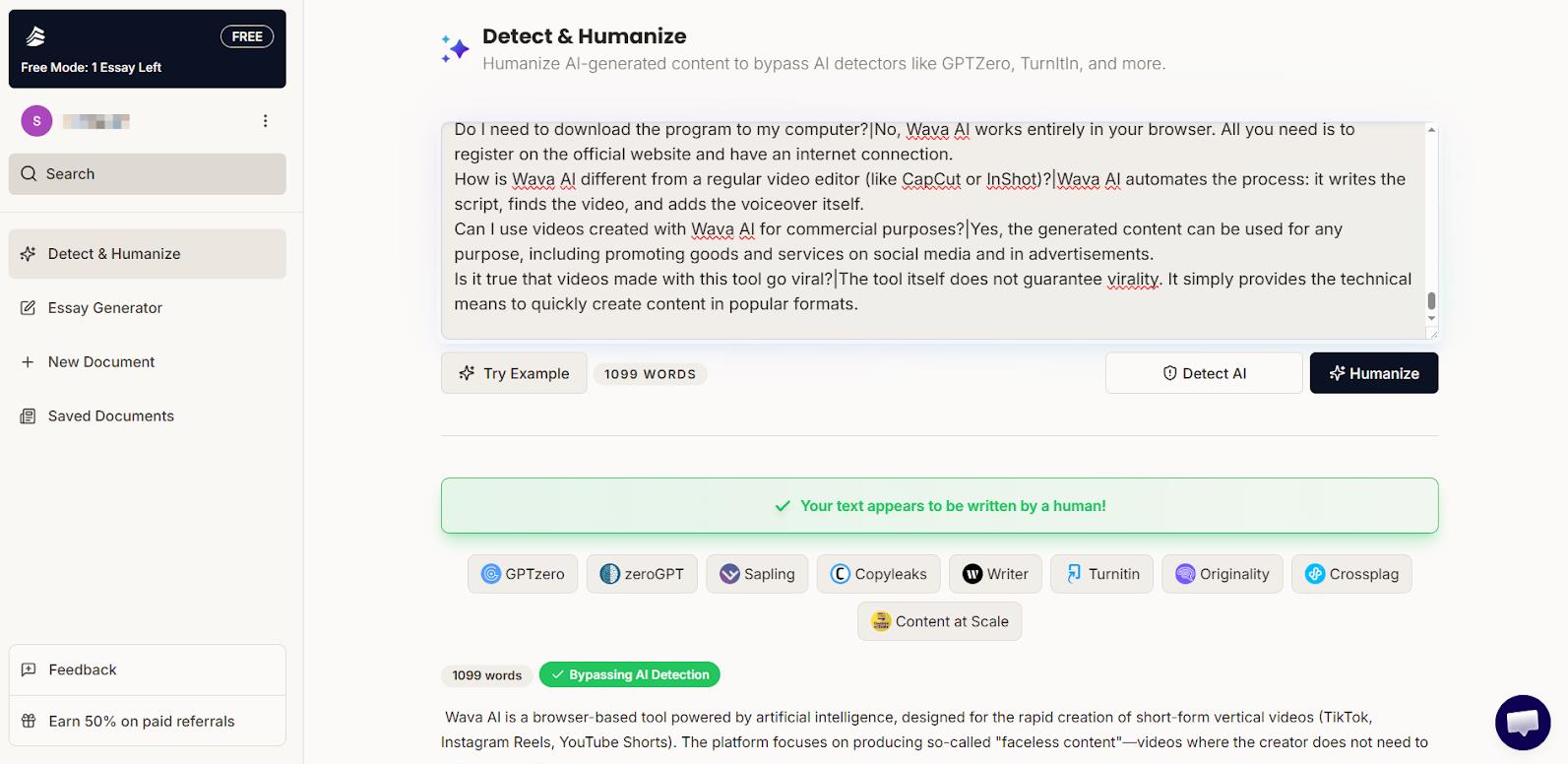
The workflow consists of three simple steps:
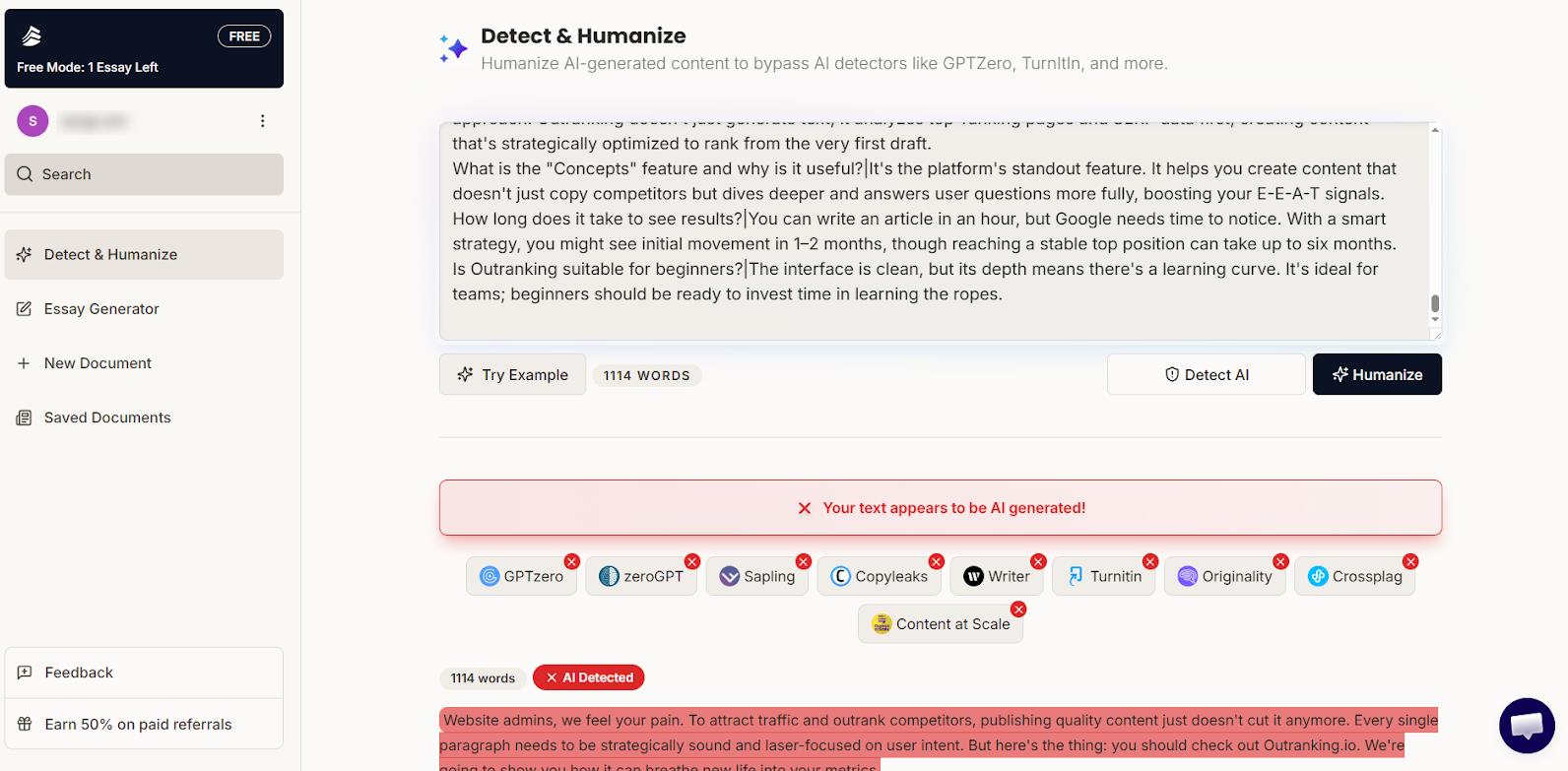
- Paste Your Text: The user pastes their AI-generated draft into the workspace on app.lunchbreak.ai.
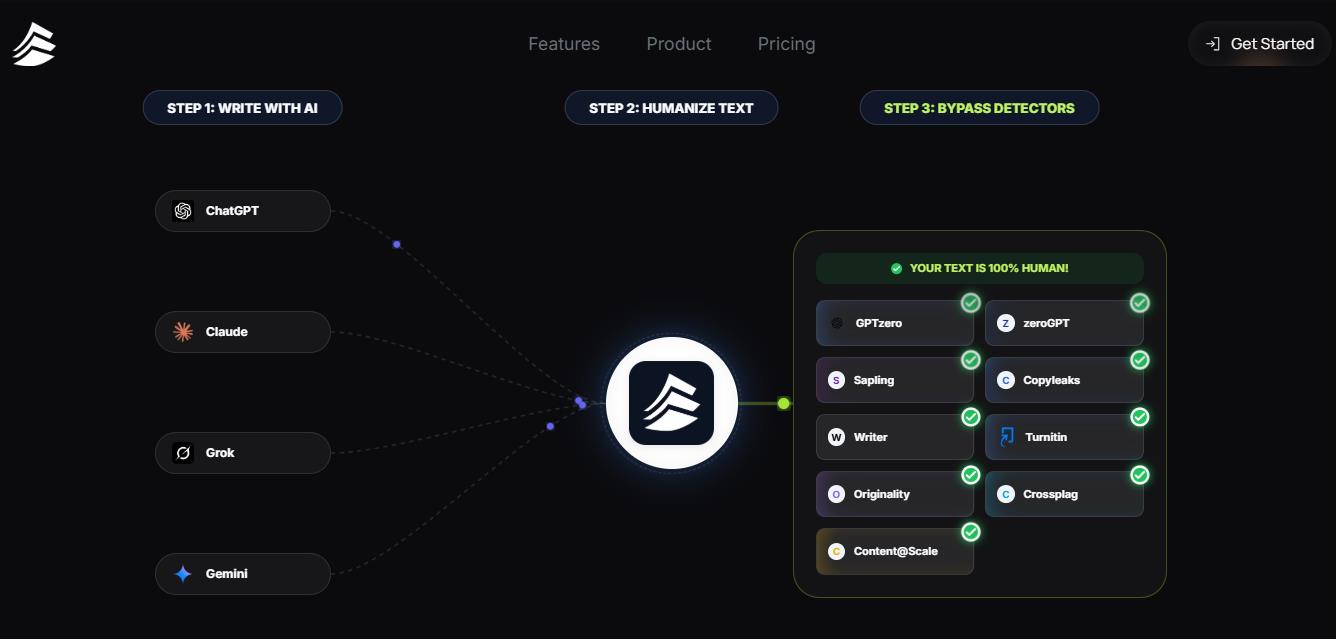
- AI Analysis: The free AI detector instantly scans the text. Its key feature is simulating several popular detectors at once—including Turnitin, GPTZero, ZeroGPT, Copyleaks, and Sapling—highlighting passages likely to be flagged as AI-generated.
- Humanize with One Click: A single click activates the humanizer. The algorithm rewrites problematic sections, aiming to preserve the original meaning, style, and the author’s "voice," resulting in more natural text.
After processing, users can re-run the text through the detector to verify the result. The developers guarantee the final content will be plagiarism-free.
The service also claims full anonymity and enterprise-grade data protection, which is important when working with sensitive or original texts.
Lunchbreak AI Pricing and Plans
Lunchbreak AI uses a paid subscription model with word limits. There is no free plan for the core features. Users only have access to the free AI detector for checking text. The humanizer and text generation features require a paid subscription.
The pricing structure is as follows (check the official website for current rates):
- Free Access: Only the AI detector is available. You can check if text is AI-generated but cannot process or rewrite it.
- Monthly Subscription (Starter): Costs approximately $14.99–$19.99 per month. Includes a word limit of about 10,000 to 15,000 words per month for text generation or humanization.
- Annual Subscription (Annual): Paid yearly, the cost averages around $10 per month. This plan offers a higher annual limit of roughly 180,000 words.
It’s important to note that there’s no "lifetime" free plan or pay-per-use option for single texts. Word limits are relatively strict, and exceeding them requires upgrading or waiting for the next billing cycle.
The service offers a free 3-day trial. But its billing practices are questionable: it may attempt to charge for the monthly subscription immediately upon card validation. Be careful!
Test Results: How Well Does It Perform?
Independent tests from late 2025 (e.g., on twaingpt.com) indicate that both the AI detector and humanizer from Lunchbreak AI struggle with their primary tasks. Our own checks confirm these findings.
AI Detector Test
We evaluated the Lunchbreak AI detector on texts of known origin (AI-written, human-written) and compared its results against established services like Copyleaks and GPTZero. The outcome was disappointing.
- High Rate of False Positives/Negatives: Lunchbreak frequently misclassified human-written text as AI-generated and vice-versa. Its detection accuracy lags significantly behind industry leaders. It’s no surprise that Lunchbreak AI isn’t featured in major rankings for such tools.
- Questionable Multi-Detector Simulation: The service tries to create the impression it performs a comprehensive check using algorithms from all major detectors (listed below the input box). In our tests, they always showed a unanimous verdict, which seems unrealistic, especially when the verdict was clearly a false positive. We suspect the references to GPTZero, ZeroGPT, Sapling, Copyleaks, Turnitin, Originality.ai, etc., are largely a marketing tactic, potentially misleading users.
A particularly frustrating detail: the detector only provides a binary result ("AI" or "Human"). There’s no detailed percentage breakdown or highlighting of specific problematic sentences, which significantly reduces its analytical value compared to other services you might be used to.
Humanizer Test
The processing speed is high, but in this case, speed doesn’t equal quality. The "humanized" output often reads as slightly more awkward or clunky than if you had written it yourself (though this is a common issue with many humanizers).
More critically, after processing, the texts continued to be flagged as AI-generated by services like GPTZero and Turnitin. This directly contradicts the "Bypass Turnitin Guaranteed" claim made by the developers.
We’re not saying Lunchbreak AI is completely useless or the "black sheep" of the industry. Even the best AI detectors and humanizers face significant quality challenges. Lunchbreak AI might be useful for preliminary testing of an essay or quickly polishing a rough draft. However, if you were hoping for an "Originality.ai killer" – this isn’t it.
- Simple and Intuitive Interface: The entire process is straightforward, requiring no special training. The humanizer function works with a single click.
- Free Detector with Turnitin Simulation: Offers free text analysis that claims to simulate checks across multiple algorithms, providing a broader perspective than a single detector.
- Focus on the Academic Segment: The tool is tailored to student needs and the specifics of academic writing.
- Aims to Preserve Meaning: Developers emphasize maintaining the author’s “authentic voice,” differentiating it from simple synonym substitution.
- Anonymity and Security: Claims of anonymous usage and enterprise-grade data protection.
- Guarantees Don’t Match Reality: This is the most significant flaw. Independent tests show the humanizer often fails to bypass leading detectors, contradicting the core promise.
- Primitive AI Detector: Lacks detailed analysis (percentages, highlighting), offering only a basic binary result.
- High Cost, No Free Trial for Humanizer: The pricing is considered steep, especially compared to more effective and cheaper alternatives, and the lack of a free trial for the main feature draws criticism on forums like Reddit.
- Overstated Marketing Claims: The website’s language feels exaggerated, especially given the poor test results, which undermines trust in the service.
- Strange billing practices. They might try to charge you for the free trial.
Conclusion
Lunchbreak AI is an interesting example of a tool trying to solve a real problem at the intersection of education and technology. Its interface and core concept are appealing, particularly the free detector that aggregates results from multiple simulated systems.
However, its main function—humanizing text—raises serious concerns. Numerous independent tests and user reviews indicate its effectiveness falls short of its claims.
Given its relatively high price and the existence of more reliable competitors (such as Grubby.ai or TwainGPT), Lunchbreak AI risks being remembered as a tool with a great idea but mediocre execution. It might suffice for preliminary, non-critical text processing, but relying on it for important academic submissions would be unwise.
❓ Frequently Asked Questions
Answers to relevant questions about this AI tool
Sources
-
Lunchbreak AI — lunchbreak.ai
-
Pricing & Plans - Lunchbreak AI Detector and Humanizer — lunchbreak.ai
-
Lunchbreak AI - Rewrite, Humanize, and Stay 100% Undetectable — lunchbreak.ai
-
Lunchbreak AI - Rewrite, Humanize, and Stay 100% Undetectable — lunchbreak.ai
-
Lunchbreak AI Review: Can It Bypass AI Detectors? - TwainGPT — twaingpt.com
-
Lunchbreak AI Review: Does It Beat Turnitin? (2026) — chimpwrite.com