How to Use the ChatGPT Voice Input Feature
On this page
Not long ago, communicating with artificial intelligence meant typing commands into a keyboard. It was functional, but far from natural human interaction. Today, the landscape has shifted dramatically. Chatbots have gained the ability to speak and listen, and voice interfaces are becoming as familiar as touchscreens once did. ChatGPT Voice Input exemplifies this evolution, transforming AI from a silent tool into a conversational partner you can talk to as naturally as you would another person.
This guide offers an expert, balanced overview of the feature: what it is, how it works, who benefits from it, and how to make the most of its most compelling capabilities.
What Is ChatGPT Voice Input
ChatGPT Voice Input is a feature that allows you to interact with the AI using your voice instead of typing. Today, this term actually encompasses two distinct usage scenarios that are important to distinguish.
Here is what ChatGPT Voice Input includes:
- Voice Dictation — speech is converted into text, which is then sent to the chat as a standard query. This is simply a faster way to type without using the keyboard.
- Voice Mode — a full two-way real-time dialogue with the AI. ChatGPT not only understands speech but also responds with a synthesized voice, creating the feel of a live conversation.
- Continuous Interaction — in Voice Mode, the conversation flows without needing to press a button after each response, mimicking natural back-and-forth dialogue.
- Multimodal Integration — the voice feature works alongside image and document analysis capabilities, allowing you to discuss visual content during the conversation.
It is Voice Mode that represents the true breakthrough. It turns ChatGPT from a text-based chatbot into a conversational AI assistant, and interacting with it feels almost like talking to another person. The feature is available to all logged-in users in the ChatGPT mobile app and on the web version at chatgpt.com.
How ChatGPT Voice Input Works
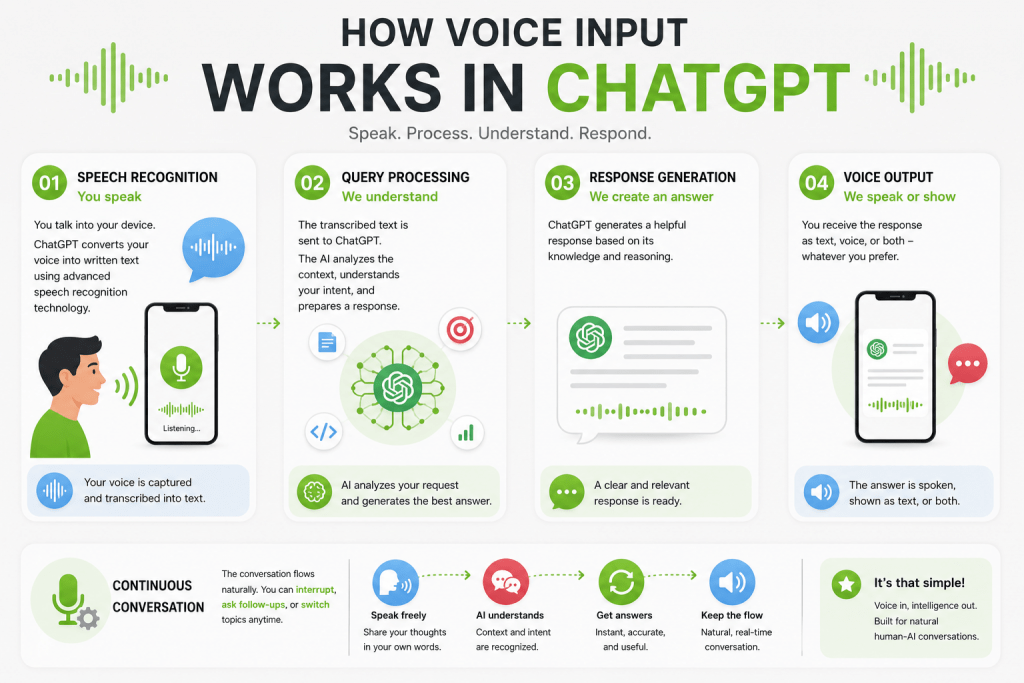
The technical process of voice interaction with ChatGPT consists of several sequential steps, each happening in a fraction of a second.
Here is how the process works:
- Speech Recognition — when the user speaks into the microphone, the system automatically converts the audio into text using speech recognition technologies.
- Query Processing — the resulting text is passed to the ChatGPT language model, which analyzes the request and formulates a substantive response.
- Response Generation — the answer can be displayed as text, delivered as synthesized speech, or presented in both formats simultaneously, depending on user settings.
- Continuous Dialogue — in Voice Mode, the conversation continues without needing to press a send button after each response, and the user can interrupt the AI and ask follow-up questions.
It is important to understand the fundamental difference between ChatGPT Voice Input and standard dictation on a smartphone or conventional voice assistants. Here are the key distinctions:
- Voice Dictation simply converts speech to text and does not involve a voice response from the AI.
- ChatGPT Voice Mode not only recognizes speech but also responds with a voice that carries natural intonation.
- Dialogue Continuity — Voice Mode supports a full conversation without pauses between exchanges.
- Interruption Capability — the user can interrupt ChatGPT at any point, just like in a real conversation.
- Emotional Coloring — the synthesized voice conveys intonation, making communication feel more natural.
Essentially, this represents a fundamentally different level of interaction, turning ChatGPT into a conversational partner rather than just a tool.
How to Enable ChatGPT Voice Mode
Activating voice input in ChatGPT does not require special skills or complex settings. The process is intuitive and takes only seconds on any device.
iOS / Android App
On smartphones running iOS and Android, the procedure is as follows:
- Open the ChatGPT app on your device.
- Tap the microphone icon or voice mode button in the chat interface.
- Grant the app access to the microphone if the system prompts you for permission.
- If desired, select a preferred voice from the available options.
- Start the conversation by speaking your first query.
Web Interface
In the ChatGPT web version, the voice mode works just as simply:
- Open chatgpt.com in your browser and log in to your account.
- Click the microphone button located inside the chat window next to the input field.
- Grant the browser access to the microphone if prompted.
- Speak your query, and ChatGPT will recognize it and respond with voice.
- Freely switch between voice and text input within the same conversation without opening a separate interface.
This flexibility allows you to combine both input methods depending on the situation, making interaction as convenient as possible.
Who Benefits from Hands-Free Mode in ChatGPT
Voice Mode in ChatGPT opens new possibilities for a wide range of user categories. This is not merely a toy for enthusiasts but a practical tool that solves real problems in daily life and work.
Here are the main groups of users who gain maximum benefit from voice input:
- Students use Voice Mode for exam preparation, understanding complex topics, language practice, and knowledge testing in a dialogue format. Interacting with the AI as a tutor helps them absorb material more effectively and develop conversational skills.
- Professionals across various fields apply voice input for brainstorming, discussing work tasks, generating ideas, and preparing presentations. The ability to speak rather than type speeds up the process and helps articulate thoughts more quickly.
- Entrepreneurs use the feature for analyzing business ideas, preparing for negotiations, and developing marketing concepts. Voice Mode allows them to discuss strategies on the go without being distracted from other activities.
- Drivers appreciate the ability for completely safe hands-free interaction without needing to type. This is especially important on the road, where attention must remain focused on driving.
- People with Disabilities gain a fundamentally new level of access to AI. Voice Mode significantly simplifies using ChatGPT for those who find typing inconvenient or impossible.
- Travelers actively use Voice Mode for translating phrases, finding attractions, planning routes, and understanding local rules and customs during trips when their hands are often occupied.
Voice input makes AI accessible in situations where interaction was previously difficult or impossible.
The Most Interesting Voice Mode Capabilities
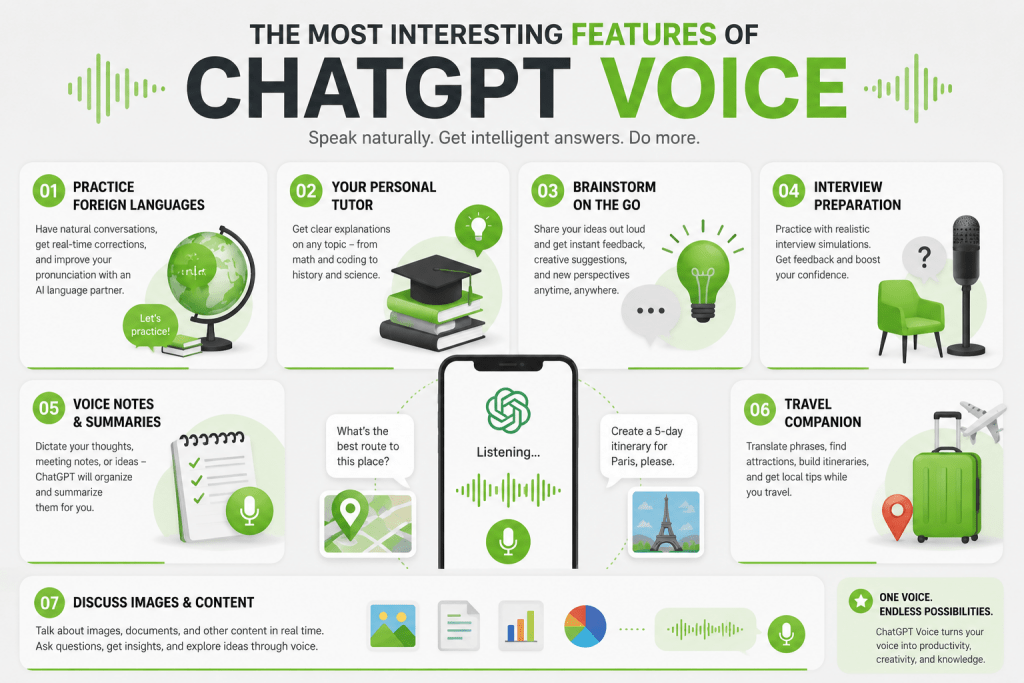
Voice Mode in ChatGPT unlocks a wide spectrum of use cases that go far beyond simple questions and answers. Here are the most interesting and practically useful capabilities worth trying.
Foreign Language Practice
One of the most popular functions. You can ask ChatGPT to speak only in the language you are learning, correct your mistakes, imitate a native speaker’s speech, or conduct a conversational interview. This provides accessible and effective language practice at any time of day.
Personal Tutor
Voice Mode works well for explaining mathematics, programming, history, and preparing for interviews. The feeling of a live dialogue with an instructor makes learning more engaging and productive.
Brainstorming on the Go
During a walk, you can discuss new startups, article ideas, marketing campaigns, or content plans. This is much faster and more natural than typing long queries, and movement often stimulates creative thinking.
Interview Preparation
ChatGPT can act as an HR manager, technical interviewer, client, or investor. This allows you to rehearse complex negotiations and interviews in a safe, stress-free environment.
Note-Taking and Information Structuring
You can dictate meeting minutes, project ideas, or task lists, and then ask ChatGPT to structure this information in a convenient format. This saves a significant amount of time and helps ensure important details are not missed.
Travel Assistance
Voice Mode is convenient for translating phrases, finding attractions, planning routes, and learning about local rules and traditions. This is particularly useful during trips when your hands and attention are otherwise occupied.
Discussing Images and Documents
In modern versions of ChatGPT, Voice Mode works alongside multimodal capabilities. Users can discuss images, documents, or other content during the voice conversation, making interaction even more versatile.
These scenarios demonstrate that voice input is not just an alternative input method but an entirely new level of interaction with AI.
Advantages of Voice Input
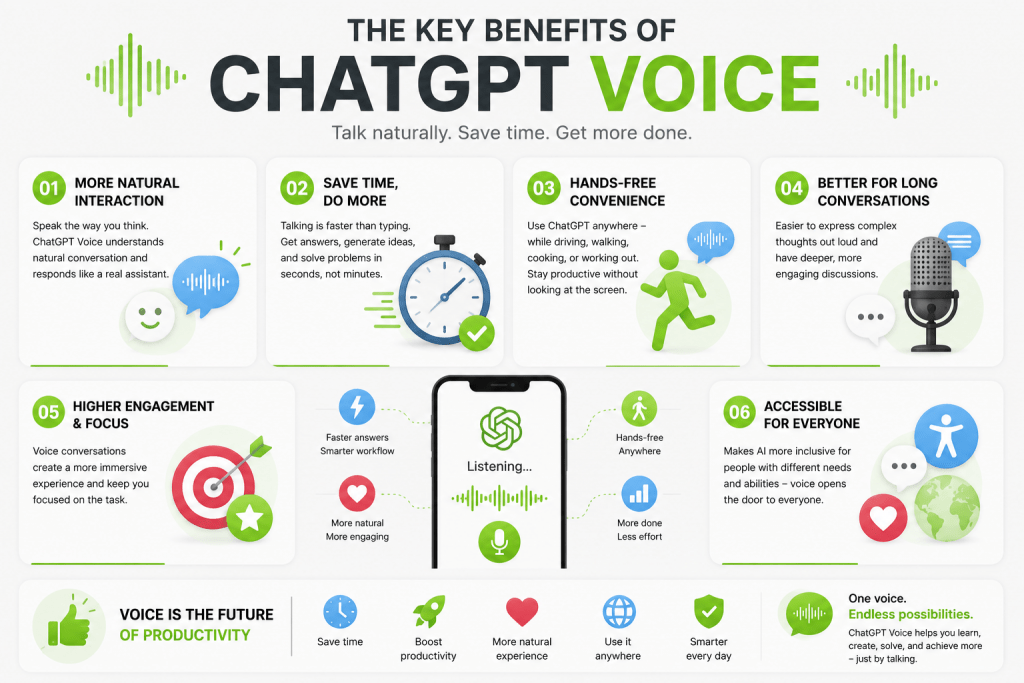
Voice Mode in ChatGPT offers several significant advantages over traditional text-based interaction. These benefits make it the preferred choice for many users in a wide variety of situations.
Here are the key advantages of voice input:
- Natural Interaction — conversing with the AI feels almost indistinguishable from talking to a human, lowering psychological barriers and making the technology intuitively accessible.
- Significant Speed — average speaking speed is several times faster than typing, which is critically important when formulating lengthy and complex queries.
- Hands-Free Convenience — particularly useful in the car, during a walk, in the kitchen, or while exercising, when hands are occupied with other activities.
- Effectiveness for Extended Discussions — people find it easier to articulate complex thoughts verbally than to type them, making voice format ideal for brainstorming and in-depth conversations.
- Increased Engagement — voice dialogue creates a sense of live interaction with an assistant, making the experience more productive and enjoyable.
These advantages make Voice Mode not merely an alternative but often a superior way to interact with AI.
Disadvantages and Limitations
Despite all its advantages, ChatGPT voice input has objective limitations that are important to consider when using it. Awareness of these drawbacks will help you avoid frustration and choose the right usage scenario.
Key limitations of Voice Mode:
- Speech Recognition Errors — accents, background noise, and low-quality microphones can reduce recognition accuracy, leading to the need to repeat queries.
- Inappropriateness in Public Places — not everyone is comfortable talking to AI in an office, on public transport, or in a café, where it may attract attention or disturb others.
- Possible Model Errors — like regular ChatGPT, the voice version sometimes produces inaccurate information, so OpenAI recommends double-checking important data.
- Differences in Response Quality — in some plans, Voice Mode may use a different model than the text chat, causing responses to sometimes differ in quality or level of detail.
- Usage Limits — free users face restrictions on the duration or number of voice interactions, which can be inconvenient with heavy use.
These limitations do not make the feature useless but do require a thoughtful approach to its use.
Top Chrome Extensions for ChatGPT Voice
Although ChatGPT already features a built-in voice mode, many Chrome users still turn to extensions for additional functionality. These tools can provide voice control, text-to-speech output, dictation capabilities, audio saving, and workflow automation. Here is a rundown of the most notable options available in 2026.
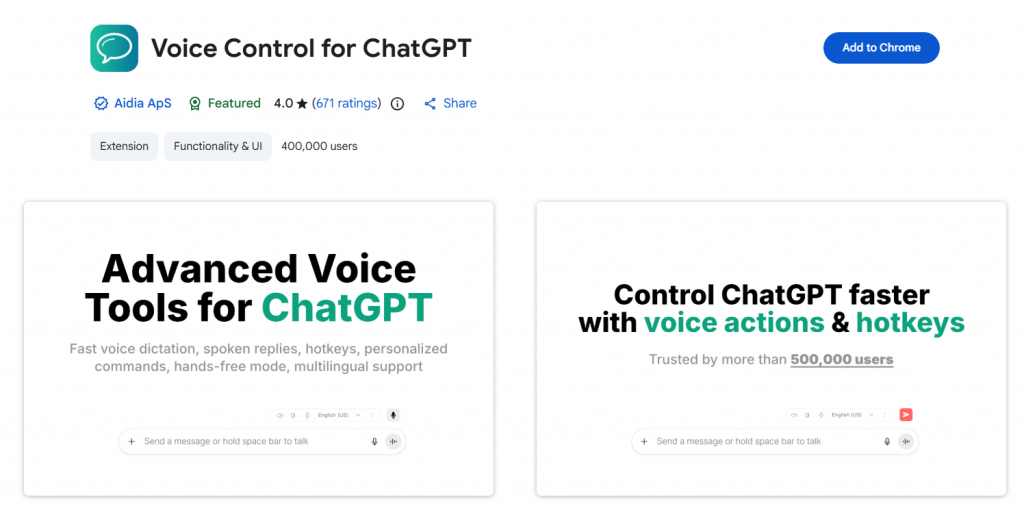
1. Voice Control for ChatGPT
Official webside: Voice Control
The most popular specialized voice extension for ChatGPT, with over 400,000 users. It expands ChatGPT with fast speech recognition, hands-free replies, keyboard shortcuts, and custom voice commands with a personal dictionary. The extension supports push-to-talk (hold spacebar or click the mic), multi-language speech input, and automatic read-aloud functionality. It also works with Claude AI.
Best for: Power users who want speed, flexibility, and automation in their ChatGPT interactions.
- Closely replicates the experience of native Voice Mode
- Large user community and active development
- Free version available
- Works with Claude AI in addition to ChatGPT
- Some features duplicate ChatGPT’s built-in voice mode
- Browser-dependent (Chrome desktop only)
2. VoiceWave: ChatGPT Voice Control
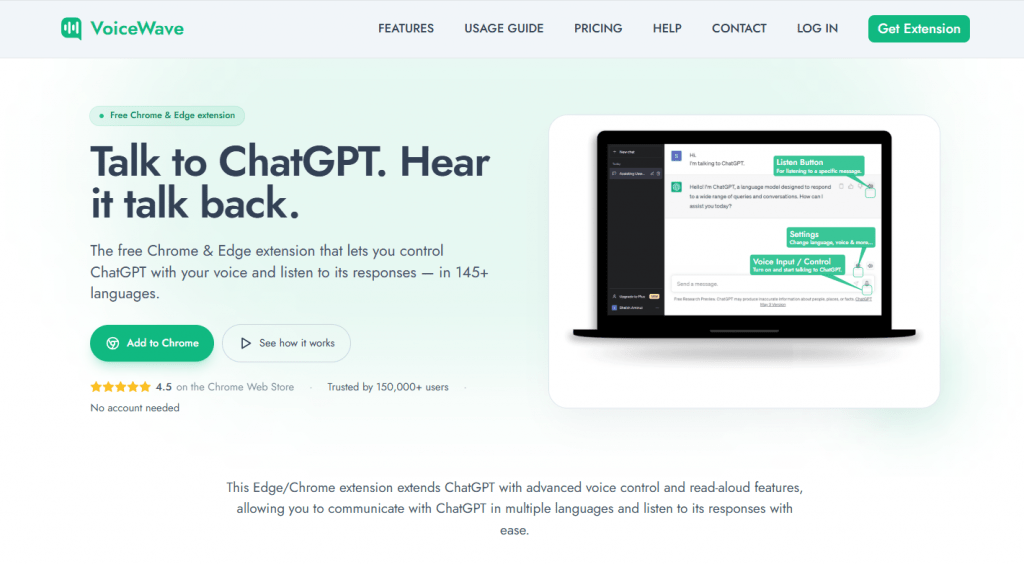
Official webside: VoiceWave
This extension focuses on making browser-based voice conversations with ChatGPT feel as seamless as using the mobile app. It enables voice typing across all websites and extends ChatGPT with voice control and read-aloud features using advanced speech recognition and TTS technologies. VoiceWave supports over 145 languages, offers automatic punctuation, voice replay for individual messages, and customizable voice commands. It works with ChatGPT, DeepSeek, Mistral AI, and Poe.
Best for: International users who need broad language support and multi-platform compatibility (Chrome and Edge).
- Exceptional language support (145+ languages)
- Simple, intuitive interface
- Works across multiple AI chatbots
- Fewer advanced features compared to Voice Control for ChatGPT
- Premium tier with limited free access
3. Voice-to-ChatGPT
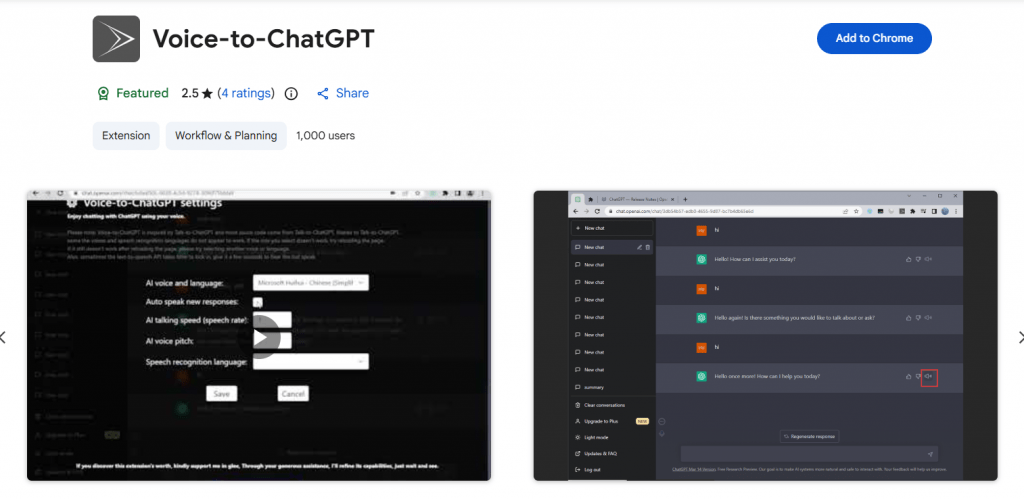
Official webside: Voice-to-ChatGPT
A lightweight extension designed for maximum simplicity in voice communication. It provides basic voice input with automatic query submission and response playback. Users can record questions with a button press and receive spoken answers without complex configuration.
Best for: Users who want the simplest possible implementation without complicated settings.
- Minimalist and easy to use
- No complex configuration required
- Lightweight and fast
- Limited language support compared to other extensions
- Fewer features and customization options
4. Voice In
Official webside: Voice In
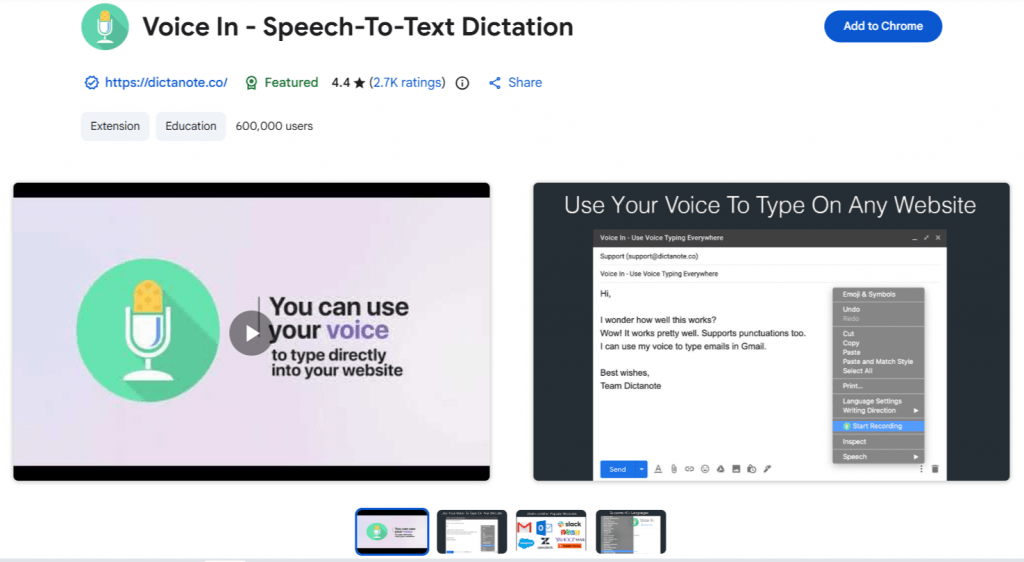
Technically not a ChatGPT-specific extension, Voice In is a universal speech-to-text dictation system for Chrome that works across thousands of websites. It transcribes speech to text in real time on Gmail, Google Docs, Slack, CRMs, and any site with a text box. The extension supports 40+ languages and is trusted by over 700,000 users who record millions of minutes monthly.
Best for: Users who dictate text not only in ChatGPT but also across other web applications.
- Universal compatibility across all websites
- High accuracy using Google’s speech recognition engine
- Free basic plan with generous features
- Voice output (TTS) is not a primary feature
- Not specialized for ChatGPT interaction
5. Save the ChatGPT Voice
Official webside: Save the ChatGPT Voice
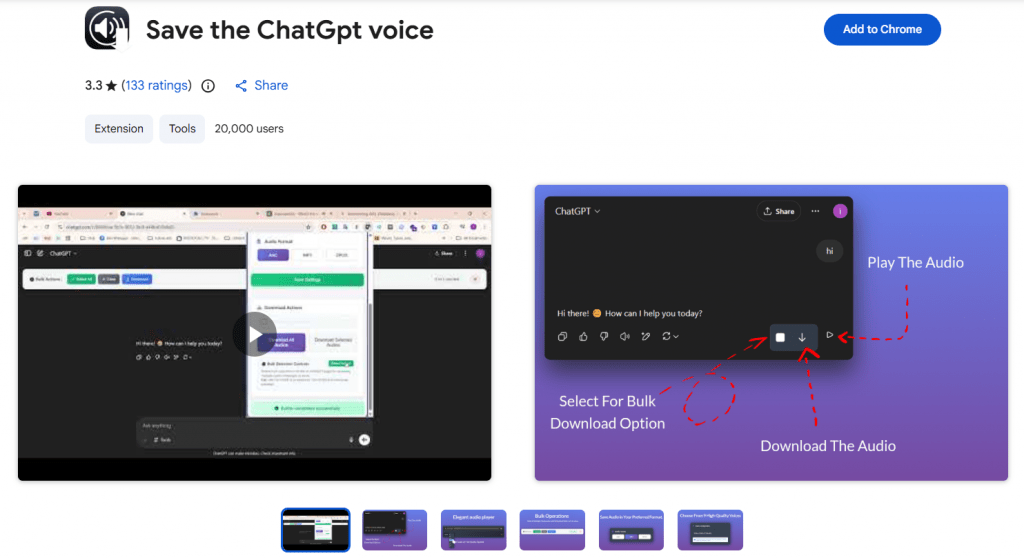
A niche but interesting extension focused on capturing and exporting voice responses from ChatGPT. It allows users to save audio answers in MP3, AAC, and Opus formats with various voice options.
Best for: Podcasters, educators, content creators, and anyone who repurposes AI audio content.
- Enables audio export for repurposing content
- Supports multiple audio formats
- Useful for creating learning materials
- Very niche use case
- Depends on available voice options in ChatGPT
Comparison Table
|
Extension |
Voice Input |
Voice Output |
Multi-language |
Best For |
|---|---|---|---|---|
|
Voice Control for ChatGPT |
✅ |
✅ |
✅ |
Power users |
|
VoiceWave |
✅ |
✅ |
✅ (145+) |
International users |
|
Voice-to-ChatGPT |
✅ |
✅ |
⚠️ Limited |
Simplicity |
|
Voice In |
✅ |
❌ |
✅ |
Universal dictation |
|
Save the ChatGPT Voice |
❌ |
✅ |
⚠️ Depends on voice |
Audio export |
Which Extension Is Actually Worth Installing?
For most users in 2026, the answer may be surprising: no extension is strictly necessary. ChatGPT’s built-in voice mode already provides full two-way voice dialogue that often surpasses browser add-ons in quality and integration.
However, extensions remain useful in three specific scenarios:
- You need additional hotkeys and voice commands not available in the native interface
- You work in older browser interfaces where native voice is unavailable
- You need to save or process voice responses separately from ChatGPT
Editor’s Pick:
- Best Overall: Voice Control for ChatGPT — the most feature-rich and reliable option
- Best for Dictation: Voice In — universal solution for all web typing needs
- Best for Audio Export: Save the ChatGPT Voice — ideal for content creators
- Best Alternative to Built-in Voice: VoiceWave — strong language support and cross-platform compatibility
Important Security Warning
In 2025–2026, researchers identified dozens of malicious AI extensions for Chrome disguised as ChatGPT and other AI tools. Some collected chat contents, emails, and browser data without user consent.
When choosing an extension, prioritize those with large user bases, good reputations, and transparent privacy policies. Avoid extensions that claim to process your voice data through external servers without clear disclosure. Privacy-conscious users should consider extensions like AI Hotkey Speakeasy, which process voice entirely through existing services without external data transmission.
Conclusion
ChatGPT Voice Input has evolved from a simple dictation function into a full-fledged conversational interface with artificial intelligence. For many users, Voice Mode has already become more convenient than the classic chat: it allows for faster responses, brainstorming sessions, language learning, and solving work tasks without constantly looking at the screen. Through the integration of voice, text, and visual content, ChatGPT is gradually becoming a universal AI assistant that accompanies the user throughout the day and makes interaction with technology more natural than ever before. Despite certain limitations, the feature is firmly establishing its place in the daily toolkit of millions of users worldwide.
❓ Frequently Asked Questions
Answers to relevant questions about this AI tool