Anthropic Knowledge Work Plugins Review
On this page
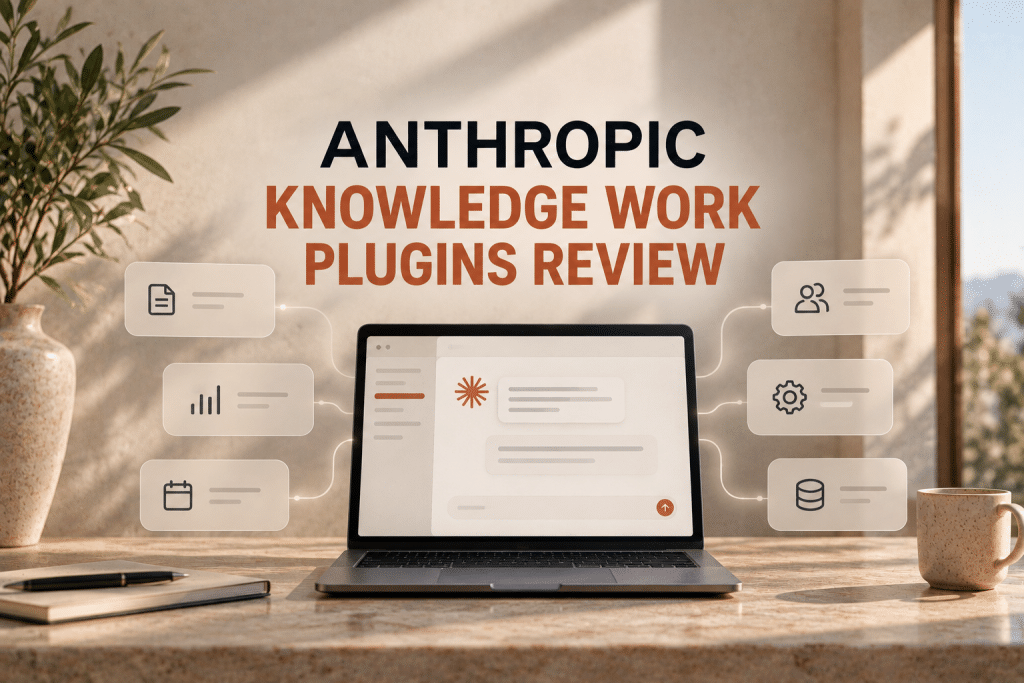
Anthropic has made a significant leap toward agentic AI with the release of Knowledge Work Plugins—an open-source repository designed to tailor the Claude AI assistant to specific roles, teams, and business workflows.
This toolkit works in tandem with the Claude Cowork ecosystem (a platform for tackling complex work tasks) and the Claude Code CLI.
In this review, we’ll break down what these plugins are, who they’re built for, their core value proposition, and how Anthropic’s 11 open-source starter plugins are structured.
What Are They?
Knowledge Work Plugins are modular configuration sets that turn a general-purpose LLM into a specialized digital colleague. Instead of writing lengthy prompts every time to explain the context of your task to Claude, you install a plugin that instantly “knows” how your workflows are structured.
Each plugin consists of three main components:
- Skills: Markdown-formatted instructions and knowledge bases detailing best practices, terminology, and step-by-step workflows for a specific role. Claude automatically draws on them when it sees a relevant request.
- Commands: Specific slash commands (e.g.,
/sales:call-prepor/data:write-query) that users can trigger manually to instantly execute standard workflows. - Connectors: Integrations with third-party services (Slack, Jira, Notion, Snowflake, HubSpot, etc.) via the open Model Context Protocol (MCP). These allow Claude to read and write data directly within your company’s toolstack.
Important Note: The entire plugin architecture is built exclusively on configuration files (Markdown and JSON). There is no complex code, no infrastructure to deploy, and no source code to compile—everything is configured through simple text editing.
Who Is This Built For?
The plugins are targeted at knowledge workers and teams of any size:
- For Specialists (Marketers, Sales Reps, Analysts, Lawyers): To automate routine tasks (call prep, report generation, contract review) so they can focus on high-leverage decision-making.
- For Team and Department Leads: To standardize processes. A new hire or an AI assistant will execute tasks according to unified playbooks defined in the plugin files.
- For IT Admins and Developers: The ability to easily connect corporate databases and software to AI without building custom integrations from scratch.
What’s the Core Value?
- Deep No-Code Customization: You can take a ready-made Anthropic template, drop your internal playbooks, product descriptions, and glossary into the
skills/folder, and Claude will instantly start communicating in your business’s unique language. - The MCP Ecosystem: Thanks to the open Model Context Protocol, Claude can seamlessly switch between databases (Snowflake/BigQuery), task trackers (Jira/Linear/Asana), and communication tools (Slack/MS 365).
- Time Savings: Automation of multi-step routines. The AI can independently query a database, write SQL, visualize the results in a chart, draft a report, and send it directly to a team Slack channel.
- Quality Control: You tightly control the boundaries of the AI’s behavior. The plugin logic is highly transparent and easily editable via text files.
Overview of Anthropic’s 11 Starter Plugins
Anthropic has open-sourced 11 ready-to-use plugin templates. You can use them “as is” or adapt them to your specific needs.
| Plugin | Purpose and Capabilities | Key Integrations (MCP) |
|---|---|---|
| productivity | Manage personal calendars, tasks, and daily schedules. Eliminates manual data entry and context switching. | Notion, Slack, Asana, Linear, Jira, Monday, ClickUp, MS 365 |
| sales | Prospect research, call prep, CRM pipeline management, and building competitive battlecards. | HubSpot, Close, Clay, ZoomInfo, Notion, MS 365, Fireflies |
| customer-support | Ticket triage, drafting responses, escalating complex incidents, and packaging resolved cases into knowledge base articles. | Intercom, HubSpot, Guru, Jira, Notion, Slack |
| product-management | Writing Product Requirements Documents (PRDs), roadmap planning, synthesizing user feedback, and monitoring the competitive landscape. | Figma, Linear, Amplitude, Pendo, Intercom, Jira, Notion |
| marketing | Drafting content, campaign planning, enforcing brand voice, competitor activity analysis, and lead generation reporting. | HubSpot, Canva, Figma, Amplitude, Ahrefs, SimilarWeb, Klaviyo |
| legal | Initial contract review, NDA triage, compliance auditing, and drafting templated responses to legal inquiries. | Box, Egnyte, Jira, MS 365, Slack |
| finance | Account reconciliation, preparing journal entries, budget variance analysis, month-end close management, and audit support. | Snowflake, Databricks, BigQuery, MS 365, Slack |
| data | Writing and optimizing SQL queries, statistical data analysis, generating dashboards, and validating results before sharing with the team. | Snowflake, BigQuery, Databricks, Definite, Hex, Amplitude |
| enterprise-search | “Single pane of glass” search across all internal organizational resources (email, chats, docs, wikis). | Slack, Notion, Guru, Jira, Asana, MS 365 |
| bio-research | Accelerating early-stage R&D in biology and medicine: literature search, genomic data analysis, and therapeutic target prioritization. | PubMed, BioRender, bioRxiv, ClinicalTrials.gov, ChEMBL, Benchling |
| cowork-plugin-management | A utility tool for creating new custom plugins and administering existing configurations. | — |
How to Get Started?
In the Claude Cowork Interface (Web UI)
The easiest way is to visit the official plugin directory at claude.com/plugins and activate the necessary tools with one click.
In the Claude Code Console (For Developers)
If you’re using Anthropic’s CLI interface, installation is done via the terminal:
1. Add the plugin repository to your environment:
claude plugin marketplace add anthropics/knowledge-work-plugins2. Install a specific plugin (e.g., for sales):
claude plugin install sales@knowledge-work-pluginsOnce installed, plugins activate automatically. Claude will independently start applying the relevant skills during conversations, and new commands (starting with a forward slash /) will become available to you.
❓ Frequently Asked Questions
Answers to relevant questions about this AI tool
skills/ directory, and create a new Markdown file (e.g., company_rules.md). Within this file, outline your workflows, document formatting requirements, or corporate glossary. The model will automatically parse this file during its operations. What if the integration we need isn’t included in the starter pack?|You can edit the .mcp.json file in the plugin directory to manually specify the path and parameters for a new MCP server. You can find ready-made servers in the official Model Context Protocol community or build your own using the Python, Node.js, or Go SDKs. How do I update plugins installed via the Claude Code CLI?|To update plugins to the latest version from the repository, use the command claude plugin update <plugin_name>, or update your entire marketplace using the command claude plugin marketplace update. Are these plugins compatible with other LLMs (like GPT-4o)?|These plugins are specifically designed around the logic and system capabilities of Claude models (including context management and internal tool use). While the MCP protocol is supported by other developers, the .claude-plugin structure and the files in the skills/ folder are optimized for the Anthropic ecosystem. Can I share the plugins I create within my company or make them public?|Absolutely. You can package your plugin folder into a zip archive, host it on GitHub, or place it in an internal repository. Anyone on your team can install it by pointing Claude Code to the local folder or repository URL, or by uploading the manifest file in Claude Cowork.