FlexClip promises professional-looking video without the professional learning curve: 6,000+ templates, a deep stock library, and AI tools that turn text, a URL, or an article into a finished clip. We review what it does well, its AI features, the pricing, and where it falls short.
FlexClip: AI-Powered Online Video Editor
On this page
Most video editors force a choice: powerful but steep, or simple but limited. FlexClip aims for the middle, an online editor easy enough for a beginner but stocked with enough templates, assets, and AI tools to turn out polished video fast. Built by PearlMountain and used by more than five million people, it runs entirely in the browser. This review covers what FlexClip does, its AI features, the pricing, and who it fits.
What FlexClip Does
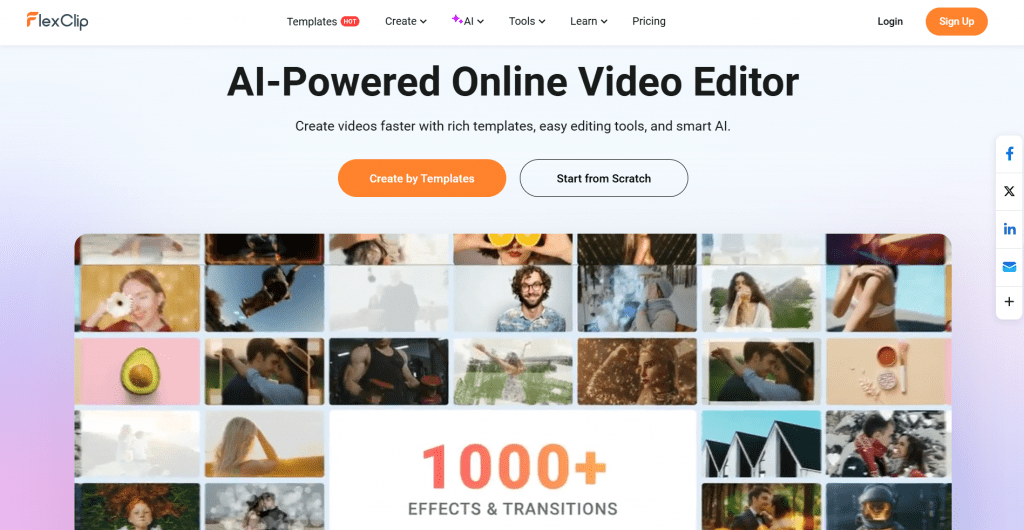
FlexClip is a browser-based video maker built around templates and ease of use. Its core is a huge library you build videos from:
-
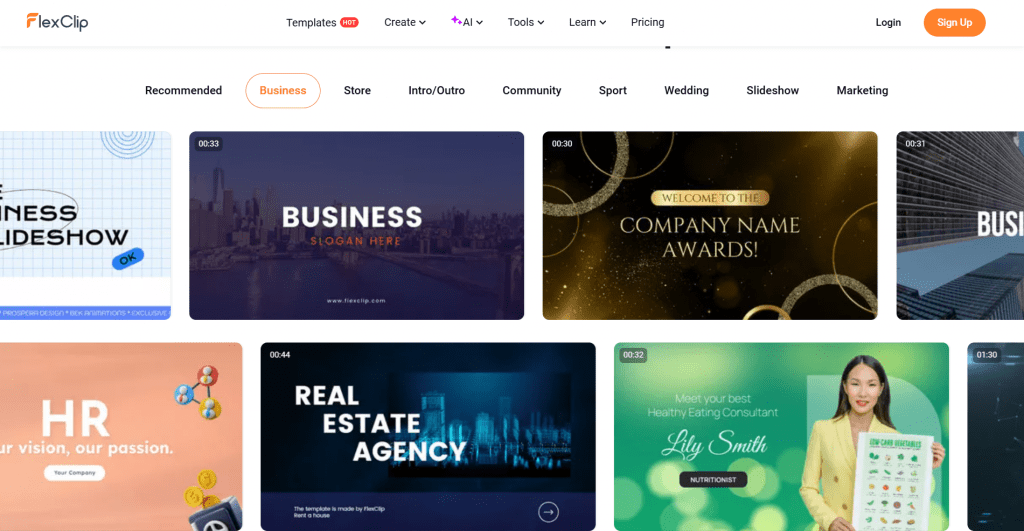
6,000+ editable templates for business, social, marketing, weddings, slideshows, and more.
-
A vast stock library: 4M+ videos and photos, 74,000+ music and sound effects, 3M+ dynamic elements, and hundreds of effects and transitions, all cleared for commercial use.
-
Standard editing tools: trim, merge, reverse, speed curve, chroma key, freeze frame, plus text, subtitles, music, and voiceover.
-
Collaboration and cloud storage, with export up to 4K and direct sharing to social platforms.
The pitch is that you rarely start from a blank timeline: you pick a template close to your goal, swap in your content, and export.
The AI Tools
FlexClip layers a broad set of AI features on top of the editor, its main modern draw:
-
AI Video Generator: turns a prompt, an article, or a product URL into a video.
-
AI Text to Video and AI Script: generate a script and a matching video from text.
-
AI Text to Speech and Voice Cloning: natural voiceovers in many voices.
-
AI Auto Subtitle and AI Translator: automatic captions and multi-language versions.
-
AI Avatar, background remover, and long-to-shorts: a presenter avatar, clean cutouts, and clipping long videos into shorts.
For a creator who wants captions, a voiceover, and a first cut generated automatically, this removes a lot of manual work.
How It Works
The workflow is built for speed:
-
Start from a template or scratch. Pick from 6,000+ templates or open a blank project.
-
Add your content. Upload your media or pull from the built-in stock library.
-
Use AI where it helps. Generate a script, voiceover, subtitles, or an entire draft from text or a URL.
-
Edit and polish. Trim, add text and music, and arrange elements on a simple timeline.
-
Export and share. Render up to 4K and post directly to social platforms.
Because it is browser-based, there is nothing to install, and projects sync in the cloud across devices.
Who It’s For
-
Small businesses and marketers making promo, product, and social videos without a production team.
-
Social media creators who need a steady stream of templated, on-brand clips.
-
Educators and real estate agents, two audiences FlexClip specifically serves with templates.
-
Complete beginners who want professional-looking results with no editing experience.
Who should look elsewhere: professional editors needing frame-level control, advanced color grading, or complex multi-track work, since FlexClip’s editing is deliberately basic, as even positive reviews note.
FlexClip Pricing
FlexClip uses a freemium model: a free plan to try it, plus paid Plus and Business tiers that raise limits and unlock full features.
|
Plan |
Price |
Key features |
|
Free |
$0 |
720p HD downloads, 1 stock video + 1 audio per project, max 12 projects, video up to 10 min, free AI trial |
|
Plus (most popular) |
$11.99/mo ($143.88/yr, was $19.99) |
1080p downloads, 3,600 AI credits/yr, 5 stock videos + 5 audio per project, premium resources, unlimited video length, Brand Kit, 30GB cloud, 100GB hosting |
|
Business |
$19.99/mo ($239.88/yr, was $29.99) |
4K downloads, 9,600 AI credits/yr, unlimited stock, unlimited length, Brand Kit, 100GB cloud, 1TB hosting |
Because FlexClip runs frequent promotions and adjusts tiers, check flexclip.com/pricing for the current exact figures. The free plan is genuinely usable for testing, and an education discount is available. The honest note: the free tier watermarks exports and caps resolution and length, so any real use means a paid plan.
FlexClip Pros & Cons
-
Genuinely easy, with no learning curve for beginners
-
6,000+ templates and a massive commercial-use stock library
-
Broad, modern AI toolset: generator, text-to-speech, subtitles, translator
-
Browser-based with cloud sync and 4K export
-
Established developer and a 5M+ user base
-
Editing is basic, so not for professional frame-level work
-
Free plan watermarks, exports, and limits resolution and length
-
Full AI and stock usage requires higher-tier plans
-
No offline desktop app, since it is browser-only
Languages and Access
FlexClip is fully browser-based with nothing to install and offers its interface in 11 languages, including English, Spanish, Portuguese, German, French, Japanese, Chinese, and Arabic. Projects sync in the cloud across devices, and exports go up to 4K with direct social sharing. Access starts with a free plan, no card required, so you can test the editor and templates before choosing a paid tier.
Our Verdict
FlexClip delivers on its core promise: professional-looking video without the professional learning curve. Thousands of templates, a deep commercial stock library, and a broad AI toolset make it genuinely fast for the people it targets, marketers, social creators, educators, and beginners. Its editing is basic by design, so it will frustrate anyone needing fine control, and the free tier’s watermark and limits mean real use requires paying. But as an easy, all-in-one online video maker for everyday content rather than a pro editing suite, FlexClip is one of the most approachable and well-stocked options available.
❓ Frequently Asked Questions
Answers to relevant questions about this AI tool