
AI extends your own audio tracks while preserving style, rhythm, and mood. Upload a short melody or riff, set a prompt, and get a seamless continuation up to 100 seconds per generation. Works online, no DAW needed. Freemium.
ExtendMusic AI: Track Enhancer & Extender
On this page
At our site AIMarketCap, we’re used to evaluating how practical neural networks really are. Some tools try to do everything at once, while others are narrow specialists. ExtendMusic AI falls squarely into the second category. It’s not a music generator from scratch (though it can do that too), but rather a composer’s assistant. As the name suggests, the AI extends your own audio tracks while preserving the original’s style, rhythm, and mood.
What It Is and Why You Need It
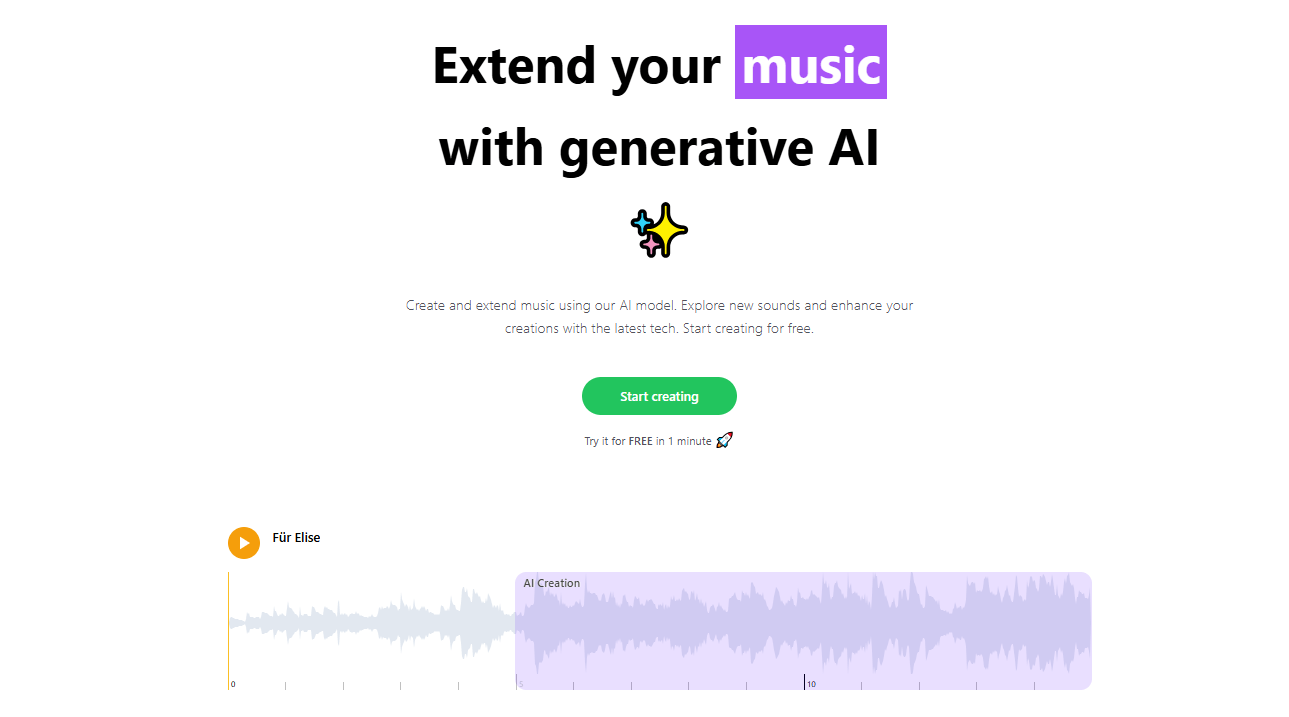
ExtendMusic AI is a web service based on generative AI, created by developer Mark Doppler. Unlike full-fledged generators such as Suno or Udio, the focus here is on contextual continuation.
The idea is simple: you have a short melody, riff, or even a finished track that you need to make longer for a video, podcast, or game. Instead of painfully drawing out a continuation in a DAW, you give the service a reference — the section of the track whose style you want to continue. The AI analyzes it and generates a seamless continuation, trying not to break the structure or harmony.
Who It’s For
The project launched in 2023–2024 and is aimed at those who want a maximally simple tool for extending music without professional audio editing.
- Musicians and producers: quickly extend working demos, create loop variations, write intros or outros.
- Content creators (YouTube, TikTok, Instagram): fit a track’s duration to a video’s timeline, avoiding abrupt cuts and repetitions.
- Game and app developers: generate background music and its variations for different in-game situations.
- Hobbyists: experiment with AI, touch up old sketches, or simply explore creatively.
- Video editors: quickly create a soundtrack of the desired length when you lack time or skills for complex music editing.
The tool works for both instrumental and vocal music. But with vocals, the result may be less stable.
How It Works: From Upload to Download
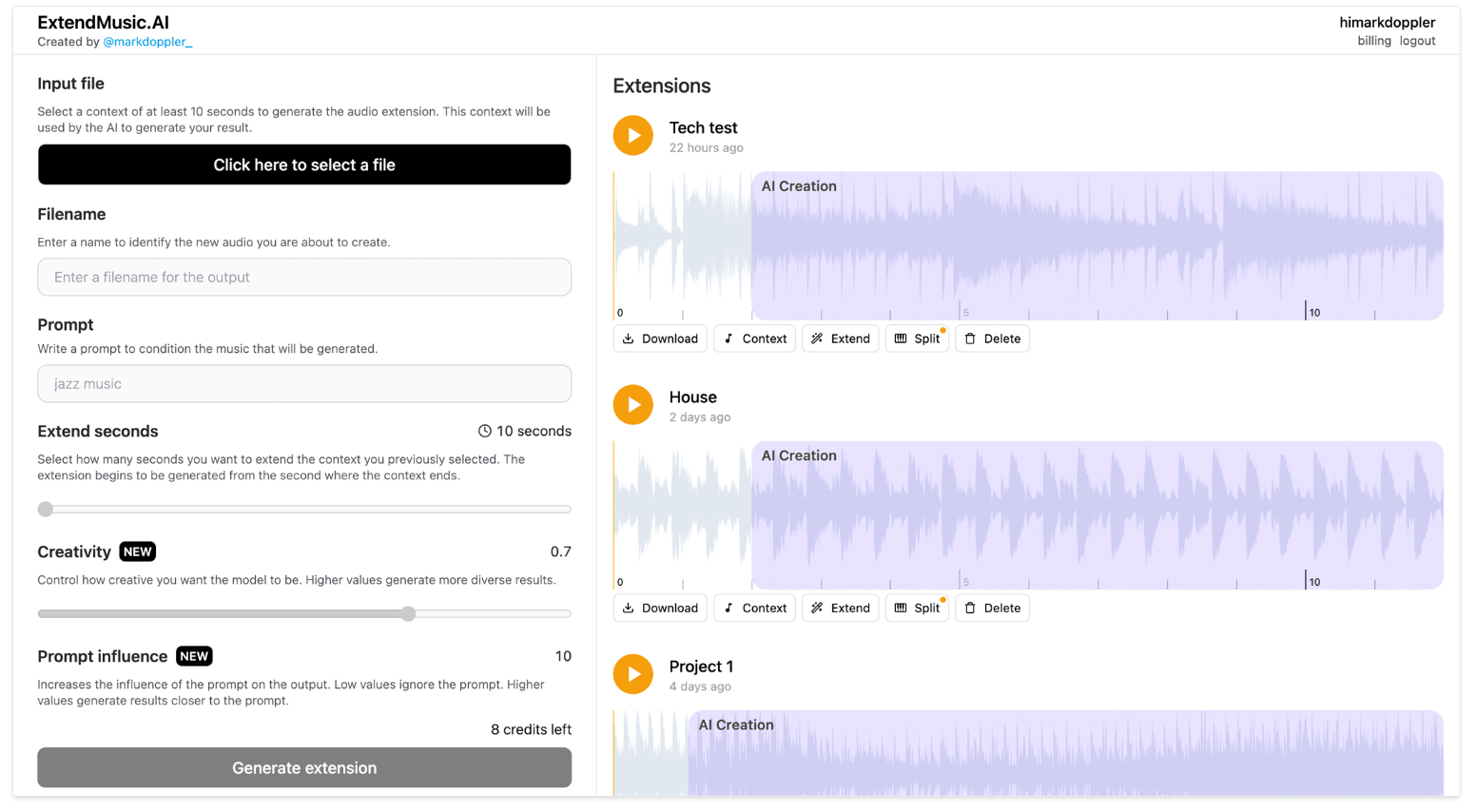
The process resembles working with a building kit. The entire interface is a single page with a waveform visualization.
- Upload the source. You can upload an audio file in MP3, WAV, or even just provide a YouTube link. The free version usually lets you try the service in a couple of clicks.
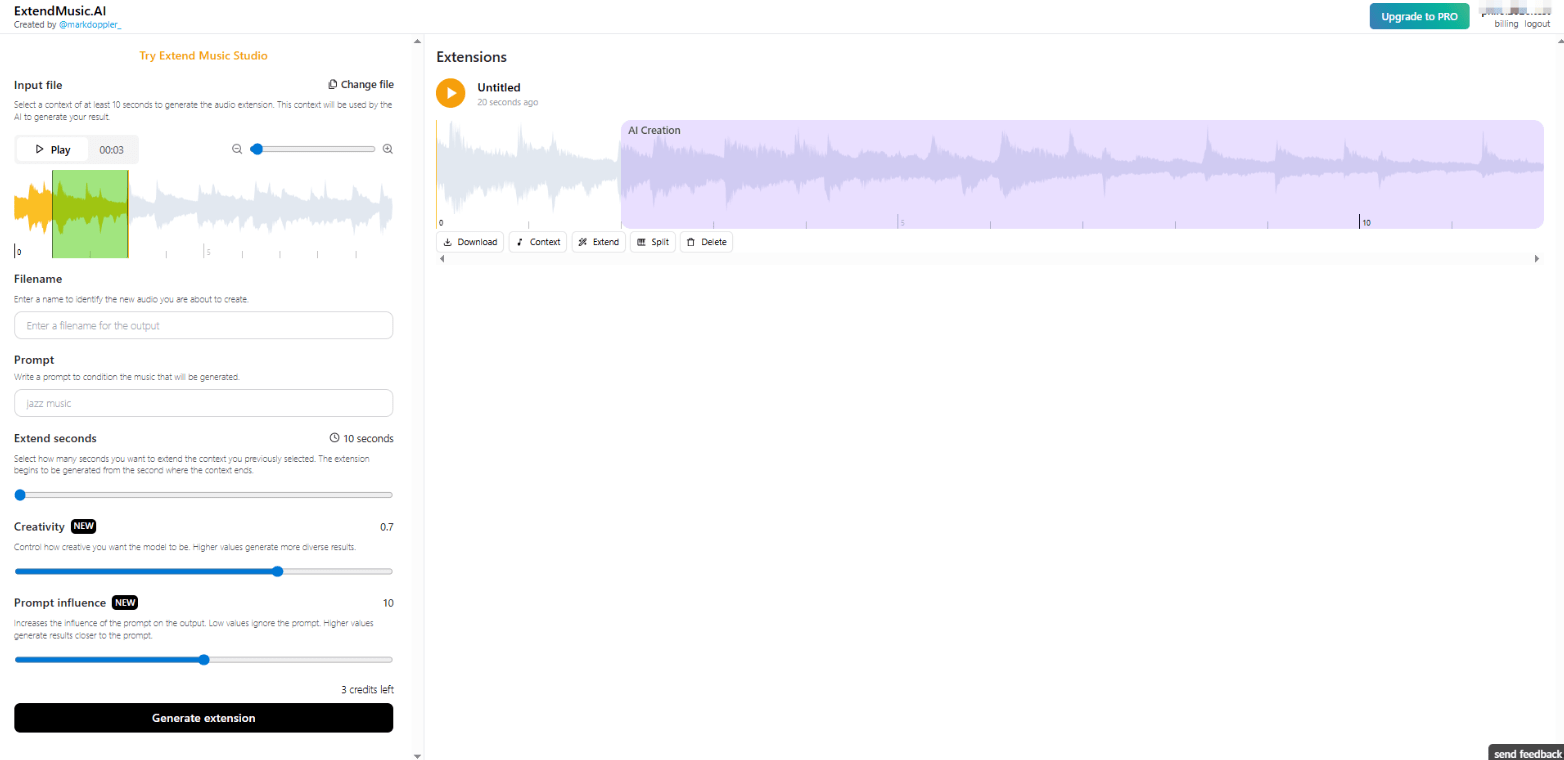
- Choose the context. On the waveform that appears, you need to select the section of the original track that will serve as the starting point for the continuation. The AI will use this fragment as its stylistic reference.
- Adjust the parameters. This is where you start to control the creativity:
- Extend seconds — the length of the generated continuation (usually up to 100 seconds at a time). You can extend the track iteratively.
- Creativity (0–1) — the neural network’s “imagination” level. A high value gives more unexpected variations; a low value gives a more conservative and predictable continuation.
- Prompt influence — how strictly the AI should follow your text prompt.
- Prompt — a text description of the desired continuation. For example: “energetic guitar solo,” “calm piano part with pads,” “add drums and bass in a lo-fi hip hop style.”
- Generate and download. After you click the button, the neural network processes the request, and after a while you can listen to the result and download it as an MP3.
The interface is minimalist and designed for beginners. No complex DAW editing — the emphasis is on speed and a one-click approach.
Usage Nuances and Limitations
It’s important to understand that ExtendMusic.AI is not a studio workhorse but a tool for rapid prototyping and rough work. Key features and limitations include:
- Quality strongly depends on the prompt and the original. If the original track has an unclear structure or many overlapping noises, the result may be worse.
- Generation limit per attempt is about 100 seconds. To create a long composition (e.g., a 5-minute background), several iterations are required, extending the continuation of an already extended track.
- No deep post-editing. You cannot separately adjust the bass line or vocals. Only what the neural network generated.
- Works online without installation. That’s a plus, but you need a stable internet connection.
Pricing
The service operates on a freemium model using credits. Typically, 1 credit equals approximately 10 seconds of generated audio.
| Plan |
Details |
|
Free access |
Very limited number of generations, sufficient for a first test. |
|
Premium / Pro |
Prices start at approximately $19.93 per month (about 16 minutes of generation). |
|
Higher tiers (Advanced / Enterprise) |
Designed for advanced users and businesses, offering large limits (hundreds of minutes) and priority processing. |
Exact figures and limits may change. Always check the latest information on the service’s website before paying.
User Reviews and Ratings
User opinions are mixed. That’s natural, since the tool is niche and doesn’t claim to be the “best AI for music.” Positive reviews typically praise:
- Ease of use and speed. Many are surprised by the out-of-the-box quality of the results.
- Useful sliders for Creativity and Prompt influence, which provide real control over the generation.
- Ability to overcome writer’s block — when you have the start of a track but no idea how to develop it.
Negative reviews most often mention:
- Strict limits of the free version: after 2–3 tests, you have to pay.
- Inconsistent quality: sometimes the result sounds obviously artificial or doesn’t blend well with the original.
- Poor control over vocals and individual parts.
- On some forums (Gearspace, KVR), users complain that to properly evaluate the service, payment is required, and free tests give an unrepresentative result.
On aggregators like Product Hunt, the rating is average. The tool is praised for its narrow specialization but criticized for lacking revolutionary quality. It’s good for its niche task but won’t replace a full-fledged studio.
ExtendMusic.AI Pros & Cons
- Simplicity and speed. Even a user who has never worked with audio editors can master the interface. Results come in minutes.
- Good style retention. With reasonable settings, the neural network does a decent job of capturing the mood, rhythmic pattern, and timbres of the original.
- Flexible controls. The Creativity and Prompt influence sliders aren’t just for show—they actually change the result.
- Accessibility for beginners. No need to buy expensive software or learn mixing. Upload, click, get.
- Help with creative search. A great way to generate ideas for developing a musical theme when you’re stuck midway.
- Limited free access. It’s effectively a demo mode for evaluating the technology, not a full-featured free tool.
- Quality varies. In some cases, the result sounds unnatural, with artifacts or imperfect stitching.
- No deep editing. You cannot fix individual parts, vocals, or instruments. You take the result as is.
- Dependency on prompt-writing skills. To get a good result, you need to be able to describe the desired continuation in words.
Conclusion
ExtendMusic.AI is a convenient, niche, and honest tool that solves exactly one problem: quickly lengthen an audio track in a given style.
For professional production and final mastering, it probably won’t be enough. But as part of a workflow — for quick drafts, overcoming creative blocks, or creating rough versions — it can be very useful. Especially for content creators and musicians who need speed and simplicity rather than deep control over every sample.
We recommend taking your favorite or problematic short tracks and running a personal test with the free version. Only then can you understand how well ExtendMusic.AI’s generation quality suits your specific genre and tasks.
❓ Frequently Asked Questions
Answers to relevant questions about this AI tool
Sources
-
ExtendMusic AI Official — extendmusic.ai
-
ExtendMusic AI App — extendmusic.ai
-
Product Hunt — producthunt.com
-
Audjust Review — audjust.com
-
Toolify Listing — toolify.ai