MakeSong is an AI platform that generates full songs from text prompts and offers built-in video tools like lip-sync and music videos. The review covers how it works, pricing traps, user ratings, pros and cons, and use cases for creators and businesses.
MakeSong: AI Music & Song Generator
On this page
Everyone has heard of Suno and Udio, but new services promising “studio-quality sound in seconds” appear every day. One such player is MakeSong. The platform tries to stand out not just by generating tracks but through an entire ecosystem: music plus video. In this guide, we review this AI tool‘s features, its advantages, where its pitfalls lie, and whether it’s worth paying for.
What It Is and How It Works
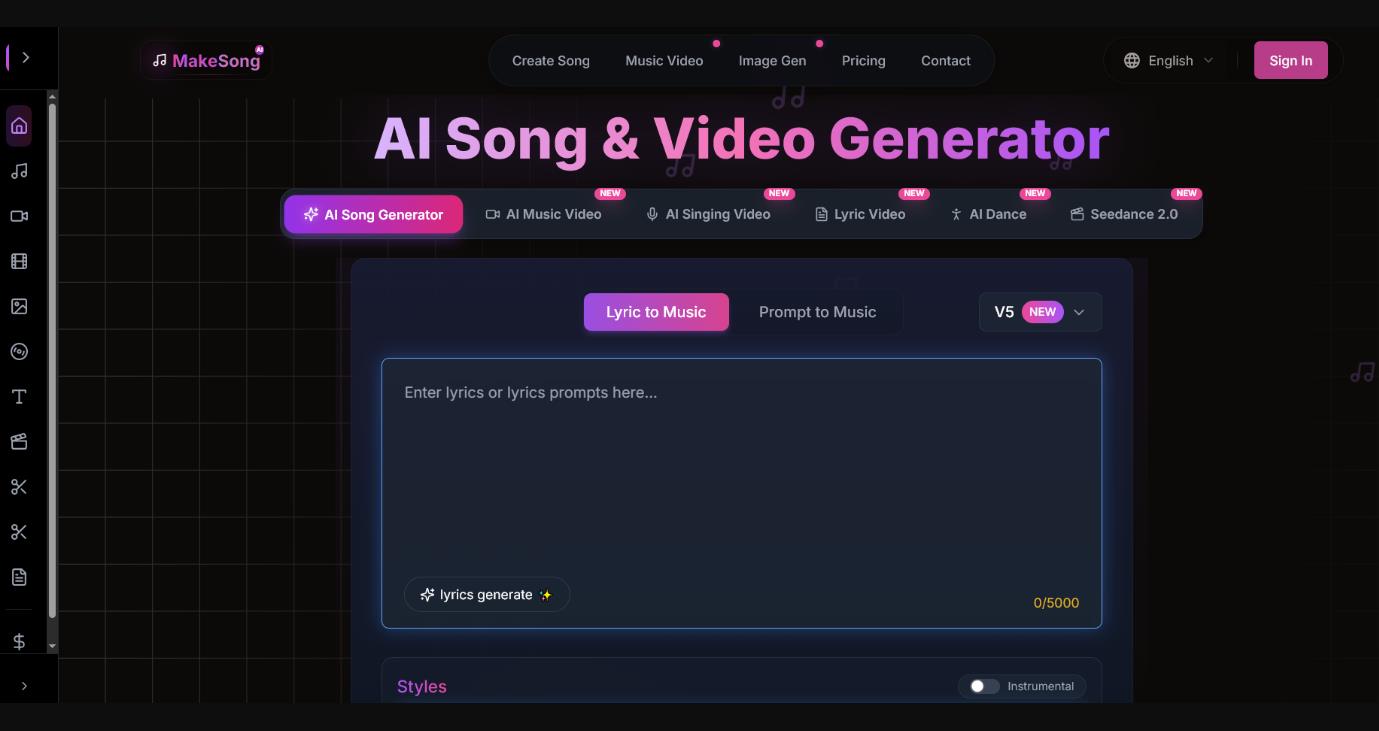
MakeSong is an online neural network-based generator that creates full-fledged songs (with vocals and verse-chorus structure) from a text prompt. At the time of this review, the service has no official desktop or mobile app in the App Store or Google Play. It works through a browser on a computer or phone.
You don’t need to be a musician to create music. You either describe an idea in words, for example, “a sad piano ballad about lost love in the style of Adele,” or upload an existing lyric text with verse markup.
The interface is genuinely simple: choose a genre (pop, rock, K-pop, jazz, or classical) and mood and vocal gender and hit the button. Within a minute or two, an MP3 is ready.
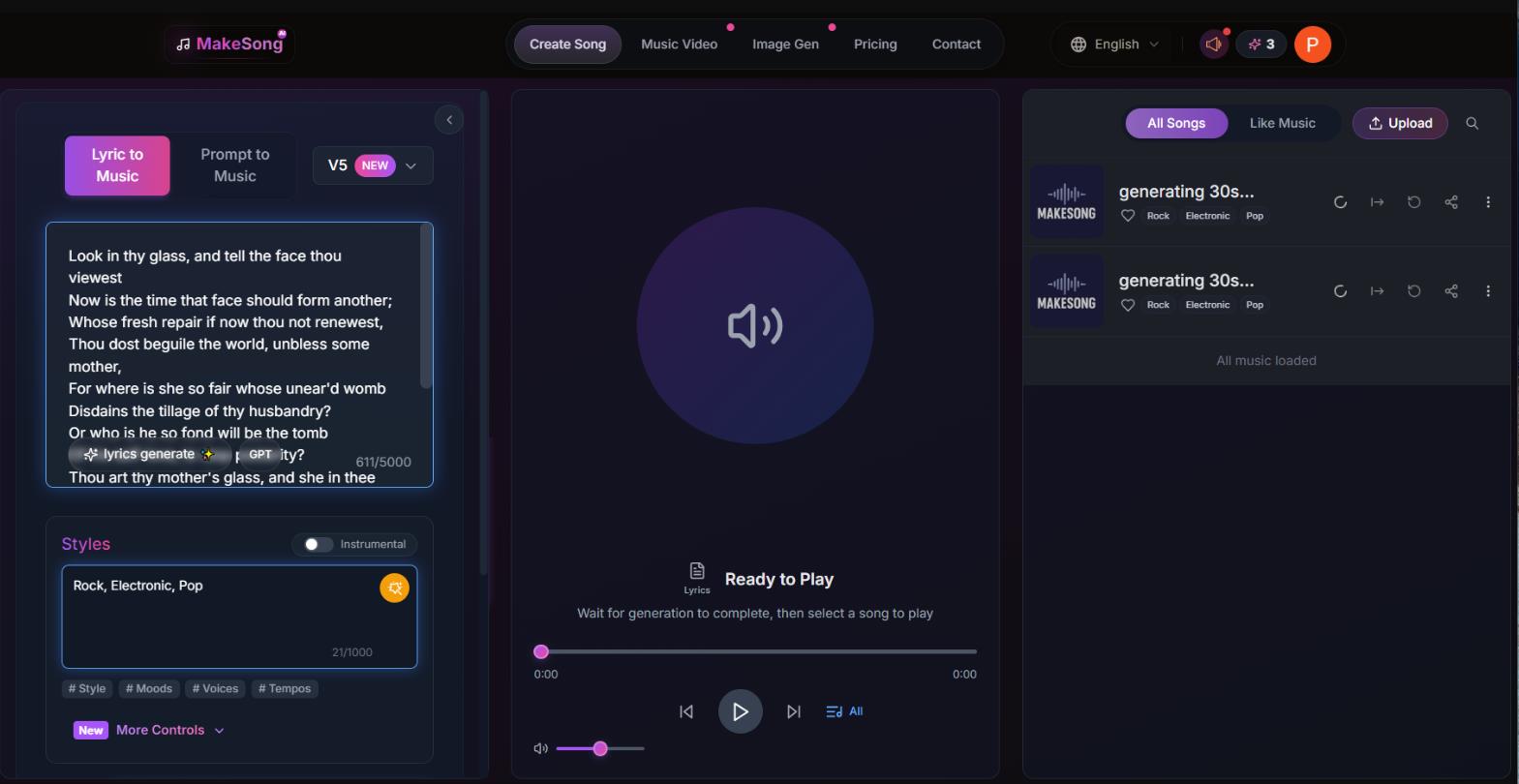
Internally, the service uses V3, V4, and V5 models. The system analyzes the prompt, selects key, tempo, and genre, and generates a track up to 8 minutes long with realistic vocals. One generation costs 3 credits.
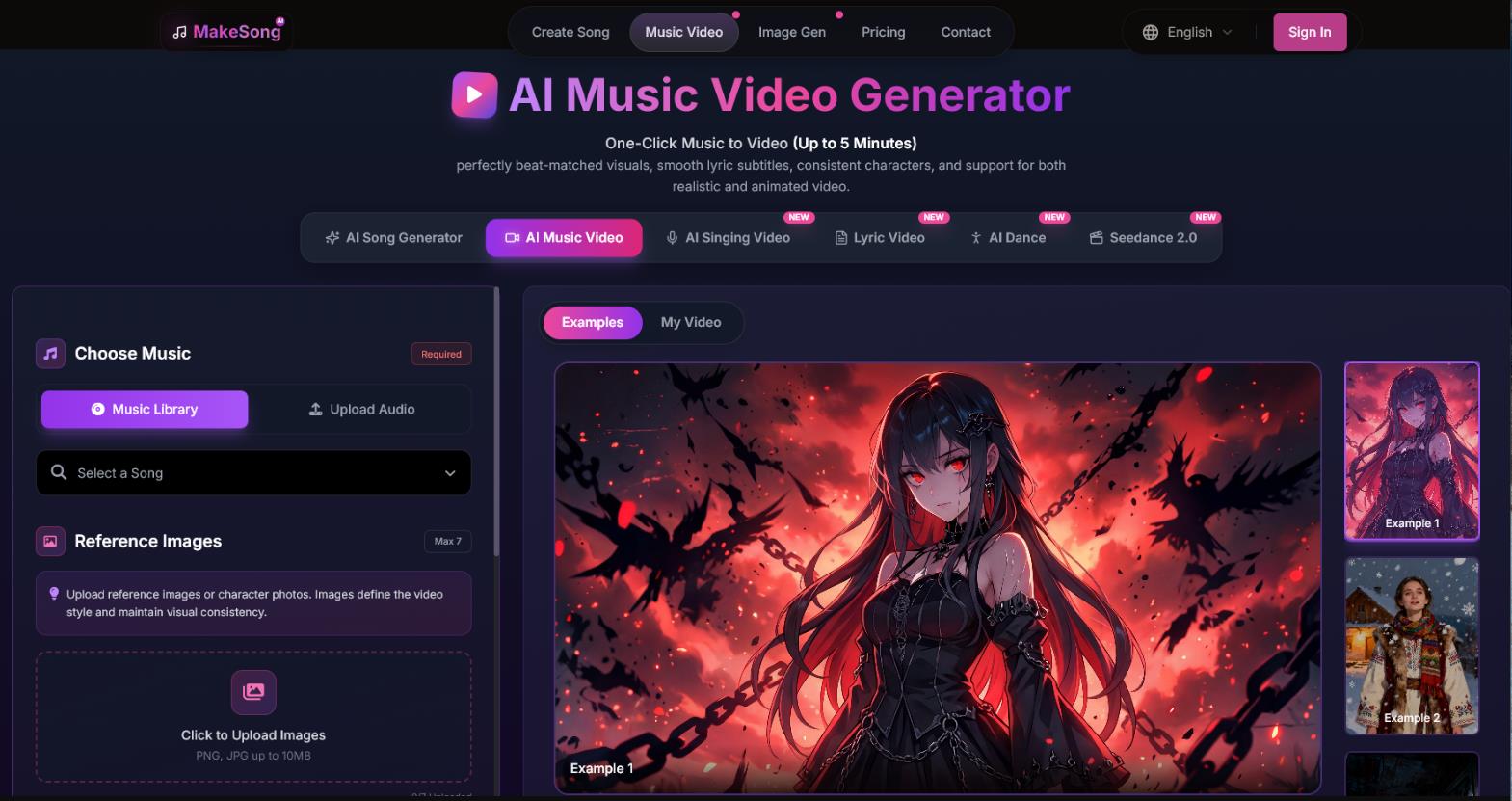
Beyond music, the service offers video tools:
- AI Music Video Generator – creates a clip synced to the rhythm
- Lip-sync – animates an avatar’s mouth to match your song
- Lyric Video – a video that displays the song’s lyrics
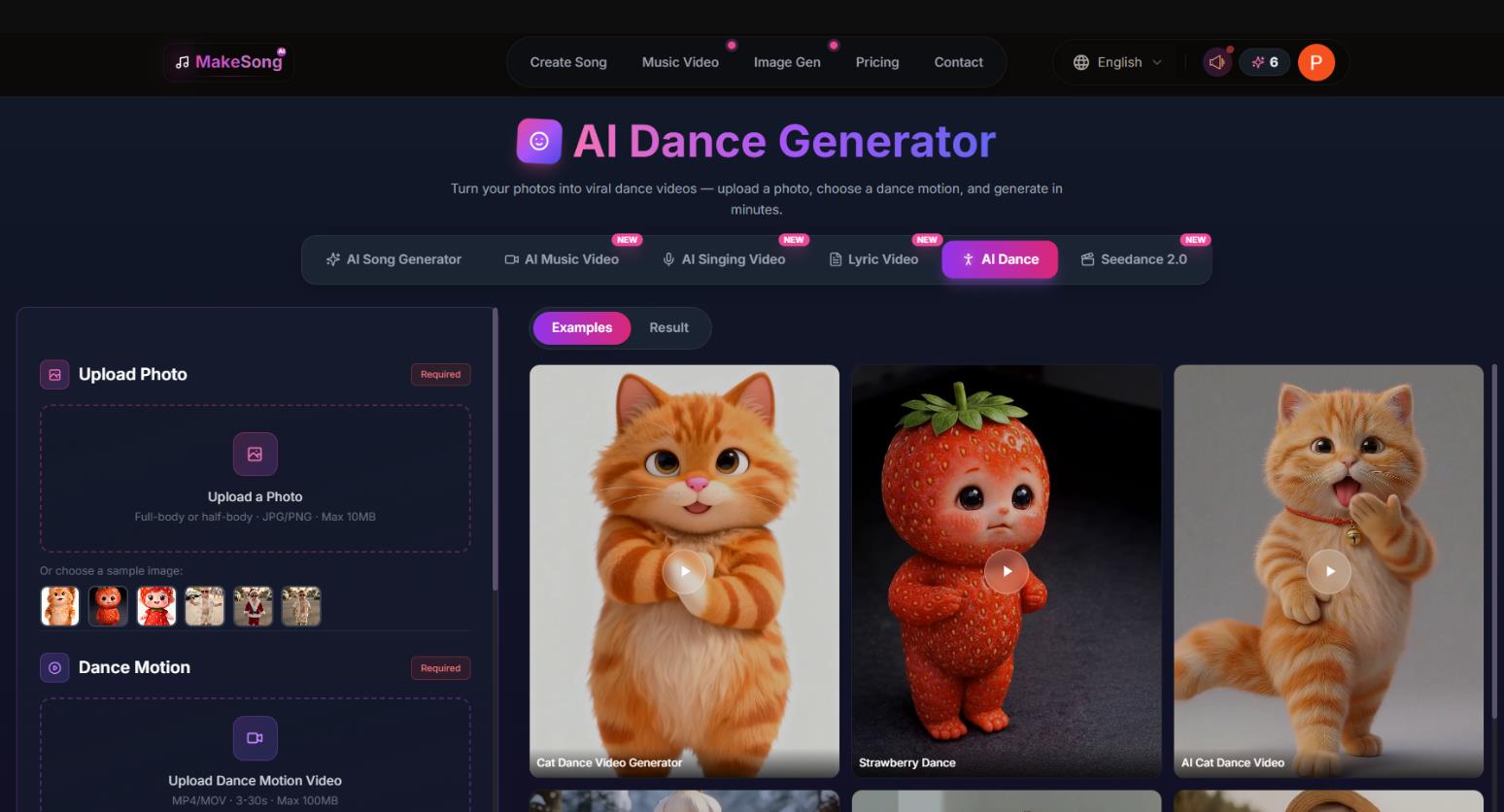
- AI Dance – generates dance movements
This is the main differentiator from competitors. But this is also where the most painful nuances of the pricing policy lie.
MakeSong Pricing and Plans
MakeSong operates on a freemium model: free access for testing and paid subscriptions for regular use. The basic unit of account is credits. One standard song generation costs 3 credits. Video functions (AI Music Video, Lip-sync) consume significantly more credits, up to 900 per video, which is important to consider when choosing a plan.
Free Plan
New users after registration can generate up to 10 songs for free. This is enough to evaluate vocal quality, interface convenience, and whether the service suits your needs.
An important nuance: free credits do not apply to video generation. That means you cannot test AI Music Video Generator or Lip-sync without paying.
Paid Subscriptions
All paid plans include a commercial license (royalty-free), the ability to download in MP3 and WAV, as well as a vocal and instrument separation (stems) feature. Below is the current pricing table as of April 2026, based on aggregator data and user reviews.
| Plan |
Price per month |
Credits per month |
Approx. songs |
Features |
|
Starter |
$19.9 |
150 |
~50 |
Priority generation queue, 30-day track storage |
|
Standard |
$29.9 |
1000 |
~330 |
2 concurrent tasks, 365-day storage, priority support |
|
Premium |
$49.9 |
Unlimited |
Unlimited |
4 concurrent tasks, indefinite storage |
Prices are in US dollars. An annual subscription is more advantageous on Starter and Standard plans — savings reach 44–60%.
Hidden Drawbacks and Important Nuances
Before purchasing, there are several issues users complain about:
- The “Unlimited” Premium is not truly unlimited. Despite the stated “unlimited credits,” the service may limit generation intensity, though no official caps exist. Some users report being charged 4000 credits per month even on Premium.
- Video generations require an enormous number of credits. This is the main trap for video content creators. One AI Music Video about 5 minutes long can cost 900 credits. On the Starter plan, this means you cannot make a single video — you simply won’t have enough. On the Standard plan, you can make just one video per month and spend nearly all your credits.
- Retroactive changes to terms. Users report that the company changed commercial license terms after payment. For example, at one point users lost the ability to download commercial licenses for created songs unless they switched to an annual subscription.
- Credits can expire. Reviews mention cases where the company canceled unused credits without warning and also deleted generated tracks.
What to Know Before Paying
A commercial license is included in all paid plans. This is officially stated, and you can use generated tracks on YouTube, TikTok, ads, games, and podcasts without royalty deductions.
The Starter plan’s credits run out quickly. At 3 credits per generation, 150 credits equal about 50 songs per month. That’s enough for personal projects, but for regular content output, the Standard plan is better.
Our recommendation for plan selection:
- Starter – for hobbies, blogging, and experiments, if you don’t need video.
- Standard – the “sweet spot” for content creators releasing 5-10 tracks per week.
- Premium – only if you make a lot of videos (but first check whether credits will even suffice for your tasks) or if you need maximum generation speed.
Who It’s For and What It’s Useful For
MakeSong positions itself as an “all-in-one” tool. That means it can be useful for different categories of users:
- Content creators (YouTube, TikTok, Shorts): Quickly get royalty-free tracks for videos, avoiding stock music hunting and copyright strikes.
- Indie game developers: Generate atmospheric soundtracks for levels based on specific scenarios (action, mysterious corridor, village dawn).
- Marketers and business owners: Create jingles for ads, podcasts, or voicemail greetings. Cheaper than hiring a composer.
- Average users: Write a personalized song for a birthday or simply experiment as a hobby.
If you need to quickly prototype an idea or you don’t know how to play instruments, the service will do the job.
User Reviews and Ratings
The picture is mixed.
On Trustpilot, the service has a rating of 2.4 out of 5. The sample is small, but the sentiment is clear: people like the music quality but hate the support and hidden credit costs. One defrauded user writes that the license terms were changed after payment; another says they were promised “unlimited” but received 4000 credits (which runs out quickly on video).
On third-party sites (for example, CustomSong), the situation is better: about 68% positive reviews. The service is praised for generation speed and convenience in overcoming “idea crisis” and making demos.
Overall, MakeSong is perceived as a rough but promising service. It’s a lottery: you might get a hit, or you might get a technical failure.
- Royalty-free commercial use. This is officially stated. Generated tracks can be monetized on YouTube, used in ads and games without rights holder deductions.
- Deep integration of music and video. You rarely find a service where you can not only sing a song but also immediately create a lip-sync video for it. For SMM specialists, this saves hours of editing.
- High V5 vocal quality. Users note that the latest model versions sound much more natural than early AI tools. Emotions in the voice and key changes are decently rendered.
- WAV support and track length up to 8 minutes. This is a professional uncompressed format. 8 minutes is enough even for complex instrumental compositions or a podcast.
- Multilingual support. The neural network sings in many languages with acceptable pronunciation. This matters if you create content not only in English.
- Tricky credit system for video. Song generation costs 3 credits. But creating one Music Video can cost 900 credits. On lower-tier plans, this forces you either to pay extra or consider the service useless for video, as complained about on Trustpilot.
- Technical instability and “strange” support. Users complain about disappearing generated tracks, site lag, and subscription resets. Support (often via WhatsApp) is described as slow or rude.
- Small free entry. “Free” is a heavily limited demo with strict caps. To understand whether video actually works, you will most likely have to buy a paid plan.
- Ignoring instructions. Sometimes the AI stubbornly assigns a male vocal when you requested female, or generates a song in an unexpected genre. The result is not always predictable.
Conclusion
MakeSong is a decent entry ticket into the world of AI music for those willing to overlook technical workflows in favor of creativity.
The service indeed does what it promises: it generates music and tries to make videos. If you need to quickly produce background tracks for YouTube compilations or a podcast, this is a great option in terms of price-to-quality ratio. The “music+video” ecosystem is convenient for beginners in SMM.
However, for serious production where stability matters, MakeSong is still unreliable. Support falls short, video credits burn instantly, and tracks sometimes disappear.
Do we recommend MakeSong? With strong reservations. Start with Suno or Udio to understand sound quality. If they don’t work for you, use MakeSong’s free credits thoroughly; try all features to ensure the paid version won’t disappoint you with technical failures.
❓ Frequently Asked Questions
Answers to relevant questions about this AI tool
Sources
-
MakeSong: Free AI Song Generator — makesong.com
-
Pricing — makesong.com
-
AI Music Generator — makesong.com
-
AI Music Video Generator — makesong.com
-
AI Text To Song Generator — makesong.com