WhatGPT: Your AI assistant on WhatsApp
On this page
WhatGPT is an AI assistant integrated directly into WhatsApp, letting you handle queries in real time without switching to a separate app. It brings ChatGPT-style responses from OpenAI right into your familiar messaging app. Let’s take a closer look at what WhatGPT actually offers.
WhatGPT vs. Meta: What Changed in 2026
WhatGPT was originally built to provide deep integration into WhatsApp using OpenAI’s API. However, starting January 15, 2026, Meta updated its WhatsApp Business API terms and officially blocked third-party general-purpose AI assistants from operating on the platform. OpenAI (and others like Microsoft with Copilot) had to pull their services. Meta’s reasoning: the Business API is meant for companies handling customer support and transactions—not for distributing broad AI chatbots. As a result, only Meta’s own assistant, Meta AI, is now allowed as a general-purpose helper in WhatsApp.
That said, WhatGPT is an independent tool that relied on OpenAI’s API. OpenAI is no longer offering official support, so the WhatsApp service isn’t working for most users because of a policy change. You might still see mentions of it or old links, but if you try to use it now, you’ll likely get a message saying the bot isn’t available.
What WhatGPT Could Do, and How It Worked
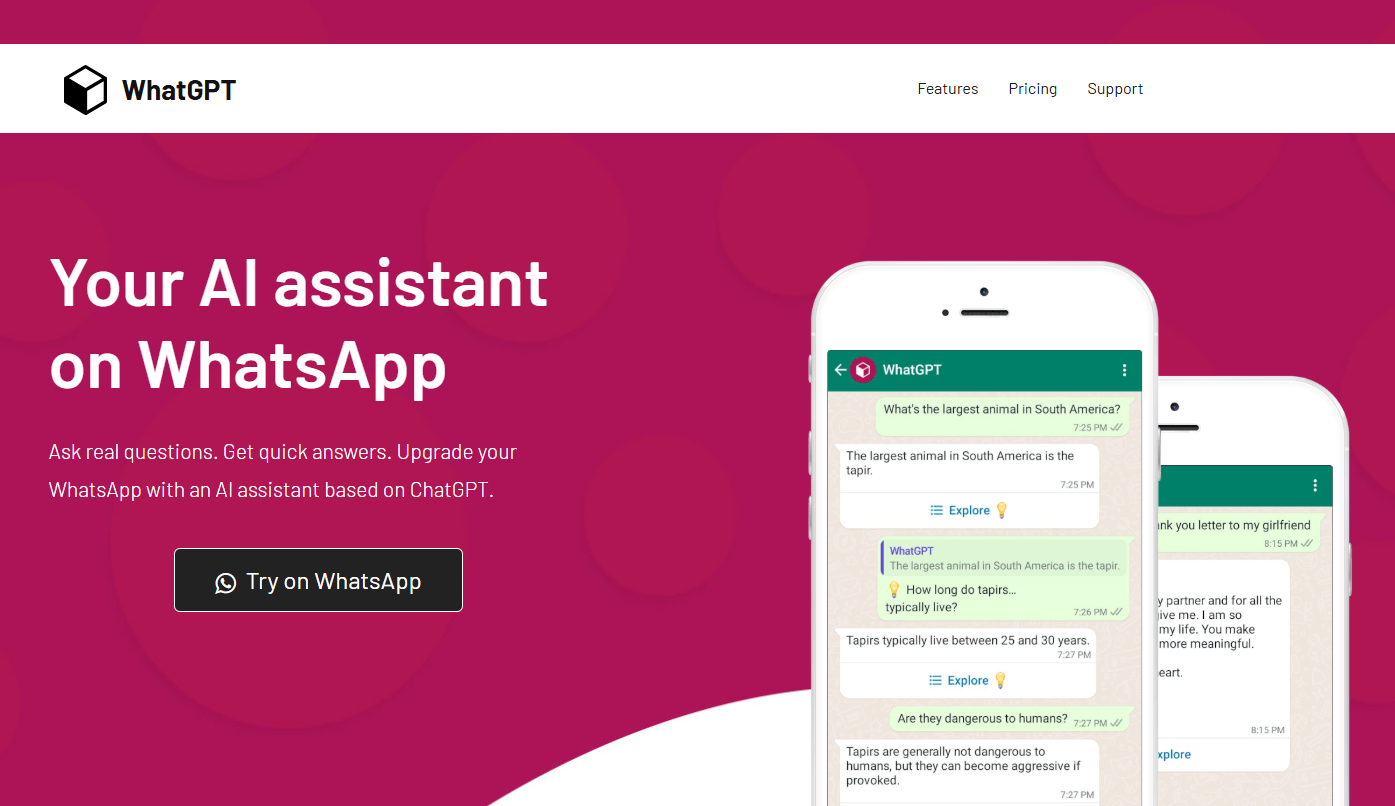
Imagine having a clever friend in your WhatsApp contacts that you can message whenever you want. No extra app to download, no new interface to learn. You just type your question, and it replies—very much like regular ChatGPT, but inside WhatsApp.
It handled a wide range of tasks:
- Writing and editing text: drafting emails, social media posts, business proposals.
- Learning and explanations: breaking down tough concepts, summarizing articles, brainstorming project ideas.
- Planning: to-do lists, travel itineraries, schedules.
- Coding: generating snippets in popular languages and helping debug.
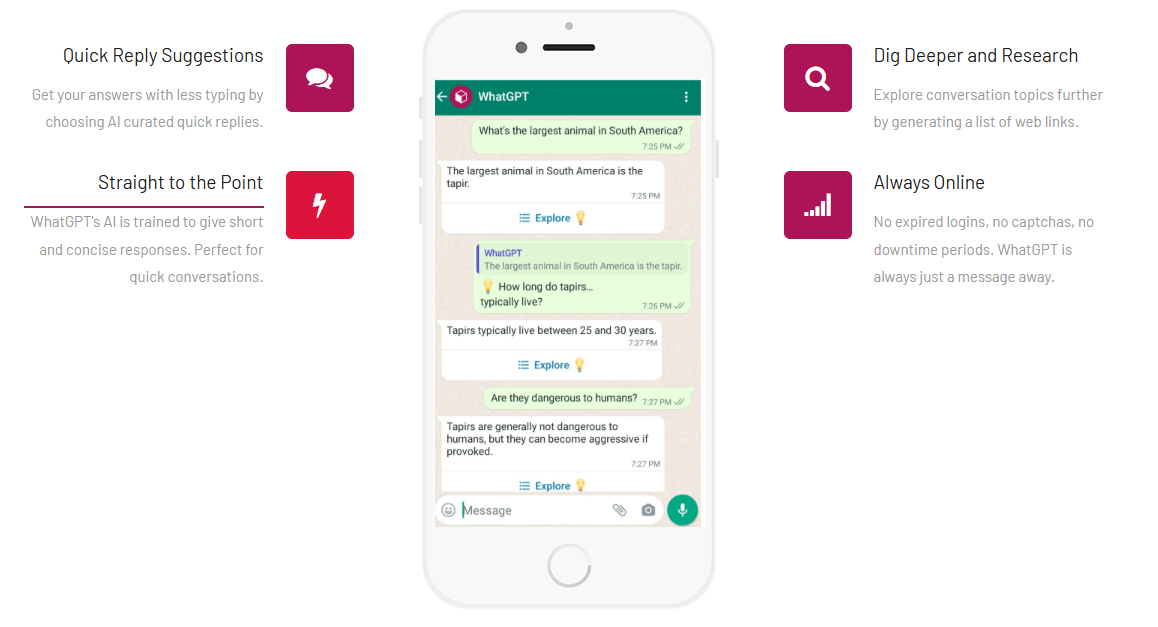
The tool kept context across a conversation, remembered earlier messages, generated web links for deeper reading, and supported multiple languages. Some versions even handled voice messages.
Important note: it was powered by GPT-4 Vision, which is already two generations old compared to what OpenAI has now.
The interface was just a normal WhatsApp chat. Send a message, get a reply in seconds. For example, asking “Tell me the history of ChatGPT” would give a concise overview with key launch dates for OpenAI’s models.
Who Was WhatGPT For?
The tool appealed to a wide range of people simply because WhatsApp is so hugely popular:
- Students and researchers: Quick fact-checking, organizing notes, prepping materials.
- Entrepreneurs and marketers: Great for brainstorming ideas, crafting ad copy, and spotting trends.
- For freelancers and content creators: Helps overcome writer’s block, improve phrasing, and polish your work.
- For IT folks: Useful for explaining code or fixing technical problems.
- Everyday WhatsApp users: Anyone wanting to make the app more useful.
It delivered short, to-the-point answers without fluff. Traffic was strongest in places like the US, France, and Brazil, where WhatsApp dominates.
Pricing Plans
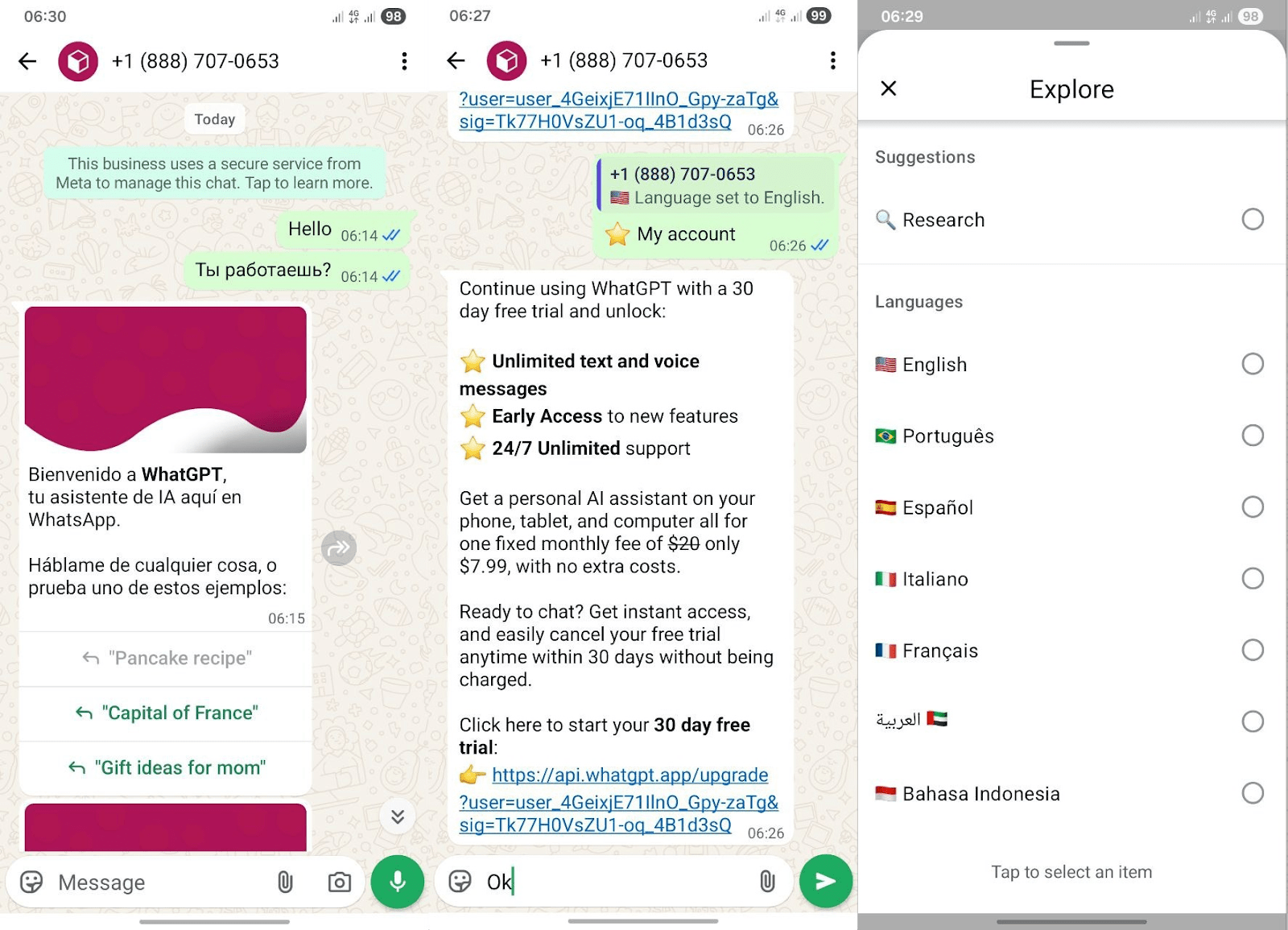
WhatGPT used a freemium model, similar to other OpenAI-based tools. The basic tier was free for testing, with a 30-day trial on paid features. Advanced access required a subscription. No hidden fees; payments went through WhatsApp or the website.
Plan |
Price |
Abilities |
|
Free |
$0 |
limited daily queries, standard response speed |
|
Basic |
$7.99/month |
higher query limits, priority processing, extra features like image integration |
Language Availability
WhatGPT interface supported seven languages, especially English, Portuguese, Spanish, Italian, French, Arabic, and Bahasa. It auto-detected the input language based on your location and replied accordingly. For less common languages, English usually gave the best accuracy. You could chat in basically any language that GPT-4 Vision understood.
- No installation needed — worked straight in WhatsApp.
- Free starting point, no sign-up required.
- Voice message support in higher plans.
- Available 24/7.
- Fast, concise answers to complex questions, plus links for more research.
- Built on outdated GPT-4 Vision model.
- Very tight limits in the free version.
- Possible delays during peak times.
- No official OpenAI support after January 2026.
Conclusion
WhatGPT was a clever idea at the right time: it put an AI assistant inside the app people already lived in, with nothing to install and no new interface to learn. For a while it made WhatsApp genuinely more useful, drafting messages, explaining ideas, and answering questions in seconds. But its story is also a lesson in platform risk. Because WhatGPT was built on top of someone else’s platform and someone else’s API, it could not survive Meta’s January 2026 decision to ban third-party general-purpose AI assistants from WhatsApp. Today, the service no longer works for most users, and Meta AI is the only general assistant allowed inside the app. If you want that same convenience now, Meta AI is the built-in option, while ChatGPT, Claude, and Perplexity remain fully available through their own apps and websites. WhatGPT is best remembered as a smart tool that did its job well, until the platform it depended on closed the door.
❓ Frequently Asked Questions
Answers to relevant questions about this AI tool
Sources
-
WhatGPT Reviews, Alternatives, and Pricing as of June 2026 — opentools.ai
-
WhatGPT — whatgpt.software.informer.com
-
OpenAI Help Center — help.openai.com
-
Pricing - OpenAI API — platform.openai.com
-
OpenAI API Pricing (2026): GPT-5.5, GPT-5.4 and the Full Per — morphllm.com