
SofaBrain AI virtually stages empty rooms, changes styles, removes clutter, and generates short video walkthroughs. A service positioned as one of the best solutions for realtors, designers, and anyone planning a renovation. Everything a user needs to know — in our honest review.
SofaBrain AI: Redesign Your Interior Instantly
On this page
Imagine this: you upload a photo of an empty or cluttered room, choose a style, and ten seconds later you see a fully furnished, photorealistic interior. That is virtual staging powered by AI. In this review, we examine SofaBrain — a service positioned as one of the best solutions for realtors, designers, and anyone planning a renovation. Everything a user needs to know: the technical side, capabilities, limitations, and an honest comparison with alternatives. Let’s go.

What Is SofaBrain AI
SofaBrain AI is a web application built on generative artificial intelligence, designed for instant interior redesign, virtual staging, and visualization of real estate changes. The service processes uploaded photos of rooms, houses, or facades and delivers a result in about 10 seconds.
The service’s main slogan — “Redesign Your Interior Instantly” — accurately reflects its positioning: maximum speed and simplicity while maintaining photorealistic quality. To date, SofaBrain has completed over 1.37 million redesigns and attracted more than 253,000 users, including professional designers, realtors, and homeowners.
What It Is Used For
SofaBrain addresses several common tasks related to space visualization:
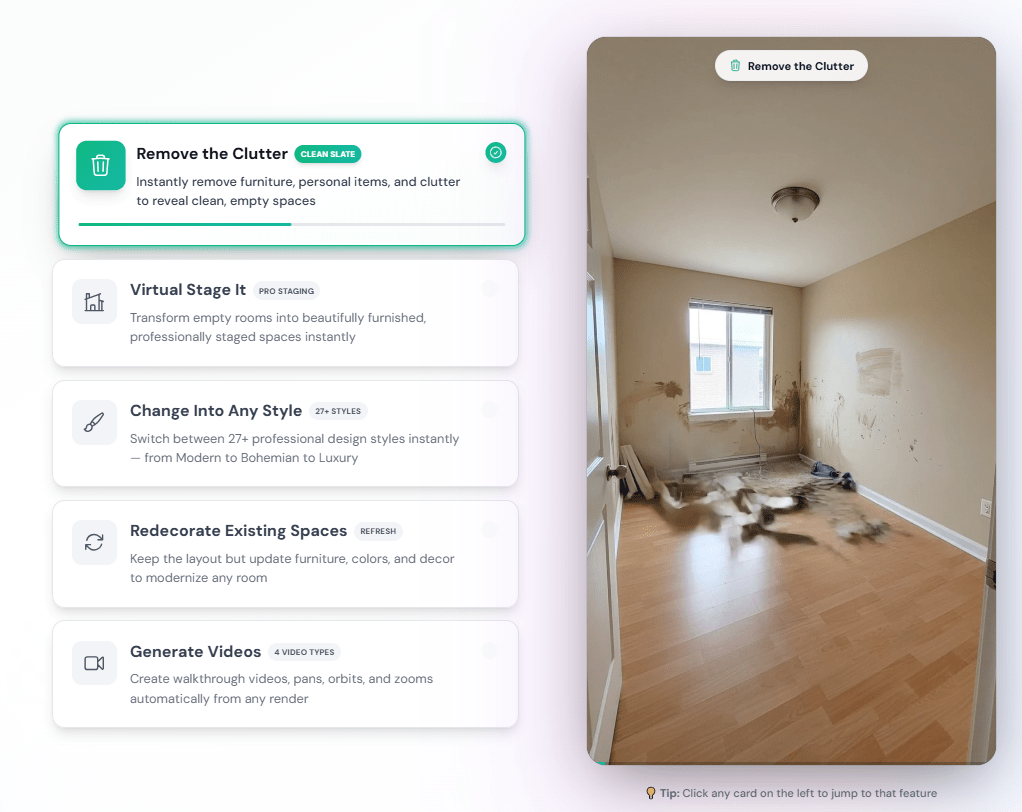
- Virtual staging of empty rooms — the service excels at filling empty spaces with furniture and decor, helping potential buyers imagine how the space could be used.
- Decluttering — AI can remove old furniture, personal items, and mess from a photo (declutter function), presenting a blank slate for future renovations.
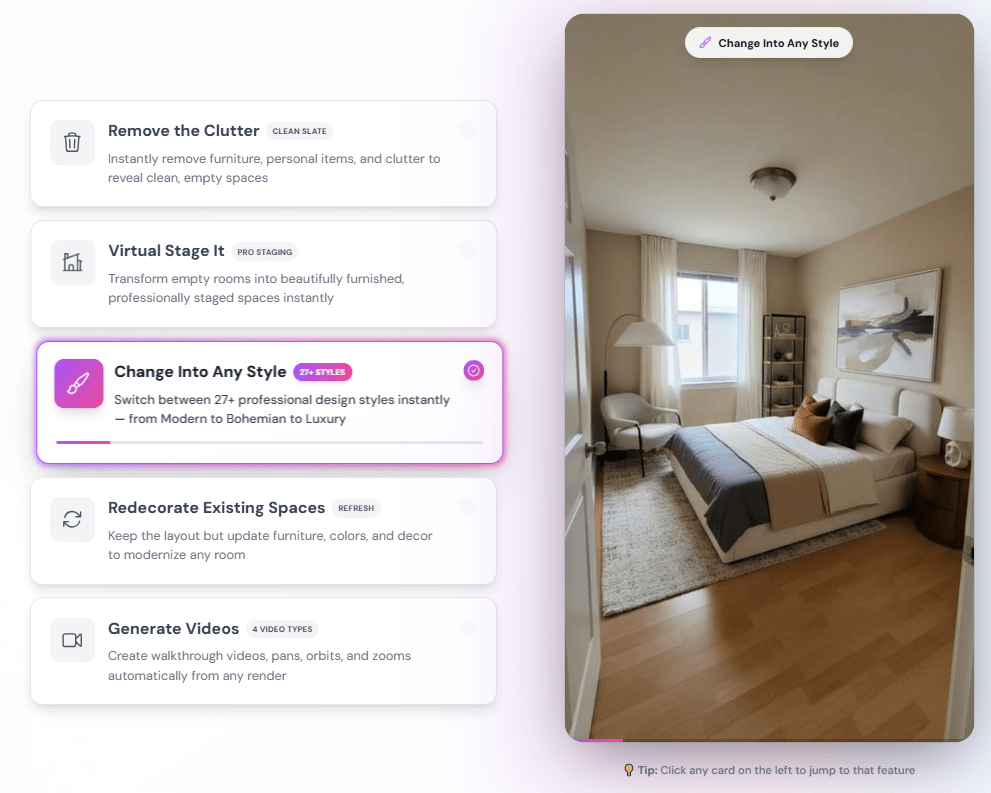
- Changing interior style — you can completely transform a room in one of dozens of styles while preserving the original layout and window placement.
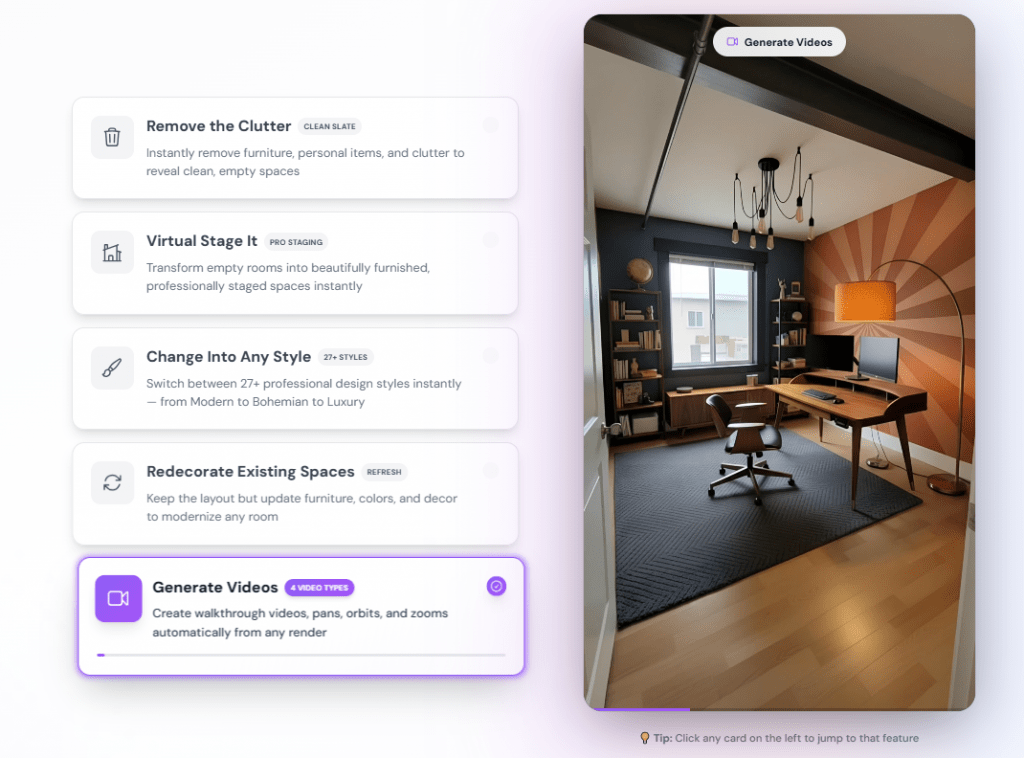
- Generating short walkthrough videos — clips are created in walkthrough, pan, orbit, or zoom format for a more compelling presentation of the space.
- Targeted edits — via the Magic Editor, you can replace a specific piece of furniture, change a wall color, or add a detail based on a text description.
Beyond interiors, the service works with exteriors: landscaping, facade updates, pool renovation visualization, or floor replacement.
How SofaBrain AI Works
The service interface is intuitive and requires minimal action. The process consists of three steps:
- Upload an image. You need to upload a photo of a room, house, or empty space. Different angles are supported. The developers particularly emphasize that SofaBrain works well with empty rooms — this is its strength compared to some alternatives.
- Choose a style and parameters. Between 20 and 40 professional styles are available: from modern (Modern, Contemporary, Japandi, Minimalist) to more complex (Bohemian, Neoclassical, Eclectic, Farmhouse, Industrial). Options for outdoor work and landscaping are also available.
- Generation. After launching, the AI restructures the space and delivers a result within 10 seconds. Each generation consumes one credit. Additionally, you can use the Magic Editor for refinements, create multiple variations of the same room (multi-view), and compare before/after.
Video generation creates 5-second clips at 1080p resolution. Four types of camera movement are available.
What Platforms It Is Available On
SofaBrain AI is a web application. To use it, you only need a browser on a computer or mobile device.
As of this review, there are no dedicated iOS or Android apps. All work is done through the service’s website. This is both a plus (nothing to install) and a slight limitation for those who prefer working exclusively with mobile apps.
Pricing
The service uses a credit system: one credit equals one image generation. Video generation may cost several credits (please check the website for details). All paid plans include a commercial license for generated images, the ability to work without watermarks, and high-resolution downloads up to 4K.
|
Plan |
Cost |
Credits per Month |
Key Conditions |
|---|---|---|---|
|
Free |
$0 |
3 credits |
|
|
Pro |
~$39 per month |
1000 |
For active personal use and small projects |
|
Premium |
~$99 per month |
5000 |
Most popular plan for professionals |
|
Business |
~$299 per month |
25,000 |
API, priority support, for agencies and businesses |
Paying annually gives a discount of up to 25% and adds 2 months free. You can cancel your subscription at any time; there are no setup fees. Custom Enterprise terms are available for large companies.
Features and Use Cases
SofaBrain has several characteristics that set it apart from similar services.
First and foremost, it has a strong specialization in virtual staging for realtors. In the US and Europe, virtual furniture arrangement has long been a standard in real estate marketing, and SofaBrain offers ready-made tools for this task: declutter, cabinet refresh, floor swap, pool renovation visualization, and landscaping.
Other important features include video walkthrough generation (4 types), the Magic Editor for local edits, a commercial license on paid plans, and an API for automation on the Business plan.
The service is useful primarily for three categories of users:
- Real estate professionals. For quickly and affordably creating attractive listings.
- Interior designers and decorators. To accelerate ideation and present options to clients.
- Homeowners. For planning renovations and rearrangements without financial risk.
For business:
- Realtors can turn a photo of an empty or cluttered apartment into an attractive, tastefully furnished property in minutes. This increases listing views and accelerates sales without the cost of physical staging.
- Interior designers use SofaBrain to quickly present multiple style options to a client — helping to clarify tastes and preferences before the actual project begins.
- Furniture and decor stores can visualize their products in a buyer’s interior without needing a professional 3D designer.
For individual use:
- Homeowners and DIY enthusiasts use the service to overcome “design paralysis” and see what a room would look like after rearrangement or cosmetic renovation — before spending real money.
- SofaBrain can also be useful for real estate photographers looking for a simple visualization tool.

User Reviews and Ratings
On the official SofaBrain website, more than 4,800 reviews have been collected. Realtors call the service a “game changer,” praising the thousands of dollars saved on physical staging and the increased engagement of listings. Designers note a 10x productivity boost and photorealistic quality that surpasses other AI tools. Homeowners report that the service finally helped them decide to renovate.
On external platforms such as Trustpilot, the picture is more restrained. With a small number of reviews, the average rating is around 2.8–3. Users acknowledge the speed and quality but note some typical AI artifacts in complex images.
This is important to keep in mind. The service is very good, but the result is not always completely photorealistic, especially with challenging angles or poor original photo quality.
Overall, SofaBrain is popular on TikTok and YouTube, where bloggers demonstrate impressive room transformations.
Comparison With Competitors
The market for AI interior design tools is quite saturated. Besides SofaBrain, you can find Interior AI, RoomGPT, REimagine Home, Spacely AI, AI HomeDesign, as well as more classic solutions like Homestyler and Planner 5D.
The key differences of SofaBrain can be seen in the table below.
|
Criteria |
SofaBrain AI |
Main Competitors (Interior AI, RoomGPT, etc.) |
|---|---|---|
|
Main specialization |
Virtual staging for real estate, working with empty rooms |
Usually generating design “from scratch” or changing style |
|
Speed |
~10 seconds per generation |
Often 15–30 seconds |
|
Work with empty rooms |
Very strong point |
Results vary, sometimes adding extraneous objects |
|
Video generation |
Yes, 4 motion types |
Not available in all; often only static |
|
Tools for realtors |
Dedicated functions (declutter, swap floor, pool renovation) |
Usually just general style changes |
|
Pricing model |
Credit-based, from $39/month for 1,000 generations |
Often a subscription without per-credit pricing ($10—30/month unlimited or with a cap) |
|
API for business |
Available on the Business plan |
Not available in all |
|
Photorealism |
Very high (based on user reviews) |
Varies widely, often lower |
The main takeaway from the comparison: SofaBrain may be more expensive than some alternatives with pay-as-you-go or unlimited subscriptions, but it often wins on quality, realism, and specialized tools for real estate professionals.
For simple style changes “just for fun,” free or cheaper alternatives are a better fit. For actual work with clients, especially with empty rooms, SofaBrain appears preferable.
- Significant savings in time and money compared to traditional physical staging or lengthy designer work.
- High quality and photorealism of results, especially with empty rooms, as confirmed by professionals.
- Large selection of styles — 20–40 options plus additional tools for fine-tuning.
- Specialized functions for realtors — declutter, floor swap, landscaping visualization, which many competitors lack.
- Commercial license and API are included in paid plans for business and automation.
- Credit-based pricing model can become more expensive than fixed-monthly-fee subscriptions when used heavily.
- Typical AI artifacts sometimes appear in complex images.
- The service does not replace a professional designer — it is a tool for idea generation and initial visualization.
Conclusion
SofaBrain AI is a solid, professional tool that confidently occupies its niche at the intersection of generative AI, interior design, and real estate marketing. It offers a high-quality, fast, and convenient solution for specific tasks: virtual staging of empty rooms and instant style changes from a photo.
The service is ideally suited for realtors and designers in the US and Europe, where virtual staging has long been a standard. For personal use or one-off projects, the free test or the least expensive Pro plan will suffice.
Before purchasing a subscription, you should definitely test SofaBrain on your own photos — that way you can personally assess the generation quality for your specific tasks and understand how much the occasional minor AI artifacts matter to you. If you need to “quickly and easily show a client what their empty apartment could look like,” SofaBrain will most likely pleasantly surprise you.
❓ Frequently Asked Questions
Answers to relevant questions about this AI tool
Sources
-
SofaBrain AI — sofabrain.com
-
SofaBrain Pricing — sofabrain.com
-
SofaBrain Pro — sofabrain.com
-
SofaBrain Contact — sofabrain.com
-
SofaBrain Learn Hub — sofabrain.com
-
SofaBrain Contemporar y Interior Design Ideas — sofabrain.com