Vectal AI combines ChatGPT-style chat with Notion-like workspace management. AI agents automatically organize tasks, set priorities, and suggest next steps. Free tier available. Supports six LLMs including GPT-4.1 and Claude 4 Sonnet.
Vectal AI Platform: Is It the Right Tool for Your Workflow?
On this page
The modern user has to juggle projects, notes, meetings, and dozens of notifications. Familiar tools like Todoist or Trello merely record the chaos — they do not help untangle it. Against this backdrop, a new generation of tools is emerging, one where artificial intelligence takes over the organization of work. One of the most interesting examples in this space is the service Vectal AI, which its creators call “ChatGPT + Notion for real work.” Let’s figure out whether this vector AI platform can replace manual planning and whether it is worth your money.
What Is Vectal AI and What Is It For
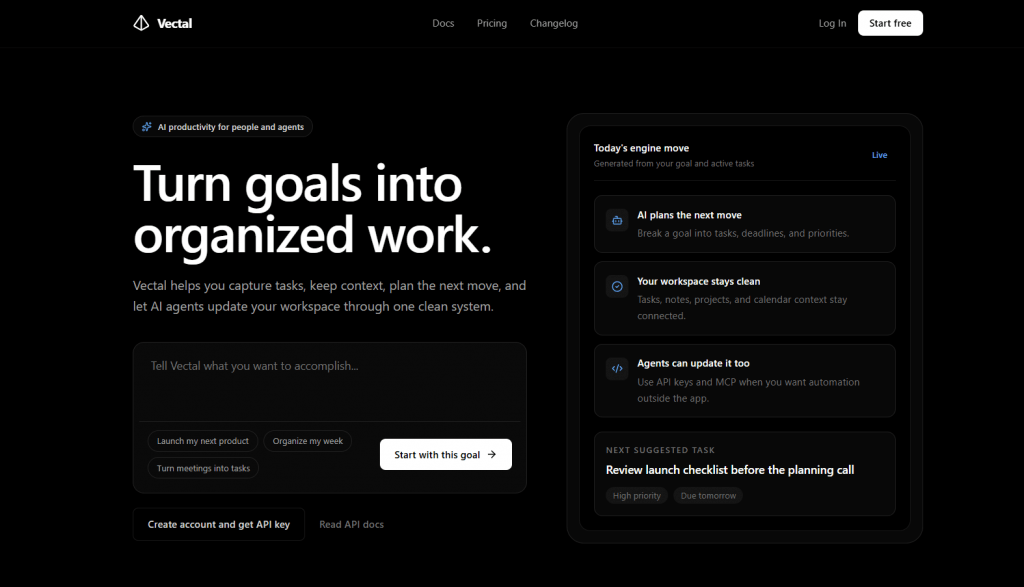
Vectal AI is an AI-driven productivity platform. It is often described as a hybrid of ChatGPT and Notion, but with an important caveat: here, artificial intelligence is not just an add-on but the central element of the system.
Ordinary planners require you to manually create, sort, and prioritize tasks. Vectal attempts to take this organizational work off your shoulders.
The project’s founder, David Ondrej, known for his YouTube channel about artificial intelligence, positions Vectal as a tool for “power users” and solopreneurs who are drowning in the chaos of daily tasks. The core idea is simple: you offload everything that is on your mind — goals, ideas, urgent matters — into the system, and AI turns this “brain dump” into a structured action plan with priorities and deadlines.
In our view, Vectal is suitable for both personal project management and team collaboration.
How It Works
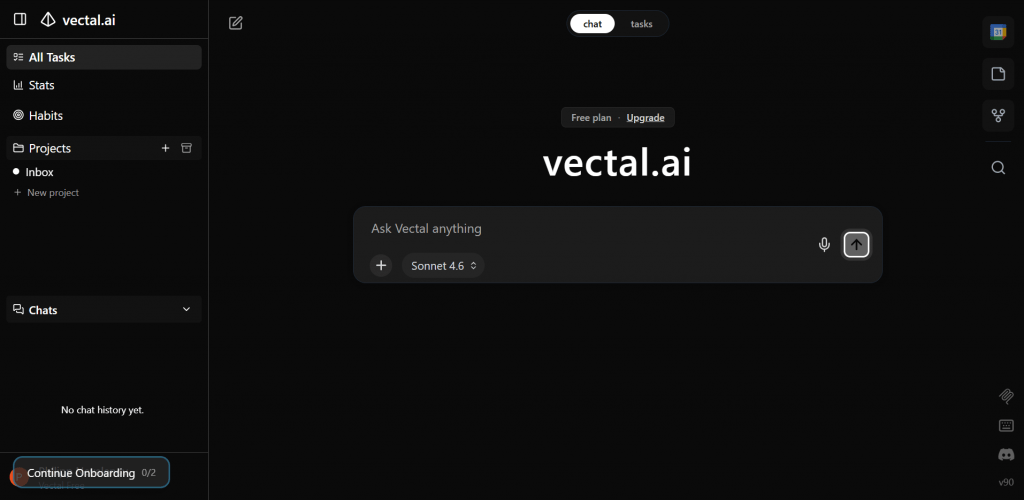
Technically, Vectal is a unified workspace that combines tasks, notes, projects, and a calendar. But the most interesting part happens under the hood.
When a user types something like “need to launch an ad campaign by the end of the month” into the chat, the AI agent analyzes the message, takes the current context into account (active projects, deadlines, your habits), and automatically performs several actions:
- Breaks the overall goal into specific subtasks.
- Sets priorities and suggests deadlines.
- Groups similar tasks from different projects.
- Daily offers the “next move” — the optimal action to take right now.
Under the hood, Vectal uses a multi-model architecture. The system uses up to six advanced AI models including GPT-4.1, Claude 4 Sonnet, DeepSeek R1, and Gemini 2.5 Pro. The platform automatically selects which model is best suited for a specific task: one for market research, another for planning, a third for content generation.
Platforms and Availability
Vectal AI is a web application with a full-featured API and MCP server support. You can work directly through your browser, as well as connect it to IDEs like VS Code, Cursor, or Windsurf.
A mobile app exists, but its functionality is noticeably more limited compared to the web version.
The developers claim that the API makes Vectal a “productivity layer” for any AI agents: agents can read and update your workspace without direct human involvement.
Pricing
Vectal AI operates on a Freemium model with three main tiers: Free, Pro, and Ultra. The product is under active development, and the pricing structure may be adjusted. The table below presents the current summary based on information from the official website. An annual subscription is traditionally more cost-effective than a monthly one.
|
Tier |
Monthly Price |
Annual Price |
Best For |
Key Features |
|---|---|---|---|---|
|
Free |
$0 |
$0 |
Beginners, evaluating basic functionality |
Task list, chat agent, Kanban board, projects |
|
Pro |
$15 |
$180 |
Solopreneurs, power users, small teams |
Everything in Free + 6 AI models, agentic workflows, Google Calendar, AI web search, background processing |
|
Ultra |
$67 |
$800 |
Professionals, teams, developers |
Everything in Pro + unlimited AI agents, all models (including GPT-5), MCP connector, priority 24/7 support |
Special conditions are available for teams, and the developers promise discounts for the first teams that join the platform. Compared to competitors, the cost of the Pro tier may seem higher than that of a simple to-do list, but access to six top-tier AI models individually would cost significantly more — over $150 per month.
Who Will Benefit From Vectal
The platform is aimed at those ready to delegate part of their thinking to AI. This is not a tool for someone with a simple shopping list. Vectal will primarily be useful for:
- Solopreneurs and startup founders who simultaneously manage product, marketing, and sales.
- Power users who have tried all possible productivity methodologies (GTD, Kanban, Eisenhower) and are tired of the routine.
- Developers and IT professionals already using AI agents in their work.
- Small teams that need transparency and process automation without bureaucracy.
Practical Use Cases
Use cases can be divided into several scenarios.
For an Entrepreneur
You give the command “research the market for AI tools for video analytics and compile a report.” Vectal deploys a research agent that daily collects data and sends summaries, saving hours of manual work.
For a Developer
Through the MCP server, the AI agent gains access to tasks directly from the development environment. It can automatically create tasks based on code review results or plan sprints based on messages in the chat.
For a Marketer
You describe a content plan idea for the month in the chat. Vectal breaks it down into topics, distributes them by deadlines, creates tasks for the designer and copywriter, and also generates images for drafts right during the discussion.
Comparison With Competitors
There are already notable players in the market of AI planners, and Vectal occupies its own niche.
|
Tool |
Key Differentiator |
Where Vectal Falls Short Compared to Them |
|---|---|---|
|
Notion AI |
Flexibility of databases, knowledge wiki |
Vectal is weaker as a knowledge base |
|
ClickUp |
Powerful team resource management |
Vectal is simpler in team configurations |
|
Motion |
Intelligent calendar scheduling |
Vectal has weaker calendar planning |
|
Lindy / Relevance AI |
Deep agent customization |
Vectal is more of an “out-of-the-box” product |
Vectal’s main advantage is its multi-model approach and deep automation. Competitors more often add AI as a “button” on top of an existing manual interface. Vectal, by contrast, was built from the ground up as an agent-first system where you converse with AI rather than dragging cards around.
User Reviews and Ratings
In AI enthusiast communities (Reddit, Product Hunt, YouTube), reviews of Vectal are predominantly positive. Users note that the system indeed succeeds in turning chaotic notes into workable processes. They praise the speed of operation and the responsiveness of the development team.
However, it is worth keeping in mind that the service is quite new. The current core audience consists of “early adopters” who are loyal to young products and willing to tolerate shortcomings. There are not yet enough large-scale corporate reviews, and the community around Vectal is still forming.
- Deep automation of routine tasks, genuinely reducing time spent on organizing workflows.
- Access to six top-tier AI models for the price of a single subscription, with smart automatic switching between them.
- Excellent contextual understanding, where the system sees connections between notes, tasks, and meetings.
- Native support for AI agents and MCP server, ideal for those building automated systems.
- Rapid pace of product development and an active community around the founder, offering hope for quick bug fixes.
- Youth and relative instability of the product compared to established giants like Notion or ClickUp.
- Still limited number of ready-made integrations with popular services beyond Google Calendar.
- The interface may feel unfamiliar to casual users.
Conclusion
Vectal AI is a vivid example of how the productivity market is changing. We are moving from the era of “beautiful notebooks” to the era of “thinking assistants.” Vectal does not try to be a universal machine with hundreds of integrations; it focuses on the depth of AI. This is a tool for those who are tired of being their own secretary and are ready to entrust AI not only with reminders but also with planning.
This is a product with a clearly defined philosophy. It will either solve your problem of information overload or feel excessive. The pros and cons above fairly reflect this duality. If you spend 30–60 minutes a day just figuring out what to tackle next — Vectal is worth a try. The free tier allows you to do so without risking your budget.
❓ Frequently Asked Questions
Answers to relevant questions about this AI tool
Sources
-
Vectal AI — vectal.ai
-
Terms of Service — vectal.ai