Udio delivers unmatched sound quality for AI-generated music, especially in instrumental genres. But lawsuits with major labels led to blocked downloads, frozen development, and a walled-garden approach. Is it still worth using?
Udio Review: The AI Music Generator
On this page
Udio is a generative neural network designed to turn text descriptions into music. Launched in 2024 by a team of former Google DeepMind engineers, the service quickly attracted attention from both amateurs and professionals. The core promise is simple: you write what you want to hear, and Udio generates a complete track with instrumentation, arrangement, and vocals.
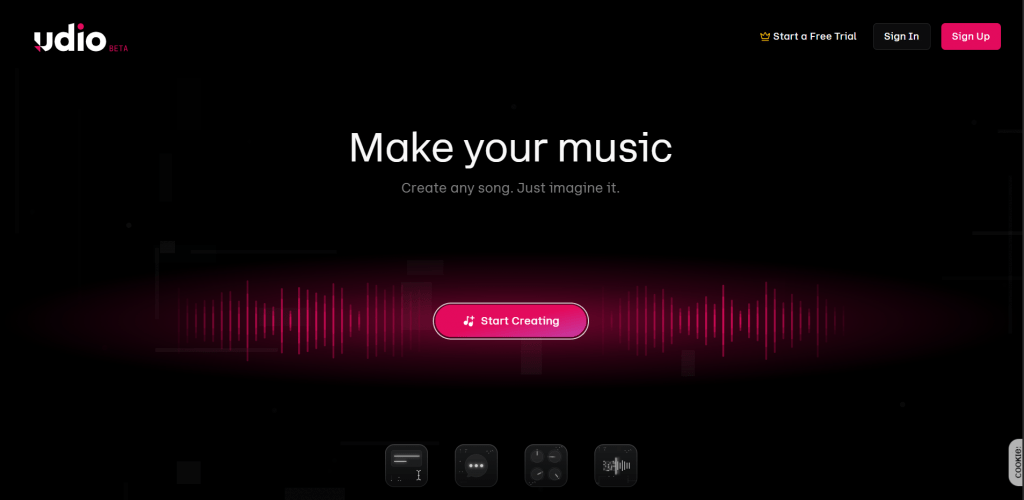
This review examines Udio’s strengths and weaknesses, compares it with competitors, and explores why, in 2026, the platform has a rather mixed reputation.
What Is Udio and What Is It For?
Today, Udio remains one of the main players in the generative music market and a direct competitor to the more widely known Suno. The service quickly built a reputation as a tool for those who value sound quality above all else.
Unlike simple AI composers that only produce instrumental melodies, Udio creates full-fledged songs with realistic human voices, verse-chorus structure, and full arrangements.
The service positions itself as a creative tool for a broad audience:
- Musicians and producers use Udio for rapid prototyping of ideas, creating demo recordings, or searching for unusual arrangements.
- Content creators generate background music for YouTube, TikTok, and podcasts, saving on library license fees.
- Marketers and brands create jingles and soundtracks for advertisements.
- Casual users compose personalized songs for celebrations, experiment with genres, or simply explore the capabilities of AI in music.
How It Works
Technically, Udio is built on a transformer architecture similar to that used in language models like GPT, but adapted for audio data processing. The model was trained on a massive dataset of tagged music, allowing it to understand the relationship between text descriptions and sound.
The track creation process consists of several steps:
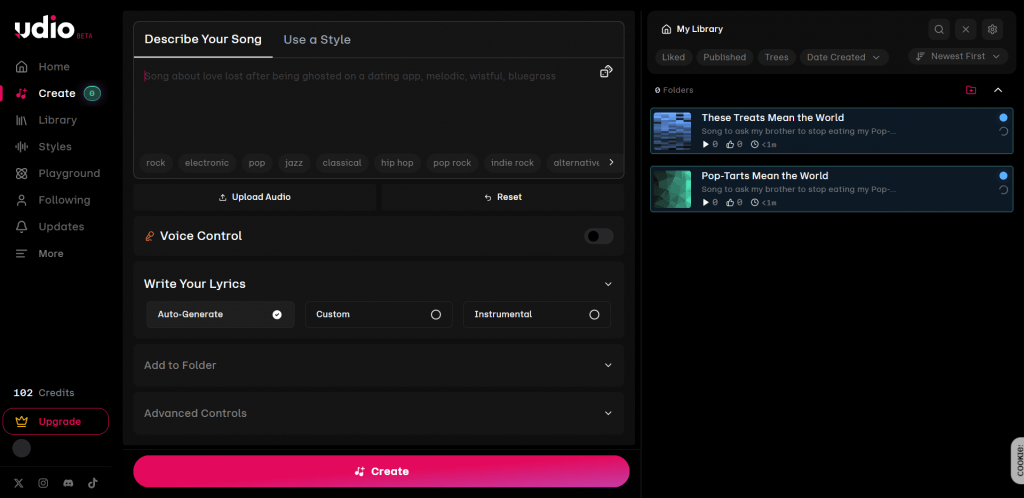
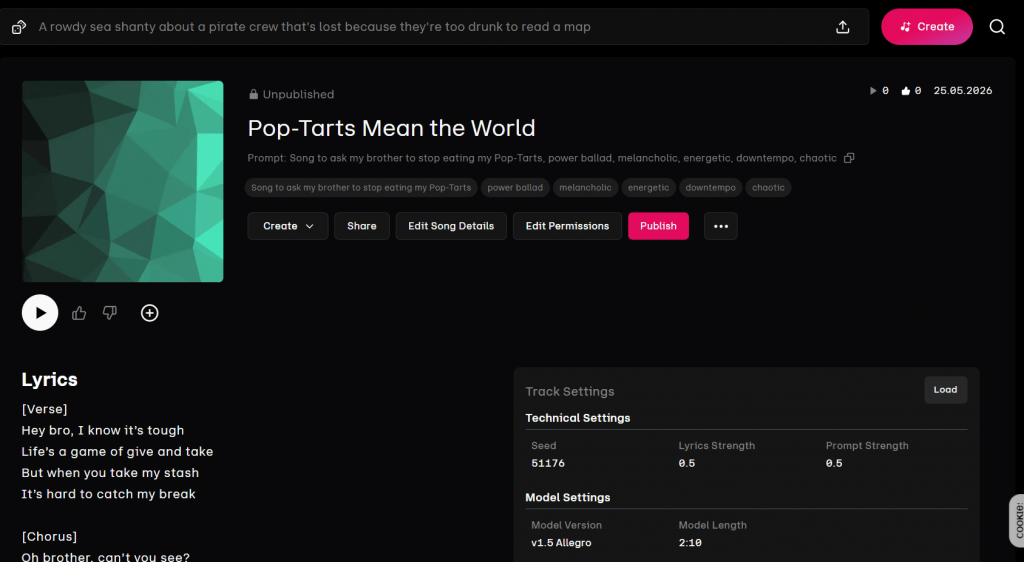
- Prompt Input. The user describes the desired composition. This can be as simple as “calm jazz piece with a saxophone solo” or a detailed request like “energetic 80s pop-rock with female vocals and a synth riff in the chorus.”
- Generation. The neural network produces two track variants, each up to 130 seconds long. Generation takes anywhere from 30 seconds to a couple of minutes. This is slower than Suno, but many users are willing to wait for the quality.
- Editing. If the result is unsatisfactory, advanced editing tools come into play:
- Extend — continues the track by adding an intro, outro, or a new verse.
- Remix — changes the style, tempo, or mood of an already generated track.
- Inpainting — regenerates a specific segment while leaving the rest unchanged.
- Crop — trims unwanted portions.
- Downloading. Paid plans offer export to WAV and MP3, as well as separate downloading of instrumental stems (vocals, drums, bass, and other instruments).
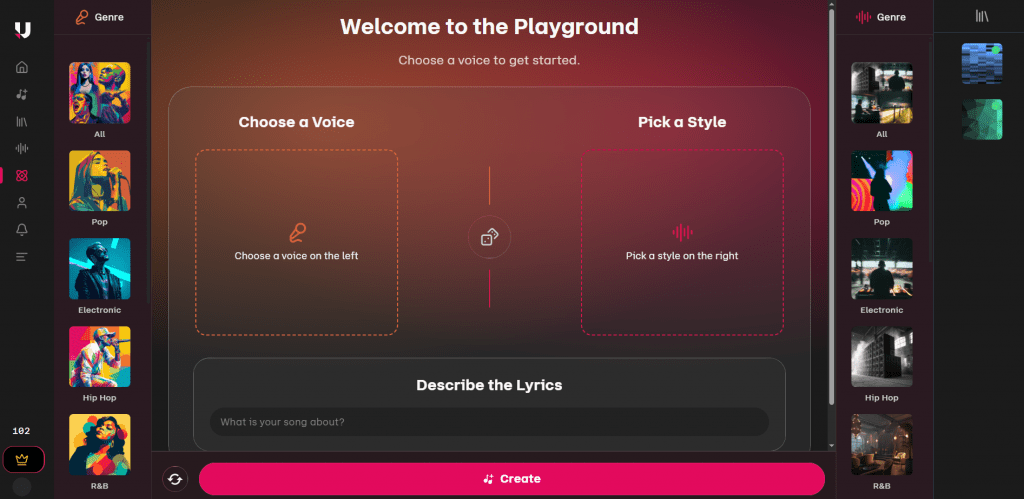
Udio’s interface is not overly complex: there is a main page with a feed of other users’ tracks, a separate Create section, and a personal library. Everything is fairly intuitive, though beginners may need a few attempts to get used to the workflow.
Platforms
Udio is available in two versions:
- Web version on the official website udio.com for desktop use.
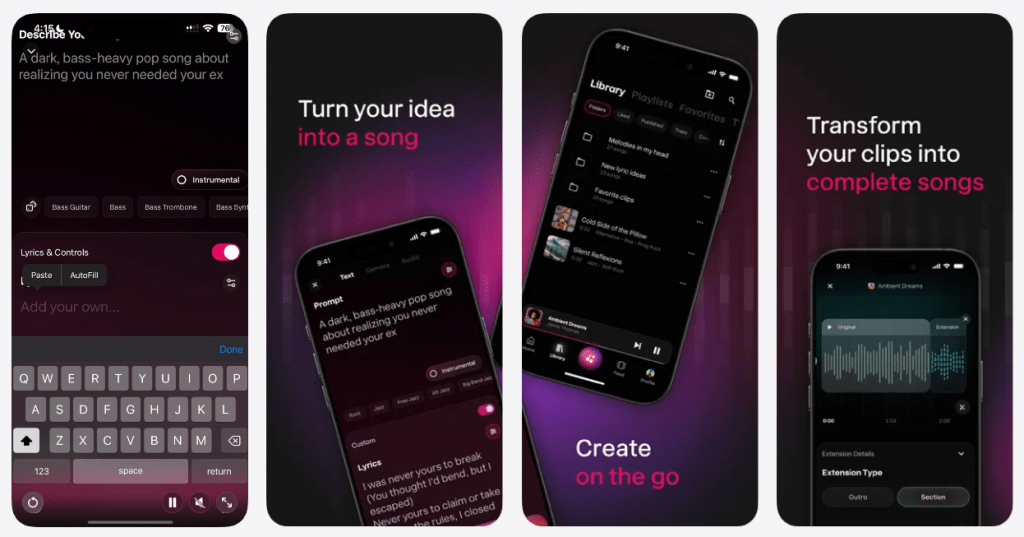
- Mobile app for iOS, optimized for creating tracks on the go with full synchronization of the library across devices. The app supports voice prompt input and basic editing functions. An Android version had not been officially announced at the time of writing.
Pricing
The service operates on a freemium model with three access levels. Credits are Udio’s internal currency. A single generation of two short track variants costs several credits, while more complex operations or higher quality settings consume them faster. The table below shows the current conditions for each plan.
|
Parameter |
Free |
Standard |
Pro |
|---|---|---|---|
|
Monthly Cost |
$0 |
$10/month or $96/year |
$30/month or $288/year |
|
Credits per Month |
10 daily credits (renewable) + 100 bonus |
1,200 — 2,400 |
4,800 — 6,000 |
|
Approximate Number of Generations |
~3—4 short tracks per day |
Significantly more, daily limit removed |
Maximum, for intensive work |
|
Export Quality |
MP3 (with watermarks) |
MP3 + WAV |
MP3 + WAV |
|
Separate Stems |
No |
Yes (vocals, drums, bass, etc.) |
Yes |
|
Track Privacy |
Public only |
Public and private |
Public and private |
|
Generation Priority |
Low (shared queue) |
High (prioritized) |
Maximum |
|
Commercial Rights |
No |
Yes (with active subscription at generation time) |
Yes (with active subscription at generation time) |
|
Trial Period |
No |
7 days |
7 days |
Important legal note: Commercial rights to a track apply only if you have an active paid subscription at the moment of generation. If you created a track on the free plan and then purchased a Standard subscription, that track remains unlicensed for commercial use.
Comparison With Competitors
Udio’s main and most obvious competitor is Suno, the market leader valued at $2.45 billion with 2 million paying subscribers. Suno focuses on speed, simplicity, and reliability. It handles pop music and rap better, generates vocals more consistently, and its interface is intuitive from the very first use. Version V5.5 added voice cloning and a full mixing studio.
Udio vs. Suno: objective comparison by key parameters
|
Feature |
Udio |
Suno |
|---|---|---|
|
Instrumental Sound Quality |
Best in class, especially for live/acoustic genres |
Good, but sometimes artificial-sounding |
|
Generation Speed |
Slower (30–120 seconds) |
Faster (under 60 seconds) |
|
Vocals |
Potentially more realistic, but inconsistent |
Consistently good and predictable |
|
Editing |
Advanced (inpainting, stems, remix) |
Basic (inpaint, cover) |
|
Ease of Use |
Requires experimentation |
Intuitive from the first try |
|
Legal Status |
Settled with Universal Music, ongoing with Sony, deal with Warner |
In process with Sony, has deal with Warner |
|
Price (Base Plan) |
~$10/month |
~$10/month |
Other alternatives:
- Riffusion — a free alternative with good quality for English but limited features.
- Beatoven.ai — specializes in royalty-free background music with an ethical approach to licensing.
- Boomy and SOUNDRAW — focused on stock music and give users more control over track structure.
- ACE-Step and other open-source models — for those who want to run generation locally and have complete control over their data.
A simple rule of thumb: if you need fast music for social media or consistent vocals, use Suno. If sound detail matters, you work with jazz or classical music, and you are willing to experiment with settings, start with Udio. Ideally, use both services in parallel: generate an idea with one, refine the sound with the other.
The Conflict Between Udio and UMG, WMG, and Sony
In June 2024, three of the largest music labels — Universal Music Group, Warner Music Group, and Sony Music Entertainment — filed joint lawsuits against Udio and its competitor Suno. The essence of the claims: Udio had illegally used millions of copyrighted musical works to train its neural network.
As evidence, the plaintiffs cited examples of tracks generated by Udio that, in their opinion, too closely imitated the style and sound of original compositions by The Temptations, Green Day, Mariah Carey, and other well-known artists.
Udio did not deny using the labels’ music for training. However, the company argued that this fell under the fair use doctrine. From Udio’s perspective, its model does not copy songs but learns from them to create something new and original, and that is permissible.
How It Ended: The Path to Licensing
Contrary to expectations of protracted legal battles, the conflict was resolved not through the courts but through deals. In October 2025, Universal Music Group reached a settlement and licensing agreement with Udio — the first of its kind between a major label and a generative AI music platform. In November 2025, Warner Music Group followed suit.
Sony Music Entertainment continues to litigate against the company, and this process could set an important legal precedent for the entire industry.
Furthermore, the settlements with the majors sparked a new wave of criticism. Independent musicians have filed class-action lawsuits against Udio and Suno, claiming that their rights were violated and that the labels’ deals do not protect the interests of artists not affiliated with major corporations.
In effect, a two-tier system has emerged: artists signed to majors have received at least some protection and the possibility of compensation (via opt-in), while independent musicians whose tracks were also used for training have been left with nothing.
Consequences of the Conflict
Many perceived the deals with the labels as a necessary step for survival, but the consequences have proven difficult for users:
- Blocking of track downloads. Creators can no longer simply take their work with them. Some resort to screen recording, others to technical workarounds like traffic sniffing.
- Changes to the licensing agreement in favor of the platform. Users have developed a justified feeling that they are losing control over their own creations.
- Community decline. When you cannot export your results from a platform, activity drops, discussions fade, and creative energy migrates to other services.
User Reviews and Ratings
On aggregator sites, Udio maintains high ratings: 4.3 stars in the mobile App Store, and on professional platforms ratings reach 4.7–4.8. Users agree on the main point: Udio’s sound quality is better than its competitors’, especially in instrumental parts.
However, the overall picture in 2026 is far from rosy. The service, hailed as a “breakthrough” in 2024, has barely developed over the past year and a half. The model remains stuck on version 1.5, released back in July 2024. The official blog has not been updated since November 2025, and social media accounts have been silent since October of that year.
The likely cause of this stagnation is the recent lawsuits filed by major media industry players.
On Reddit and professional forums, discussions now focus less on new Udio features and more on how to migrate from it to alternatives — local models like ACE-Step or other cloud services such as Tunee AI and Mureka.
- Exceptional sound quality — best in class for detail, stereo imaging, and natural instrument timbre.
- Realistic vocals with emotion — in successful generations, the voice sounds nearly indistinguishable from a human in phrasing and breath.
- Powerful editing tools — inpainting, remix, and stem export provide control unavailable with most competitors.
- Deep support for niche genres — jazz, classical, country, ambient, and other styles with live instruments shine here.
- Clean, modern interface — few distractions, with all controls focused on creation.
- Slow generation compared to Suno — longer wait times can be frustrating for bulk content creation.
- Strict track length limit (around 2 minutes) — forces users to splice fragments together using the Extend function.
- Inconsistent results — sometimes requires many iterations to achieve a successful output.
- Problems with non-English vocals — pronunciation, stress, and lyrical logic noticeably lag behind Suno V5.5.
- Restrictions on commercial use — the legal situation regarding copyright and licensing remains confusing.
Conclusion
Udio is simultaneously the best and most disappointing AI music tool of 2026. No one else generates such vivid, detailed, and deep sound, especially in genres featuring live instruments. But the service has stagnated in development, effectively blocked downloads, and increasingly resembles a “walled garden” where users can enter but cannot take their work out.
If you work professionally with sound, value jazz or orchestral arrangements, and are willing to tolerate limitations for the sake of quality — Udio still has no equal. But if you need a predictable tool for fast content generation, you will likely lean toward Suno. And if you want to avoid dependence on the whims of a cloud service and potential license changes, now is the time to explore open-source models that you can run on your own computer.
❓ Frequently Asked Questions
Answers to relevant questions about this AI tool
Sources
-
Udio Pricing — udio.com
-
Udio Terms of Service — udio.com
-
Udio Help Center — help.udio.com
-
Udio Account Setup Help — help.udio.com
-
Udio Commercial Use and Terms Analysis — musicmake.ai