AI TikTok Transcript Generators: turn TikTok videos into text in seconds
On this page
Making TikToks stopped being just about filming a while ago. If you want to ride a trend, study what competitors are doing, or turn one video into content for other platforms, you need the words on the screen, fast. That’s what AI TikTok transcript generators do: online tools that turn a video’s audio into text in seconds. We tested the popular ones, and here are the standouts.
Why you need AI Transcript Generators and how they work
In the past, you had to transcribe TikTok videos manually. Now, dozens of AI tools have entered the market to do this automatically. This is useful for creating subtitles, SEO optimization, analyzing viral clips, and even writing blog posts based on existing videos.
Most modern tools work on the same principle, hiding complex technology behind a simple interface. This allows any user to get ready-made text in just a couple of clicks.
The process usually looks like this:
- Upload: The user pastes a link to a public TikTok video or uploads a file (MP4, MOV).
- AI processing: The service extracts the audio and sends it to speech recognition models (ASR). The AI is trained on massive datasets, allowing it to understand slang, accents, and separate speech from background music typical of TikTok.
- Text generation: The AI produces the finished text. Depending on the tool, it may come with timestamps or speaker diarization.
- Export: The user can copy the text, download it in TXT or SRT format (for subtitles), or edit it directly within the service’s interface.
Market overview and pricing
The market for AI TikTok transcript generators has been actively growing since 2024. They can be roughly divided into two categories:
- Specialized tools for TikTok (Transcript24, Submagic)
- Multifunctional video editors with built-in transcription (Kapwing).
Regarding pricing, the freemium model dominates. Many tools are completely free, relying on ad revenue. Others offer generous free tiers with limitations on video duration or the number of videos processed per month.
The cost of paid subscriptions typically ranges from $5 to $20 per month. Paying removes all limits and adds extra functionality, such as batch processing.
Top 5 AI TikTok Transcript Generators
Now, let’s look at the five most interesting models that will help you work with content faster and more efficiently.
1. Transcript24
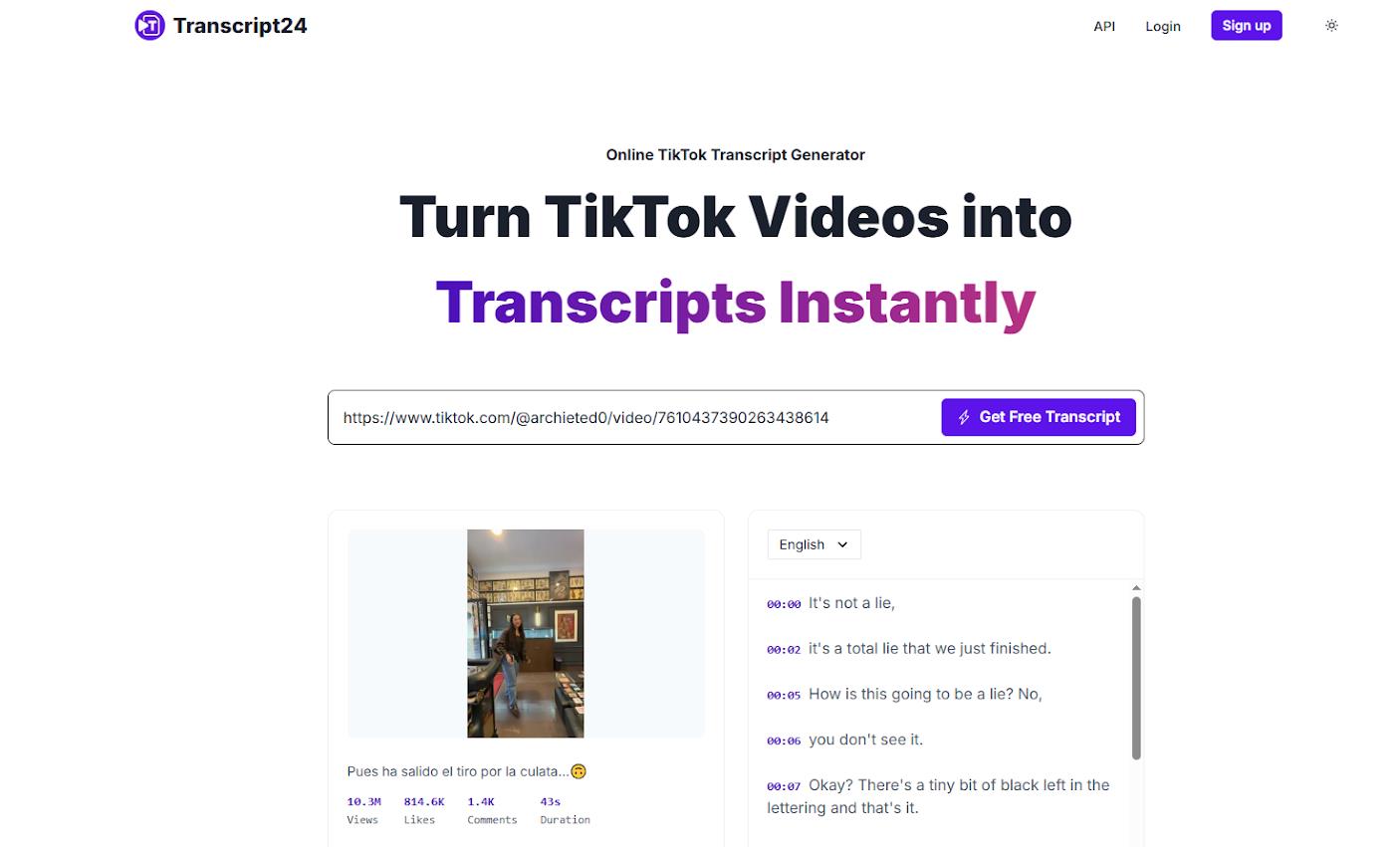
Transcript24 stands out from competitors with its analytical focus. This service positions itself not just as a tool for transcription, but for analyzing the viral potential of a video.
It works without registration. Simply paste a URL, and the neural network provides not only the text but also the video’s structure, identifies hooks, and analyzes speech pacing. It’s a real find for marketers and SMM specialists who want to understand why a particular clip went viral. The service also offers a handy Chrome extension.
- Price: Completely free.
- Reviews: Users (over 50,000) call it a “goldmine” for brainstorming and a “secret weapon” for scriptwriting in their feedback.
2. Submagic
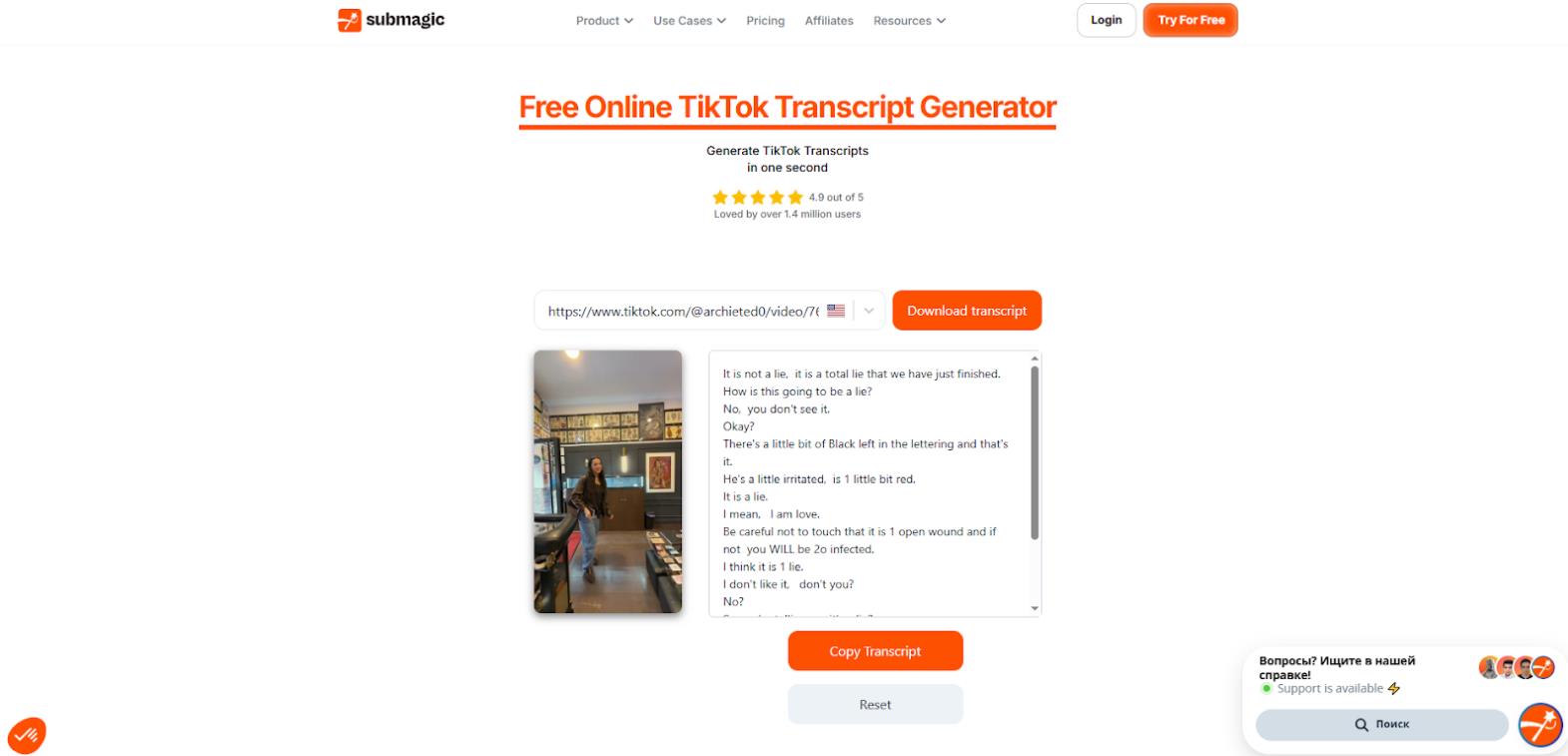
Submagic is a popular free generator that is tightly integrated into the ecosystem for creating social media content. Its main feature is speed and a focus on SEO.
The service generates a transcript literally in seconds and offers additional features: a hashtag generator, caption creation for posts, and a built-in video downloader. With support for several languages (French, Spanish, and others), it’s great for working with multilingual content.
- Price: Completely free.
- Reviews: It boasts an impressive 4.9/5 rating from 1.4 million users and is trusted by top creators.
3. Choppity
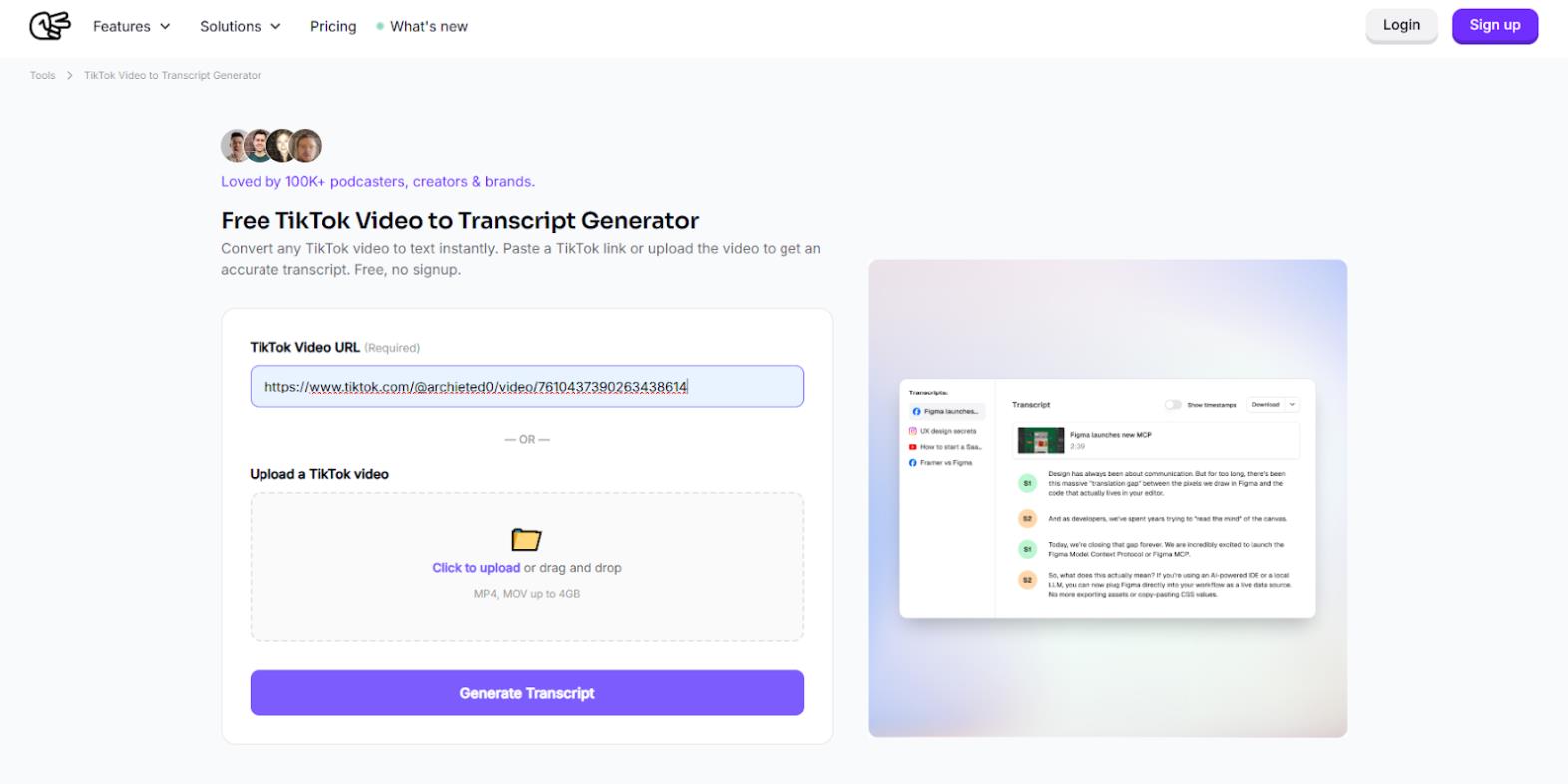
Choppity is a powerful AI engine created specifically for creators and brands working with noisy recordings. The developers claim 95%+ recognition accuracy even with background music or fast speech.
The service understands slang, doesn’t require registration, and supports over 100 languages with automatic detection. Users particularly appreciate it for its quick repurposing capabilities—turning one video into multiple posts for other platforms. You can upload videos up to 4GB in size.
- Price: Completely free, no limits.
- Reviews: Positive feedback from over 100,000 users. The service has a reputation as a “game changer” for podcasts. One podcast creator notes that Choppity increased their views 4x.
4. Transcriptik
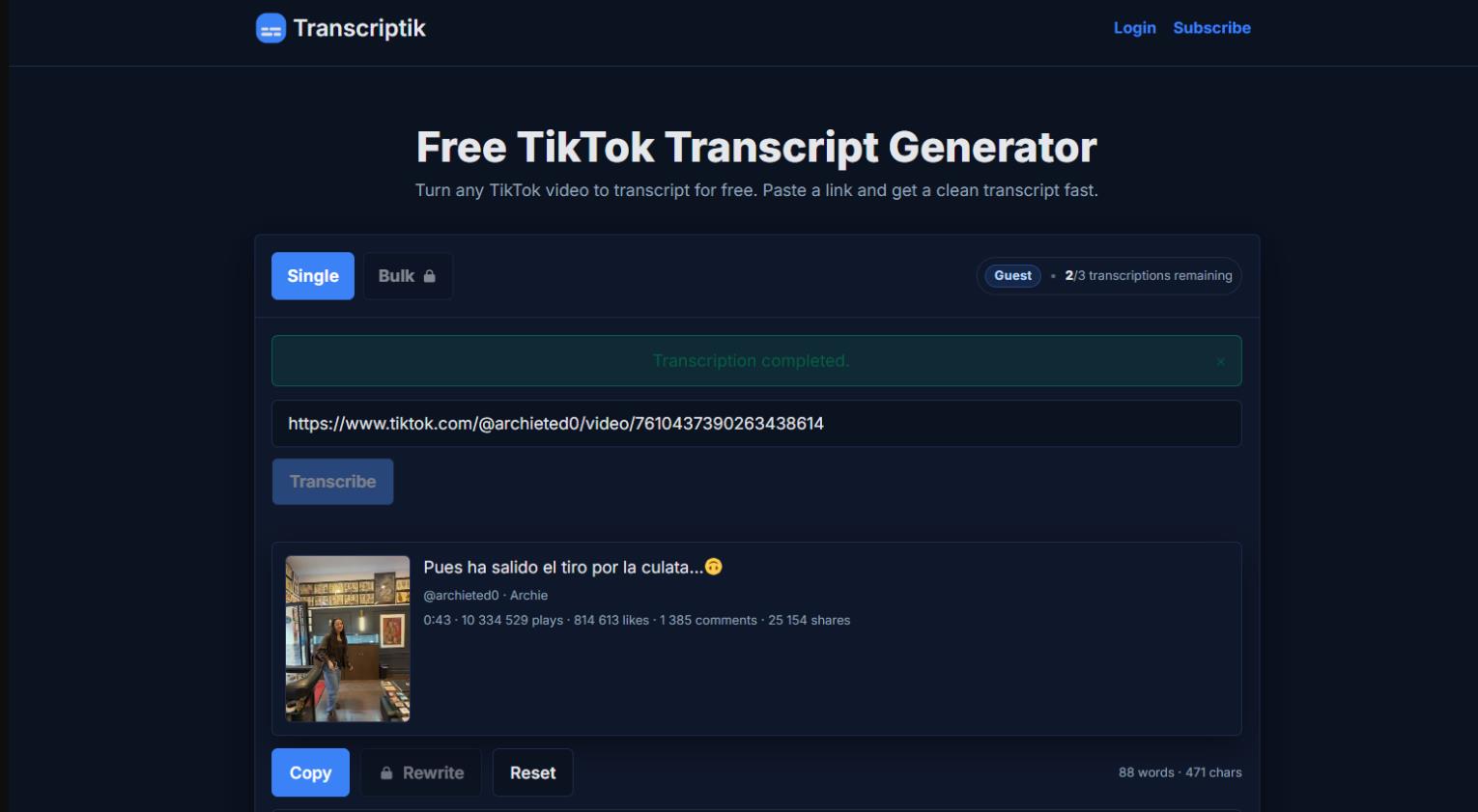
Transcriptik focuses on maximum accuracy (99.8%) and speed for short videos. It’s a simple and straightforward tool for those who need “clean” text without unnecessary features.
The interface shows a video preview with the title and metadata even before processing begins. It supports 98+ languages. The free version has limitations, but for most users, these limits are sufficient. For professionals needing batch uploads, there are affordable paid plans.
- Price: Free (3 videos per month, up to 1 minute). Paid plans start from $5.99/month.
- Reviews: There are few ratings on major aggregators, but in professional communities, it’s praised for its speed and simplicity.
5. Kapwing
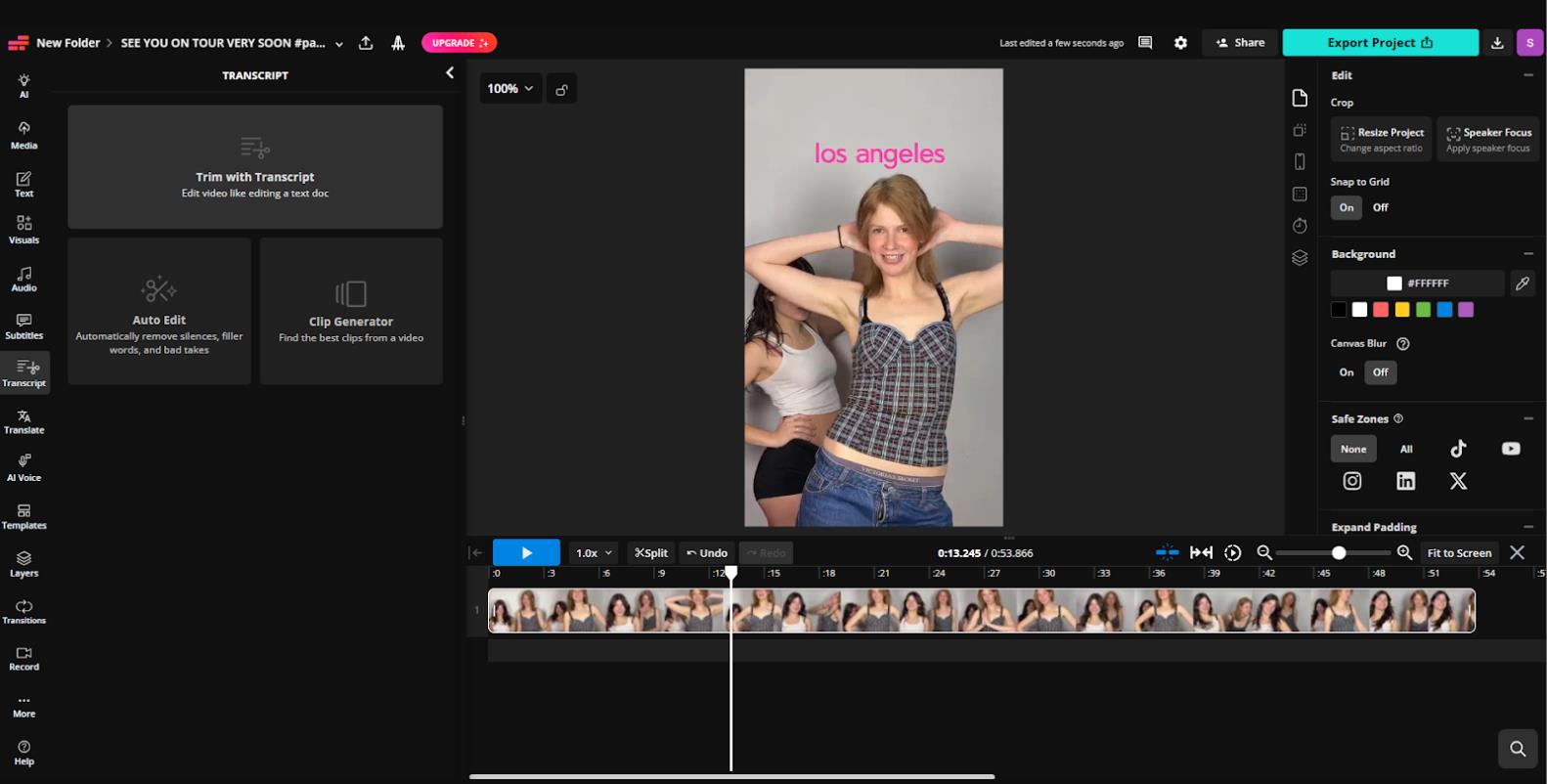
Kapwing is no longer just a transcriber, but a full-fledged online video editor where transcription is one of the key functions. It’s suitable for working with long videos (up to 2 hours).
Here, the transcript is synchronized with the video timeline: clicking a word in the text jumps the video to that moment. This is incredibly convenient for editing. Kapwing can automatically remove filler words, translate subtitles into 100+ languages, and even dub over audio.
- Price: Free (10 minutes of video processing per month). However, link-based video processing is only available with a paid subscription. Pro plan – from $16/month.
- Reviews: Users call it an “essential tool” and a “secret weapon” for creating high-quality content.
Comparison Table
|
Model |
Accuracy |
Free Version Limits |
Key Feature |
|
Transcript24 |
High |
None |
Trend analysis and video structure |
|
Submagic |
High |
None |
SEO focus and hashtag generation |
|
Choppity |
95%+ |
None |
Excellent noise and slang handling |
|
Transcriptik |
99.8% |
3 videos/month, up to 1 min |
Maximum accuracy and preview |
|
Kapwing |
99% |
10 min/month |
Full-featured editor with synchronization |
Conclusion
AI TikTok transcript generators have firmly established themselves in the toolkit of modern content creators. They save you many hours of time and open up new possibilities for content analysis.
What should you choose? It depends on your goals and the nature of your work with content.
For in-depth analysis of other people’s viral videos and finding ideas, Transcript24 is best. If your main goal is to quickly get text and hashtags for publication, choose Submagic. Those working with podcasts or complex audio tracks should pay attention to Choppity. For simple and super-accurate transcription of short clips, Transcriptik is ideal. And if you need not only to get the text but also to edit the video immediately, the multifunctional Kapwing is the best choice.
❓ Frequently Asked Questions
Answers to relevant questions about this AI tool