Arvin AI: Advanced ChatGPT Extension at Your Chrome Browser
On this page
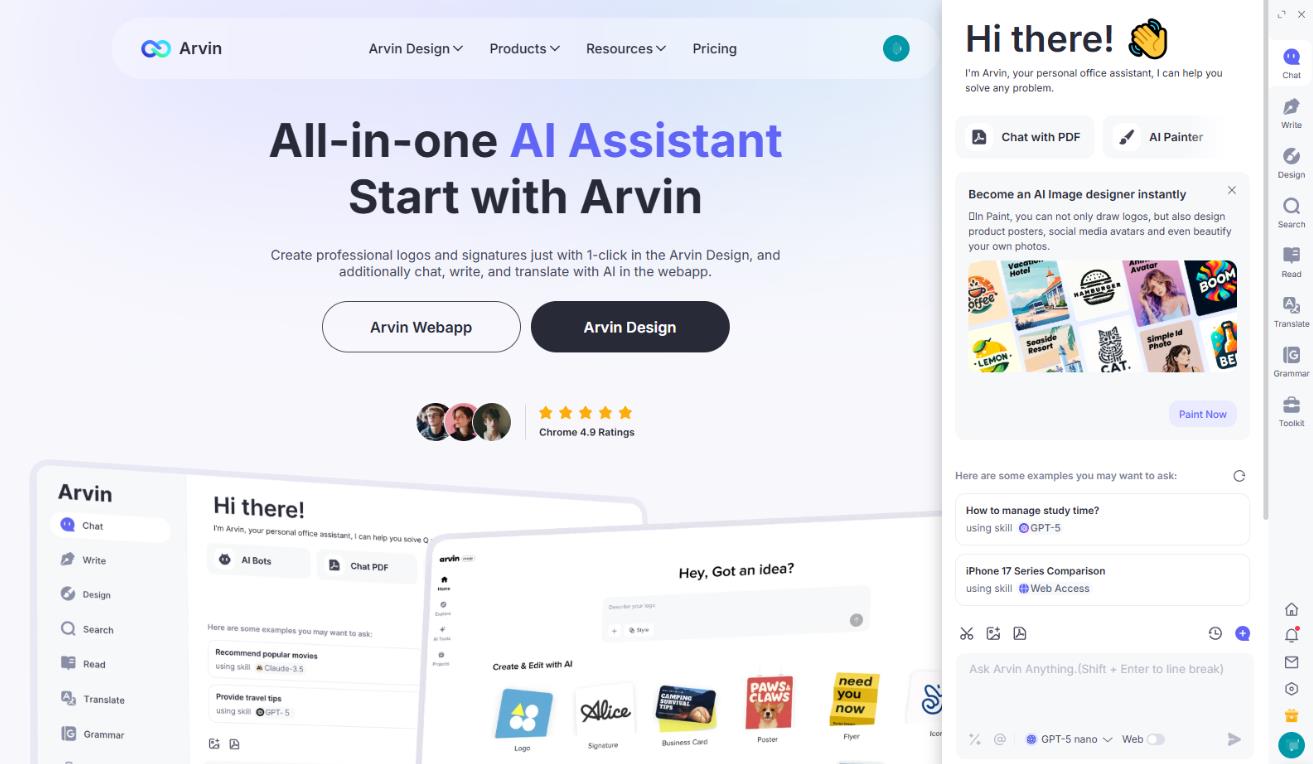 Arvin AI is a Google Chrome extension that integrates ChatGPT directly into your browser. It’s an all-in-one assistant for those who are tired of switching between various apps and tabs.
Main Features and Capabilities
Arvin AI positions itself as a comprehensive all-in-one solution. Its main goal is to reduce time spent on routine browser operations. Instead of jumping between editors, online translators, and graphic design tools, you get a single interface that provides access to a huge number of features.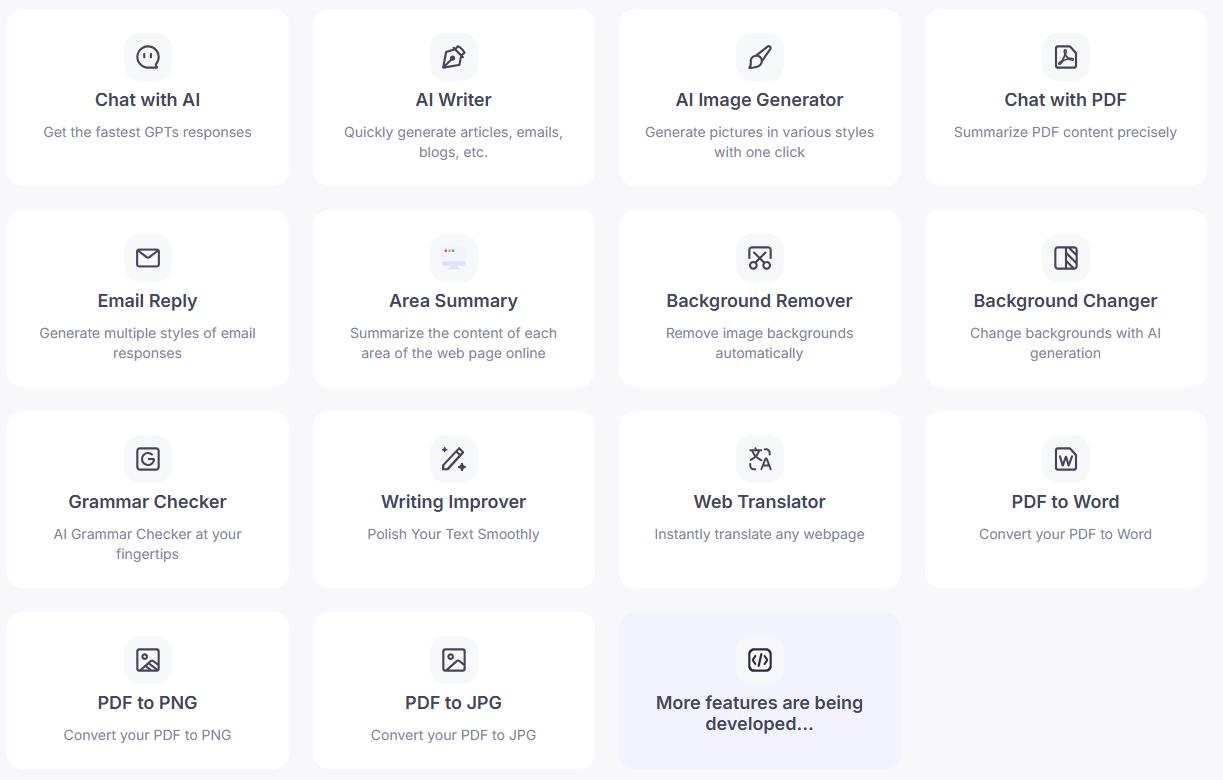 Here are just some of them:
1. Text Generation and Processing. The latest version of ChatGPT under the hood lets you compose emails, social media posts, blog ideas, professional resumes, and much more.
2. Visual Design. A dedicated module specializes in creating graphics. Generate logos, illustrations, banners, and digital signatures simply by providing a text description in the chat. But remember: this feature is only for home use. You won’t get professional quality.
3. Working with Web Content. The extension can interact with open web pages. Features include:
Here are just some of them:
1. Text Generation and Processing. The latest version of ChatGPT under the hood lets you compose emails, social media posts, blog ideas, professional resumes, and much more.
2. Visual Design. A dedicated module specializes in creating graphics. Generate logos, illustrations, banners, and digital signatures simply by providing a text description in the chat. But remember: this feature is only for home use. You won’t get professional quality.
3. Working with Web Content. The extension can interact with open web pages. Features include:
- Quick summaries of long articles, landing pages, and documents.
- Translation of selected text into 40+ languages.
- Answering questions about page content.
- Extracting key ideas and points.
- Editing content, style, and text grammar.
How Does It Work?
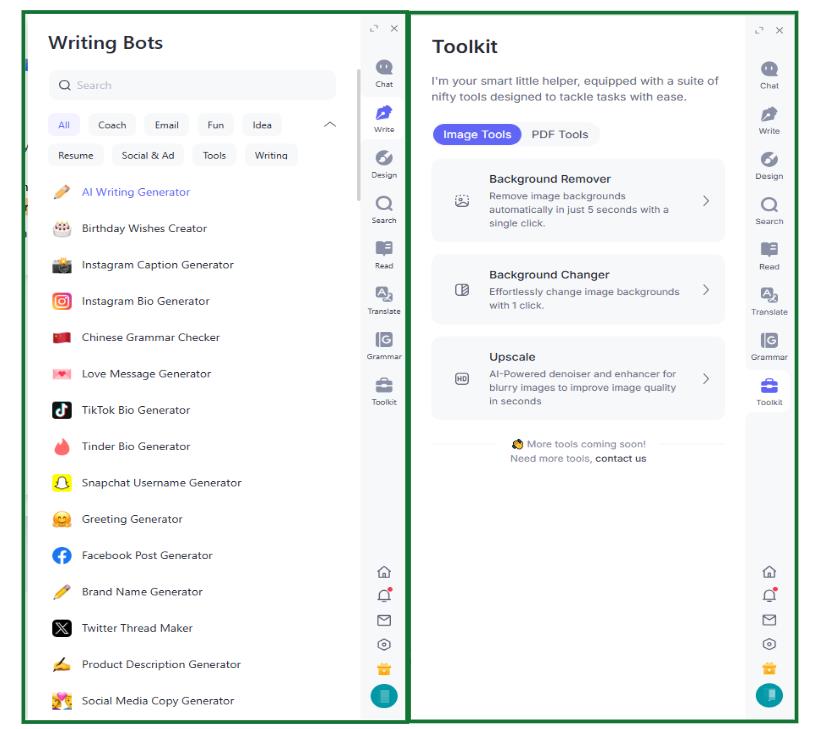
Arvin AI works with any browser that uses Chromium, like Google Chrome, Microsoft Edge, Opera, etc. Once you add the extension, you’ll see a control panel and chat box on the right side of your browser. You’ll also get helpful pop-up tips on websites like Google, Gmail, LinkedIn, X (formerly Twitter), GitHub, and blogging sites. Need help fast? Just press a keyboard shortcut (like Alt + A) to bring up the assistant. You can ask questions and get detailed answers right away. Arvin AI doesn’t just do general chat, it can also help with text you select on a page. It can summarize, reword, explain tricky stuff, and translate. This means you can work with the content directly without having to copy and paste it somewhere else. You can switch between services and change your subscription from the panel.Who is this for?
Okay, so who’s really going to get something out of Arvin AI? You’re on your own, if you’ve always wanted to have available AI services in the same place, without switching between programs. The people who made it were really thinking about a few specific groups: Students and Researchers. Think about having something that can shrink down long articles in no time, translate stuff for you, and give you a push when you’re having trouble thinking. Plus, it can sort out all those weird questions you get when you’re hitting the books. It’s like having a brainy pal around all the time. No more burning hours trying to hunt down answers. You can spend more time really learning instead of getting lost in the details. Marketers and Social Media Managers. Picture this: whipping up awesome ad campaigns in a flash, writing social stuff that people actually want to read without staring at a blank page, and turning out cool pictures without any effort. Arvin AI can make all that stuff happen.You can grab your audience’s attention, try a bunch of fresh ideas, and always keep the content coming. It’s like having a creative sidekick that is full of ideas, which helps you stay on top of things and keep everyone watching. Entrepreneurs and freelancers. If you need to create a logo, website text, and commercial proposal without spending money on designers and copywriters, respond to standard emails, etc.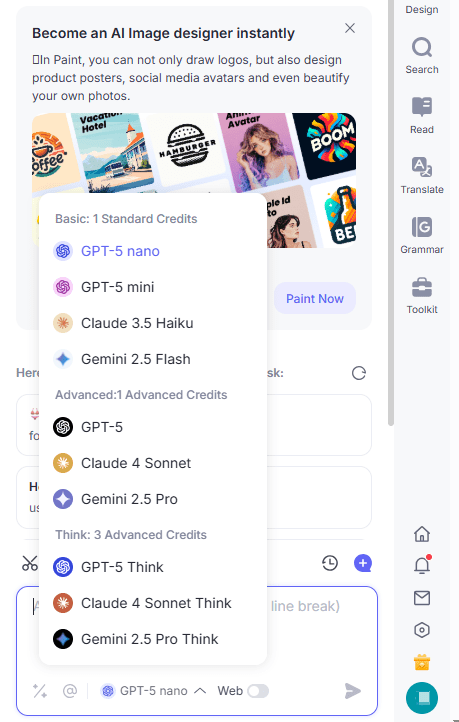
Pros and Cons
Pros
- Stays in Your Browser. It works right where you are online. You won’t have to switch between different windows to copy and reuse information! That’s a real time-saver.
- Handles Almost Everything. Whether it’s text, pictures, or stuff from websites, it all works in one spot.
- Pick Your Payment. Start with the free one to see if you like it, and when you’re ready for better stuff, you can get a subscription.
- Simple Setup. The design is clear and logical. They’ve put everything in tabs—chat, design, settings—so it’s easy to see how to get around.
- Choices in AI. Not only ChatGPT 5 is at your service. You can also choose Claude 3.5 and Gemini 2.5 – and in their different versions, depending on the tariff plan.
Cons
- Free limitations. The free version doesn’t allow you to ask questions or generate too many images each day.
- Stuck on Chrome. It’s only on Google Chrome. You won’t find it working as a separate thing online or on your device.
Cost and Languages
Arvin AI gives you some free stuff to get going. Here’s the payment info: Free Version: Get some complimentary chats and pictures daily. Plus: Higher limits, works quicker, and new features are ready for use. Premium: Your All-Access Pass Want the best Arvin AI has to offer? Go premium and get top-tier speed, higher usage limits, and complete access to every feature we’ve got right now. Even better, you’ll automatically get any new goodies we add down the road. If you want the full Arvin AI experience, this is it. One of the things people seem to like most is how many languages Arvin AI supports. We’re talking over 40! Need to translate something? Want to chat with someone on the other side of the world? We’ve got you covered with common languages like English, Spanish, German, French, Russian, and Chinese, plus a ton more. It’s great for talking to clients overseas or if you are trying to learn a new language.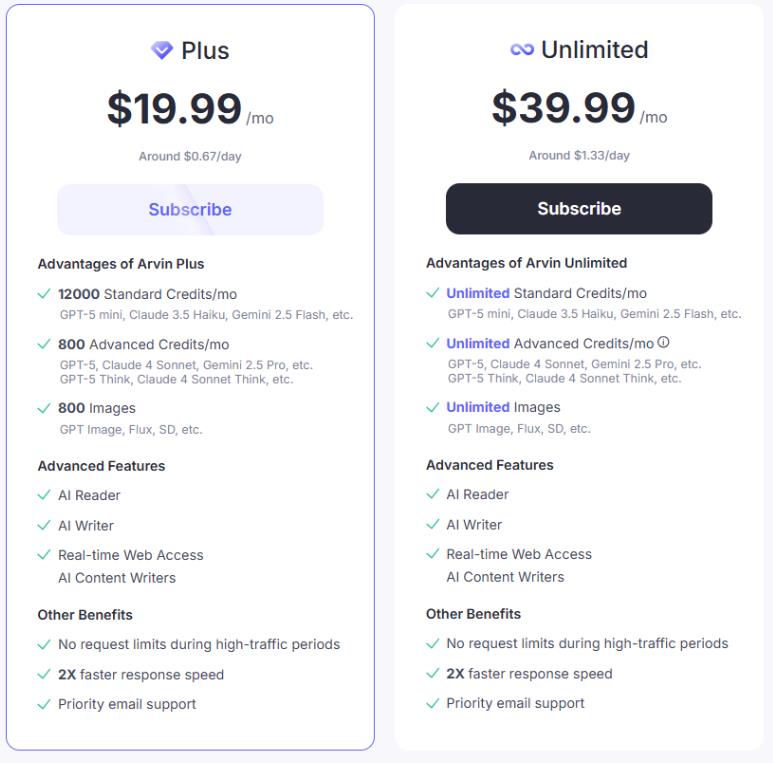
❓ Frequently Asked Questions
Answers to relevant questions about this AI tool
What makes Arvin AI better than just using ChatGPT on OpenAI’s site?
Arvin AI is made to work right inside your web browser. You can use all of ChatGPT’s stuff without leaving the page you’re on. It makes everything simpler and helps you stay centered on the task.
Which browsers work with Arvin AI?
Arvin AI plays well with almost any modern browser that is Chromium-based. Think Chrome, Edge, Opera, Brave, and a few others. If you’re using a current version of one of those, Arvin AI should work without a hitch.
Does Arvin AI take hours to set up?
Nope! It’s seriously easy. Just install the extension from the Chrome Web Store, and you’re good to go. No settings to mess with, no videos to watch. Install it, and you can start playing with it ASAP.
Can I use Arvin AI for my business, like creating a logo?
For sure, you can. Go ahead and design that logo or write those social media posts. Just a heads-up: AI can sometimes make images that look a lot alike. Check it to be sure your logo is unique.
Sources
-
Arvin AI — arvin.chat
-
Arvin AI Subscription — arvin.chat
-
Arvin AI AI Image Generator — arvin.chat
-
Arvin AI App Store Listing — apps.apple.com
-
Arvin AI Chrome Web Store Reviews — chromewebstore.google.com
-
Arvin AI Pricing Review - Flowith — flowith.io
-
Arvin AI Review - Skywork — skywork.ai