AI For Vertical Video: How to Change Video from Horizontal to Vertical
On this page
The paradigm shift toward mobile-first consumption has turned vertical video into the dominant format for digital media. Platforms like YouTube Shorts, Instagram Reels, and TikTok command billions of daily views, forcing content production pipelines to adapt rapidly. Historically, converting traditional horizontal 16:9 cinema or widescreen footage into a vertical 9:16 frame required meticulous manual keyframing, panning, and scanning, which often resulted in awkward compositions or missed action. Generative AI and intelligent computer vision have fundamentally changed this workflow, automating aspect ratio translation while preserving visual hierarchy, subject centering, and pixel fidelity.
Mechanics of AI-Driven Aspect Ratio Conversion
Transforming horizontal footage into vertical output involves more than simply cropping the sides of a video frame. Traditional center-cropping inevitably cuts out vital visual elements when a subject moves across the screen. Modern AI reframing tools utilize advanced object detection, semantic segmentation, and motion vector tracking to analyze the entire video canvas in real time. The algorithm identifies the primary subject—whether it is a human face, a moving vehicle, or a product—and dynamically calculates a virtual bounding box that matches the 9:16 aspect ratio. This box follows the action smoothly, replicating the panning motion of a physical camera operator.
Despite these advancements, structural artifacts and resolution loss remain core technical hurdles. When scaling a 16:9 frame to fill a 9:16 canvas, tools must either zoom in drastically—which reduces the effective resolution and introduces digital noise—or use generative outpainting to invent new visual data for the top and bottom zones. If the original footage contains multiple subjects situated on opposite sides of the frame, standard algorithms can become disoriented. Advanced platforms solve this by splitting the screen into a stack, placing the speaker on top and the B-roll or reacting subject on the bottom, a multi-layer layout that has become highly optimized for social engagement metrics.
Advanced Platforms for Vertical Video Adaptation and Generation
Runway Gen-3 Alpha Pro stands as an enterprise-grade foundation for generating native vertical scenes and extending existing aspect ratios through structural outpainting. Rather than merely tracking motion, its deep learning architecture understands spatial physics, allowing users to modify a horizontal frame into a vertical perspective without losing background cohesion or introducing pixel warping during high-motion tracking sequences.
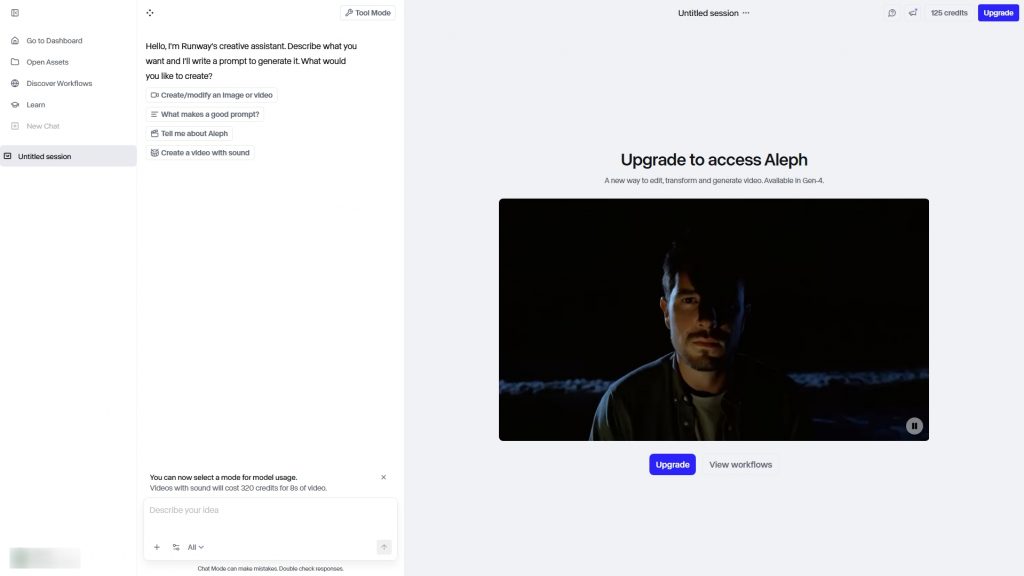
Visit the official Runway website
Luma Dream Machine 2.0 provides rapid text-to-video and image-to-video rendering engineered specifically for high-fidelity mobile layouts. Its primary advantage lies in structural prompt adherence, allowing creators to generate vertical b-roll with complex text elements and subtitles embedded directly into the video mesh, eliminating spatial rendering anomalies that commonly plague lower-tier generative networks.

Visit the official Luma AI website
Kling AI 2.5 excels in simulating realistic physical motion vectors and fluid dynamics within a vertical frame. It is heavily utilized by media managers to create hyper-realistic product showcases, utilizing advanced camera controls like virtual jib shots, dollies, and pans that smoothly reframe static assets into dynamic cinematic loops for social commerce funnels.

Visit the official Kling AI website
Opus Clip Pro is a specialized semantic editing engine designed exclusively for cross-platform adaptation. It automatically ingests long-form horizontal podcasts, lectures, or interviews, identifies high-context hooks using natural language processing, re-frames the speaker using face-tracking algorithms, and automatically overlays kinetic, multi-colored captions with emojis to maximize viewer retention scores.
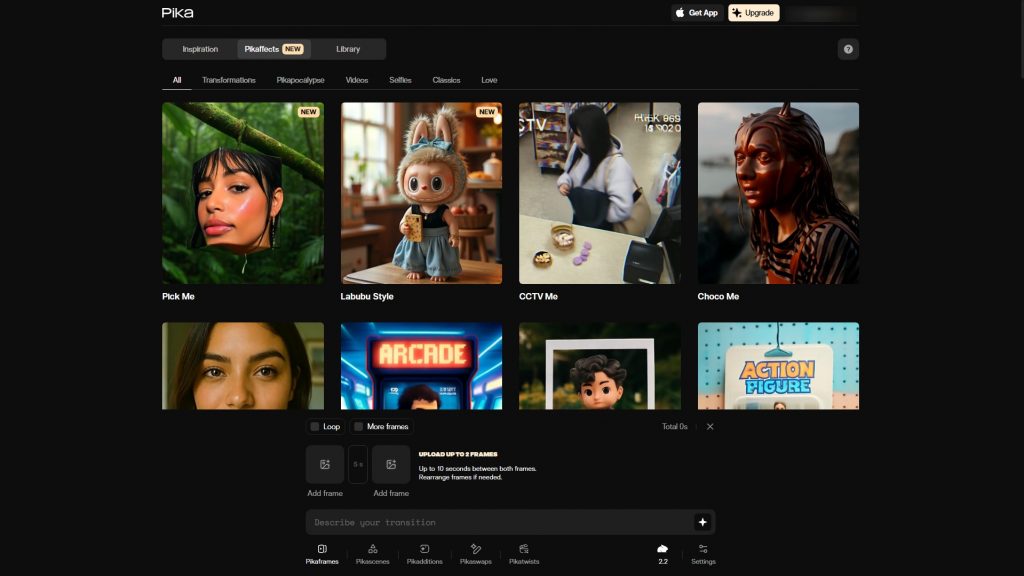
Visit the official Opus Clip website
Descript Enterprise revolutionizes post-production workflows by fusing text-based transcript editing with automated multi-aspect ratio timelines. Creators can modify video layers simply by manipulating the generated text script; removing filler words automatically cleans the timeline, while its AI-driven eye-contact correction and studio sound modules polish casual mobile uploads into studio-grade vertical assets.
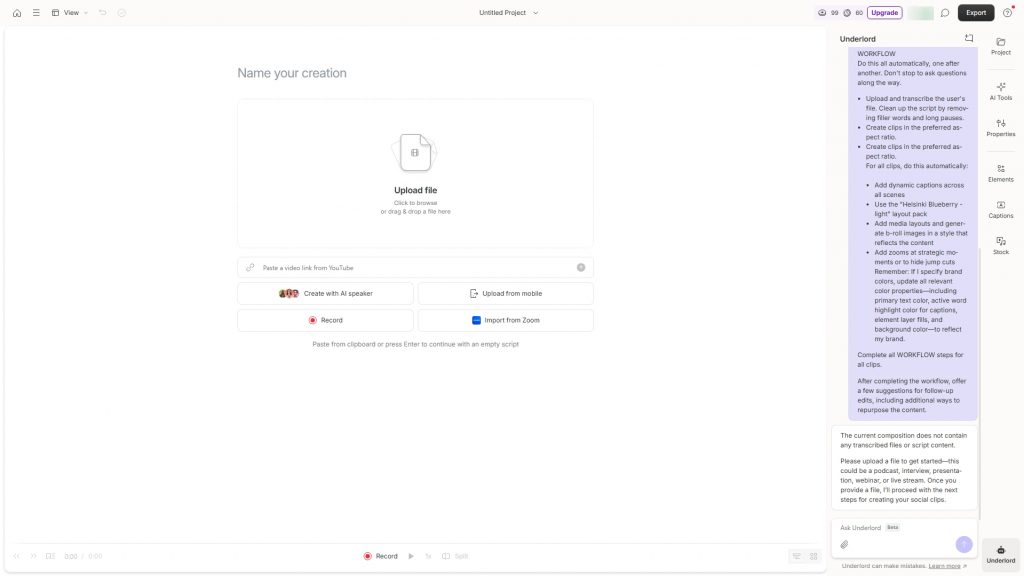
Visit the official Descript website
Synthesia 4.0 focuses entirely on programmatic content creation without a camera crew, leveraging ultra-realistic digital actors optimized for vertical screen space. It uses advanced micro-expression mapping to sync translated scripts into over one hundred languages simultaneously, allowing multinational corporate training and marketing operations to scale localized vertical content within minutes.
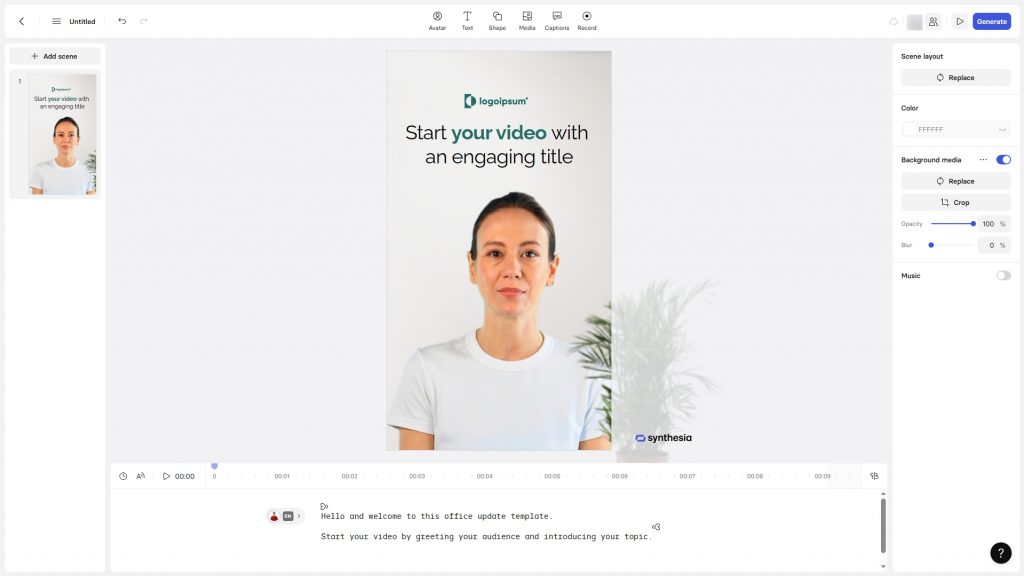
Visit the official Synthesia website
Technical Specifications and Platform Comparison
| Platform Name | Primary Functionality | Max Resolution & Specs | Subscription Tiers |
|---|---|---|---|
| Runway Gen-3 Alpha Pro | Generative outpainting & video synthesis | 4K upscale, high consistency | Plans from $15 / month |
| Luma Dream Machine 2.0 | Text/Image-to-Video mobile asset generation | 1080p native vertical output | Free tier; Paid from $10 / month |
| Kling AI 2.5 | Physical motion simulation & cinematic loops | Full HD, advanced physics rendering | Plans from $6.99 / month |
| Opus Clip Pro | Automated horizontal-to-vertical repurposing | 1080p, auto-captions, smart-framing | Free trial; Pro from $9 / month |
| Descript Enterprise | Transcript editing & multi-cam tracking | 4K timeline export, audio enhancement | Free tier; Creator from $15 / month |
| Synthesia 4.0 | AI avatar generation & multilingual sync | 1080p vertical avatar presets | Personal from $29 / month |
Protocol for High-Fidelity Aspect Ratio Migration
Executing a clean transition from widescreen footage to vertical mobile formats requires strict adherence to technical parameters to avoid pixelation, awkward clipping, or data leaks. Creators must format their source assets correctly and verify safety configurations prior to batch processing.
- Source Footage Standardization: Ensure your original horizontal video is recorded at a minimum of 4K resolution (3840×2160) at a high bitrate. When the AI crops this frame down to a 9:16 rectangle (1080×1920), it isolates roughly 30% of the horizontal canvas. Starting with 4K guarantees the final vertical crop retains crisp, native Full HD clarity without visible digital upscaling artifacts.
- Composition Safe Zones: Maintain a 50-pixel safety margin at both the top and bottom of your intended vertical framing zone. Social media user interfaces overlay profile icons, description text, and engagement buttons directly on top of the video canvas; keeping essential visual details and text overlays centered prevents them from being obscured by native platform apps.
- Data Sanitization and Compliance: Prior to uploading proprietary corporate data, internal training footage, or sensitive customer metrics into third-party cloud architectures, check the platform’s data management policies. Opt for enterprise tiers that provide end-to-end encryption and explicitly state that user inputs are isolated from public model retraining datasets.
Automating video reframing through neural networks saves massive processing time, but final quality depends on input resolution; a smart crop can never synthesize raw data that was never captured in the first place.
Conclusion
Migrating from horizontal production standards to vertical mobile content no longer demands manual keyframing or compromised visual quality. Selecting the ideal processing environment depends on your core asset inputs. For repurposing long-form webinars, podcasts, or cinematic footage into bite-sized clips, semantic auto-framing suites like Opus Clip or Descript provide the highest operational efficiency. When building content completely from scratch or needing to invent space via outpainting, generative deployment networks like Runway or Luma AI deliver the necessary spatial intelligence to command mobile screens.