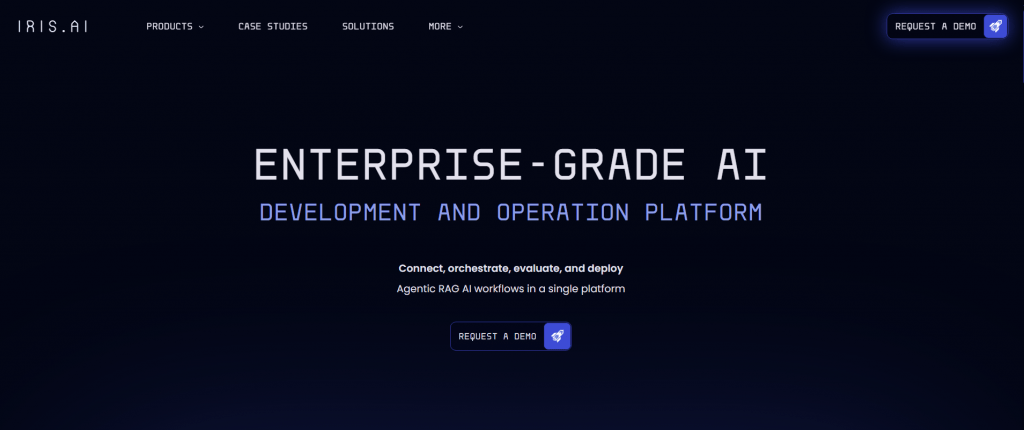
Iris.ai: A platform with AI tools for researchers. Smart literature search, text analysis, data mining, hypothesis testing
Iris AI: Retrieval & Evaluation Platform for Enterprise
On this page
There’s a powerful tool called Iris AI. Essentially, it’s a smart assistant that handles all the grunt work of literature management. It analyzes mountains of documents on its own, finds exactly what you need based on context, uncovers hidden connections between studies, and provides concise summaries of the key points. It saves tons of time that we typically spend on tedious tasks. For us engineers, this is particularly valuable. In fact, it’s like a DevOps service for automating data search and analysis.
You can think of it as an AI solution tailored for DevOps teams who need to quickly navigate new technologies or research in cybersecurity and infrastructure management. So, if you’re looking for a smart and efficient way to work with information instead of drowning in it, this is the perfect fit.
It’s akin to an AI for coding and an AI for system administration, serving as your personal research assistant.
What Can Iris AI Do?
Iris AI’s features are focused on comprehensive support for processing scientific texts. Here’s what this tool can do for us:
- Smart search. This isn’t just keyword matching. The system understands meaning. You input your text or query, and it finds articles and patents that are truly relevant, even if they don’t contain the exact phrasing from your request.
- Builds connections. It creates maps of links between different studies and concepts. This is like a mind map that helps you see the big picture and uncover unexpected directions for your work.
- Auto-summarizes. It generates short, insightful extracts from lengthy articles. It highlights the essentials: hypotheses, methods, and conclusions. No need to slog through dozens of pages.
- Sorts everything automatically. You can upload a pile of documents, and it will organize them by topics, methods, or any other criteria you specify.
- Essentially, it’s an AI for coding and an AI for system administration that takes on routine information analysis. It doesn’t provide ready-made answers, but it drastically cuts down the time to find them.
How It Works
Let’s take a peek under the hood. How does it all function? At its core are algorithms that comprehend human language and context (this technology is known as NLP). The system was trained on a vast amount of scientific articles, so it doesn’t just match words—it truly grasps the intent of your query. Using it is straightforward. We simply upload our text: theses, problem descriptions, or even a full article. Then, it suggests action options: find similar works, build a connection map, or create a brief summary.
No magic or complex setups required. In essence, it’s a ready-to-use AI for coding and an AI for system administration that gets to work with just a couple of clicks. We get results without wrestling with the interface.
Who Will Benefit from Iris AI?
Iris AI finds applications in any tasks requiring deep textual analysis and data handling. It can be adapted to the needs of various professionals.
- For research. If we’re writing a thesis or conducting a literature review, the service finds everything relevant, helps spot knowledge gaps, and even suggests new hypotheses.
- For IT and development. Engineers and programmers need to stay on top of trends. This tool monitors fresh publications, helps unpack new algorithms, and finds solutions to complex issues. Essentially, it’s a ready-to-use AI for coding that speeds up self-learning.
- For technical specialists and DevOps. System administrators and deployment engineers can use it to study best practices, analyze vulnerabilities, or compare tools. In fact, this is the AI for system administration that handles the analytics.
- For patent work. If you need to check the patent purity of an idea or find analogs, the system does it faster than we could.
In short, the tool adapts to our tasks, saving time and effort where we used to dig manually.
- Unique semantic search across scientific databases.
- Saves time on processing large volumes of text.
- User-friendly visualization tools (knowledge maps).
- Accessible worldwide without restrictions.
- Valuable for R&D, development, and patent analysis.
- High cost for paid subscriptions.
- Free tier is quite limited.
- Learning curve for optimal use.
- Limited support for non-English languages.
Pricing Plans and Paid Services
The service operates on a Freemium model. You can start for free with basic features available, but with limitations. For instance, there might be caps on the number of search queries or analysis depth. For more, subscribe to paid plans like Focus or Enterprise. These remove all limits and unlock advanced capabilities: priority processing, complex knowledge maps, and handling of private documents. Pricing starts at around $30 per month. Payment is straightforward: most international cards (Visa, Mastercard) or PayPal work seamlessly.
Conclusion
In a nutshell, Iris AI isn’t a text generator—it’s a smart assistant that greatly simplifies working with scientific literature. With it, we save heaps of time on article analysis, discover even indirectly related materials, and visualize connections between concepts.
The free version is enough to test it out, but for full use, you’ll need a subscription, which can be pricey for individual professionals. A downside is that the interface might feel complex if you just need a simple summary rather than deep dives. Effectiveness largely depends on how well we craft the initial query. Developers could improve it with more detailed guides for different tasks.
❓ Frequently Asked Questions
Answers to relevant questions about this AI tool
Sources
-
Iris AI — iris.ai
-
Terms of service - Iris.ai — iris.ai
-
Privacy Policy - Iris.ai — iris.ai
-
Iris Reviews & Product Details - G2.ai — ai.g2.com
-
Iris AI Assistant — apps.apple.com