Crano AI is an all-in-one generator that turns text and images into videos, pictures, and music from one workspace. We cover what the Crano AI video generator does, the free tier, 2026 pricing, and the positioning buyers should know about before signing up.
Crano AI: Advanced Video and Image Generator
On this page
Most creators juggle one app for images, another for video, and a third for music. Crano AI folds all three into a single browser workspace: type a prompt or upload a photo, and it returns an image, a short video, or a music track. The Crano AI video generator is the headline feature, running on models like ByteDance’s Seedream 5.0 for images and Seedance 2.0 for video, but the platform stretches across avatars, animation, and marketing formats too.
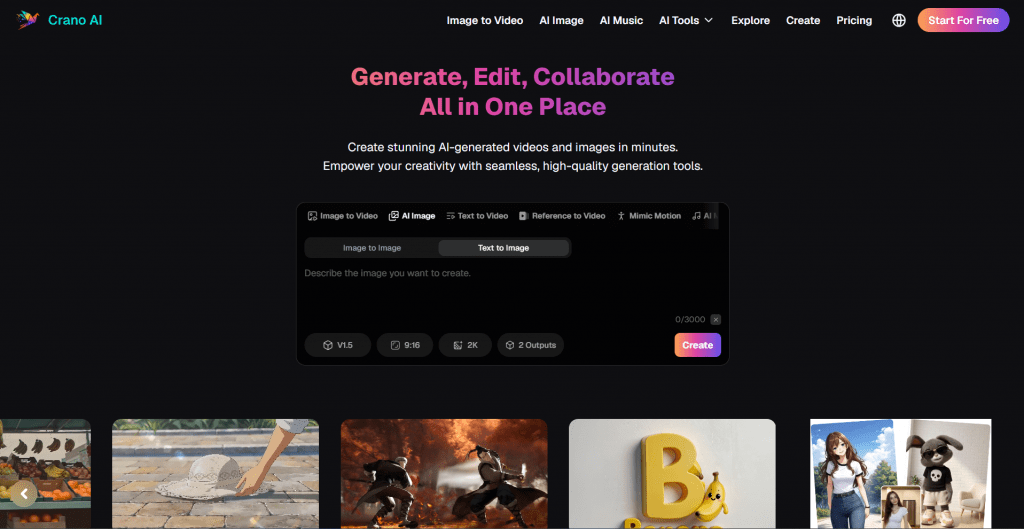
One thing buyers should know up front, since the marketing does not always lead with it: Crano AI is an uncensored platform. It applies few content restrictions, and much of its public reputation is built around adult and NSFW generation. That shapes who it is for and what you should weigh before using it for brand or client work, which the sections below cover honestly.
How the Crano AI Video Generator Works
The workflow is prompt-based and runs entirely in the browser:
- Pick a mode. Text-to-video, image-to-video, text-to-image, image-to-image, or the music generator.
- Enter your prompt or upload. Describe the shot, or upload a photo to animate or restyle.
- Choose a model and settings. Access the video and image models, pick resolution, and apply templates or effects.
- Generate. The platform renders the result, spending credits from your plan.
- Export. Download the output, watermark-free on paid tiers.
A standout feature is Mimic Motion, which transfers movement from a reference video onto a still image, animating a photo by copying real motion. Consistent character rendering across frames is another selling point for anyone building storyboards or serialized content.
What You Can Make With It
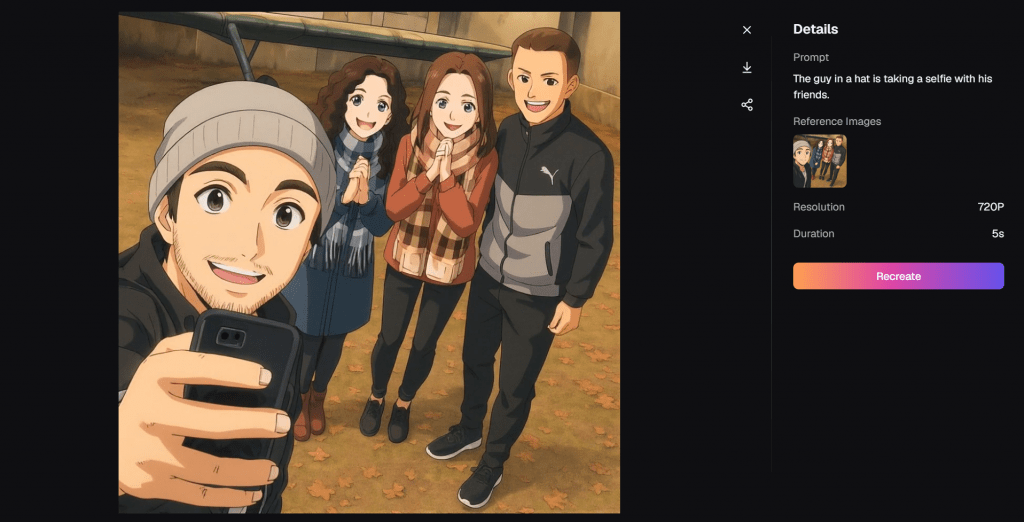
- Short-form video. Text-to-video and image-to-video clips for YouTube, Instagram, and TikTok.
- Images. 4K text-to-image and image-to-image work, from realistic portraits to stylized art, with multi-reference support.
- Marketing assets. Product showcases, ad creatives, and social posts without a photoshoot.
- Avatars and animation. AI avatars, lip-sync, manga and manhwa styles, and short animated pieces.
- Music. AI-generated tracks to pair with visuals for complete multimedia content.
Who It’s For
Crano AI suits solo creators, marketers, and hobbyists who want images, video, and music from one tool instead of three subscriptions. The consistent-character feature helps storyboarders and serialized-content makers, and the product-showcase tools fit small e-commerce sellers.
Who should be cautious: anyone producing brand, agency, or client work. The uncensored positioning means the platform sits alongside adult-content generators in its market, which is a reputational factor worth weighing regardless of what you personally create on it. Teams with strict brand-safety needs may prefer a mainstream generator.
Crano AI Pricing
Crano AI runs a free tier plus three paid plans, billed on credits. Each generation spends credits, and video burns through them faster than images, so heavy video users move up tiers quickly.
|
Plan |
Price |
Credits |
Output |
Roughly |
|
Free |
$0 |
Limited |
With limits, no watermark |
Testing quality |
|
Lite |
$10/mo ($120/yr) |
350/mo |
720p |
~60 videos or 120 images |
|
Pro |
$20/mo ($240/yr) |
800/mo |
1080p |
~135 videos or 270 images |
|
Premium |
$109/mo ($1,308/yr) |
5,000/mo |
Up to 4K |
~830 videos or 1,660 images |
The free tier is genuinely usable for testing, with video, image, and audio generation and no watermark, only credit caps. Paid plans unlock higher resolution, faster generation, and unlimited template access. One cost caution echoed across reviews: failed or retried video generations still spend credits, so the real monthly cost can run higher than the plan price suggests.
Pros & Cons
- Three content types (video, image, music) in one workspace
- Free tier includes no-watermark output, which is rare at this level
- Strong image quality via Seedream 5.0, with 4K and multi-reference support
- Mimic Motion and consistent characters help with real production work
- Browser-based on desktop and mobile, no app or powerful hardware needed
- Video generation can lag or show artifacts, per multiple reviews
- Credit system means retries cost money, inflating real spend
- No dedicated mobile app, browser only
Languages and Access
Crano AI runs in any modern browser on desktop or mobile, with cloud processing so no strong local hardware is needed, and there is no app to install. The interface is English-first. Access is through the Crano AI official website at crano.ai, where the free tier and paid checkout both live. Because it is browser-based and cloud-run, it works across regions without special setup.
Final Thoughts
As a technical package, Crano AI delivers: three media types in one place, solid image quality, genuinely useful motion features, and a free tier that lets you test before paying. For a solo creator who wants breadth without stacking subscriptions, the Lite and Pro plans are fairly priced. The honest caveat is the one the marketing soft-pedals: this is an uncensored platform whose reputation leans heavily NSFW, video output is still uneven, and the credit model can cost more than it first appears. Judge it on those terms, test the free tier, and decide whether the breadth fits your work and your brand.
❓ Frequently Asked Questions
Answers to relevant questions about this AI tool
Sources
-
Official Website — crano.ai
-
Official X / Twitter — x.com