EngageBay bundles marketing, sales CRM, and customer support into one affordable platform, pitched as a cheaper alternative to running several separate tools. We review what it does, how its plans and pricing work, and who it genuinely suits.
EngageBay: All-in-One CRM & Marketing Review
On this page
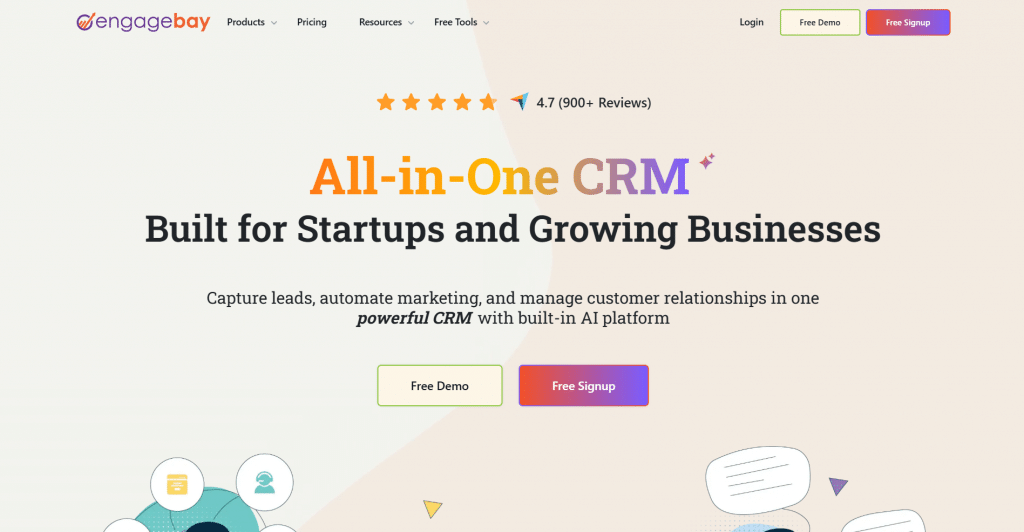
Small businesses often end up paying for a stack of separate tools: one for email marketing, another for the sales pipeline, a third for the help desk, each with its own login and its own bill. EngageBay‘s pitch is to replace that stack with a single platform. It bundles marketing, a sales CRM, and customer support into one interface, and markets itself as an affordable alternative to pricier suites like HubSpot.
For a small or growing team, that consolidation is the appeal: one tool, one subscription, and your lead data, deals, and support tickets all in the same place. This review covers what EngageBay includes, how its plans and pricing work, where it falls short, and who gets the most from it.
What Is EngageBay?
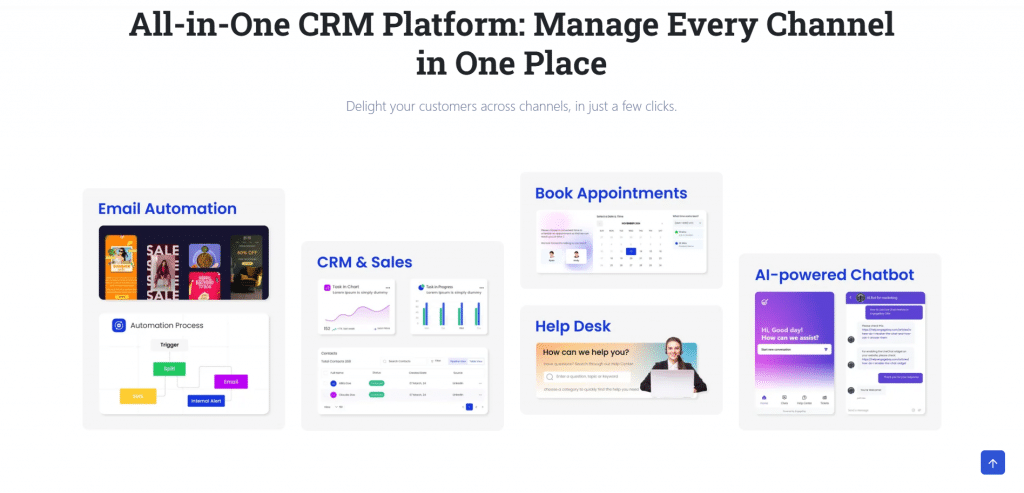
EngageBay is an all-in-one marketing, sales, and support platform built mainly for small and mid-sized businesses. Rather than a single-purpose tool, it combines several functions that usually come from separate products: email marketing and automation, a customer relationship manager (CRM) with a sales pipeline, and a help desk with live chat.
It is sold flexibly. You can take the full All-in-One suite, or buy just the module you need, Marketing, or CRM & Sales Bay, at a lower price, while the Service Bay help desk is free. That modular approach lets a business start with one area and expand later without switching platforms.
Key Features
Email marketing and automation. Build and send campaigns with templates, autoresponders, sequences, and broadcasts, and automate follow-ups based on contact behavior on the higher plans.
CRM and sales pipeline. A visual deal pipeline, contact and company records showing every interaction, task management, calendars, and two-way email sync keep the sales side organized.
Lead capture and landing pages. Forms, pop-ups, a landing page builder, and lead scoring help turn website visitors into contacts.
Help desk and live chat. The Service Bay adds ticketing, canned responses, service automation, and live chat, so support lives in the same system as marketing and sales.
Calling and analytics. Call from within the platform with recording, and use web analytics, custom reporting, and proposal analytics on the Pro tier.
Integrations. It connects to other apps through native integrations and Zapier, so it fits alongside tools you already use.
How EngageBay Works
EngageBay runs entirely in the browser, with everything managed from one dashboard:
-
Capture contacts. Collect leads through forms, pop-ups, and landing pages, which flow straight into the CRM.
-
Market to them. Send campaigns and set up automated sequences that react to how contacts engage.
-
Manage the sale. Track deals through the pipeline, assign tasks, and log calls and emails against each contact.
-
Support them. Handle questions through the help desk and live chat, with the full history attached to the same contact record.
Because marketing, sales, and support share one contact database, a lead’s whole journey stays visible in one place, which is the main advantage of an all-in-one setup.
Who EngageBay Is For
-
Small businesses that want to replace several separate tools with one affordable platform.
-
Growing teams that need marketing automation without enterprise pricing.
-
Startups wanting a CRM, email marketing, and a help desk from day one, including on the free plan.
-
Solo marketers and founders who want lead capture, email, and a pipeline in a single login.
Who should weigh it carefully: large enterprises with complex needs, which may outgrow it, and teams wanting a single best-in-class tool rather than a broad suite, since a specialist product can go deeper in any one area.
EngageBay Pros & Cons
-
Combines marketing, CRM, and support in one affordable platform
-
Genuinely usable free plan with CRM, email, and a help desk
-
Cheaper than many comparable all-in-one suites
-
Buy the whole suite or just the module you need
-
One shared contact database across marketing, sales, and support
-
Integrations and Zapier connect it to existing tools
-
Pricing is per user, so costs grow as the team expands
-
Advanced features like automation sit on the higher tiers
-
Not as deep as specialist tools in any single area
-
Interface and support are primarily in English
-
The free plan caps contacts and omits marketing automation
EngageBay Pricing
EngageBay has a free plan plus three paid tiers, priced per user. You can buy the full All-in-One suite or cheaper single modules. The prices below are for the All-in-One suite on biennial billing (15% off); monthly and yearly billing cost more.
|
Plan |
Price |
Contacts |
Key features |
|
Free |
$0 |
250 |
Email marketing, autoresponders, sequences, lead grabbers, landing pages, CRM |
|
Basic |
$12.74/user/mo |
500 |
Email templates, web pop-ups, landing page builder, lead scoring, SMS, integrations |
|
Growth |
$55.24/user/mo |
5,000 |
Marketing automation, push notifications, site messages, A/B testing, custom domain |
|
Pro |
$101.99/user/mo |
10,000 |
Web analytics, proposal analytics, SSO, role management, goals, custom reporting |
If you only need one area, the Marketing and CRM & Sales Bay modules each start at around $11.04/user/month, and the Service Bay help desk is free. Yearly billing is 8% off and biennial is 15% off, so the per-user price depends on both the module and the billing term. Check EngageBay’s current pricing before committing, since tiers and figures change.
Final Verdict
EngageBay is a strong choice for small and growing businesses that want to stop paying for and switching between a pile of separate tools. Bringing marketing, a sales CRM, and support into one affordable platform, with a free plan that is actually usable, is its real strength, and for the price it is hard to beat as an all-rounder. The trade-offs are the usual ones for a broad suite: it is priced per user so costs climb as you add seats, advanced automation sits on the pricier tiers, and a specialist tool will go deeper in any single area. If you are a small team wanting one connected system for the whole customer journey, EngageBay earns a serious look; if you need enterprise depth or a best-in-class single tool, it may not be enough on its own.
❓ Frequently Asked Questions
Answers to relevant questions about this AI tool