A platform with AI tools for marketing, design and content creation, including a text generator, video editor and graphic editor
Simplified: All-In-One AI Marketing Platform
On this page
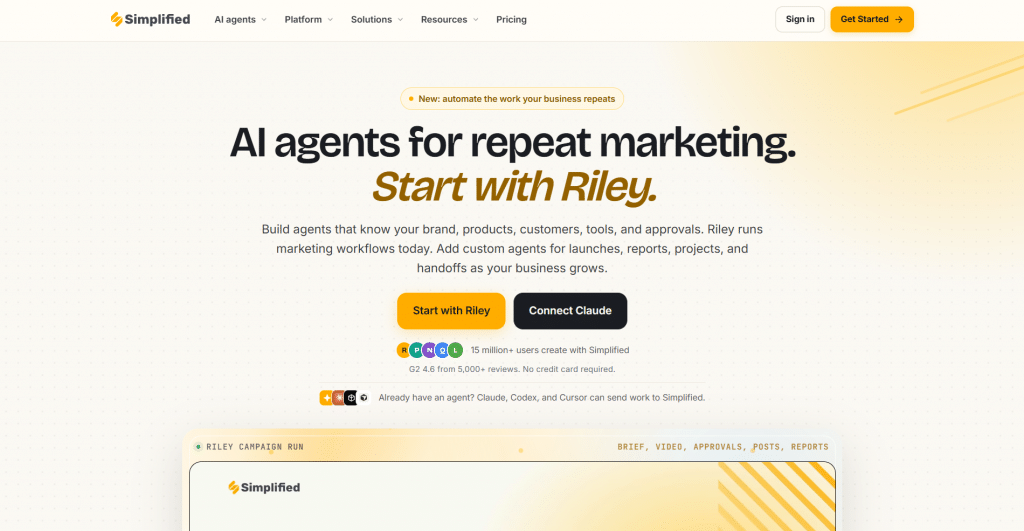
Simplified is an all-in-one tool for all creative asset creation. This platform brings all essential tools together in one place—from post-creation to video editing. Write, design, and edit—all within a single workspace; no switching required.
In the morning, you need to write a blog post, design a banner by lunch, edit a video by evening, and publish everything. Previously, that meant 4 different tools, multiple passwords, and headaches.
Now, just open one platform—and here’s what happens:
- Text writes itself: AI generates posts, scripts, and descriptions while you sip your coffee.
- Visuals created from scratch: Say “banner for a wellness store”—get 5 ready-made options.
- Video built from text: Jot down an idea—AI finds footage, adds music, and adds subtitles.
- One-click publishing: Finished content goes live across all social networks simultaneously.
The real advantage isn’t just “powerful tools”—it’s this:
You’re not solving digital tasks—you’re launching a production line. At 9 AM you say, “I need 5 posts and a video,” and by noon it’s “Done.” What’s next?”
Key Features
Simplified is an AI-powered SMM platform and a complete AI toolkit for digital marketing.
Just imagine:
Type into Simplified: “Need an Instagram post about sneaker discounts”—and it instantly generates options. It works the same for product descriptions, ad copy (AI ad generator), video scripts, or customer emails.
Visual magic:
Open the AI-powered graphic editor. Meet your digital artist:
- Need a banner? Type “summer festival, bright colors”—AI creates a banner instantly.
- Designing a post? AI-powered post design takes just a few clicks: adds shadows, animations, and picks fonts.
- Need a presentation, logo, or infographic fast? No problem. Share your idea—get a ready layout.
Director mode
AI video editor turns your sales text into a video that:
➜ Automatically assembles clips (adds subtitles, music, and effects),
➜ Cuts out pauses more precisely than a human,
➜ Provides free stock content (footage, music tracks, story templates).
Scheduler that saves your sanity
Upload a post—it automatically publishes across 5 social networks. Then shows analytics in simple visuals: “This killed it on Instagram, but flopped on Facebook.”
Sales copy made easy?
AI copywriting is your invisible sales rep. It writes:
✓ Attention-grabbing headlines (“This discount will shock you!”)
✓ Emails that make customers click “Buy Now”
✓ SEO-optimized content that makes Google drool.
Team collaboration
Working with teammates? Here you can:
▸ Edit designs in real time (see each other’s cursors!),
▸ Share files in a team chat instead of email,
▸ Store brand assets (logos, colors, fonts)—so even interns won’t use “that awful pink.”
The key benefit: It’s like building a digital powerhouse—everything that used to require 10 separate apps now happens in one tab. Start in the morning—by lunch, your posts, banners, and videos are ready.
How It Works
Start by selecting a tool in Simplified: text generator, design, or video. Enter a simple prompt (e.g., “Instagram post about summer dresses”) or pick a ready template. The system generates results based on your input.
The interface is beginner-friendly: core tasks run in your browser with no complex setup. Files are only needed for final export or detailed editing.
Who Needs This and Why?
- Marketers and SMM specialists:
Create banners, posts, and stories for social media in minutes. Write compelling ad copy and slogans. Schedule content in a unified calendar. - Content creators and bloggers:
Generate article and video ideas. Write scripts. Create unique illustrations and videos. Format content professionally. - Designers (beginners and multitaskers):
Quickly prepare layouts for social media, presentations, and banners. Generate ideas and drafts. Remove backgrounds, resize images. - Small businesses and startups:
Design logos, business cards, ads, and videos without hiring a designer. Use one tool instead of ten subscriptions. - Freelancers:
Speed up client projects: generate copy, create templates, edit videos. - Teams:
Create and manage content together. Save brand fonts and colors for consistent use.
- One tool, ten functions: Complete suite for text, design, video, and SMM—all in one place;
- Fast for simple tasks: Quickly create posts, remove image backgrounds, generate banners from descriptions;
- Easy to start: Interface is intuitive, no learning curve;
- Free to try: Free plan gives real access to core features;
- Ready-made templates on hand: Huge library of post, banner, and video templates;
- Team collaboration: Real-time editing, shared folders, unified brand settings;
- Output needs review: Texts often require editing; images and videos may look generic or odd;
- Free plan is limited: Strict caps—few HD videos, watermarks on images, low generation limits;
- Not for pro design/editing: Can’t replace Photoshop, Illustrator, or Premiere Pro for complex work;
Pricing Plans and Paid Features
| Plan | Price | Best for | Key features |
|---|---|---|---|
| Pro | $19/mo (billed annually) | Freelancers, solo creators | 7 social accounts, 1 seat, 1 brand style & voice, 10K generative AI credits (AI words, designs, videos, video repurpose, subtitles), 7-day trial |
| Business | $49/mo (billed annually) | Small businesses, growing teams | 15 social accounts, 3 seats, 2 brand styles & voices, access to AI Workflows, 30K generative AI credits (AI words, designs, videos, video repurpose), 7-day trial |
Simplified is your all-in-one AI tool for marketing and design. Forget about managing ten separate apps: here, you write copy, create banners, and edit videos—all in one browser tab. Want to create professional visuals online for free? Start with the free plan—write posts, generate images, and edit short videos. SMM specialists will especially appreciate it: post and video creation takes minutes, not hours. Need visuals? AI for visual content helps with banners and illustrations. Essentially, it’s a multimedia AI generator for your daily workflow. Just describe the task—Simplified drafts it, and you polish it.
❓ Frequently Asked Questions
Answers to relevant questions about this AI tool
Sources
-
Official Homepage — simplified.com
-
Simplified Pricing — simplified.com
-
Simplified AI Writer — simplified.com
-
Simplified Video Editor — simplified.com
-
Simplified Blog — simplified.com
-
Simplified Help Center - Plans, Pricing and Quotas — help.simplified.com