


EbSynth AI animation tool: paint one frame, and it styles your whole video to match.
EbSynth turns one painted frame into a whole animated shot. Paint a single keyframe in your own style, and the tool propagates it across the video, following the motion. Learn how it works and if it’s the tool for you.
On this page
Rotoscoping a painted look onto footage used to mean redrawing every frame by hand. The EbSynth AI animation tool collapses that into a single painting: style one frame the way you want the whole shot to look, and the software carries it across the video through frame-by-frame synthesis. The result is a hand-drawn animation from a live performance, without the manual labor.
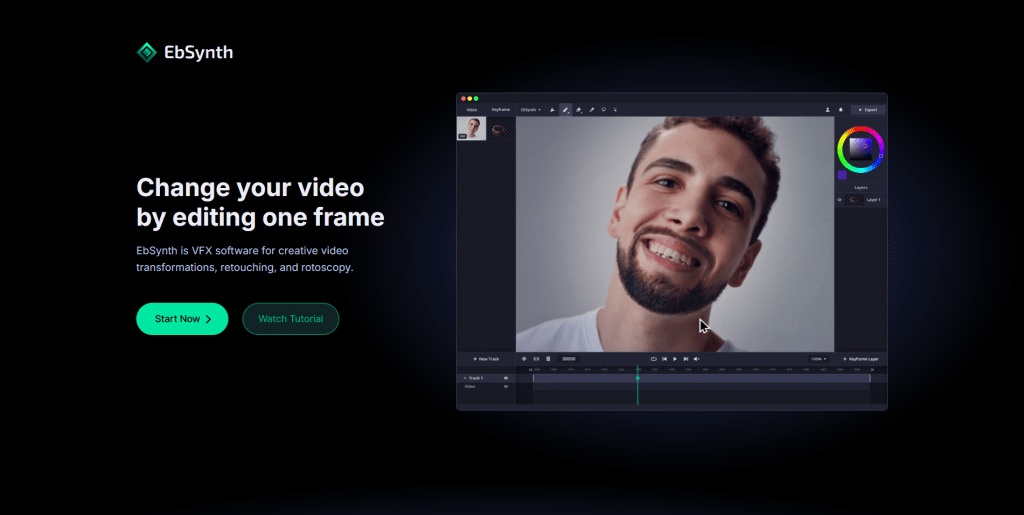
One honest note: the core of EbSynth is not AI. The part that spreads your painting across the timeline is a texture-synthesis algorithm that works only from your video and keyframes, with no generative model or scraped training data. There’s an optional “Generate Image” AI feature for keyframes, but the engine itself is math, not a neural network. In practice, that’s a strength: your output looks like your art, not an AI average of everyone else’s.
The workflow rests on one idea: edit a single frame, and let the software handle the rest. The basic steps:
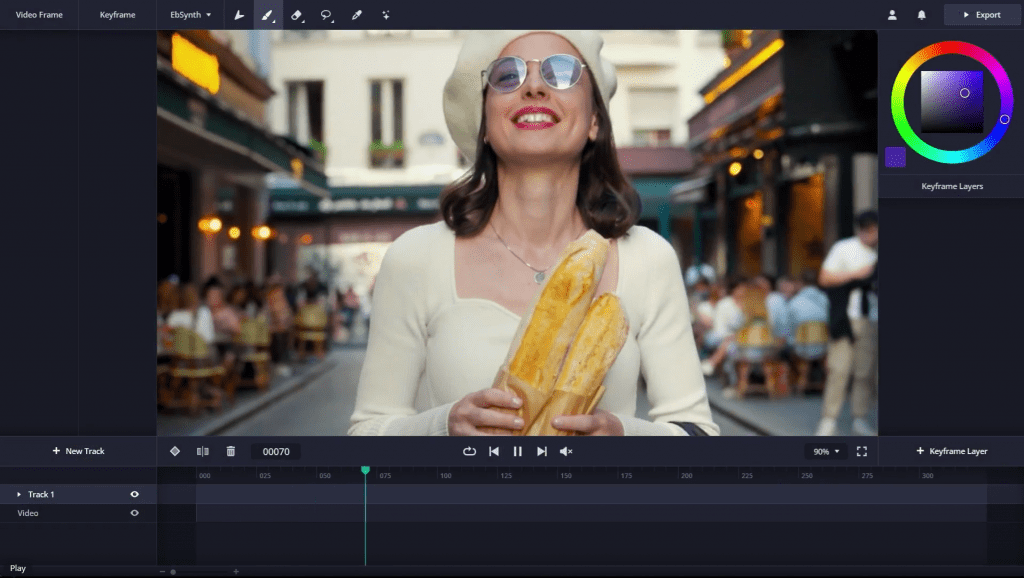
3. Paint it in your style. Repaint the frame by hand or start from an AI image generator, giving it the watercolor, comic, or other look you want.
4. Synthesize. The tool transfers your painting onto every other frame, following the motion from the guiding video.
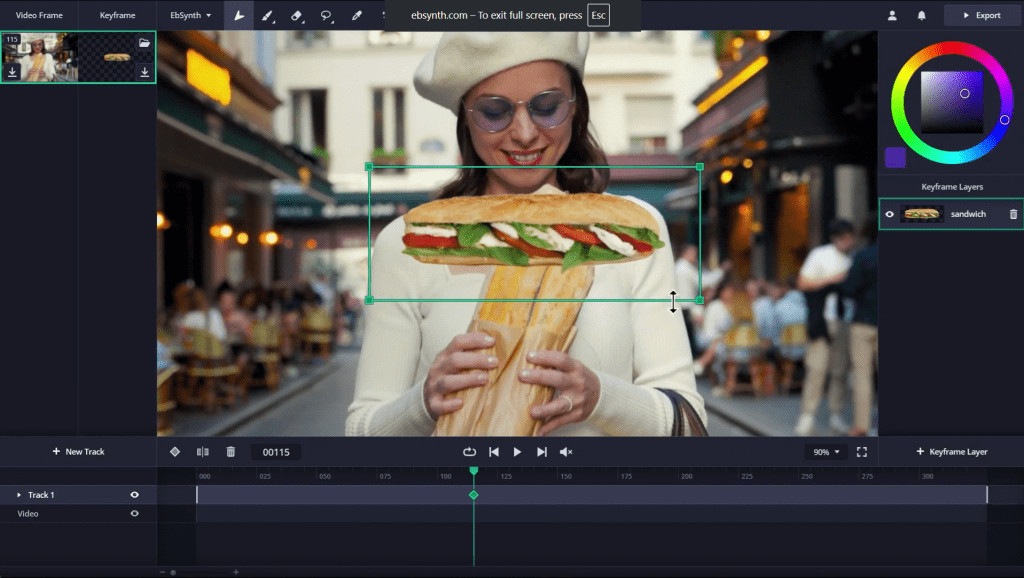
5. Fix and refine. Add more keyframes to correct any areas that drift, then export.
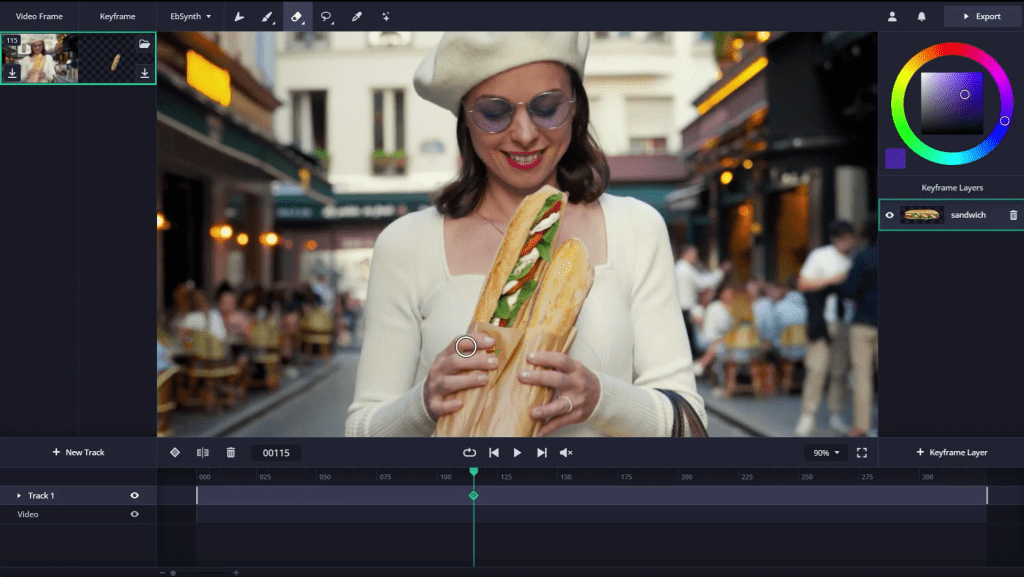
The quality depends on how well your keyframe lines up with the footage. Match the shapes, pick clean poses, and shoot with soft lighting and textured clothing, and the propagation stays sharp. Mismatched shapes are what cause the stretchy, rippling artifacts EbSynth is sometimes known for.
EbSynth is built for transferring painting styles onto video, but the same engine covers several jobs:
What it won’t do: generate a video from a text prompt, or work fully hands-off. EbSynth rewards artists who can paint a good keyframe; it amplifies your drawing, and it doesn’t replace it.
EbSynth keeps a genuinely usable free plan, then charges for higher-resolution output and pro features.
Plan | Price | What you get |
Free | $0 | All core functions, 720p export, MP4 output, no time limits |
Pro | $20/month | Up to 4K export, PNG sequence output, 100 generated images, priority processing |
Studio | Custom | Fully offline processing, complete data privacy, command-line automation, dedicated support |
The free plan isn’t a trial: there are no time or feature locks on the core synthesis, only the export resolution and extras. Studio is aimed at teams that need footage to never leave their machines.
EbSynth’s interface is English-only, with no other localizations, though the workflow leans on visuals more than text, so the language barrier is modest. It runs in the browser, with Chrome recommended for heavy projects, and has no regional blocks, so it opens normally in most countries with no VPN. The one hard limit is the device: it works on desktop only, and the site turns mobile visitors away.
EbSynth solves a specific, painful problem, putting a painted style on moving footage, better than almost anything at its price, which for the core tool is nothing. The honest framing helps: this isn’t a prompt-to-video generator, and it isn’t really “AI” at its heart. It’s a precise tool that rewards artists who bring their own frame.
If that’s you, it’s a bookmark; if you wanted a button that animates for you, this isn’t that. And since everything starts with one strong keyframe, a generator like SeeDream is a natural companion for producing that first frame before you take it into EbSynth.
Answers to relevant questions about this AI tool

AI-powered 3D model generation platform with human-in-the-loop refinement for production-ready assets.
AI-powered logo maker that generates professional logos and complete brand identity kits in minutes.

An open-source desktop client for running large language models locally with full privacy and offline access.
An AI-powered cognitive studio that summarizes, paraphrases, and transforms long texts while keeping users in full control of their content.

AI tool for repurposing long videos, Reddit posts, and text stories into viral Shorts, Reels, and TikToks with automated clipping, captions, and scheduling.
A web-based AI face swap platform for creating realistic photo and video without software installation.