


Seedream 4.0 is a modern neural network for content processing. Visit the official website to use Seedream for free.
Seedream 4.0: AI Image Generator And Editor
On this page
Imagine creating a digital art masterpiece in seconds. While tech giants race to perfect this process, a new champion has entered the arena. The Seed team at ByteDance (the creators of TikTok) has released the latest, fourth version of their AI for image work — Seedream 4.0.
If we skip the technical details, the main highlight of this model is that it combines two key functions in one place: generating images from scratch and editing them. No need to switch between different programs—everything runs in a unified system.
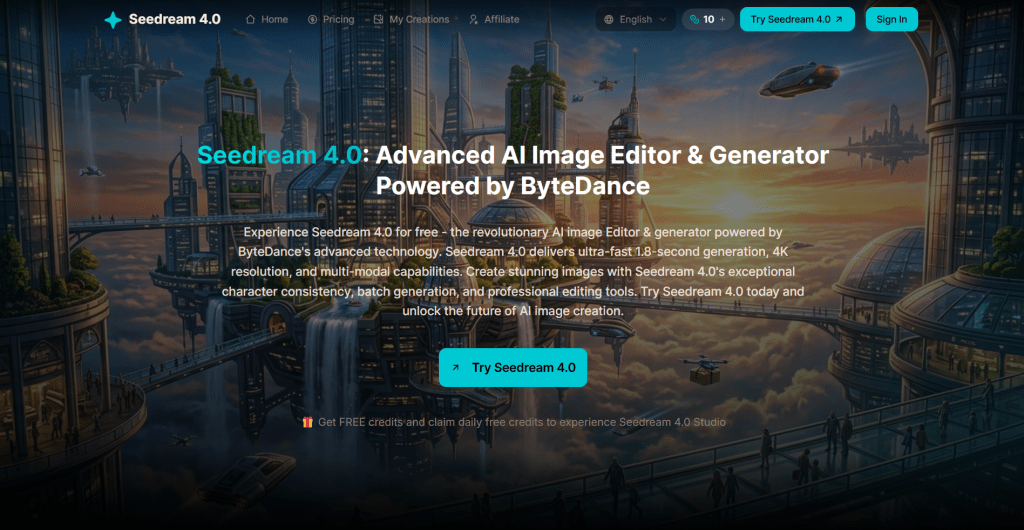
What Can Seedream Do?
- Generate highly detailed and sharp images, up to 4K quality. This means the visuals can be confidently used in professional projects—for posts, websites, or even printing.
- Handle complex and intricate prompts. You can ask it to blend elements from multiple reference images and describe your desired outcome in text. The AI will understand and ensure all resulting images share a consistent, cohesive style.
And this isn’t just another update. Analysts and early users agree: ByteDance’s creation outperforms Google’s flagship model, known as Nano Banana, across the board.
- Everything in one place—no jumping between services for text and images
- Beginner-friendly—the interface is simple and fully accessible
- Reliable performance—widely available worldwide without interruptions
- Free with limits—great for trials, but not for heavy daily use
- Needs verification—sometimes the AI adds creative flair, so double-check facts and numbers
- Complex tasks require careful prompts—for unique requests, you’ll need to refine your descriptions
How It Works
When you provide the AI with a text prompt or upload an image for editing, several processes unfold:
- Analysis and “translation” A dedicated module within the model acts like a translator from human language to machine instructions. It breaks down your phrase (for example, “remove the boy from the image” or “create a cyberpunk-style painting”) and converts it into precise directives on what to change, add, or draw.
- Working with references You can upload one or more reference images. The model analyzes them to capture the overall style, color palette, or character features, then applies that insight to the new image. This enables generating entire series of images for an online store, where the same product is shown with consistent detail.
- “Recognition” of text and composition Unlike many other AIs that produce garbled scribbles instead of text, Seedream 4.0 is trained to render letters, words, and basic layout elements accurately. It excels at creating posters, infographics, and even presentation mockups.
Who Will Benefit from Seedream?
- For designers and marketers who are always on tight deadlines
- “Quick, I need 5 post ideas!” Instead of spending hours hunting for references or sketching drafts, just describe the concept in text. In a couple of minutes, you’ll have several visual concepts ready to share with clients or your team.
- “We need the same banner for Instagram, TikTok, and the website.” Create one image, and the AI instantly adapts it to different sizes and formats while keeping the style consistent. This saves massive time on routine tasks.
- “Which headline will grab more attention?” To test which banner resonates best with your audience, use this AI to whip up a batch of variations in minutes—with different headlines, colors, or element layouts.
- For online store owners and e-commerce specialists, where speed and consistency matter
- “We have 500 products, each needing a stylish card.” No more hiring a team of designers or weeks in Photoshop. Upload a product photo, set a style (like “minimalism on a light gray background”), and the AI generates uniform, professional cards for your entire catalog.
- “Show this bag in a different color.” Skip expensive pro retouching— the AI recolors the item in seconds, offering buyers multiple options.
- For educators, lecturers, and anyone creating teaching materials
- “How to visually explain photosynthesis or cell structure?” Instead of scouring the web for imperfect images, just ask the AI: “Create a diagram of the photosynthesis process for a school textbook.” You’ll get a unique, accurate, and clear illustration.
- “Need quarterly results infographic.” Without pro software skills, create an attractive, insightful chart or diagram for presentations or reports in minutes.
Who Is This NOT For?
This tool may not suit casual users just looking to “have fun” and make a few memes for friends. Its true power shines in real-world tasks demanding speed, quality, and scalability.
Pricing Plans
There is no official unified price list for Seedream 4.0, as costs vary by the platform providing access to the model.
Conclusion
Let’s wrap up on Seedream 4.0. Picture a tool that’s not just an image generator but a full-fledged creative studio. Its key strengths are blazing speed and premium quality: it delivers print-ready 4K images almost instantly, eliminating tedious editor sessions. Plus, everything is consolidated in one interface—from generation and advanced editing to crafting banner series in a unified style.
That said, there are some caveats. It’s a pro-level tool, and its full potential unlocks in team workflows, which might feel overwhelming for beginners. Pricing can also be tricky—due to partner platform monetization and lack of clear tariffs, budgeting feels like a puzzle.
Overall, Seedream 4.0 is perfect for designers, marketers, and e-commerce pros churning out high-volume visuals daily, but overkill for those needing an image just once a month for a blog.
❓ Frequently Asked Questions
Answers to relevant questions about this AI tool
Sources
-
Seedream — seedream4.io
-
Seedream 4.5 Pricing — seedream45.io
-
Seedream 5.0 Pricing — seedream-5.io
-
Seedream 4.0 Review - Speed, Editing Power, Pricing — aiflowreview.com
-
Seedream Review - Is ByteDance's AI Worth It? — omidsaffari.com
-
SeeDream Review - What 2 Weeks of Testing Taught Me — allaboutai.com
-
Seedream V5 review - pricing, features & verdict — thespinozajournal.com








A must-have for anyone working in this space.
Solid tool, highly recommend.
Really excellent quality