
Resoomer takes a scalpel to long texts, not a sledgehammer. This review covers how it works, who it’s for, what it costs, and how it compares to ChatGPT, QuillBot, and the rest—without the marketing fluff.
Resoomer: Free AI Text Summarizer Online
On this page
In an era of information overload, the ability to quickly extract the essence from large volumes of text has become a critically important skill. Resoomer is an online tool that approaches this task differently from familiar generative neural networks. It does not create content from scratch but helps process, compress, and transform already existing text, allowing the reader to maintain full control over the source material. It is more of a “cognitive studio” than just a summarizer.
What Resoomer Is and What It Is Used For
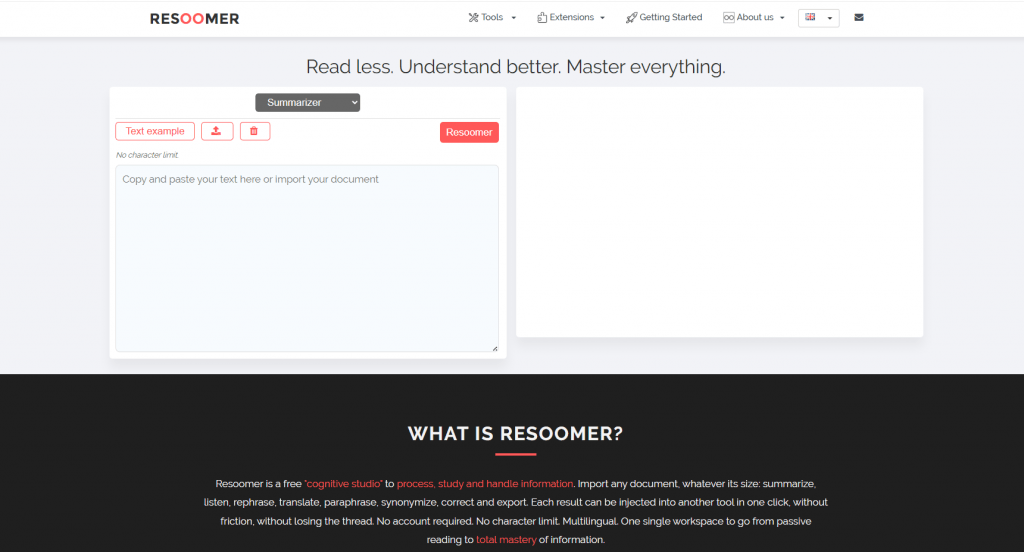
Resoomer positions itself as a “scalpel,” not a “factory” for producing content. The main goal of the service is to help quickly extract the essence from long articles, reports, academic texts, or books without losing key ideas. Unlike ChatGPT and similar systems, there is no need to compose complex prompts here, and the result is always predictable and based exclusively on the text uploaded by the user.
The service is suitable for a wide variety of tasks: from exam preparation and writing reviews to reducing cognitive load when studying foreign languages. The creators also emphasize accessibility for people with dyslexia, ADHD, or those simply tired of reading from the screen.
How Resoomer Works
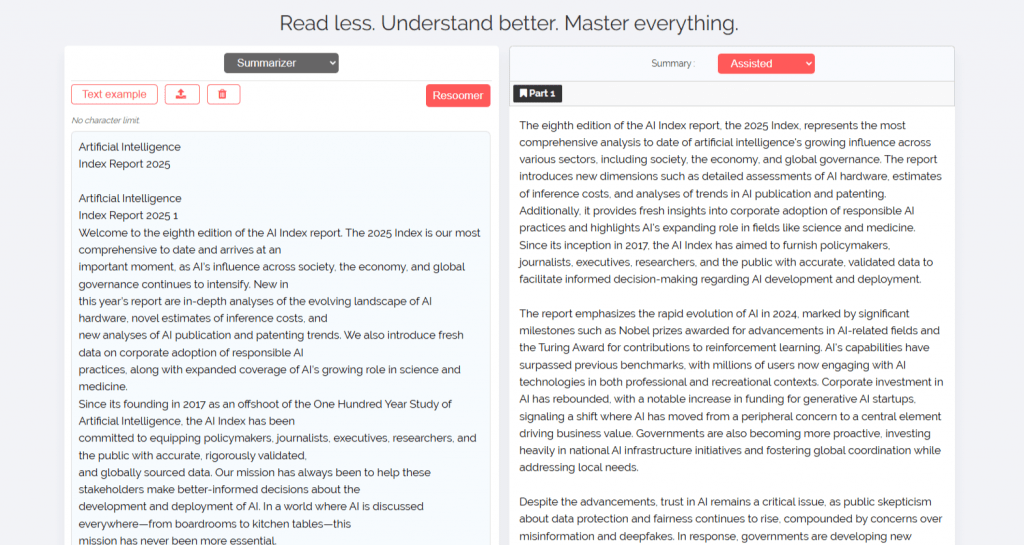
The principle of the service’s operation is extremely simple and does not require special skills. It is built as a two-panel workspace: the original text is on the left, and the processing result is on the right.
The main stages of work are:
- Data input. The user can paste text, upload a file (PDF, EPUB, DOCX, ODT, TXT are supported), or use a browser extension to process web pages.
- Mode selection. There are five summarization modes available: Assisted (detailed retelling), Automatic (structure preservation), Manual (length adjustment from 10% to 90%), Optimized (focus on keywords), and Text Analysis (highlighting important passages in the original).
- Processing chain. The key feature of the service is the ability to transfer the result from one tool to another. For example, you can first translate the text, then paraphrase it, and listen to the audio version without leaving the page.
In addition to summarization, the platform provides a whole set of tools: a text editor, a paraphraser, a synonymizer, reader with highlighting, translator, and even a comparator for comparing text versions.
On Which Platforms It Is Available
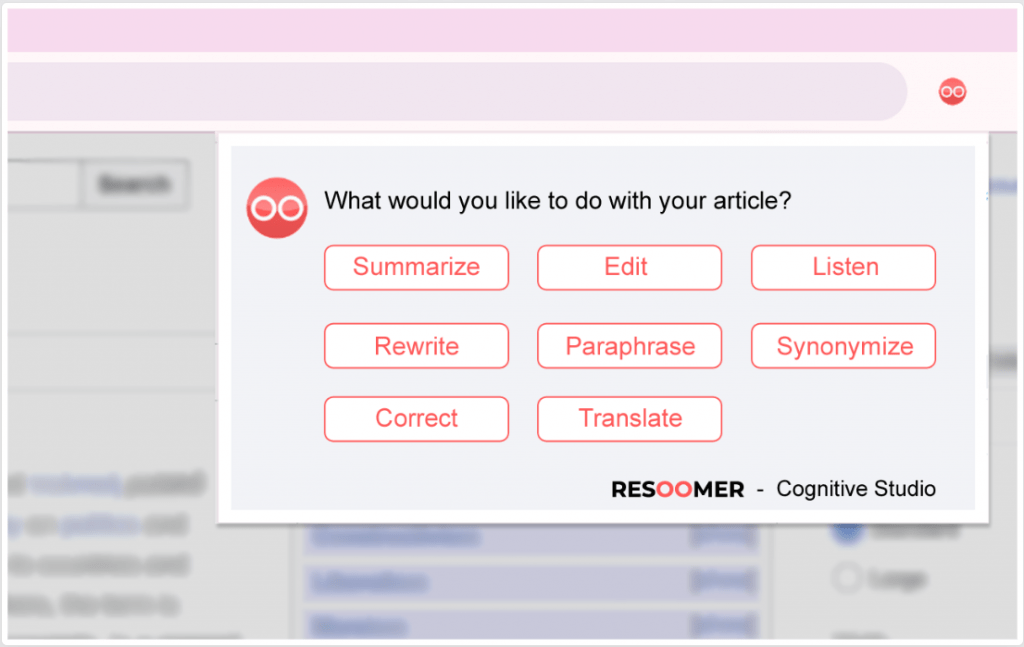
Resoomer is primarily a web service that works in any browser. For greater convenience, free extensions for Chrome and Firefox are available. They allow processing text on any open web page literally in one click, without manually copying it.
Resoomer Pricing
Resoomer operates on a freemium model and emphasizes accessibility.
- Free version. It is completely free, does not require registration, and has no restrictions on text volume. Users note that it is sufficient for solving most everyday tasks.
Important: The free version is heavily overloaded with advertisements, and the site often refuses to function properly if the user has an ad blocker enabled.
- Premium version. The cost starts from $9 per month. It unlocks access to advanced features, removes some software restrictions, and offers priority document processing.
Who It Will Be Useful For and Real Usage Scenarios
The value of any tool is best revealed through specific tasks it helps solve. Resoomer does not try to be a universal solution for everyone, but in a number of situations it turns out to be a truly indispensable assistant. Let’s consider who will benefit the most from it and what it looks like in practice.
Who benefits from using it:
- Students and researchers. Working with academic articles, textbooks, and lecture materials where it is necessary to quickly highlight the main points.
- Teachers and journalists. Preparing for classes, creating reviews of materials, and analyzing sources.
- Business professionals. Processing reports, digests, long emails, and internal documentation.
- Copywriters and SEO specialists. Competitor analysis, text rewriting, and working with large volumes of content.
- People with reading impairments. Users with dyslexia or ADHD thanks to the text-to-speech function and visual simplification of the material.
How it works in real life:
Exam preparation. A student uploads a large PDF file with a scientific article into the service. Using the automatic mode, he divides the text into sections and receives a structured summary. Then he launches the assisted mode to get a coherent retelling of each section.
Working with foreign sources. A marketer finds an important analytical report in English. He uses the summarizer to reduce the volume, then translates the resulting summary into Russian and, if necessary, paraphrases it in a professional style.
Content creation. A blogger finds an interesting article, uses the browser extension to import it into Resoomer, rewrites the text using the Rewriter tool in his own style, and immediately exports the finished result as a DOCX file.
Listening to articles on the go. A user who has no time for reading pastes a long article into the text editor, enables the Text Reader function, and listens to the audio version in headphones on the way to work.
User Reviews and Ratings
Users generally rate the service positively, noting its simplicity and effectiveness for quickly “scanning” texts. The tool is often mentioned in lists of useful applications for studying alongside QuillBot and Scholarcy.
Reviews include comments on the quality of formatting in the free version and that the result does not always perfectly reflect the essence of complex or highly specialized materials. However, the overall reputation of the service remains high, and time savings is the key reason for its popularity.
Comparison with Competitors
The market for text-processing tools offers numerous solutions, each with its own specialization. To determine how Resoomer fits specific needs, it’s helpful to examine it alongside the main alternatives.
|
Tool |
Key Feature |
|---|---|
|
Resoomer |
Focus on processing your text (“scalpel”), 5 modes, tool chain, free without limits. |
|
QuillBot |
Strong paraphraser, more well-known, also has a summarizer. |
|
Scholarcy |
Specializes in academic articles, creates flashcards with key conclusions. |
|
TLDR This |
Minimalist summarizer for news and blogs, well “cleans” pages from clutter. |
|
ChatGPT |
Flexible generative AI, but requires prompts and is more complex to set up for a specific task. |
Resoomer wins due to its “cognitive studio” — the ability to process text in several stages (summarization → translation → paraphrasing → listening) in one window without losing context.
- Completely free basic access without strict limits on text volume.
- Intuitive interface and no need to learn prompts.
- Five summarization modes and eight built-in tools in one workspace.
- Cross-platform compatibility and convenient browser extension for quick access.
- Focus on user privacy: texts are not stored and not used for AI training.
- Less creative than generative AI, as it works only with your text.
- The quality and accuracy of the final summary directly depend on the structure of the source document.
- A paid subscription is required for active use or access to some advanced features.
- Limited integration with third-party services (no public API in the basic version).
Conclusion
Resoomer is a reliable and well-thought-out tool for those who deal with large volumes of information on a daily basis. It does not try to replace the user’s thought processes but puts precise and convenient “scalpels” for working with text into their hands. Its main value lies in simplicity, accessibility, and the philosophy of “help the user cope with their material without drawing attention to itself.” For students, researchers, journalists, and everyone who values their time, Resoomer will become an indispensable assistant in turning mountains of chaotic data into structured and understandable knowledge.
❓ Frequently Asked Questions
Answers to relevant questions about this AI tool
Sources
-
Resoomer General terms of use — resoomer.com
-
Resoomer Privacy of Your Data — resoomer.com
-
Resoomer Our Disclaimer Regarding Your Data — resoomer.com
-
Resoomer PRO Account Pricing — resoomer.ai
-
Resoomer Reviews - Mozilla Add-ons — addons.mozilla.org
-
Resoomer Review 2025 - AcademicHelp — academichelp.net