


Monica AI Assistant: All-In-One Browser Copilot
On this page
While we debate the capabilities of ChatGPT and Claude, this tool combines the best aspects of all these technologies. We’re talking about the service Monica.im, a Chinese development that has evolved in recent years from a simple browser extension into a full-fledged ecosystem for work, study, and creativity.
In this review, we’ll take a detailed look at the service’s architecture, its key features and unique developments, and assess its current pricing policy.
What is Monica and How Does It Work?
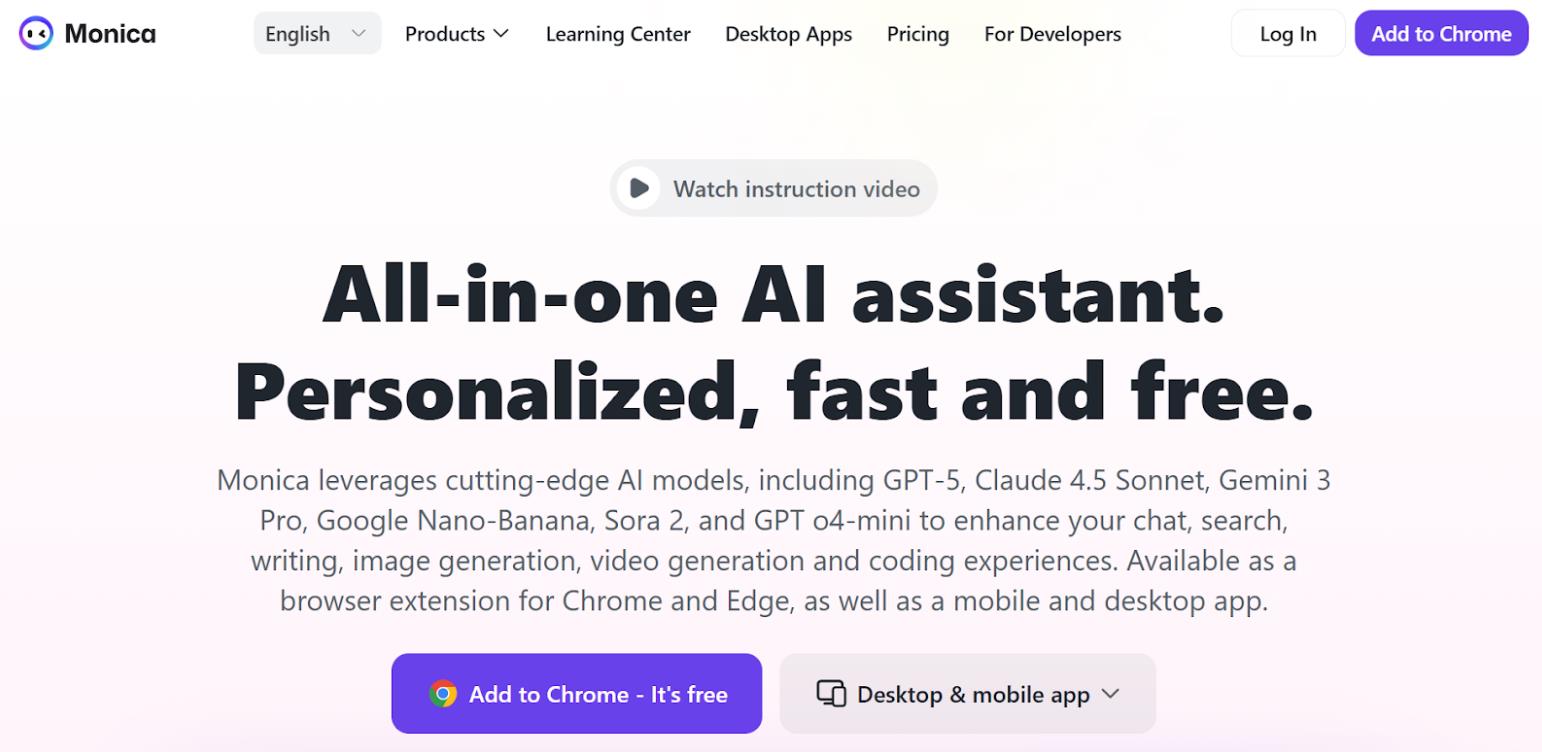
Monica is not just another interface built on top of ChatGPT. It’s an all-in-one platform that aggregates the capabilities of dozens of language models, providing access to them through a single, intuitive interface.
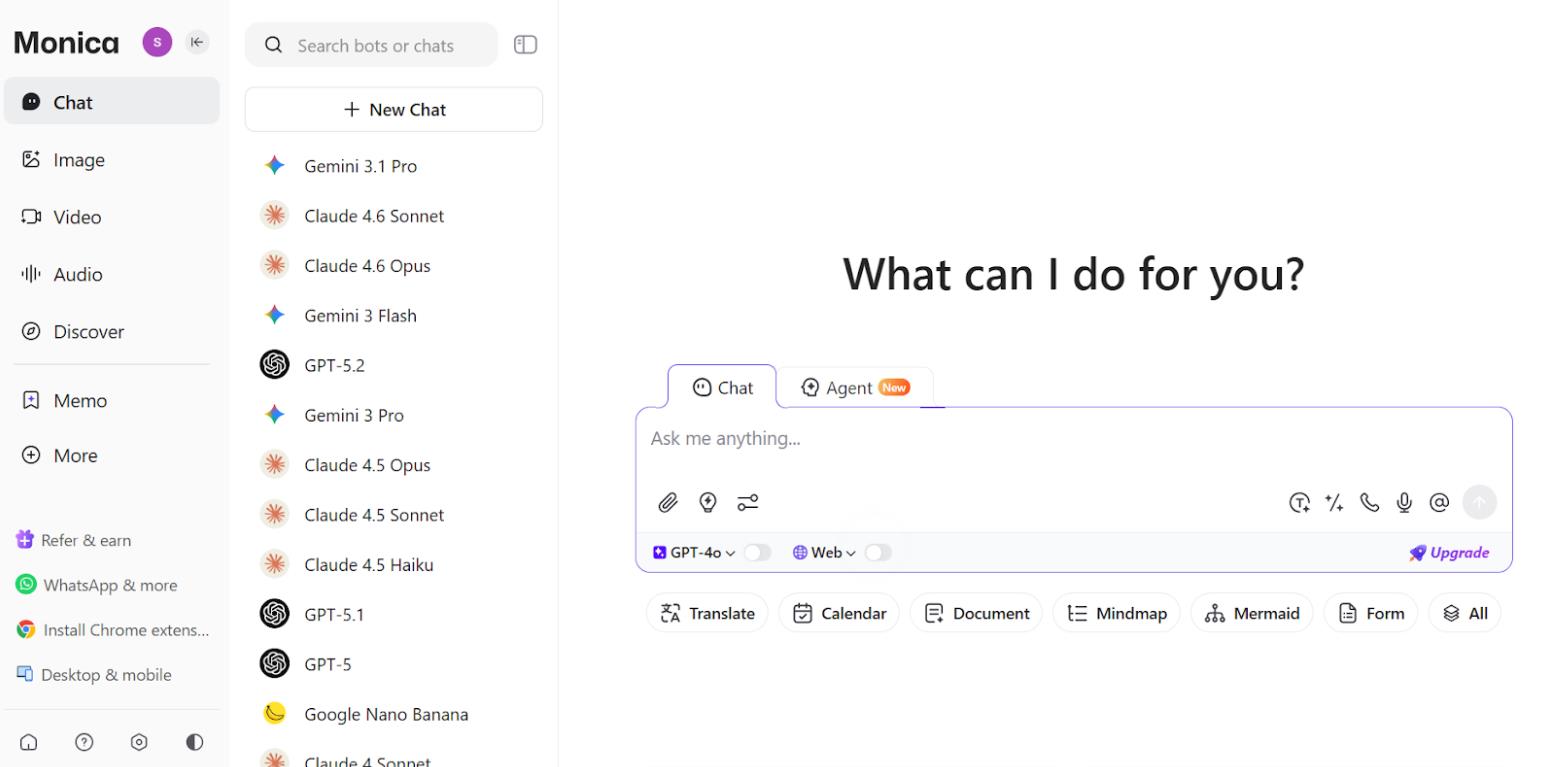
At its core, Monica is a multi-model AI assistant. While traditional services force users to make do with a single model from a single developer, Monica acts as a universal conductor. The platform integrates cutting-edge developments: from GPT-5.2 or o4-mini to Claude 4.6 Sonnet, Gemini 3.1 Pro, and Grok-4.
The main feature of Monica’s architecture is its orchestration layer. The system doesn’t just forward requests to different models’ APIs; it analyzes the user’s task and, depending on the complexity, context, and required computing power, selects the most optimal “specialist.”
- If the task is simple (e.g., translating a short phrase), it utilizes a fast, inexpensive model like GPT-4o mini.
- If a complex, multi-step investigation or coding task is required, the baton is passed to “heavyweights” like Claude 4.6 Sonnet or o4-mini.
This approach is particularly valuable when working with long documents. Monica manages context windows, supporting up to 100,000 tokens in standard mode. And when using the “Full-Text Reading” mode in ChatPDF, the context capabilities go far beyond standard limits, though this does require spending “Advanced Credits.”
Access Ecosystem: From Browser to Mobile Apps
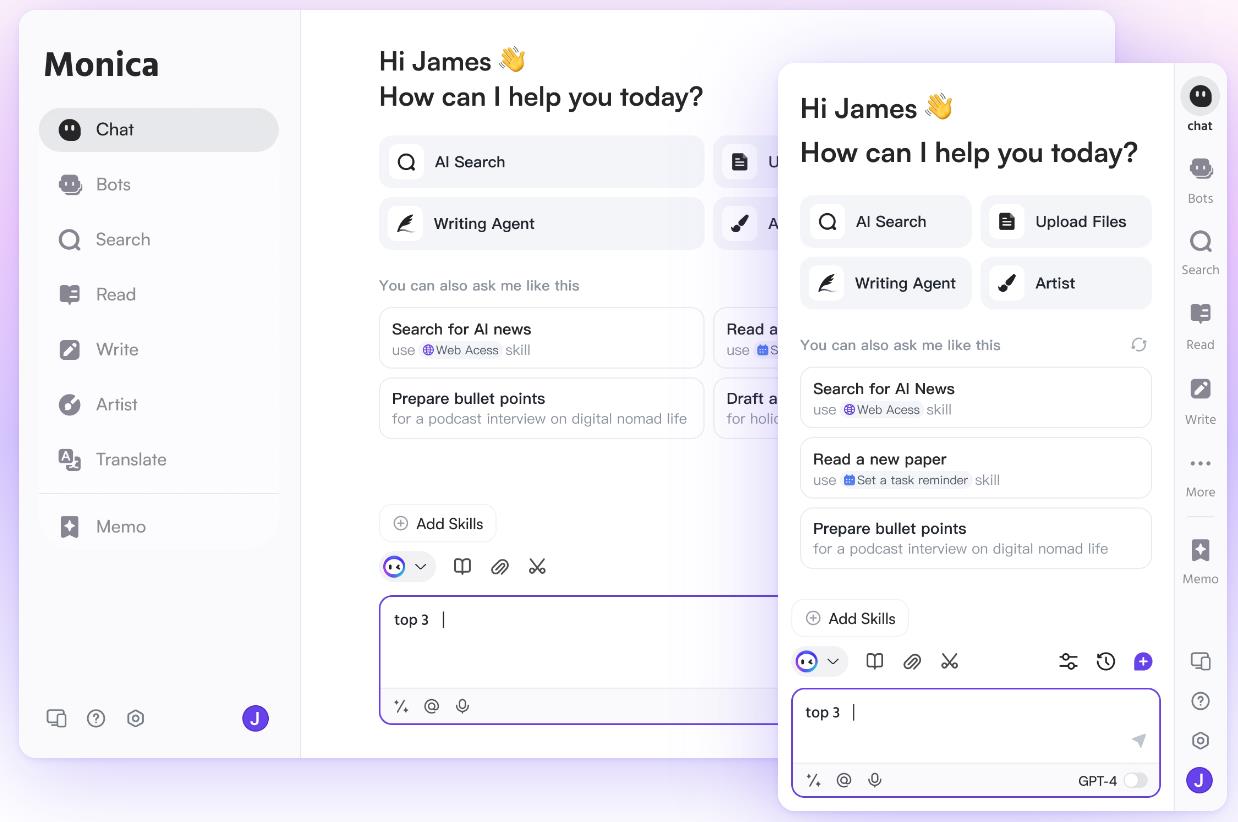
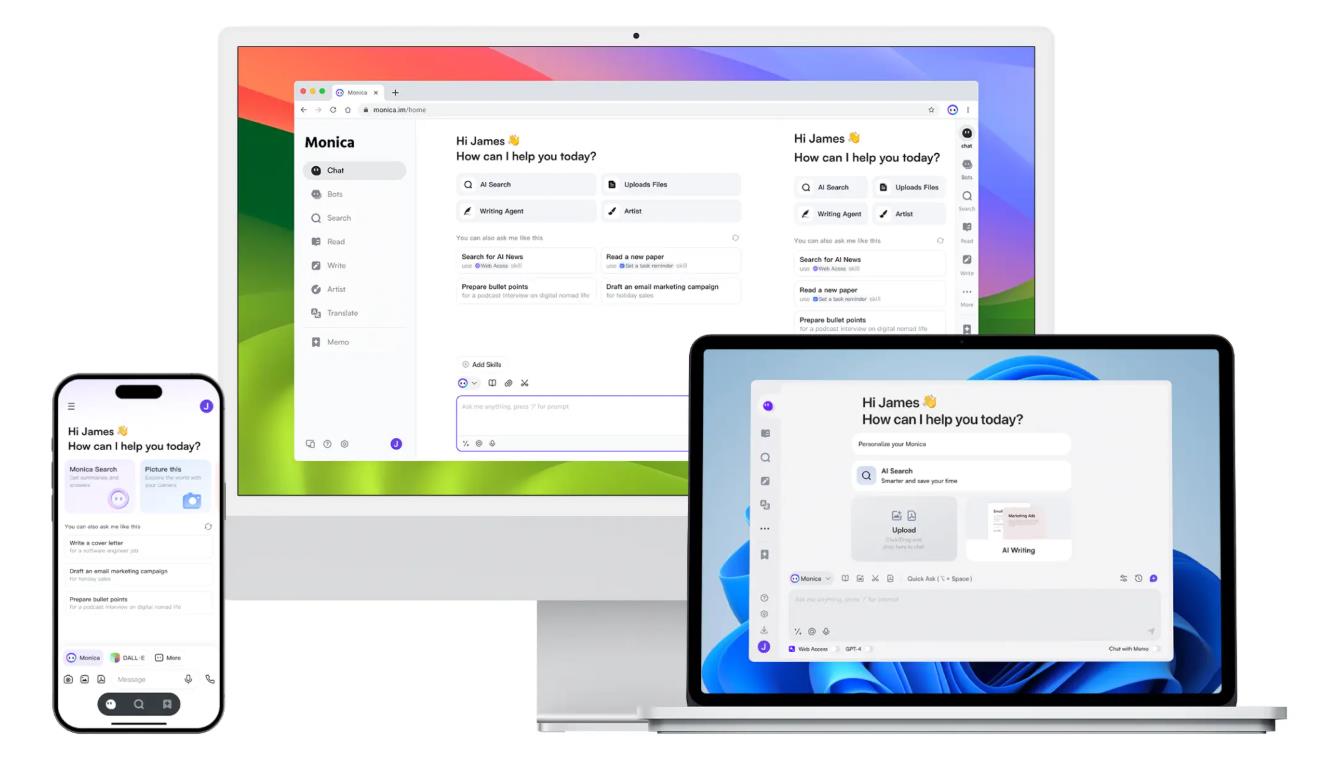
Monica started as a browser extension, and this format remains its “killer feature.” The extension is available for Chrome, Edge, and other Chromium-based browsers. Once installed, the assistant is essentially “embedded” into the user interface. Pressing the hotkey Ctrl+M (or Cmd+M) brings up a sidebar, allowing you to interact with the AI directly on the website you’re visiting.
And it’s not just limited to websites. The application integrates into your operating system’s environment. No matter which program you’re working in, Monica’s sidebar is always at your service.
This unlocks unique use cases:
- Working with YouTube: Monica can summarize video content without requiring you to watch it fully.
- Analyzing Links and PDFs: Simply open a link or upload a document for the assistant to highlight the main points.
- Email Assistant: In Gmail, Monica helps generate polite and well-written responses directly in the input field.
- Text Selection: Any text fragment on a page can be instantly translated, rephrased, or explained via the context menu.
Besides the extension, Monica is available as a web version, as well as native applications for Android, iOS, Windows, and macOS. All user data is synchronized in real-time across devices, allowing you to start a conversation on your computer and continue it on your smartphone.
Is It for Everyone?
It sounds and looks great, of course. But in practical use, this abundance of choice can be tiring. Moreover, inexperienced users might simply get lost in a sea of possibilities.
Sometimes, it’s genuinely simpler and more practical to use one or two regular services than to pay for access to a whole bunch of models you’ll likely never need.
It’s the choice of geeks and professionals who want to squeeze the maximum out of modern technology. If you’re tired of switching between tabs for ChatGPT, Claude, and Gemini—Monica brings them all together under one roof.
The service is ideal for researchers, marketers, programmers, and anyone working with large volumes of information.
Key Features and Tools
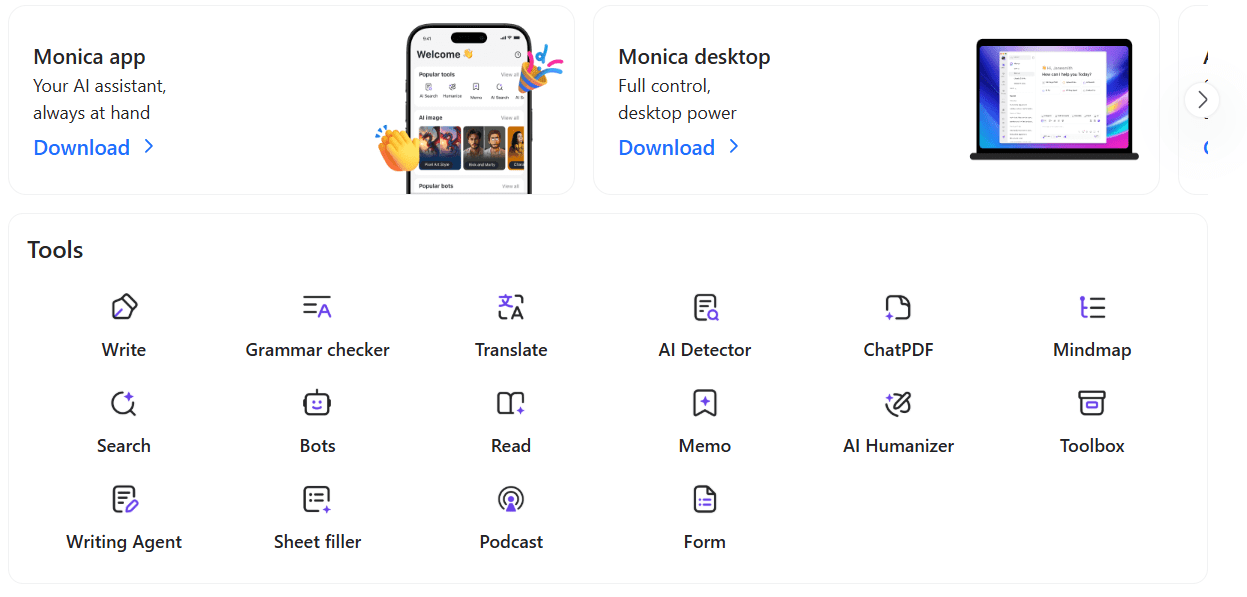
The Monica platform offers over 80 specialized tools, which can be divided into several categories:
Text and Analytical Tools:
- AI Detector and “Humanizer”: The service allows you to check text for AI authorship and “humanize” it to bypass detection systems. However, as tests have shown, the accuracy of the free Monica detector lags behind specialized services, providing only a general assessment (“seems written by AI”) without a percentage probability.
- ChatPDF: Enhanced document processing with a full-scan mode, allowing you to ask questions about huge files without losing context.
- Rewriter and Translator: Supports dozens of languages and the ability to change the tone of text (formal, friendly, persuasive).
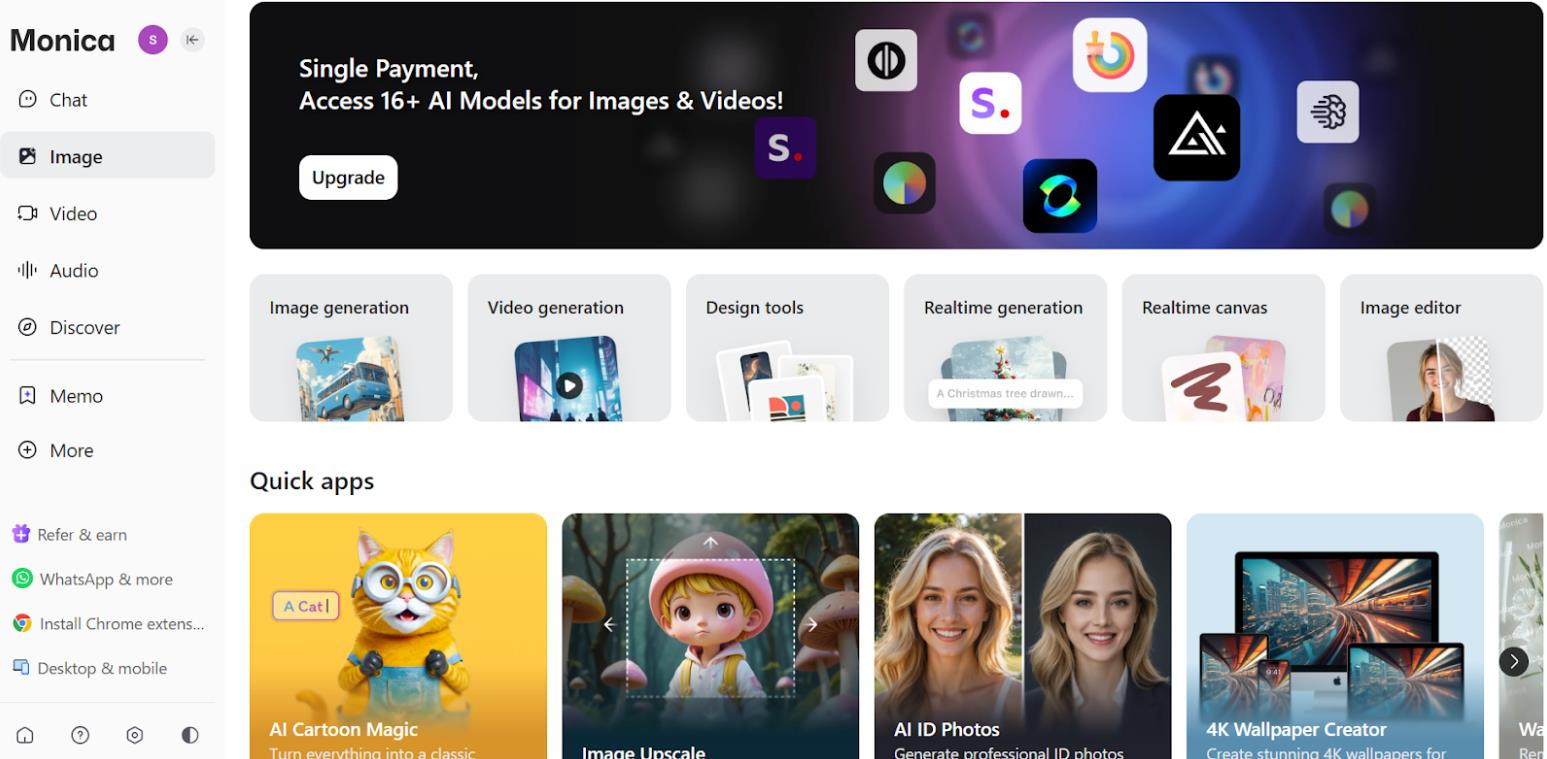
Multimedia Capabilities:
Monica is also a content generator.
- The platform supports image creation using DALL·E 3, Stable Diffusion 3.5, Flux Pro, and Ideogram V2. Generation costs range from 3 to 80 “advanced credits” per piece.
- For video creators, video generation is available through models like Runway Gen-3, Pika, and Kling (up to 500 credits per generation).
- The arsenal also includes tools for background removal, retouching, and inpainting (image editing).
Pricing and Subscription Plans
Since January 2026, Monica has switched to an updated accounting system based on “Advanced Credits.” This allows for more flexible pricing for using models with different costs.
The following subscription plans are currently available:
- Free: Includes 40 basic queries per day. Access to advanced models is not available. It allows you to “try out” the interface but is not suitable for serious work.
- Pro: Approximately $8.30 per month. Includes 5,000 basic queries, 200 advanced queries, and 1,500 additional credits per month. Ideal for freelancers and active users.
- Max: Approximately $16.60 per month. Offers unlimited basic queries and 4,500 credits.
- Ultra: Approximately $82.90/month. For professionals, with 20,000 credits per month.
It’s important to understand the credit logic. For example, one query to the GPT-4o model might cost 2 credits, to Claude 3.7 Sonnet — 3 credits, and using complex “thinking” versions can cost up to 40 credits per query.
Image and video generation are also billed on a separate scale.
- Versatility (All-in-One): Access to dozens of the best AI models (OpenAI, Claude, Gemini, DeepSeek, etc.) in one window. No need to buy separate subscriptions for each service.
- Convenient Browser Extension: The assistant is always at hand on any webpage. Instantly summarize videos (YouTube), articles, get help writing emails, and translate without copying text.
- Cross-Platform Compatibility: Full synchronization between the desktop application (Windows/macOS), browser, and mobile apps (iOS/Android). Start a task on your PC and continue on your smartphone
- Complex Payment System (Credits): New users may find it difficult to understand the logic of “Advanced Credits” and why different numbers of credits are deducted for different requests.
- Quality of the Free AI Detector: The built-in text detector shows low accuracy compared to specialized alternatives.
- Potential Overkill: The interface with over 80 tools and model switches can feel cluttered and overwhelming for some users.
Verdict: Is Monica Worth Using in 2026?
Monica.im is, without a doubt, one of the most functional AI products on the market. It’s not just “another AI.” It’s a powerful multi-tool that, despite some privacy concerns, currently offers one of the best price-to-functionality ratios. For active users, switching to a Pro or Max plan would be an investment that pays off in dozens of hours saved.
❓ Frequently Asked Questions
Answers to relevant questions about this AI tool
Sources
-
Monica AI — monica.im
-
Monica AI — monica.im
-
Monica AI — platform.monica.im
-
Monica AI — g2.com
-
Monica Reviews - Product Hunt — producthunt.com





I love the quick search enhancement that displays AI answers next to Google results.
Highly recommend for daily productivity.
Monica AI is my favorite Chrome extension.