Kolors Virtual: AI Virtual Clothing Try-On
On this page
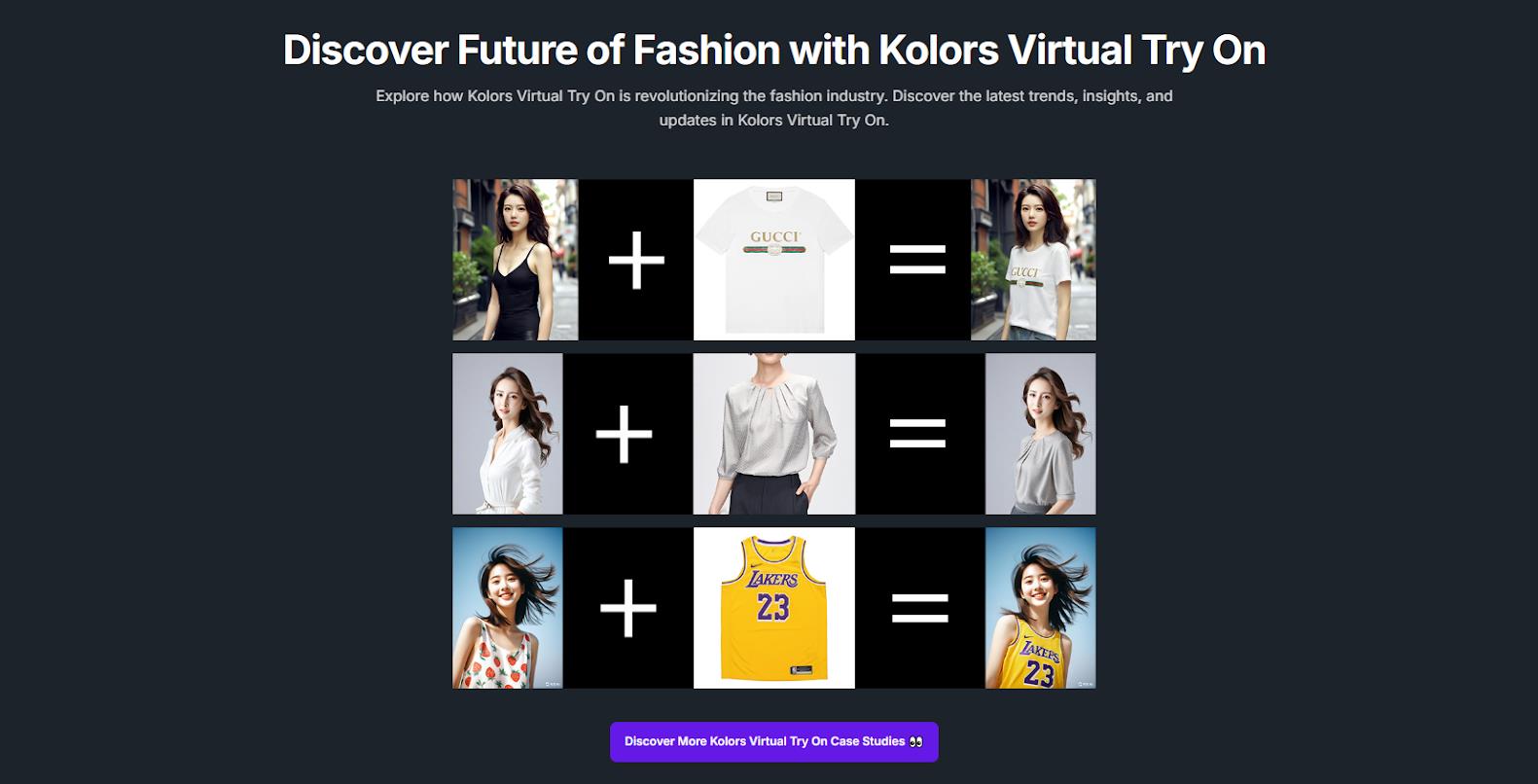
Kolors Virtual is a browser-based AI tool for trying on clothes virtually, built on the open-source Kolors model from the Chinese company Kuaishou (Kwai). Rather than generating images from scratch like a general AI tool, it specializes in one job: realistically placing a clothing item onto a photo of a person while keeping the fabric’s texture, folds, and lighting intact. It is aimed at designers, online store owners, content creators, and everyday shoppers who want to see how an item looks before buying.
How it works: a step-by-step guide
All you need is a browser and an internet connection. No heavy software installation or smart gadgets are required.
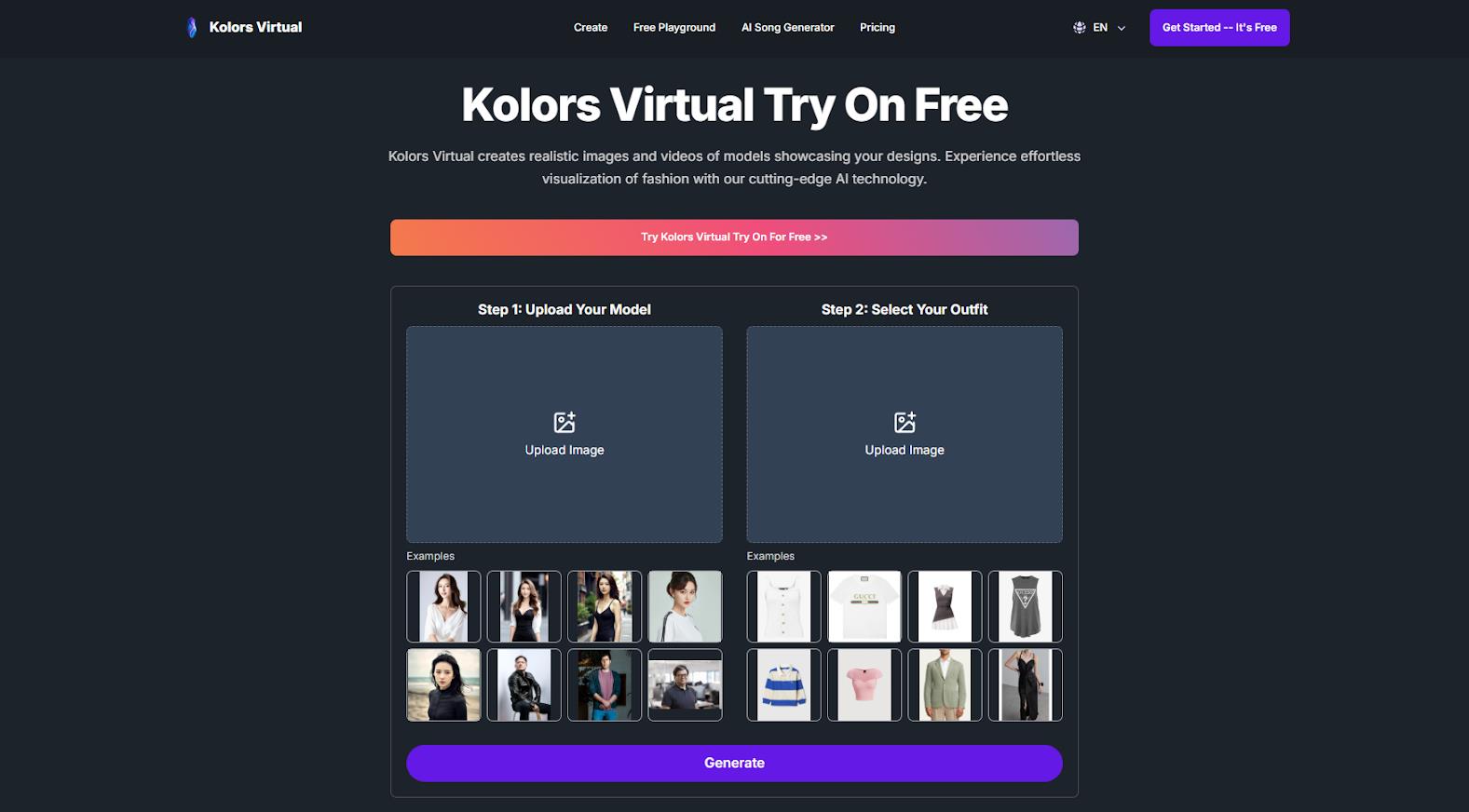
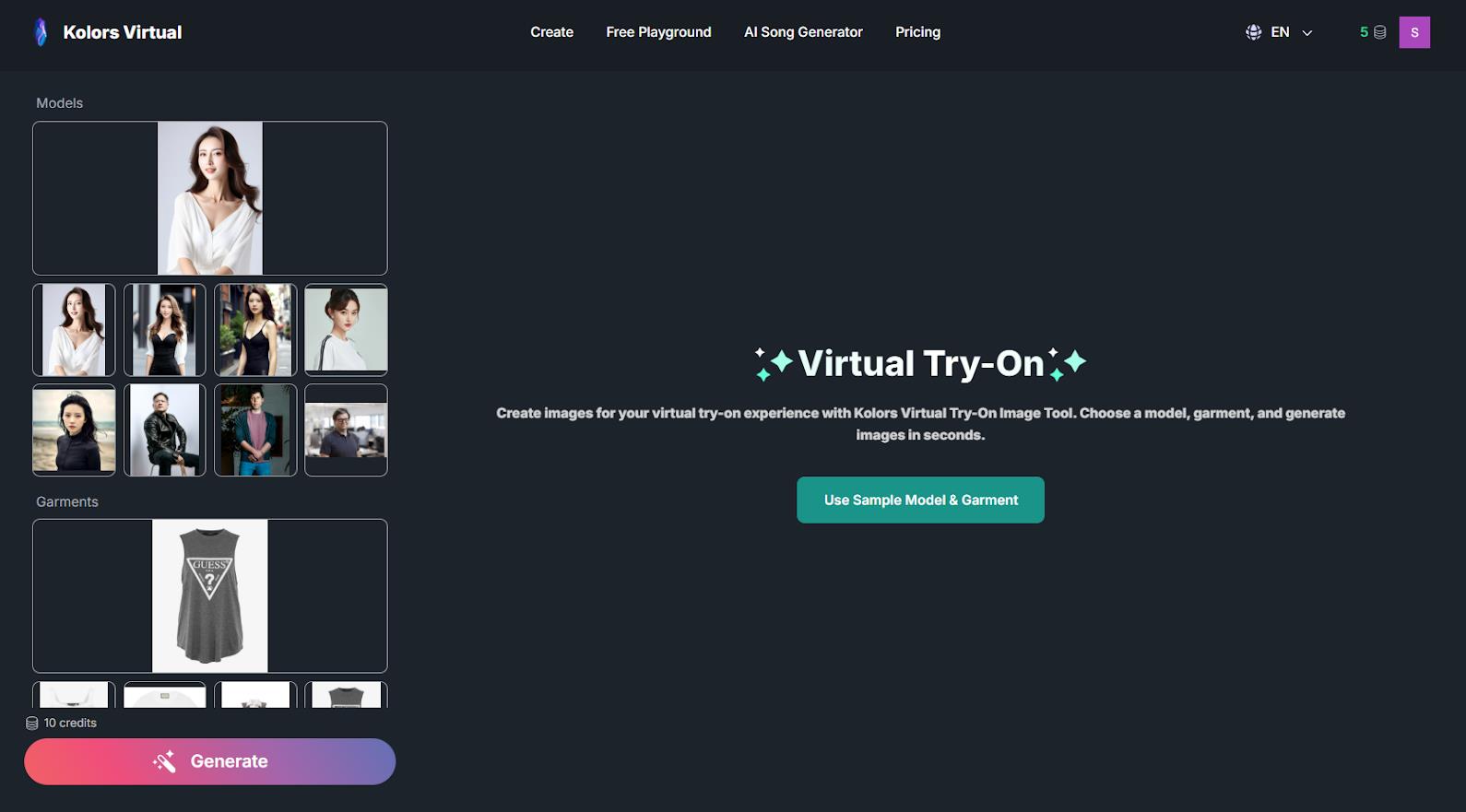
The process is intuitive and follows a “two files, one result” principle. The user needs no special equipment or graphic design skills.
- Upload a model photo: You need to upload a clear, full-body photo of a person (yourself or a model) against a neutral background with good lighting. This is the base the AI will use.
- Upload a clothing image: The user uploads a photo of the desired clothing item (t-shirt, dress, pants) or selects one from the built-in library.
- Generate the result: After clicking the “Generate” button, the neural network (Kolors diffusion model) analyzes the pose, body contours, and proportions, and then “puts” the item on the person.
The result is a photo, a short video (up to 5 seconds), or an interactive 360-degree view, showcasing the garment’s fit in motion. The algorithm automatically adjusts the fit to the figure, considering length and volume.
Kolors Virtual works with both standard items from the library and the user’s exclusive designs, and it accommodates different body types.
However, there are drawbacks. The quality of the final image heavily depends on the input data. Poor lighting, an unusual pose, or a blurry clothing photo can distort the result. Despite the realism, inaccuracies sometimes occur in simulating tightness or fabric drape on complex body curves.
Who will find it useful: use cases
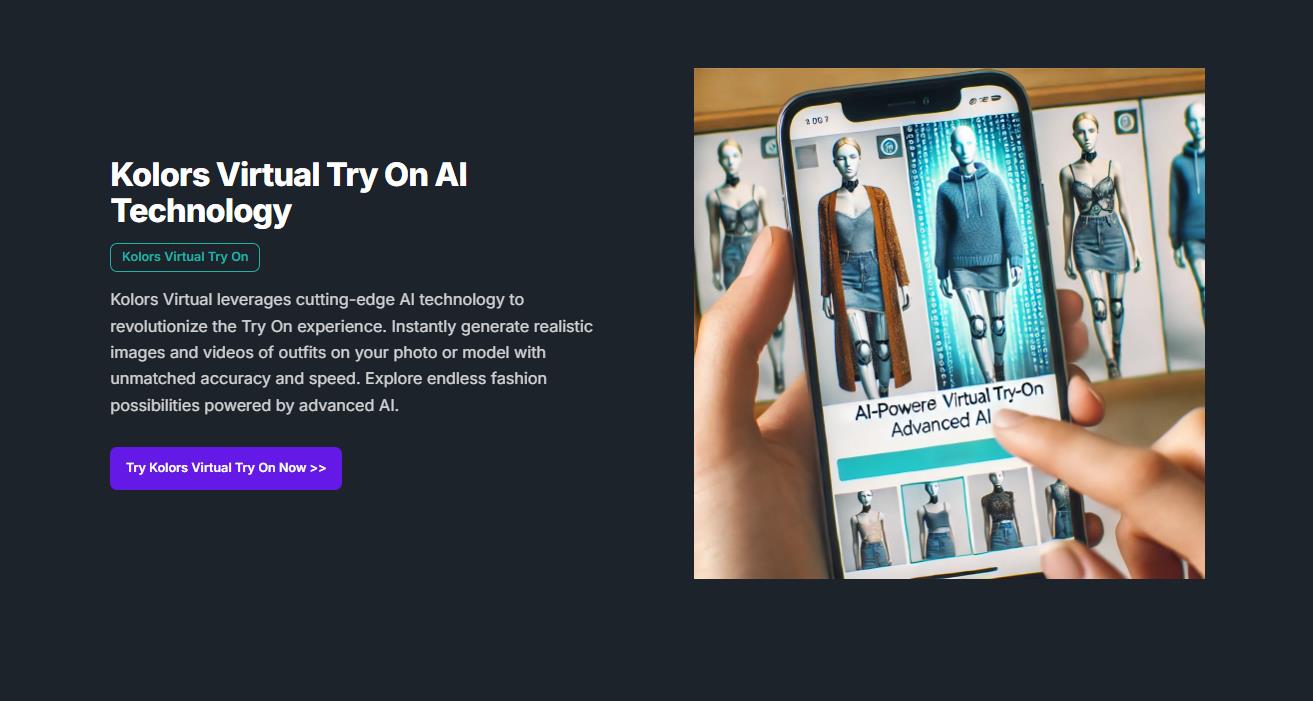
The tool solves a wide range of problems for both businesses and individuals. The AI excels at preserving complex fabric textures, prints, logos, and folds, which is often a challenge for AR try-ons in apps.
Kolors Virtual supports for 360° views and video generation. It allows you to evaluate the item in motion, while the real-time rendering feature instantly applies changes to the model.
Nevertheless, the service’s applications go far beyond simple entertainment. For example, businesses can reduce photoshoot costs (by up to 2 times) and minimize logistics expenses associated with product returns.
- For fashion designers and brands: Visualizing new collections on models with different body types without the cost of studio shoots and casting. It helps reduce the production of physical samples during the development phase.
- For online stores (e-commerce): Integrating a try-on feature into product pages. According to seller feedback, this reduces return rates (by up to 25%) because the buyer gets a better understanding of the fit.
- For content creators and marketers: Instantly generating photo and video content, as well as interactive 360-degree product views for social media, ad banners, and catalogs.
- For everyday shoppers: The ability to try on desired items in Real-Time Preview mode — the system instantly updates the image when changing colors or models directly in the browser.
Pricing
The monetization model is based on a credit system. The user pays for a subscription or purchases credit packages, which are consumed with each generation.
- Free: $0. Includes 10 credits per month (enough for 2 images). Low priority, possible errors.
- Paid plans (Basic, Standard, Pro): Start at $7.99–$9.99 per month with annual billing. Includes thousands of credits, high processing priority, removal of upload restrictions, as well as access to video generation, 360° views, and Real-Time Preview features.
Exact pricing and package contents may change; current figures are recommended to be checked on the tool’s official website.
It’s important to note that for serious tasks, purchasing a subscription is inevitable. The free package includes only 10 credits for 2 images. The developers warn about unstable operation. The free plan has a processing priority limit, which can lead to errors during peak hours.
User feedback and reviews
Kolors Virtual is discussed quite actively in professional AI communities and on video hosting sites. We have briefly summarized the reviews.
- Reddit community (r/StableDiffusion): Users note that the model works “pretty solid” and shows impressive results even with brief testing. The main focus of praise is the quality of texture transfer.
- LinkedIn and industry blogs: E-commerce professionals call the tool useful for making purchase decisions (“to get a better idea before hitting ‘buy now'”). Designers mention that it “revolutionized catalog shoots.”
- YouTube reviews: In demonstration videos from 2024–2025, users confirm good detail and naturalness but sometimes point out distortions in complex poses.
The overall tone of comments is positive, although there are complaints about the free version’s limits and inaccuracies in the fit of specific clothing types.
- Free entry point: up to 2 generations per month.
- High realism in displaying fabric textures.
- Resource savings: you save on photo shoots and sample production.
- Accessibility: via a web browser on PCs and mobile devices.
- Application flexibility: works with various fabric designs and body types.
- Free plan limitations: 2 generations per month is categorically insufficient for work tasks.
- Sensitivity to source images: poor quality photos can lead to disappointing results.
- Fit imperfections: tightness and drape are not always calculated correctly.
Conclusion
Kolors Virtual isn’t perfect, but currently, it’s one of the best solutions for quick and effective online clothing try-ons. It occupies a middle ground between complex professional packages and simplified AR applications. The tool’s main value lies in its accessibility and realism. This makes it attractive for small businesses, freelancers, and individual users looking to save time on shopping.
Direct competitors (FASHN.ai, WeShop AI) offer more stable integration for large corporations. However, Kolors Virtual wins with its free entry point and open-source model, and active implementation of interactive formats (video, 360°), allowing enthusiasts to experiment with AI clothing visualization.
❓ Frequently Asked Questions
Answers to relevant questions about this AI tool
Sources
-
Kolors Virtual About — kolorsvirtual.ai
-
Kolors Virtual Sign In — kolorsvirtual.ai
-
Kolors Virtual Pricing — kolorsvirtual.ai
-
Kolors Virtual Home — kolorsvirtual.com
-
Kolors Virtual Pricing Plans — kolorsvirtual.com