Voicemod AI: AI for changing voice in real time
Voicemod: Real-Time Voice Changer
On this page
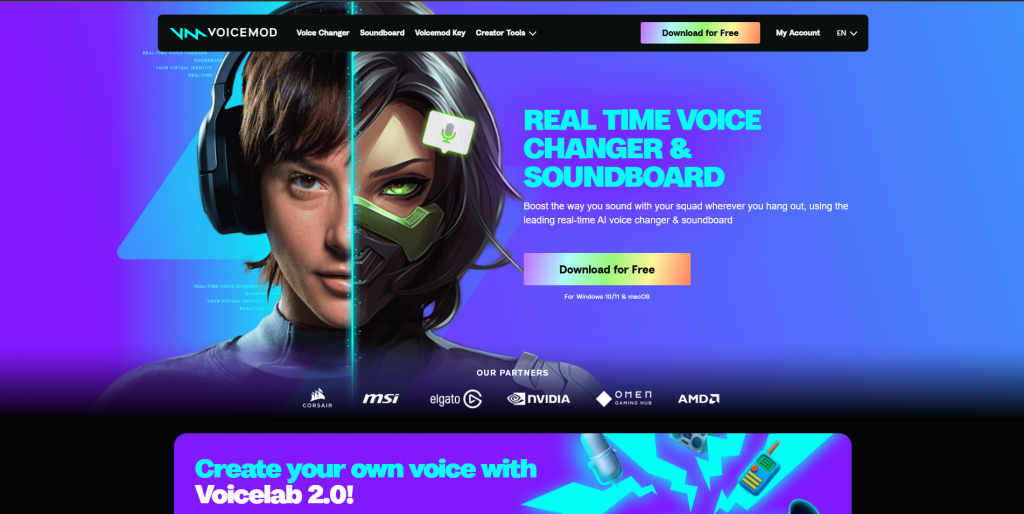
Want to add a fun twist to your Twitch stream or prank your friends on Discord? With Voicemod, changing your voice in Discord during gameplay or live streaming is effortless. This voice changer software works as a virtual microphone: set it up once, and then pick any voice effect from a massive built-in library.
Want to sound like a monster in the middle of a raid? Or add epic reverb for a dramatic announcement? Maybe you just need a funny voice for a prank? Voicemod is your go-to voice editor for streamers and gamers. One click, and your voice instantly transforms in chat or on stream.
Setting up voice effects for OBS or changing your voice in Discord? It takes just a couple of minutes—select Voicemod as your microphone in the app settings, and you’re all set. No complicated setup required.
More than just pitch shifting: This isn’t just a basic voice modulator. Voicemod is a full creative toolkit.
- Funny voices for gaming: Prank your friends in online chats by sounding like a stranger or a mysterious creature.
- Free voice changer software: Start with a basic set of effects at no cost.
- Voice disguiser: Hide or alter your real voice for anonymity or fun.
- Voice chat with effects: Bring any conversation on Skype, Zoom, or TeamSpeak to life with unique sound effects.
- Online voice filters: Add reverb, distortion, or change pitch in real time.
Install the voice changer Voicemod on your PC, select it as your microphone in your preferred app (Discord, OBS, game), turn on your favorite voice effect—and start talking! The real-time voice modifier handles the rest.
In the rest of this article, we’ll walk you through how to set up and get the most out of this powerful voice editor for streamers and gamers.
Key Features
- Voice changing. Turn on your mic and instantly sound like a robot, monster, or character from your favorite game. Voicemod alters your voice in real time, offering a wide range of ready-to-use filters (over 80 included!). Want to sound like an Among Us crewmate or a Fortnite legend? No problem. This is the top voice effect tool for Twitch and gaming.
- Add sound effects with one click. A full soundboard with 200+ preloaded sounds—applause, laughter, music stings, creepy groans, and more. Press a button, and the sound plays instantly in your Twitch stream or Discord call. Perfect for enhancing gameplay moments or spicing up conversations. Ideal for prank calls or interactive streaming.
- Create your own unique voices. The Voicelab section is for users who want more than presets. Adjust reverb, distortion, pitch, and tone to design a one-of-a-kind voice effect. Save your custom sound for future streams or gaming sessions. A true AI-powered voice editor for creative experimentation.
- Works anywhere you use a microphone. Once you set Voicemod as your mic in app settings, you’re ready to go. Your altered voice or sound effects will be heard by friends on Discord, viewers on Twitch (via OBS), colleagues on Zoom, or teammates in games like PUBG or Fortnite. No need to configure each app separately.
- Clean audio without background noise. Fan noise, keyboard clicks, or street sounds? Voicemod uses smart filters to remove background clutter. Your voice—whether natural or modified—will sound clearer and more professional in voice chat or on stream.
How It Works
Install the voice changer Voicemod on your computer, select it as your microphone in your preferred app (Discord, OBS, game), enable your favorite voice effect—and start speaking! The real-time voice modifier does the rest.
Below, we’ll explain in detail how to set up and fully leverage this powerful voice editor for streamers and gamers.
No file uploads are required—the voice changes instantly when you activate a filter. However, AI-powered voices (like “Astronaut” or “Narrator”) require a processor with AVX2 support (Intel from 2013 or later, or Apple Silicon).
Use Cases
- Gamers: Change your voice in online chats (Discord, in-game comms) for anonymity or pranks.
- Streamers (Twitch, YouTube): Enhance audience interaction with sound effects (laughter, applause) and voice masks.
- Content creators: Narrate videos with unique voices (anime characters, robots) by recording custom audio tracks.
- Teachers/webinar hosts: Engage audiences on Zoom or Google Meet with temporary voice changes for fun and engagement.
- Intuitive interface with English language support;
- Library of 150+ voice effects (robot, reverb, alien) and sound clips;
- Integrates with Discord, Twitch, OBS, Zoom, and popular games (Fortnite, Among Us)
- Voicelab mode for creating custom voice filters
- Free version available to test basic features.
- Key features (200+ effects, Voicelab) locked behind Pro version;
- Voice latency in games and occasional conflicts with antivirus software;
- Limited payment options for Pro from the U.S. (requires third-party services);
- Robotic tone in some voice effects.
Pricing Plans
- Free version: 10 basic voice effects, limited soundboard access, no Voicelab.
- Pro version: $10/month or $60/year ($5/month when billed annually). Includes:
- 200+ exclusive voices and sound effects;
- Full access to Voicelab;
- Priority support.
U.S. payment options: Credit card, PayPal, virtual cards (Wise), or cryptocurrency.
Voicemod is a practical tool for instantly changing your voice in games, streams, and chats. Its strengths include easy integration, a vast effects library, and flexible Voicelab customization. However, the free version is quite limited, and accessing key features requires a Pro subscription, which may require alternative payment methods. This software is ideal for gamers, streamers, and entertainment content creators, but not recommended for professionals needing natural-sounding voice output.
Frequently Asked Questions
Answers to common questions about this AI-powered tool
Sources
-
Voicemod — voicemod.net
-
Voicemod Help Center — support.voicemod.net
-
Payments & Subscriptions — support.voicemod.net
-
How to purchase a Voicemod license — support.voicemod.net
-
Voicemod on other platforms — support.voicemod.net