


TwinMind records and transcribes conversations into text, creating AI-powered notes with key tasks and dates. Works offline and syncs with your calendar and email. Suitable for work, school, and everyday tasks.
TwinMind AI: Second Brain for Daily Tasks
On this page
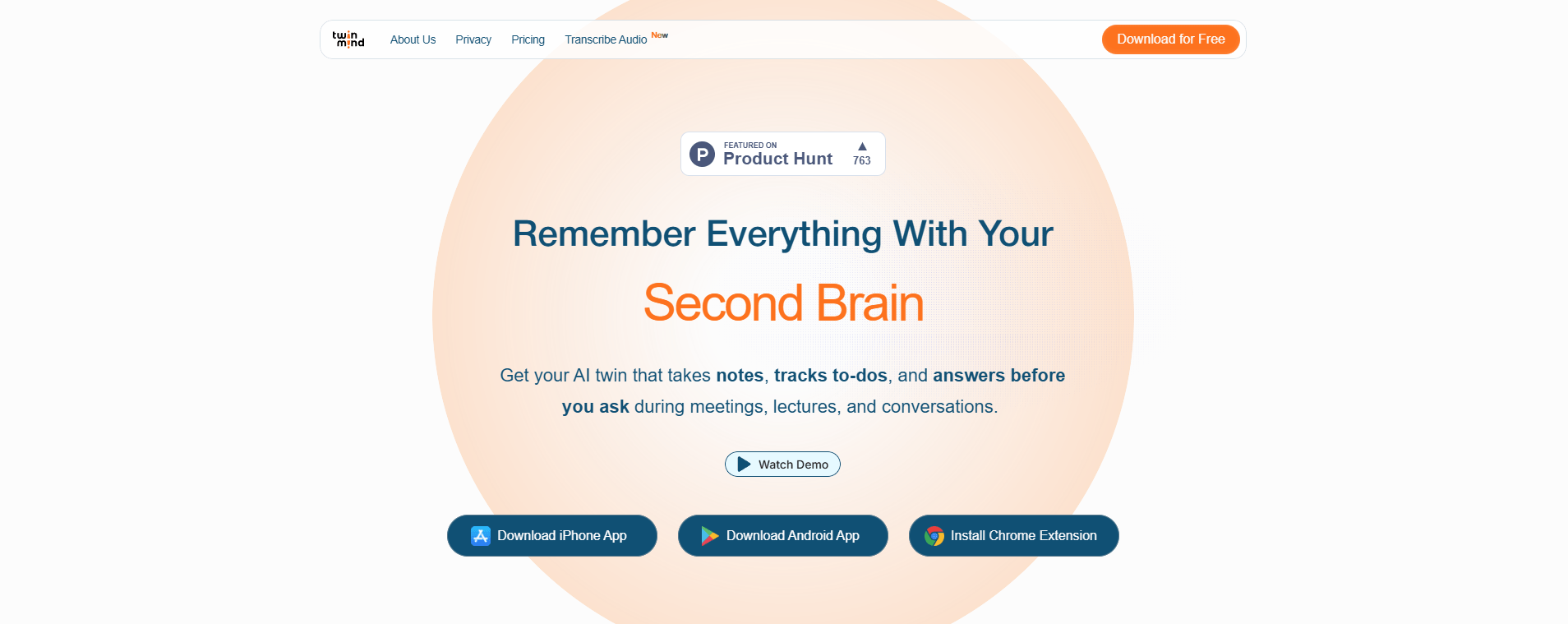
There’s an app called TwinMind. It’s like a personal AI assistant that records and analyzes your conversations.
It automatically creates notes using AI, whether it’s a meeting, lecture, or just an important discussion. No need to jot anything down or worry about missing key points. Everything is saved and organized automatically.
It’s great for everyone: professionals and students who want to stay on top of things without the hassle. Its smart algorithms understand text and integrate with your calendar and email. In the end, you get clear, structured AI-generated notes; open them and instantly see what was agreed upon and what to do next.
It really simplifies life if you communicate a lot and want to capture the essence.
What Can TwinMind Do?
TwinMind works as simply as possible: you start recording, and the app captures everything that’s said. Then the magic begins: it transcribes speech to text right during the conversation. But that’s not all.
The most interesting part is how the AI then breaks down the text. It doesn’t just give you a transcript; it analyzes the essence: highlights main topics, key agreements, and mentioned dates or tasks. And what’s cool, it checks your calendar and previous discussions to provide truly helpful suggestions. For example, if you scheduled a meeting for Wednesday, it’ll remind you. Or if an important idea came up in the conversation: it won’t get lost.
You end up with not just recordings, but meaningful notes where actions or points needing attention are already highlighted. Like a smart assistant listened to everything and pulled out the key parts.
- First, it records audio and provides instant transcription — in real time. You speak, and the text appears. But that’s not all. Then the AI kicks in: it analyzes the content, highlights the main points, finds key moments, and even offers recommendations. For example, if a meeting or deadline is mentioned, TwinMind notes it and links it to your calendar.
- What’s even better — it works offline. You can be completely without internet, and transcription still happens. And one more key point: everything is processed right on your phone. So your recordings don’t go anywhere, ensuring full privacy.
- It integrates with your calendar and email. Say you agreed on something — it can automatically create a reminder or suggest adding an event. There’s even a Chrome extension: you’re reading an article or watching a video, and it can make a quick summary from them.
- And yes, supports over 140 languages and can distinguish voices of different people in a conversation.
In short, these AI notes turn out meaningful and convenient, not just text, but a ready outline with highlighted actions and ideas.
How It Works
The app runs in the background on your smartphone, continuously recording and converting audio to text. You just open TwinMind on your phone, and it records and instantly transcribes conversations to text. The best part—everything is processed right on the phone; nothing goes to the cloud. Full privacy.
And what the AI does—that’s pure magic. It doesn’t just convert sound to words but understands the meaning. See: it highlights key points, names, dates, and tasks. Then you can simply ask the app in chat, “What did we agree on last time?” and it’ll give you the relevant part of the conversation or even suggest a meeting summary.
Over time, the AI adapts to how you speak and the topics you raise most, and starts giving more accurate suggestions. For example, after a meeting, it might draft a to-do list: “email Maria,” “prepare report by Friday.”
To get started, just install the app on iOS or Android and grant access to the microphone and calendar. The free features are enough for most tasks, and if you want web search or deeper analytics, there’s a subscription.
- Unlimited offline transcription.
- Sync between phone and PC.
- Support for 140+ languages in real time.
- Paid access to advanced features.
- Noticeable battery drain in background mode.
- Only audio input, no image processing.
Who Can Benefit from TwinMind?
The tool is useful in various scenarios, from professional tasks to educational purposes.
- Marketers can automate client meeting reports and generate emails based on discussions.
- Startup founders use it to capture ideas and prepare pitch decks with reminders.
- Students apply TwinMind for note-taking during lectures and creating study guides.
- SMM specialists get help in drafting content plans and analyzing trends through browser integration.
The service is suitable for anyone dealing with large volumes of spoken information and needing to structure it.
Pricing Plans and Paid Services
Twin Mind offers a free basic version with unlimited transcription and access to standard AI models. The paid Pro plan costs $10–12 per month (with annual billing) and includes premium transcription in 100+ languages, access to advanced LLMs (like ChatGPT or Claude), and extended support. For corporate clients, team solutions are available with customization for specific industries, such as healthcare or law.
Payment is possible via Visa, Mastercard, and PayPal. The service is widely available worldwide.
Conclusion
TwinMind is a very practical tool for those tired of constantly taking notes and keeping outlines. The key thing is it works great offline, and it really captures the context. So it doesn’t just record but truly understands what’s being said and then provides these meaningful AI notes.
Pros include that it connects to your calendar and email on its own, supports over 140 languages, and all data either stays on your phone or is securely encrypted. But there are cons: for example, in noisy environments, accuracy might dip a bit. Also, some features like deep analysis or web search are subscription-only. And it only handles audio right now, no images or videos.
Overall, if you use it with the browser extension, you get a very handy tool that really saves time and helps you not miss important things. Though, if you use it actively, it might drain the battery noticeably—worth keeping in mind.
❓ Frequently Asked Questions
Answers to relevant questions about this AI tool
Sources
-
TwinMind — twinmind.com
-
TwinMind Pricing — twinmind.com
-
TwinMind Help Center - Guides, FAQs & Support — twinmind.com
-
TwinMind - AI Notes & Memory - Apps on Google Play — play.google.com
-
TwinMind - AI Notes & Memory - App Store - Apple — apps.apple.com


It acts like a second brain, linking random thoughts together automatically.