How to Turn Off AI Overviews in Google Search
On this page

The question of how to turn off AI Overviews in Google Search is becoming increasingly common among search engine users. While an AI summary at the top of search results might be helpful in some cases, it does not work for everyone.
Some users prefer classic search results, while others worry about precision, as AI-generated results are not always accurate. You might be wondering how to disable this feature. Currently, Google does not provide a direct "off" switch in the settings, but there are several alternative methods you can use. Below, we review the most popular options.
What are Google AI Overviews?
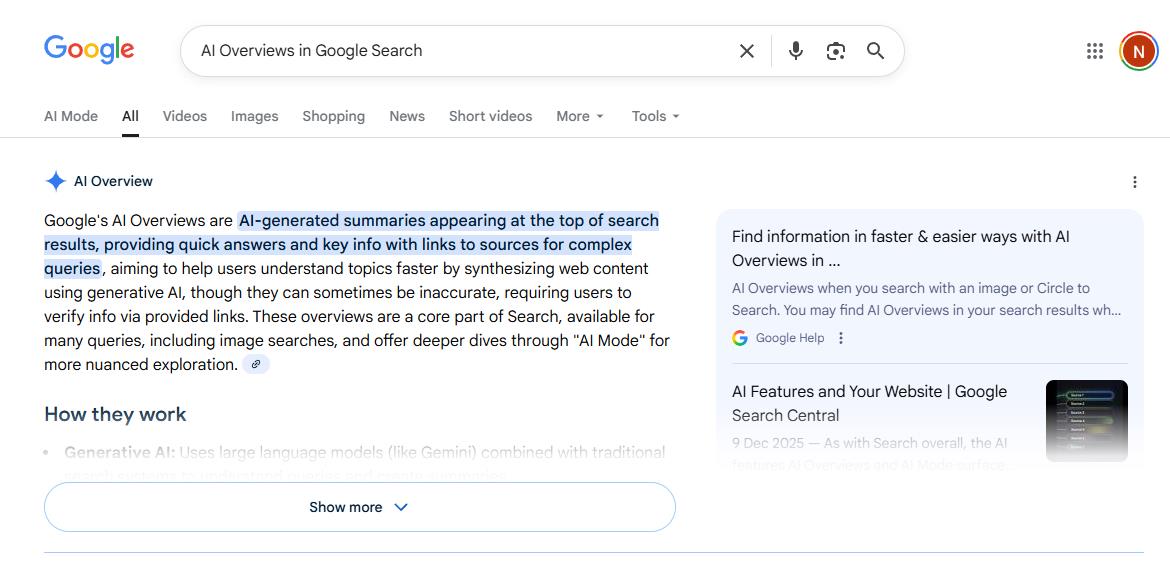
First, let’s define exactly what an "AI Overview" is. When you enter a query, Google’s generative AI produces a summary response designed to cover as many aspects of the request as possible. This answer is intended to be brief and quick to read.
You will find:
- Answers to your questions;
- Quick explanations;
- Links to sources with more info;
- Suggestions for what to do next.
Many users are skeptical about these results and want to know how to turn them off. This is a valid concern, particularly for serious queries.
Methods to Turn Off AI Overviews
Since Google does not provide a "disable" function in the settings, you must look for other options. We have summarized the most popular and effective ways to do so.
Method 1. Use Google’s “Web” Filter
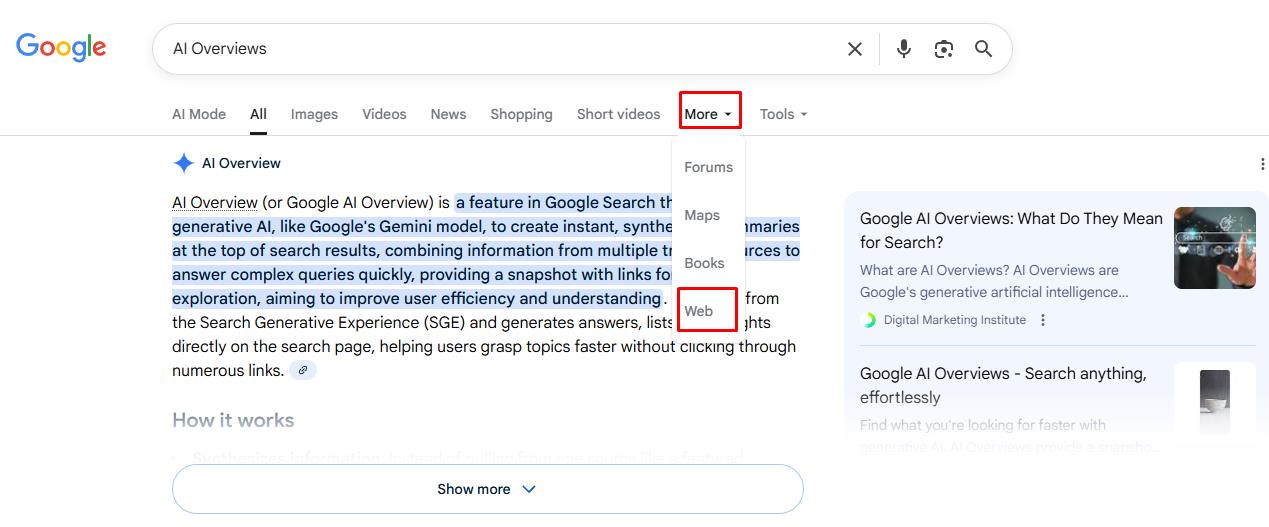
You can switch to web-only results. After running a search, simply click the "Web" tab under the search bar. Google will then reload the results without AI overviews.
Method 2. Modify the Search URL
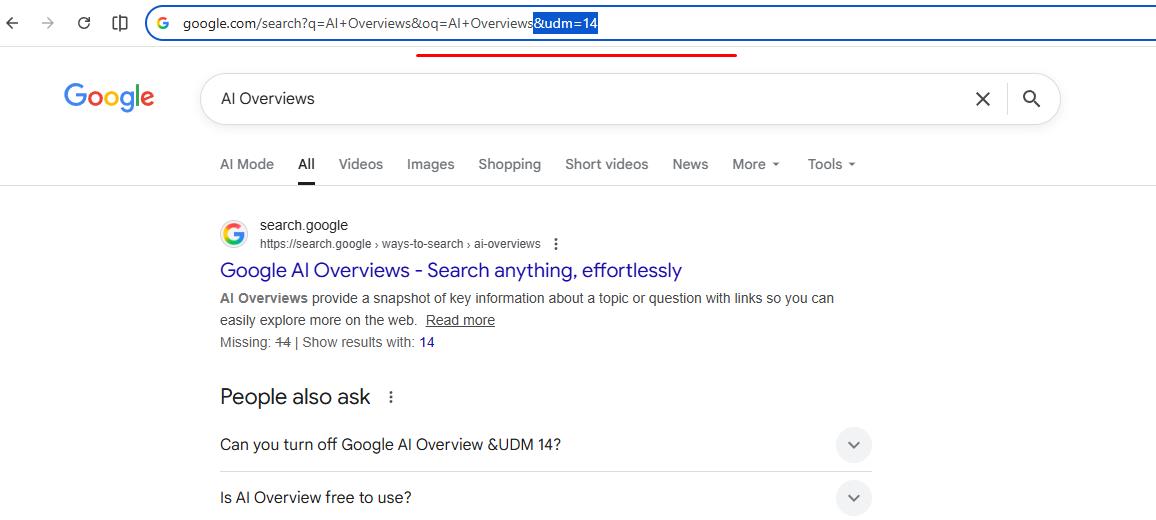
You can add a specific parameter to your query URL to eliminate AI results. The effective parameter is &udm=14. Simply add it to the end of the link containing your query.
This forces Google to show only web-style results. While this method may seem advanced, it is fast and accessible even for basic users.
Method 3. Use Browser Extensions

Browser extensions can automatically hide AI overviews. You can find these on your browser’s web store. Extensions are available for Chrome, Firefox, Edge, and other browsers. However, options may be limited if you use Safari on a Mac.
Features often include:
- Changing the page style to hide AI overviews;
- Reordering search results to hide AI summaries;
- Restoring the old Google layout.
If you want to disable AI Overviews without manually modifying settings every time, this method is for you. However, keep in mind that you will rely on third-party software, which may break with new Google updates.
Method 4. Use Different Search Engines
Not every search engine has adopted AI overviews yet. If you are willing to switch platforms, this can be a permanent solution. Consider popular alternatives such as DuckDuckGo, Brave Search, and Startpage, which still offer a traditional search experience.
Method 5. Sign Out or Use Incognito

Another popular method is to sign out or use Incognito mode. This disables search personalization, which often triggers AI results. Note that this does not guarantee complete removal, but it can reduce the frequency of AI overviews.
Method 6. Change How You Ask
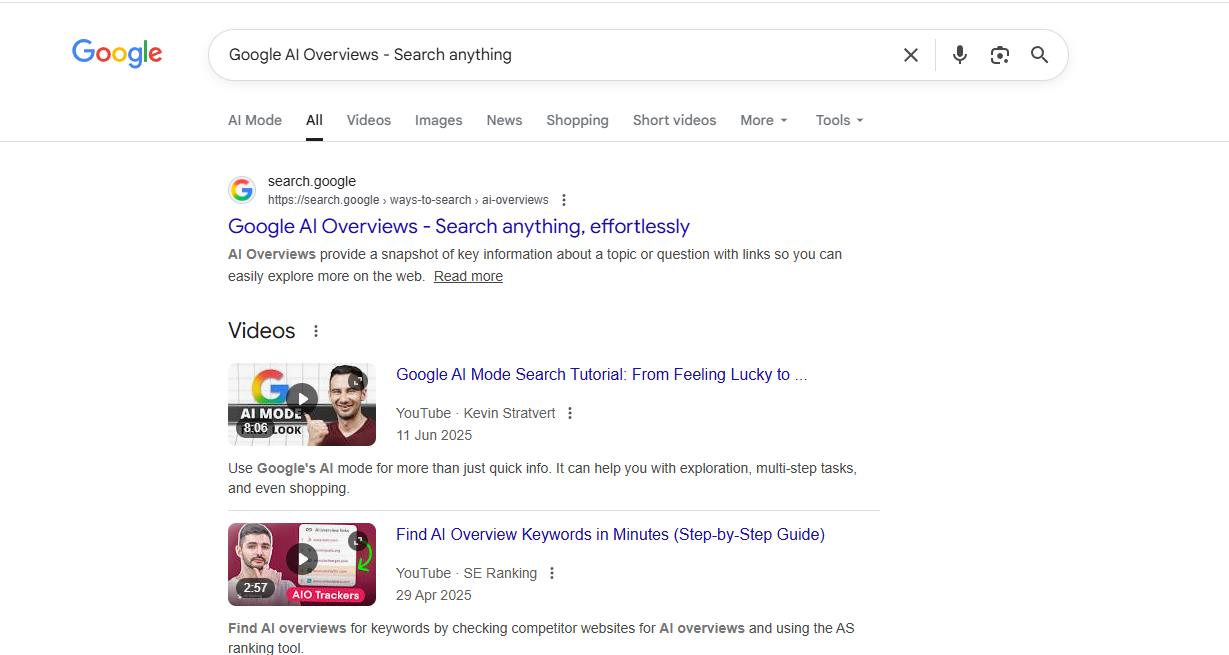
The appearance of AI results often depends on your wording. For example, AI overviews are more likely to appear for “what is” questions. Expect AI answers for medical or financial topics, as these domains are considered nuanced.
Additionally, broad searches often trigger AI results. To avoid this, use specific keywords rather than full-sentence questions. Avoid starting queries with “what is” or “how to”. This will likely reduce the probability of seeing AI answers.
Why Users Want to Disable AI Overviews
There are several specific reasons why users want to disable this feature:
- Preference for Human Sources: Users prefer information backed by human specialists.
- Accuracy Concerns: There are doubts about AI accuracy, especially for health-related queries.
- Bias: AI-generated results can be biased and may not align with SEO research.
- Readability: Classic results are often faster to scan and understand.
Many users do not see AI overviews as an improvement, but rather as an extra layer of information that is not always precise.
Will Google Add an Option to Turn Off AI?|As of now, there are no such plans. In fact, AI adoption is becoming even more prominent in search engines. Therefore, you must rely on filters and browser tools to minimize AI results for the time being. Can I turn off AI Overviews in Google?|Currently, this is not possible via a direct setting. However, you can bypass AI by using filters, browser extensions, or manually adjusting your search URL.❓ Frequently Asked Questions
Answers to relevant questions about this AI tool