Recapio YouTube Transcript Generator: Video Into Text
On this page
Think about how you treat a long YouTube video: you save it, promise yourself the weekend, and it becomes another video on the watch-later list. Recapio approaches the problem from the text side. You upload a video, and it hands you something you can skim, search, and quote; give it your favorite channels, and it stops asking you to watch YouTube at all.
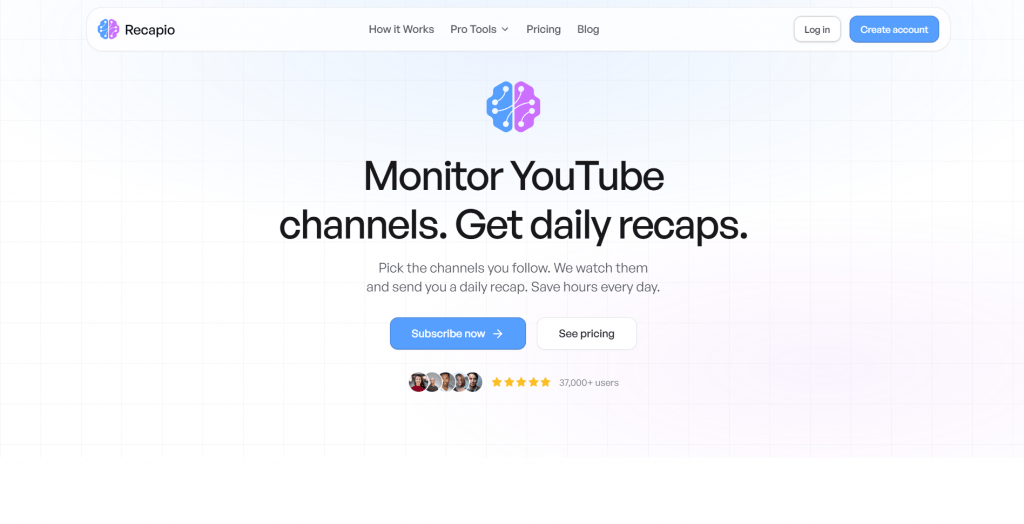
The platform, used by more than 37,000 people, splits into two halves: a free recap YouTube transcript generator that converts single videos into readable text and a paid subscription that watches whole channels and emails you a daily digest. We cover both, plus the plans, the languages, and the limits.
From URL to Readable Text
Paste a YouTube link into the YouTube transcript generator and the process runs in three moves:
-
The AI pulls the audio from the video.
-
Filler words, repetitions, and verbal tics get stripped out.
-
Formatted text comes back, structured and ready to read.
The word “formatted” is doing real work there. A recapio transcript is deliberately not the raw caption dump YouTube gives you. Suppose you feed it a machine learning lecture. The raw version reads like this:
00:00 so um today we’re going to talk about uh you know the basics of machine learning right so uh first thing…
Recapio returns the same content as an article: headings, paragraphs, key takeaways pulled to the surface, and the “ums” gone. The trade is explicit, readable video transcripts instead of timestamps, so if you need time-coded captions for editing, this is the wrong tool; if you need to read, quote, or study, it is exactly the right one. Every conversion becomes searchable, copies with one click, and shares via a link. The generator handles long-form video without complaint, from short clips to multi-hour podcasts, and reads videos in 100+ languages.
The Daily Recap: YouTube as a Newsletter
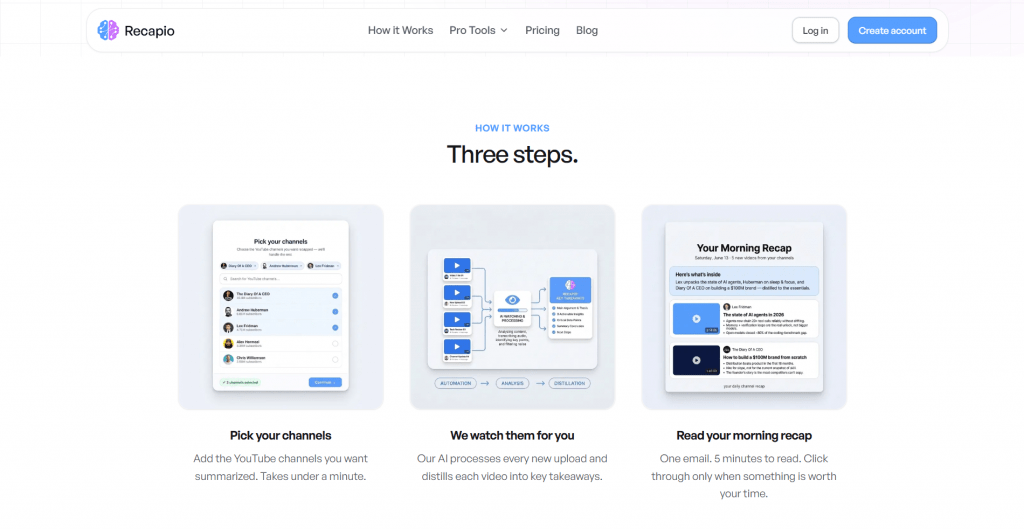
The subscription side inverts the workflow. Instead of you bringing videos to the tool, you pick channels once and Recapio AI monitors them: every new upload gets processed, summarized, and folded into one morning email that takes about five minutes to read. A 45-minute podcast arrives as a 90-second read, and sponsor segments never make the cut.
-
The first digest arrives in minutes. Add your channels, and Recapio pulls the last 24 hours of uploads, summarizes them, and sends the first recap while the tab is still open. After that it’s one email per day, and any public channel can be added, even ones outside the curated topics.
-
Delivery goes where your team lives. Recaps can land in Slack, Discord, or Telegram instead of your inbox, which turns a personal digest into a team briefing: the workflow automation angle earning its name.
-
Pro unlocks the controls. Custom AI prompts set the summary style, and delivery times bend to your schedule.
Alongside the digests, the platform’s toolkit covers chat with video-style research and a whiteboard tool that turns a video into a hand-drawn infographic of its key concepts, while the RecapioGPT browser extension extends the one-click summary habit to web pages and PDFs.
Who Gets the Most Out of It
The obvious audience is anyone whose “to watch” list outgrew their calendar, but the site’s own user list is more specific. Students convert lectures into searchable study notes. Professionals turn conference talks into briefs a team can read before the stand-up. Creators repurpose videos into blog posts and social content for video content research. Researchers mine interviews for quotes without scrubbing a timeline.
Pros & Cons
- The transcript tool is free, instant, and needs no registration: paste a link, get text.
- Output reads like an article, with filler words removed and key takeaways highlighted, rather than a wall of captions.
- Transcribes videos in 100+ languages, and one-click copy plus shareable links make summary export painless.
- Daily channel recaps are delivered to email, Slack, Discord, or Telegram, and cancel in one click.
- The site is browser-based with no regional restrictions, so it works from Russia too.
- Formatted text means no time codes: anyone needing SRT captions or timestamps should look at a dedicated transcription tool instead.
- The interface is English-only, with no Russian localization.
- Channel monitoring, batch work, and custom formatting sit behind the subscription, and Starter’s single custom recap fills up fast.
Pricing: What the Plans Include
|
Plan |
Price |
What you get |
|
Free tools |
$0 |
YouTube-to-text conversions, no signup, no card |
|
Starter |
$8.99/month |
1 custom daily recap from your channels, plus 1 curated topic recap |
|
Pro |
$18.99/month |
Unlimited custom recaps and topics, custom AI prompts, flexible delivery times |
The free tier is a complete product if all you want is text from videos. The subscription question comes down to volume: following three channels casually, Starter covers it; running a research feed or a team digest across a dozen channels, Pro is the honest price. Annual billing is available, and cancellation is a single click in Settings.
Languages and Access
Multilingual support is stronger on the input side than the output side. The generator reads videos in more than 100 languages, English, Spanish, Japanese, and Hindi, and testimonial users report summaries in over a dozen output languages. The interface itself runs in English only. Access is as low-friction as this category gets: the free tools skip registration entirely, the site loads in any modern browser with nothing to install, and there are no regional blocks. The one dependency is the video itself: Recapio works with public YouTube content, so private videos stay out of reach.
Final Thoughts on Recapio
Recapio is two products under one name, and the decision splits the same way. The free YouTube summarizer and transcript generator cost nothing to evaluate: paste one link and judge the output against your own use. The subscription is a separate calculation. At $8.99 to $18.99 a month, it makes sense if you follow enough channels for a daily digest to replace real watching time, and little sense below that threshold.
The limits matter as much as the features: no time codes, no caption files, no offline use, and summaries this compressed can flatten nuance in technical or argumentative videos, so spot-check against the source before quoting. Editors and subtitlers will be better served by a dedicated transcription tool. For reading, research, and keeping up with channels, the free tier answers the question in an afternoon, and it’s the sensible place to start
❓ Frequently Asked Questions
Answers to relevant questions about this AI tool