AutoPod: AI Video Podcast Editor
On this page
Video podcasts have long ceased to be simple conversations on camera. They are now full-scale productions involving two, three, or even five cameras, individual microphones for each guest, and the need to cut short clips for social media. Manually editing such material in Adobe Premiere Pro turns into a multi-hour chore: you have to stare at waveforms, manually switch tracks, and cut out pauses.
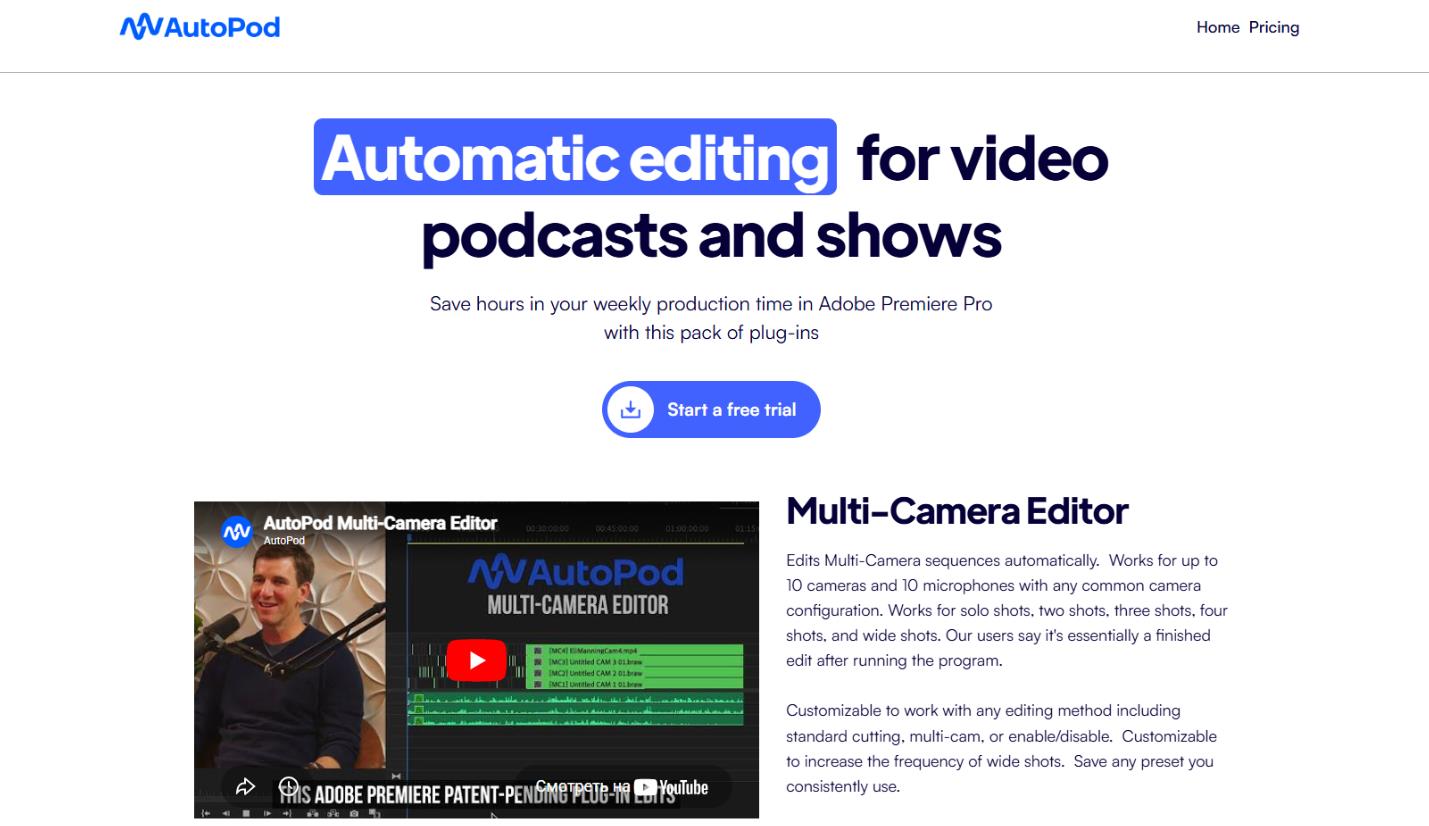
AutoPod is a niche but very powerful answer to this problem. It is a pragmatic tool, created by editors for editors. Some say it is destroying the video editor profession. Let’s see if that is true and whether AutoPod is worth its price.
What Is AutoPod and What Is It Used For?
AutoPod is a set of plugin extensions for professional video editors, primarily for Adobe Premiere Pro. Support for DaVinci Resolve has recently appeared. Its goal is to maximally automate the most time-consuming stages of post-production for podcasts and talk shows.
It is an algorithmic, not generative, AI. It does not invent creative ideas or write scripts. Instead, it analyzes the volume level of audio tracks and makes editing decisions based on that data.
Simply put, AutoPod looks at who is speaking loudest at any given moment and switches the main camera to them. It also looks for silence on the tracks and automatically cuts out those sections.
Key usage scenarios:
- Automatic switching between cameras in multi-cam podcasts.
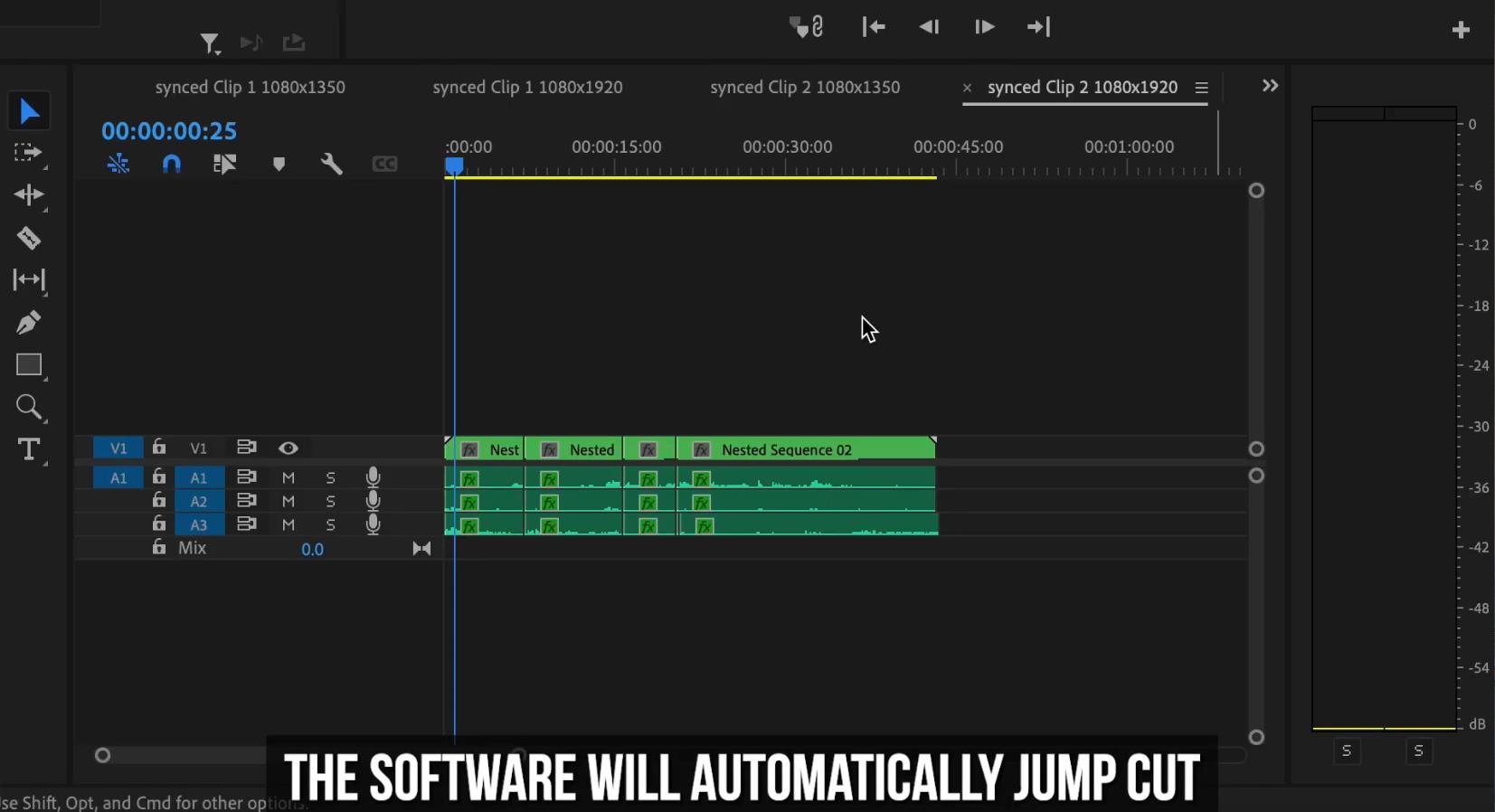
- Instant removal of long pauses and dead zones (jump cuts).
- Fast creation of vertical and square versions of an episode for YouTube Shorts, Instagram Reels, and TikTok.
How It Works and What Platforms It Supports
The main and most stable version is for Adobe Premiere Pro. In 2024, support for DaVinci Resolve appeared, significantly expanding its audience. The logic is intuitive for those already familiar with Premiere Pro.
Preparation
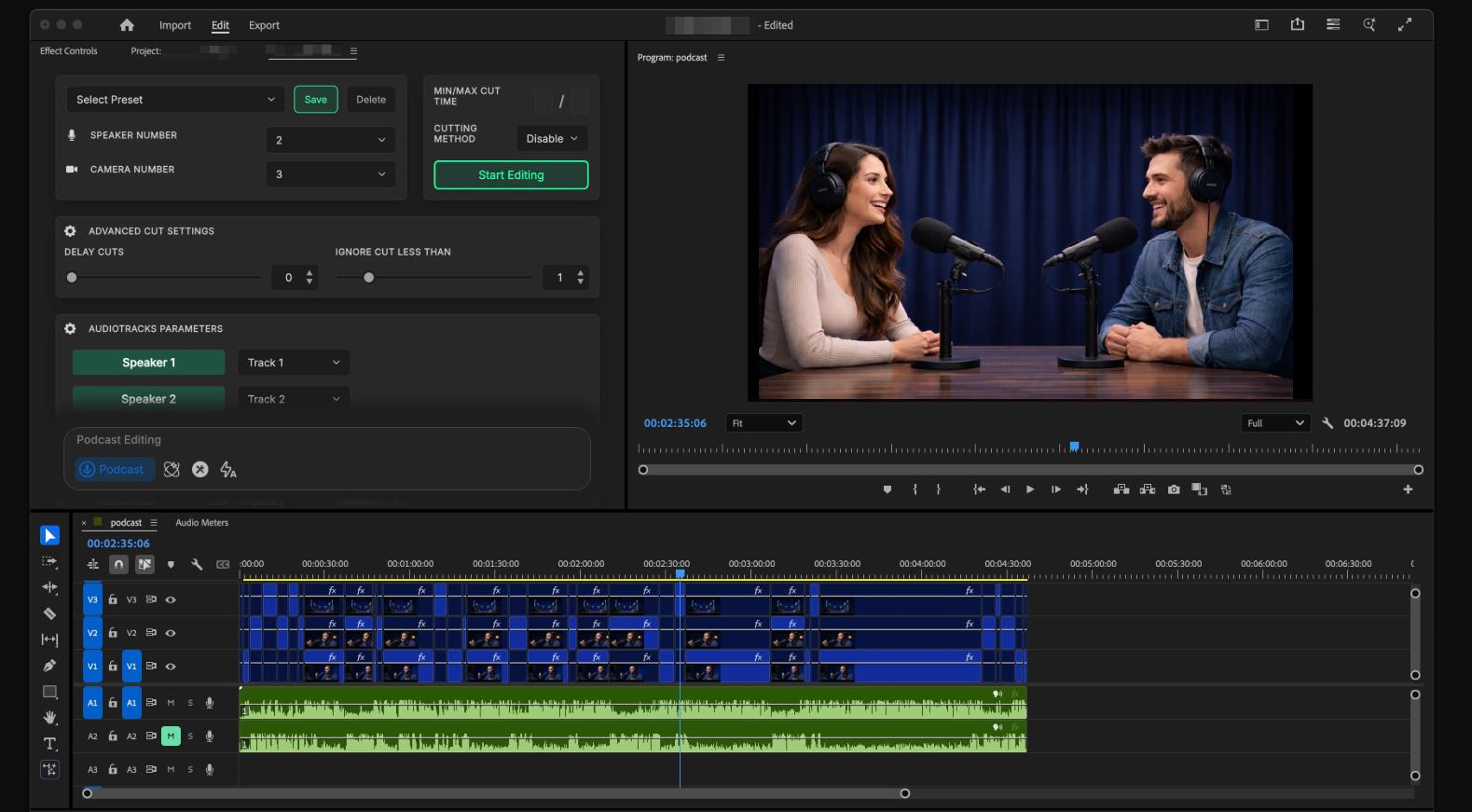
You place several video tracks from different cameras in your project and, crucially, separate audio tracks for each microphone. Everything must be synced in time. AutoPod supports up to 10 cameras and 10 microphones.
Running the Plugin
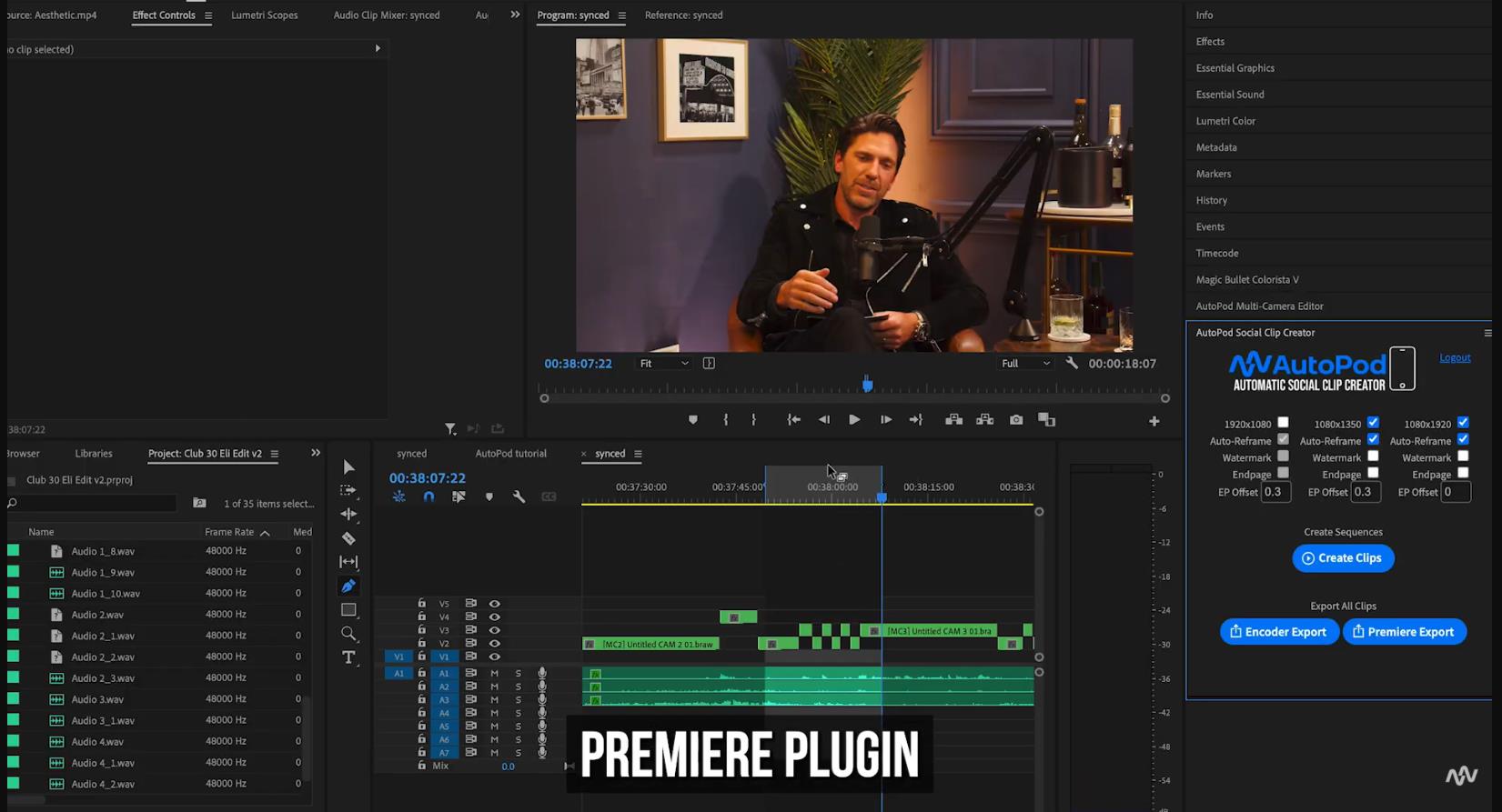
You select the desired module: Multi-Camera Editor, Jump Cut Editor, or Social Clip Creator.
- Multi-Camera Editor: You set a decibel threshold for each microphone, adjust the frequency of wide shots, and set a buffer time between switches. Hit the button, and the plugin creates all the cuts, switching the camera to the active speaker. Users confirm you end up with a practically finished rough cut.
- Jump Cut Editor: Analyzes silence based on a set threshold and automatically removes those fragments, creating a dynamic pace.
- Social Clip Creator: You mark the start and end of a desired fragment on the timeline, choose a format (16:9, 1:1, 9:16), and the plugin creates a new sequence with correct resizing and auto-reframing and can even add a watermark or an end card.
Who Will Benefit From This Tool?
The value of AutoPod directly depends on your specific tasks. The easiest way to understand if it suits you is to answer a few questions about your workflow.
- Video editors and production studios that work daily with multi-camera talk shows.
- Independent podcasters with 2+ cameras who want to publish content more often without hiring an editor.
- YouTube creators in the “talking head” or “interview” genres.
- Those who already use Premiere Pro or DaVinci Resolve as their main NLE.
Conversely, the tool is unlikely to be useful if you do highly artistic editing with dozens of effects, work in Final Cut, or only have a single mixed audio track from a camera.
Examples of Use
AutoPod is versatile enough to handle the needs of a solo blogger as well as an entire studio. Let’s look at the most typical scenarios.
For personal projects and solo work
- Solo blogger. You record a conversation with a friend using two cameras and two lavalier microphones. You used to spend 3-4 hours switching angles manually. With AutoPod, it’s 15 minutes to set thresholds and another 20 minutes for manual polish.
- Educational content. A teacher records a lecture with one screen and one camera. Using the Jump Cut Editor, you can instantly cut out all the “uhs,” “ums,” and long pauses, making the lecture dynamic.
For business and commercial studios
- Podcast studio. A team of 2-3 people publishes 4-5 episodes a week for different clients. AutoPod cuts the rough cut time for each episode from 5-6 hours down to 20-30 minutes. The budget savings on editor salaries become obvious after the first month.
- Marketing agency. When creating interviews with experts or client CEOs, the agency can use the Social Clip Creator to instantly cut 10-15 short quotes for social media, without offloading the task to a junior editor.
User Reviews and Ratings
Aggregating opinions from Reddit, YouTube, and specialized forums (2023–2026), an objective picture emerges.
Most users call AutoPod a “game-changer” for their work. Key quotes: “Saved me 2 hours on each episode,” “After running the plugin, the edit is 90% done,” “Paid for itself after the first episode.” Studio editors note the plugin cut post-production from a full workday down to a couple of hours.
The main criticism relates not to the plugin’s functionality itself, but to the business model and limitations. Users complain that AutoPod “isn’t smart”: it just cuts based on volume, without understanding the context of the conversation. There are also complaints about automatic subscription renewal through Lemon Squeezy and difficulties with cancellation. The overall rating in the video editor community is a solid 4.5 out of 5 for its niche.
- Real time savings. Cuts rough cut time for multi-cam podcasts by 70-90%. Instead of 5-10 hours of routine, it takes 20-60 minutes.
- Exceptional simplicity. Minimal settings (mostly just the decibel threshold) and one-click operation. No need to learn complex manuals.
- Ideal foundation for refinement. The result of AutoPod’s work is not a final edit, but a very clean draft that is easy to finish manually.
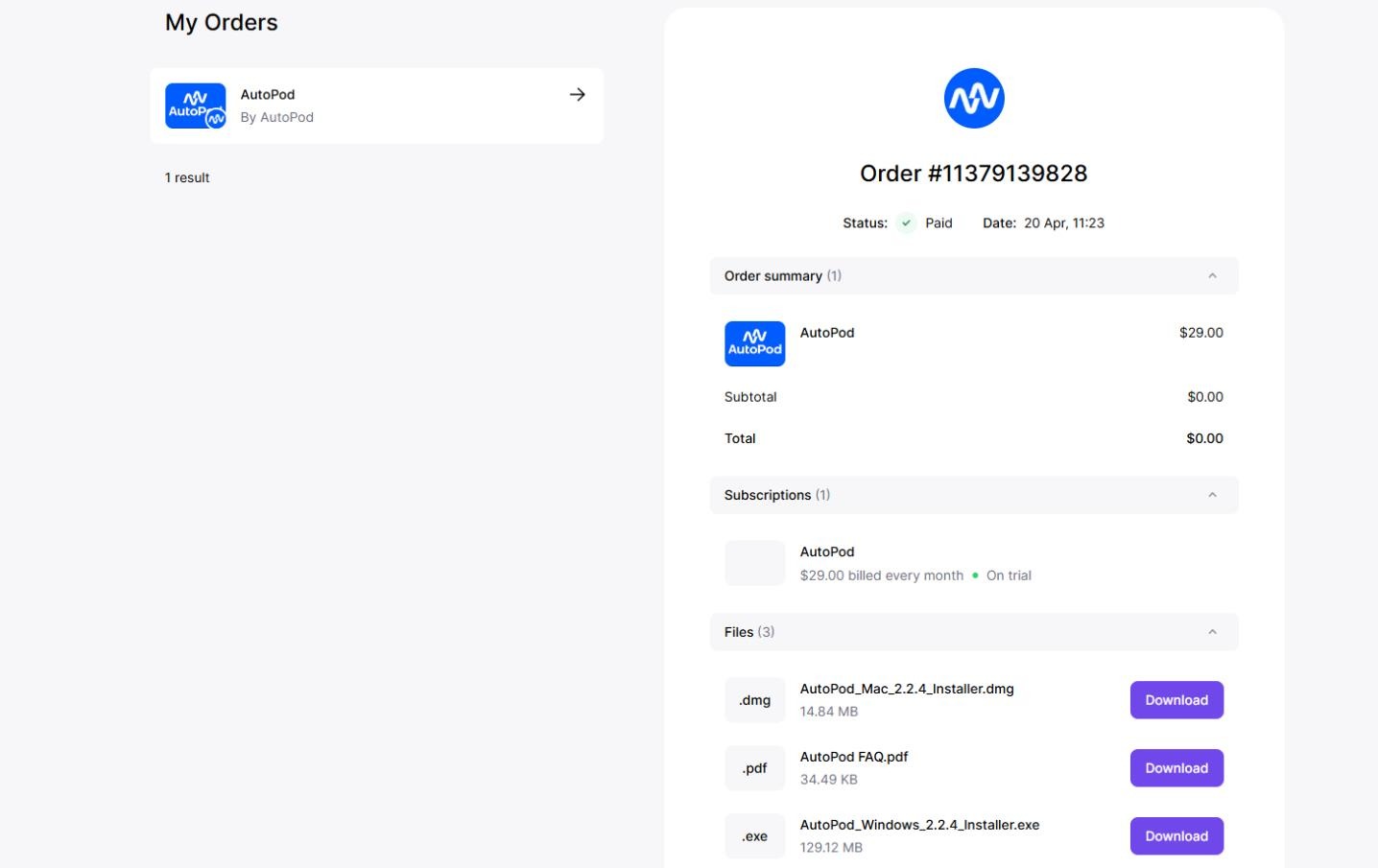
- Cost-effective. At a subscription price of $29 per month, the plugin pays for itself faster than you would pay an external editor for a single episode.
- Continuous development. The developers listen to the community: they added DaVinci Resolve support and release updates.
- Subscription model. Many users prefer a one-time license, but AutoPod only offers monthly or annual subscriptions. This increases the long-term cost.
- Algorithmic “deafness.” The plugin does not understand the meaning of the conversation. It might switch the camera to someone who just sneezed or laughed loudly. It does not remove filler words.
- Sensitivity to audio quality. The tool is nearly useless if you have a single mixed camera track or significant background noise. It needs a clean signal from each microphone.
- Billing issues. According to reviews, the Lemon Squeezy platform sometimes has problems with automatic renewal and refunds. It is recommended to monitor charges carefully.
Conclusion
AutoPod is not a magic “make it pretty” button. It is a professional “turbo mode” for video editors who know exactly what they want. The tool fits perfectly into the modern trend where AI handles the routine, leaving creativity and control to the human.
If you regularly edit multi-cam podcasts in Premiere Pro and lose 5-10 hours each time on angle switching, AutoPod is likely the best $29 a month you can invest. The 30-day trial will let you personally assess the savings. For one-off projects or working with a single microphone, the plugin will probably be unnecessary. It is a niche but very high-quality tool for solving a specific and extremely time-consuming problem.
❓ Frequently Asked Questions
Answers to relevant questions about this AI tool
Sources
-
AutoPod — autopod.fm
-
AutoPod Pricing — autopod.fm
-
AutoPod Review: AI Editing for Podcasts (Worth It?) — vidpros.com