Dezgo generates AI images free, with no account and no signup, across a big lineup of models from Stable Diffusion and SDXL to Flux and Grok Imagine. We cover how it works, which models to pick, and when the paid Power Mode is worth it.
Dezgo Overview: A Universal AI Image and Video Constructor
On this page
Dezgo is an online platform that brings together dozens of image and video generation models under one roof, offering users maximum capabilities with minimal barriers to entry. Let’s take a look at what this tool is, how it works, and who it might benefit.
What is Dezgo?
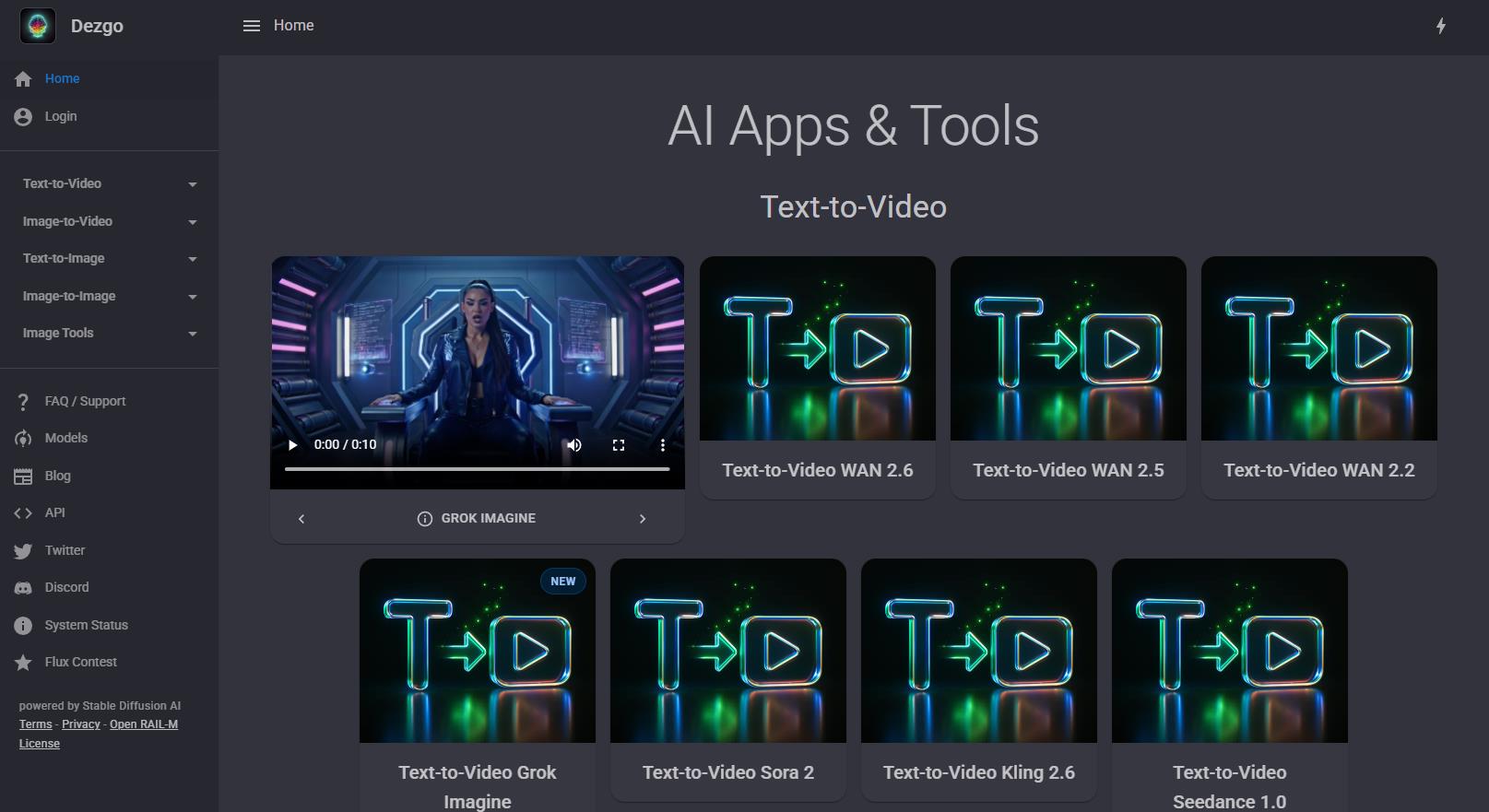
Dezgo is a web service for generating content with artificial intelligence, working directly in the browser. The core philosophy of the project is to make powerful neural networks accessible to anyone who can articulate their ideas (prompts). The platform does not require installing software on a computer, and in its basic version, it does not even require registration.
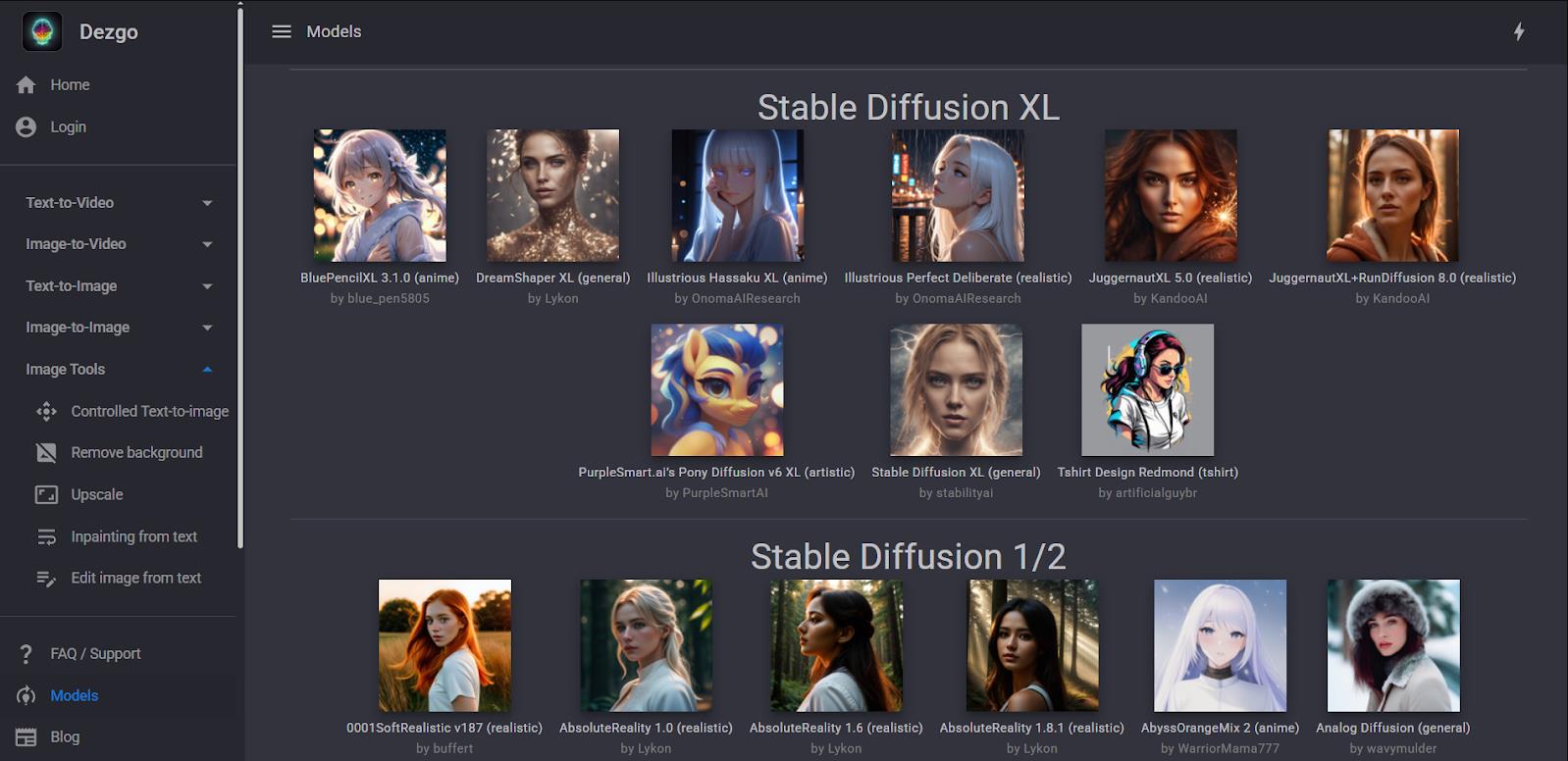
The service positions itself as a toolkit where the most current AI models are gathered. Instead of searching for where to run Flux, Stable Diffusion, or Grok Imagine, users find them all in one place.
What platforms is it available on
Dezgo is a web application. It does not require installing separate programs for Windows, macOS, or Linux. Having any modern browser (Chrome, Safari, Firefox) and a stable internet connection is sufficient.
The service works equally well on desktop computers and mobile devices, retaining the functionality of all its tools.
What it is used for
Dezgo covers a wide range of tasks related to visual content. It is not just a “picture generator by request.” The service’s functionality allows you to:
- Create content for social media and blogs: covers, posts, banners.
- Develop concepts and prototypes: mood boards, sketches, interior design.
- Edit images: replace objects in photos, add elements (inpainting), expand backgrounds, upscale resolution.
- Generate short videos: animate static images or create short clips from text descriptions.
- Experiment: thanks to the absence of strict censorship, the service allows work with a wide range of themes and styles, including NSFW.
How it works
Technically, Dezgo is a front-end interface for powerful computing resources running machine learning models. The user interacts with the service through an intuitive web interface. The generation process is as simple as possible and consists of a few steps.
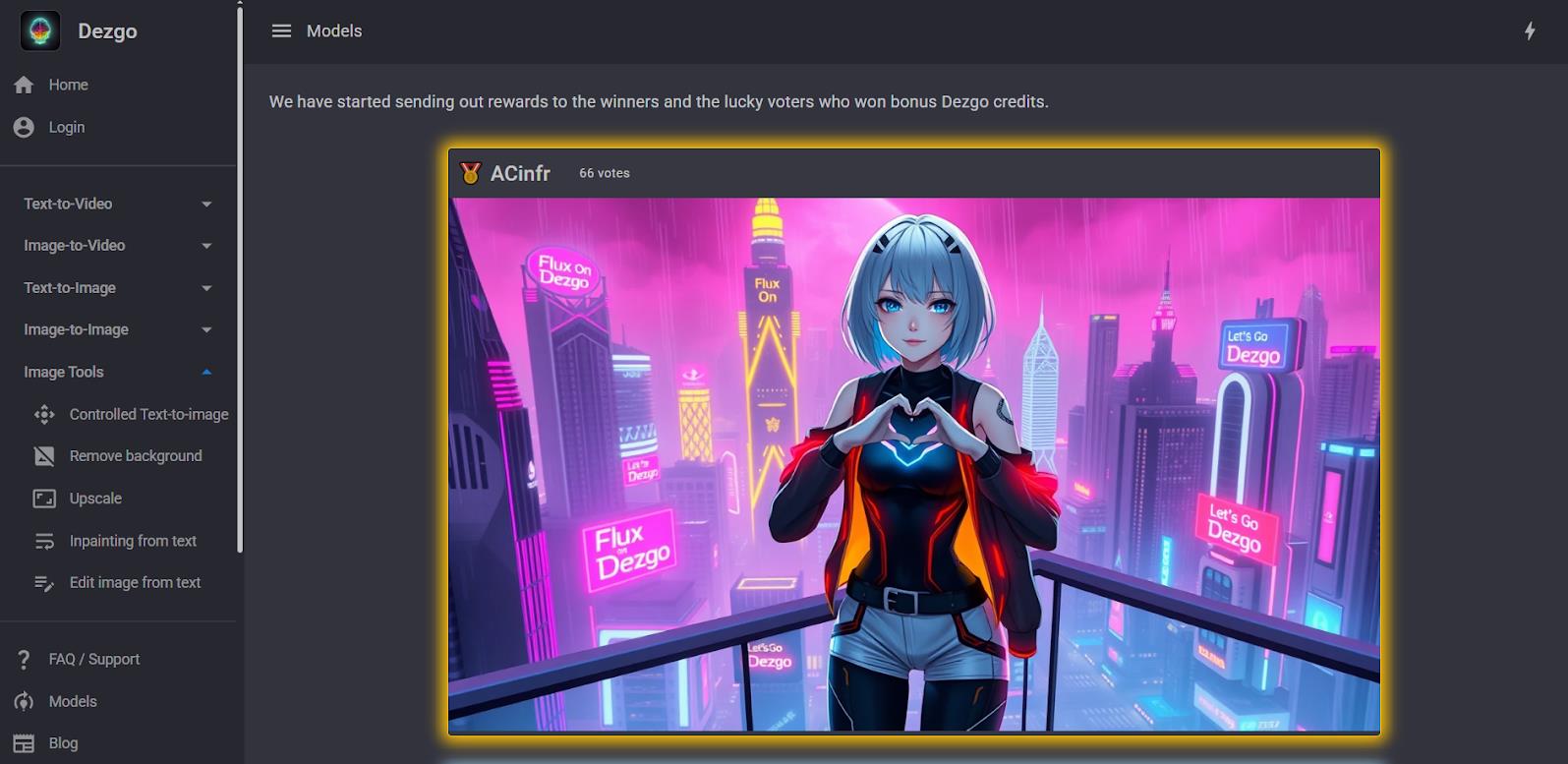
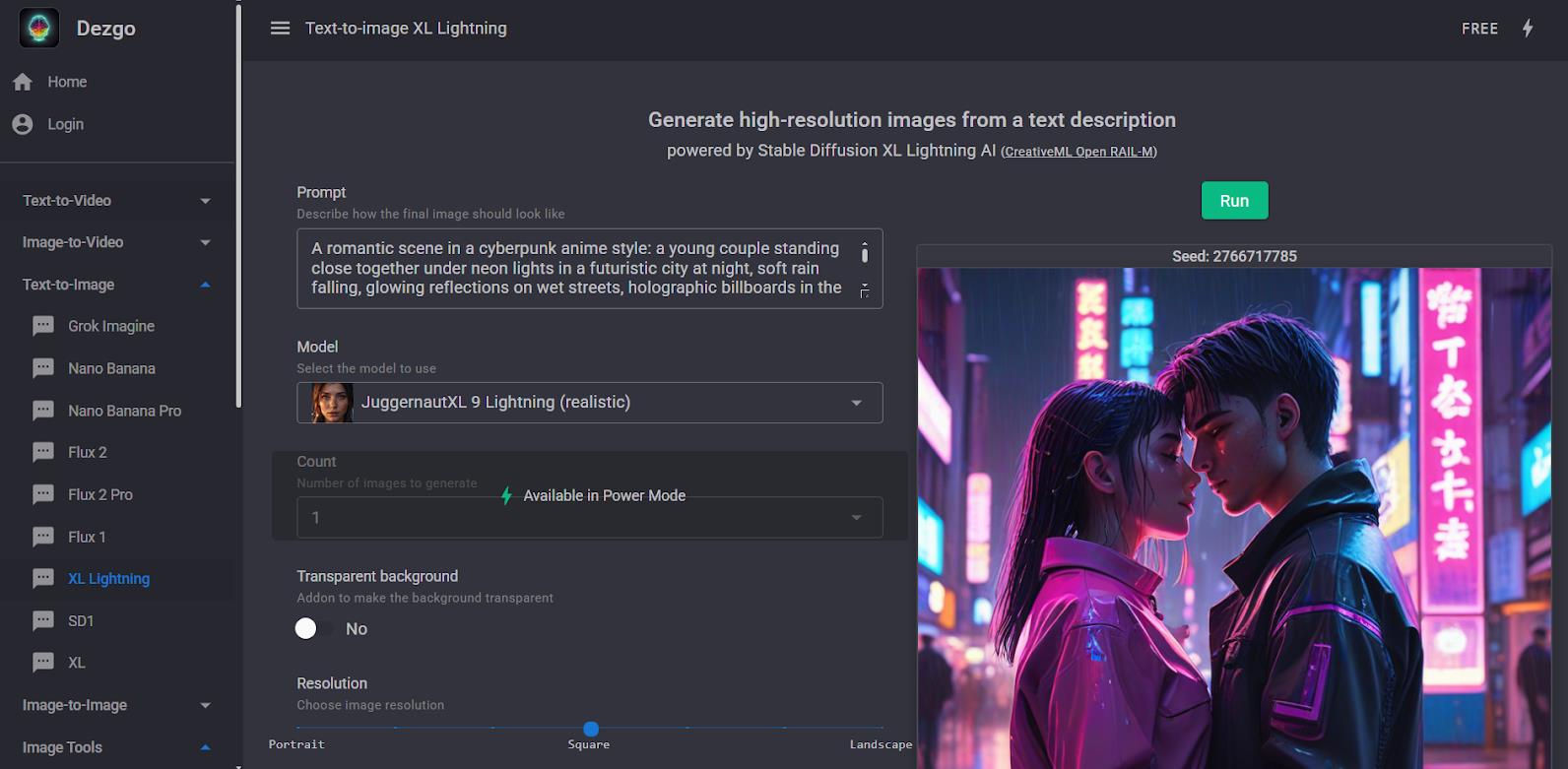
- First, on the main page, select a category: Text-to-Image, Image-to-Image, or Text-to-Video.
- Then, choose a specific AI model from the list, many of which are marked as free. Next, enter a text description (prompt) and, if necessary, add a negative prompt indicating what should not appear in the image.
- The user adjusts parameters: number of steps, prompt adherence scale (CFG), sampling method, and resolution.
- After clicking the “Generate” button, the system processes the request. In paid mode, this takes 3–5 seconds. In free mode, there may be a wait in a queue.
Beyond basic generation, the service offers advanced tools:
- ControlNet allows you to strictly control the pose of a character or the composition by uploading a reference image.
- Inpainting lets you “mask” part of an image and regenerate only that area, describing in text what should appear there.
Nuances of use
Dezgo has several important features worth considering before you start.
The service offers a hybrid monetization model.
- Basic functionality with limitations on resolution and speed (due to a queue) is available for free and without registration.
- For those who want to work without waiting and at high quality, there is Power Mode — a pay-as-you-go system. Users add a minimum deposit of $10, and funds are deducted only for actual generations (about $0.0019 per image), which compares favorably to monthly subscriptions.
The service positions itself as uncensored, meaning it has no strict content filters. This is both an advantage for creative experimentation and a potential drawback for those seeking a strictly moderated tool.
Commercial use is permitted, but rights depend on the chosen model (the CreativeML Open Rail license is commonly used). It is also worth noting that the developers comply with GDPR, and users have the option to disable the use of their data for model training.
Use cases
Dezgo is an ideal tool for a wide range of users. Primarily, it is useful for beginners who are just getting acquainted with the world of AI generation and do not want to immediately deal with the intricacies of installing Stable Diffusion locally or paying for expensive Midjourney subscriptions.
For personal purposes
- Hobby artist: Test how a created character looks in different styles (anime, realism, cyberpunk) without spending hours on rendering.
- Creating gifts: Generate unique images for greeting cards, stickers, or t-shirt prints.
- D&D or tabletop game player: Create portraits of characters, locations, and maps for campaigns.
For business
- SMM manager: Create unique illustrations for posts and stories that do not violate stock photo copyrights.
- Marketer: generate hundreds of creative variations for A/B testing advertising campaigns.
- Interior designer: Visualize concepts for clients by showing how a room would look with different furniture styles or wall colors.
- Game developer: Generate textures, assets, and sprites for indie projects during the prototyping phase. Access via API allows integration of generation into applications.
At the same time, Dezgo is unlikely to suit professionals who require perfect photorealism from the first prompt or long, narrative-driven video with high resolution. Specialized tools like Midjourney or Runway exist for such tasks.
User reviews and ratings
According to the developers, over half a million images are generated here daily. This speaks to the service’s high popularity among a non-demanding but active audience.
Analysis of reviews confirms this conclusion. On Reddit, users often call it the best online alternative to running neural networks locally and emphasize that it is “great and free” for getting started. They particularly highlight the speed of Power Mode, the lack of censorship, and the ability to test the latest models (Flux, Grok Imagine) without registration.
Negative comments mainly concern queues in the free mode and the outdated interface, according to some users. Occasional complaints about technical glitches are typically resolved quickly by support.
- Maximum accessibility. Free start without mandatory registration or software installation. The service works from any browser.
- Flexible payment. No monthly subscription. In Power Mode, you pay only for actual generations, which is economical for irregular use.
- Up-to-date models. Dozens of modern models gathered in one place, including the latest versions of Flux, Grok Imagine, and video generators.
- Comprehensive toolkit. Not just text-to-image, but a full set: ControlNet, inpainting, upscaling, background removal, and video generation.
- Creative freedom. An uncensored policy allows the creation of content often blocked on other major services.
- Free mode instability. During peak load periods, queues can be long, and resolution and step counts may be limited.
- Inconsistent quality. As with all models based on Stable Diffusion, classic artifacts are possible: issues with anatomy (hands, faces) and text in images.
- Experimental video. Text-to-video and image-to-video functions are in beta. Clips are short (2–4 seconds) and lack the smoothness of professional competitors.
Conclusion
Dezgo is something of a “people’s” workhorse for generating visual content. It does not try to compete with Midjourney in aesthetics or with Runway in cinematic video quality. Its main value lies in accessibility and breadth of scope. It is an ideal starting point for beginners, a testing ground for professionals, and a reliable working tool for those who need high-quality images quickly, cheaply, and without unnecessary bureaucracy.
❓ Frequently Asked Questions
Answers to relevant questions about this AI tool
Sources
-
Dezgo AI — dezgo.com
-
Dezgo AI Pricing — dezgo.com
-
Dezgo AI FAQ — dezgo.com
-
Dezgo AI API Overview — dev.dezgo.com
-
Dezgo AI API Reference — dev.dezgo.com
-
Dezgo on X — x.com
-
Dezgo GitHub Organization — github.com