


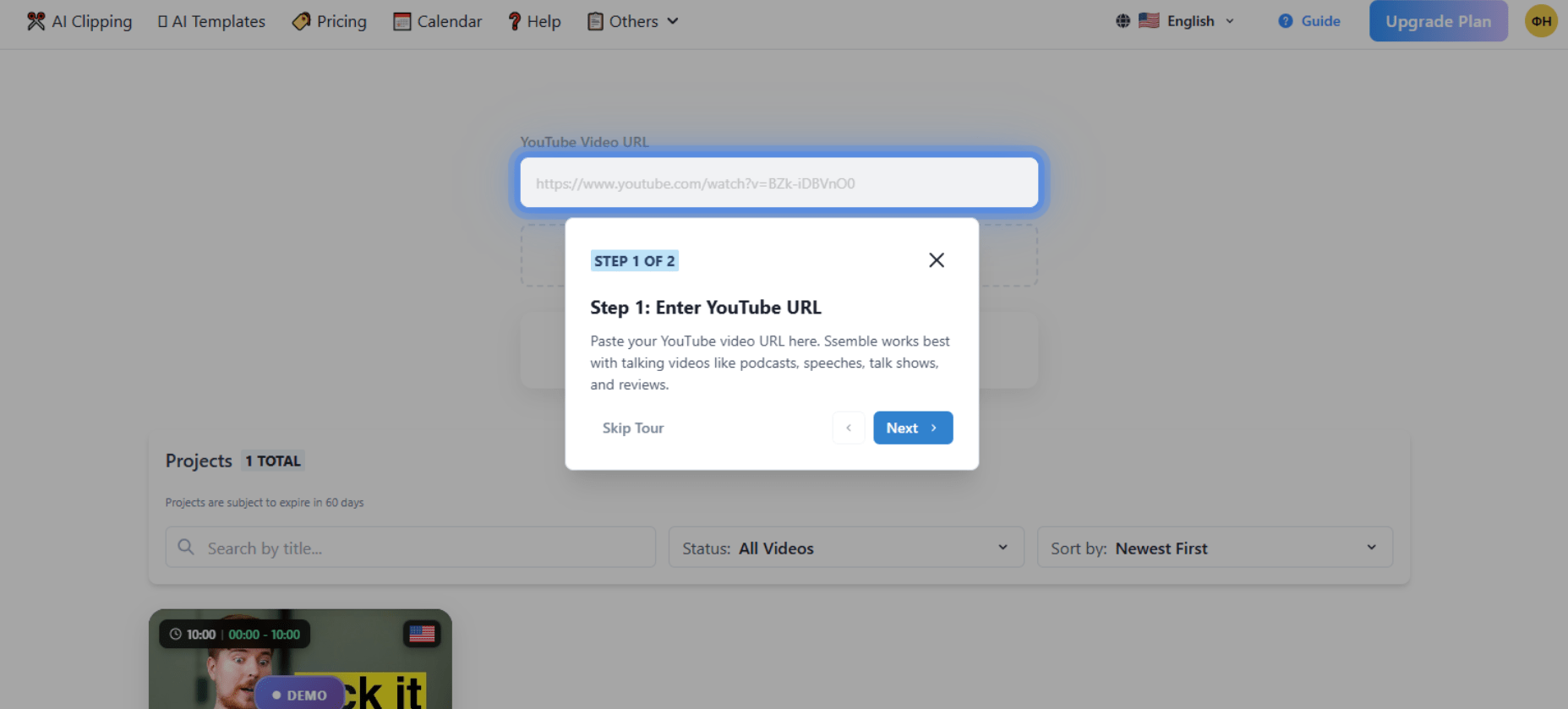
Turning a long video into a dozen share-ready clips by hand takes hours. Ssemble automates it: it finds the best moments, adds captions, tracks faces, and formats everything for TikTok, Reels, and Shorts. We cover what it does, the credit-based pricing, and the catches worth knowing before you pay.
Ssemble AI: Video Shorts Creation
On this page
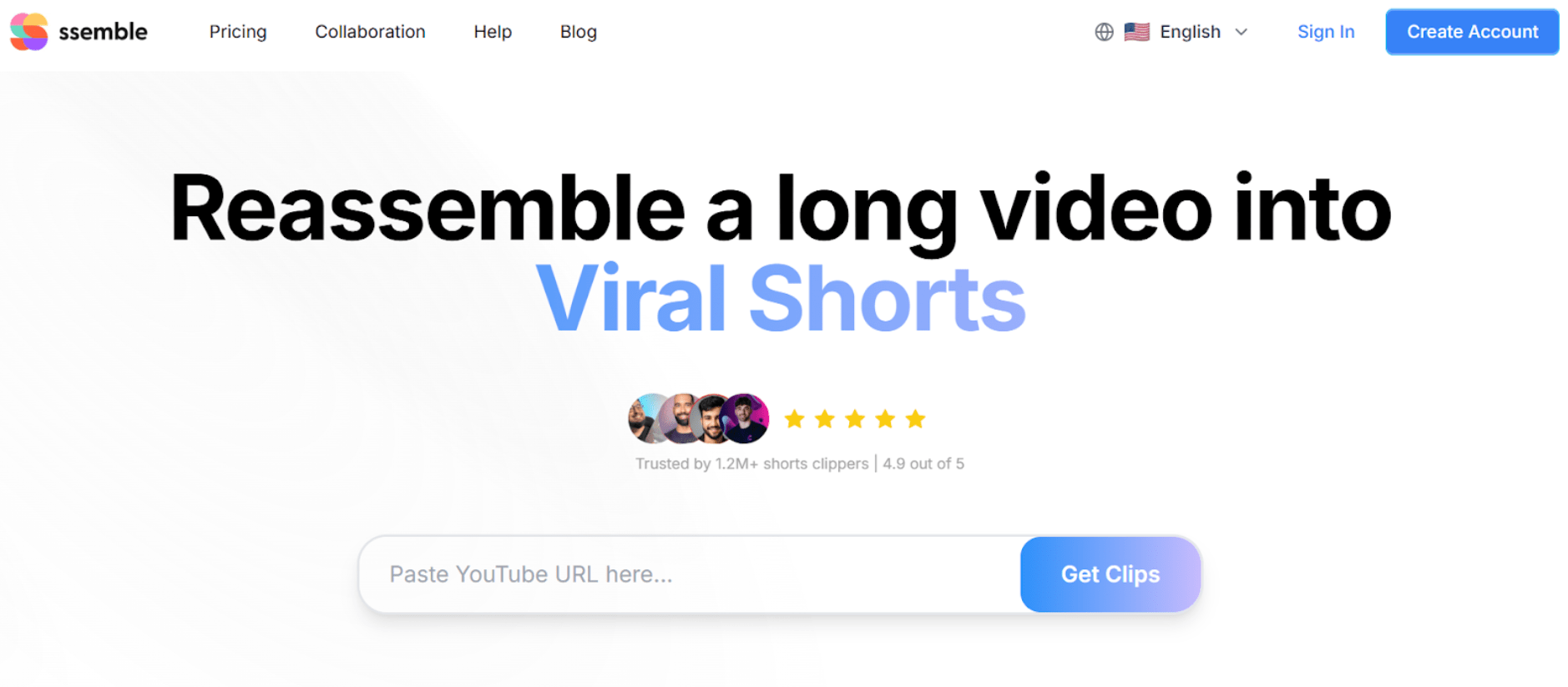
Ssemble is a comprehensive AI-based video editing solution that allows users to create vertically-oriented “short” video clips (typically between 15-60 seconds long) from longer-form content, as well as perform full-scale video edits.
Specifically, Ssemble has been developed to enable individuals to easily create video content for platforms such as TikTok, YouTube Shorts and Instagram Reels, particularly for those new to video editing.
Who Does Ssemble Serve?
Individuals and businesses producing and editing video content will appreciate Ssemble as a valuable resource:
- Content Creators/Bloggers— to turn podcasts, live streams, or vlogs into shorts.
- Marketers/Social Media Managers— to develop marketing materials and publish content on various social media platforms.
- Educational Projects— to extract key ideas from webinars or lectures.
- Small Channel Owners— to help manage a YouTube channel without extensive experience using a professional-level editing application.
What Are Some Of The Main Features And Functionality Of Ssemble?
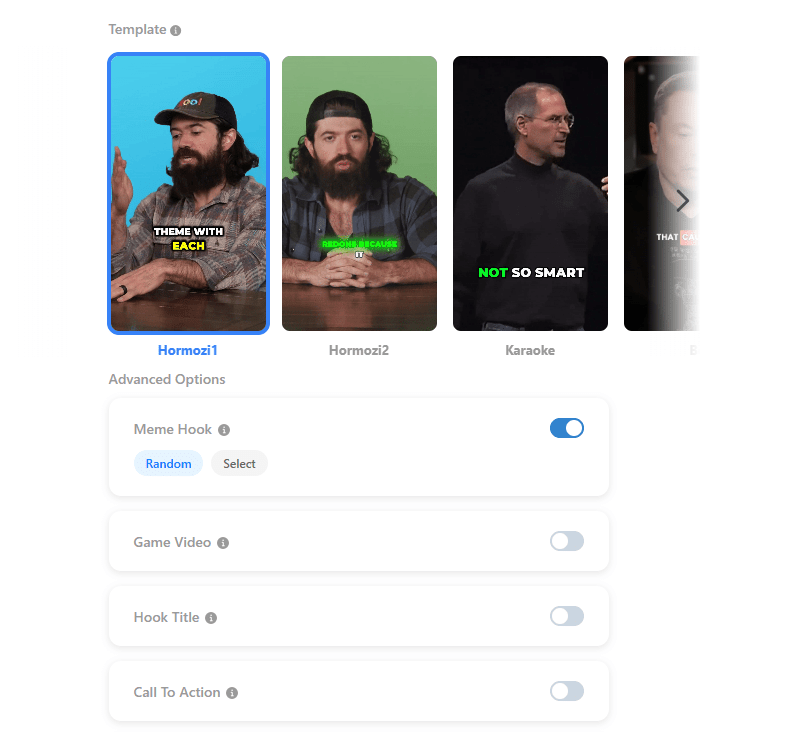
AI technology is utilized by Ssemble to handle all but the most minor of post-production activities. Consequently, Ssemble utilizes the following AI-based features/tools to assist users in developing short video content:
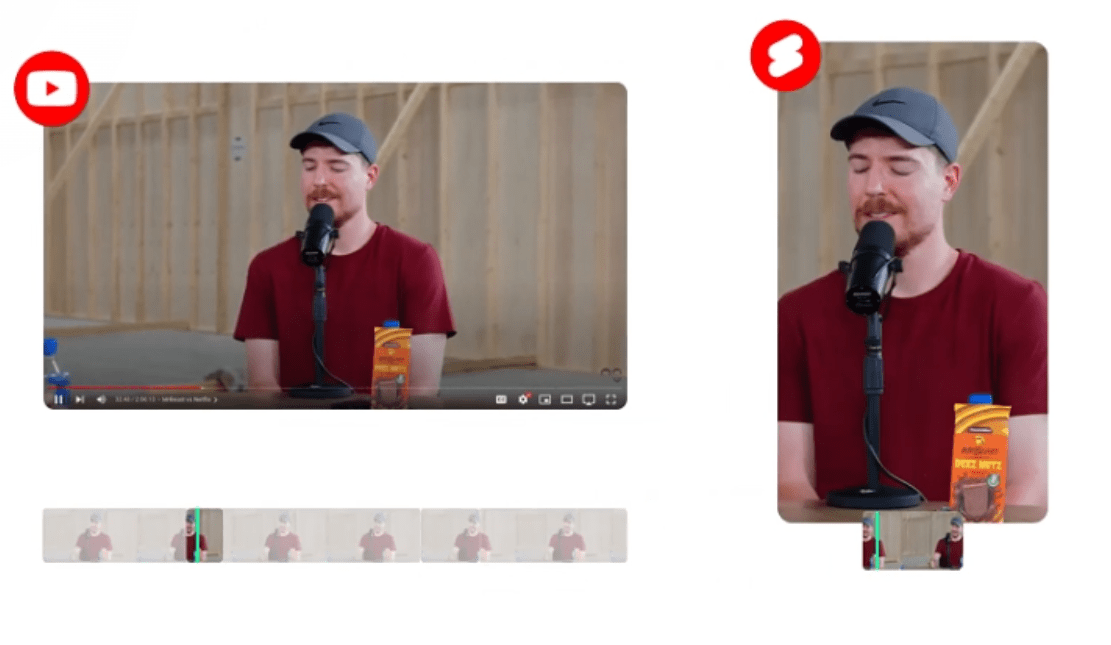
- Auto Curation— The AI spots the most exciting and potentially viral moments in your source video (up to 20 minutes) and turns them into shorts.
- Auto Face Tracking— When cutting a video down to a 9:16 aspect ratio, the AI keeps the speaker’s face centered in the frame the whole time throughout the cut video; this is a very useful feature for podcasts and interviews.
- Auto Captioning/Translation— AI-generated captions are created and displayed for the edited video and may be translated to other languages while maintaining the original audio track.
- AI Title/Call to Action (CTA)— AI creates a compelling title and call-to-action for the edited video.
In addition to the standard clipping functionality offered through Ssemble, there are some additional features/tools that increase the quality of the end product:
- Game Video/Meme Hook— inserts gameplay footage or short viral video clips either at the beginning or within the main cut.
- B-Roll Integration— integrates supplemental footage from the Pexels library, or from your own files.
- Highlight Captions— makes visually prominent key terms in the captions.
- Transitions and Effects— a variety of modern transitions and dynamic zoom effects.
Publishing and Integrating with Ssemble
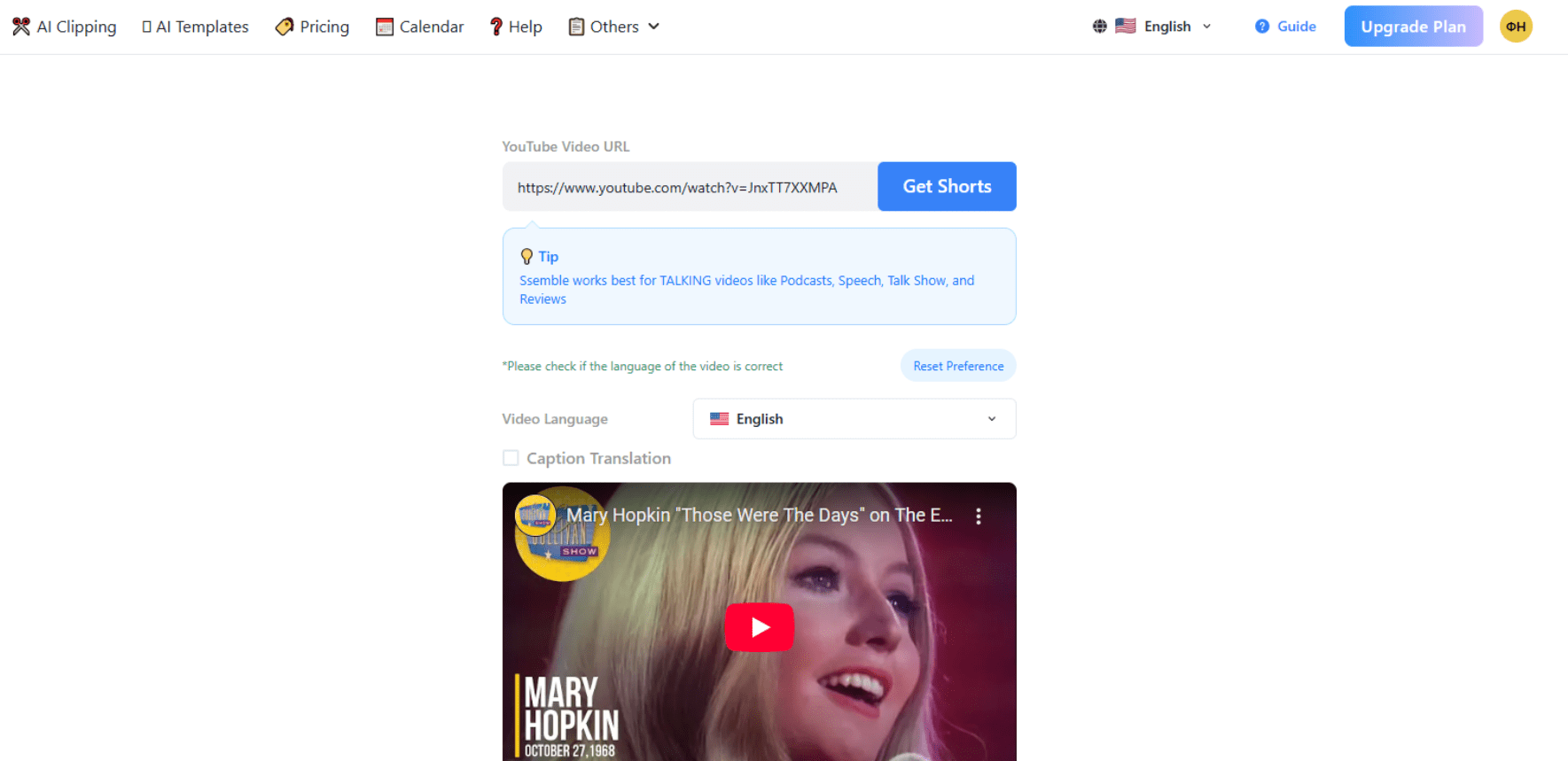
There are also tools available to assist you with creating and publishing your content strategy through Ssemble. You can use the built-in scheduler to have clips automatically posted to TikTok, YouTube, and Instagram. Additionally, the Ssemble AI (GPT integration) generates optimal titles, descriptions, and hashtags for the content you plan to publish.
Real world examples:
- Podcaster:Posts a one hour podcast to Ssemble. Ssemble AI then auto-cuts the podcast into the five best moments, adds captions to the video with the key terms highlighted, and posts the 7 day series of short videos to TikTok.
- Educational Channel:Instructor posts a recorded webinar to Ssemble. Ssemble AI then auto-cuts the recorded webinar into 60 second short video clips, each explaining one concept.
- Marketer:Creates short video clips from a promotional stream. Utilizes the game video function to add gameplay footage at the bottom of the video to keep viewers interested in the video, even if they are not listening intently to the audio.
- The whole thing is automated: It finds the right parts to clip into your videos, automatically creates captions, and follows people’s faces so that you don’t have to spend hours manually creating each clip.
- A lot of engaging tools: The ability to add gaming clips at the bottom of your screen (MemeHook), create a title and other elements of the video, and auto-create tags and descriptions for your video, all make it easier to keep your viewers engaged.
- Automatically publish to social media: There is also a built-in scheduling system where you can automatically post your video to social media platforms such as TikTok, YouTube, and Instagram and also generate hashtags and descriptions based on what is trending.
- Works across most devices: The web-based application is compatible with Windows, Mac OS, iOS, and even Android mobile phones via browser.
- Simple pricing model: Each video (up to 20 minutes) is charged 1 credit. This makes calculating your costs easy.
- No “free” plan: Videos uploaded by users who have limited access to files (and possibly trial users) may have a watermark. Trial access is currently not available without first paying for a plan (as reported by users).
- Limits on lower tier plans: The PRO plan ($9/month with annual billing) limits you to connecting only one social media account, which could be frustrating if you are using Ssemble as part of a team.
- Ssemble has no open source code: Therefore, customizing the way the tool functions is not possible.
- Minimal analytics on lower tiers: Starting from the BUSINESS plan, you will have full access to the analytics tools (e.g. searching in analytics).
- Poor support ratings: While many users report good experiences with support, others claim that they have had difficulty receiving refunds and poor responses (Trustpilot rating: 2.0/5).
Plans and Pricing
Ssemble uses a subscription model with annual plans providing a 70% discount, or credit-based processing. One credit processes one video up to 20 minutes long. All prices listed are with the 70% annual discount.
| Features / Plan | PRO | EXPERT | BUSINESS | CUSTOM |
|---|---|---|---|---|
| Monthly Price (regular / annual discounted) | $30 / $9 | $60 / $18 | $120 / $36 | $167 / $50 |
| Video Credits per Year | 360 | 720 | 1440 | 2000+ |
| Maximum Video Length | 20 min | 20 min | 20 min | 20 min |
| Auto Clipping, Auto Captions | Yes | Yes | Yes | Yes |
| Number of Social Media Accounts | 1 account | 3 accounts | Unlimited | Unlimited |
| Automated Posting and Scheduling | Yes | Yes | Yes | Yes |
| Analytics | No | No | Yes | Yes |
Editor’s Hands-On Review
I worked with Ssemble. As a tool, this is really useful for creating quick and simple content clipping (“one click”). For podcast-style or “talking-head” style interviews, the algorithms are good: face tracking works well, and the captions are transcribed correctly enough.
But do not depend upon the AI to think creatively or understand nuance (such as humor). When creating complex, dynamic videos with multiple speakers, or requiring significant editing, you will likely have to make some manual adjustments to the AI output because it will lose context and miss important parts.
Conclusion
Ssemble does the tedious part of short-form video well: it pulls the good moments out of long footage, captions and reframes them, and even schedules the results to TikTok, YouTube, and Instagram, all without editing skills. The credit-based pricing (one credit per video up to 20 minutes) makes costs easy to predict, and the automation genuinely saves hours.
Something worth noting: There is no true free plan, so you generally pay before you can test it properly, lower tiers limit you to a single social account and minimal analytics, and support has drawn criticism, with a low Trustpilot score and complaints about refunds. Unused credits also expire at the end of your billing cycle rather than rolling over. If you produce short-form content regularly and want the clipping and captioning handled for you, Ssemble is a capable, affordable option; just go in aware of the annual billing and the support track record.
❓ Frequently Asked Questions
Answers to relevant questions about this AI tool
Sources
-
Ssemble AI — ssemble.com
-
Pricing — AI Video Clipping Plans - Ssemble — ssemble.com
-
Understanding AI Credits and Pricing - Help Center - Ssemble — help.ssemble.com
-
ssemble Reviews (2025) - Product Hunt — producthunt.com








rendering takes forever
The Trustpilot rating is awful. So many people complaining about billing issues.
I’ve experienced multiple crashes when working with 4K footage.
Not ready for professional use yet.