


Arting AI turns a text prompt into images in seconds, no design skills needed, with basic generation free and advanced features running on coins. We cover what it does well, where the quality wavers, and whether it’s worth it for your work.
Arting AI bundles image generation, video creation, face swap, and study utilities in one interface—no registration required for basic features. We tested its quality, pricing, and real user feedback to see whether this free aggregator delivers or falls short of expectations.
Arting AI: Ultimate Image & Video Generator
On this page
OpenAI’s recent decision to shut down access to Sora has left many users frustrated, especially those who had grown accustomed to AI video generation tools. In this context, AI aggregators that bundle multiple similar services are gaining relevance. One such platform is Arting AI. Let’s take a closer look at whether this tool can serve as a genuine replacement for professional solutions and whether it suits everyday tasks.
What is Arting AI
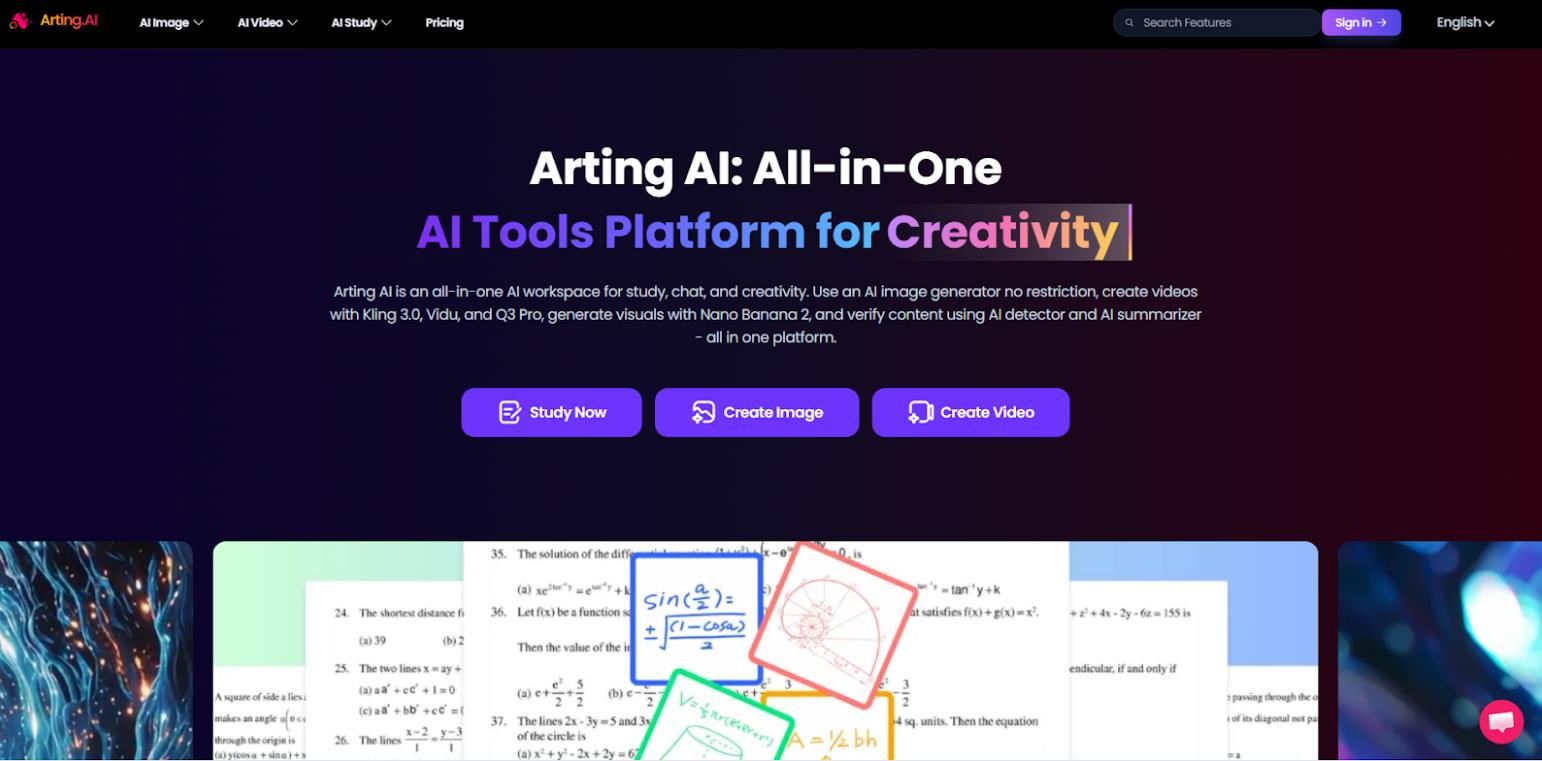
Arting AI is a web platform that positions itself as a unified workspace for visual content creation. Unlike narrowly specialized services, it brings together popular neural networks for image generation, video creation, face swap, as well as a set of utilities for studying and content editing.
Several dozen tools are available directly in the browser, all in one interface. Some of them don’t even require registration, which lowers the barrier to entry for new users. Regular updates—such as the improved face swap feature released in early 2026—indicate that the project is still under active development.
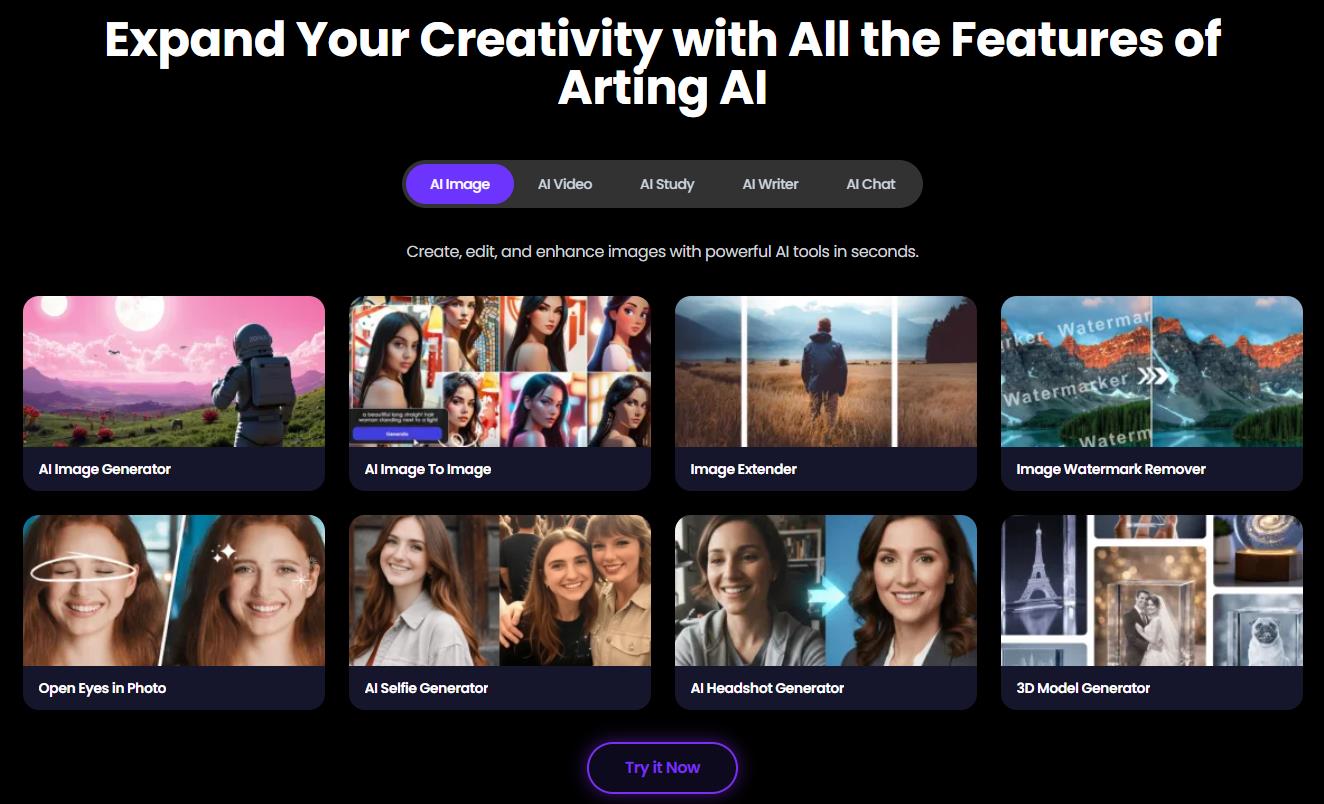
What Arting AI is used for and how it works
Arting AI is designed as a “kitchen sink” tool for quickly turning ideas into animated or static visuals. Use cases range from creating memes and social media illustrations to drafting marketing materials and academic presentations.
The process of using the service looks like this:
- Select a tool. The user visits the site and chooses a section: image generator, video generator, face swap neural network, or utilities (YouTube summarizer, math solver, AI detector, etc.).
- Input data. Depending on the tool, the user either uploads a ready-made file (photo, video) or enters a text prompt. The platform offers a library of pre-written prompts and format settings (aspect ratio, style).
- Processing. The service uses a combination of third-party and proprietary models (including variations of Stable Diffusion, Kling, Runway Gen-4, and others). Processing takes anywhere from a few seconds to a minute.
- Editing. The result can be refined: enhance quality, remove backgrounds or objects, resize.
Key features and availability of Arting AI
The platform stands out primarily due to its structure and pricing model.
- Free basic access. Image generation is available without registration, watermarks, or obvious limits on the number of requests.
- Wide range of models. Current versions of popular generators (Kling 3.0, Vidu Q3 Pro, Veo 3, etc.) are collected in one interface, saving users from having to subscribe to each service separately.
- Utilities for study and work. The presence of an AI detector, humanizer, and summarizer makes the service useful for students and copywriters.
- Privacy. According to statements on the site, uploaded data is not used to train neural networks.
Basic image generation and some video tools are available without restrictions. However, user reviews suggest that the free mode is limited in speed or number of generations, and sometimes hits a paywall. Advanced features (complex video, high-res processing) use an internal currency called “coins,” which are purchased on a pay-as-you-go basis.
Use cases: personal and business
Arting AI can be used in various scenarios, but it’s important to understand its limitations.
For personal use:
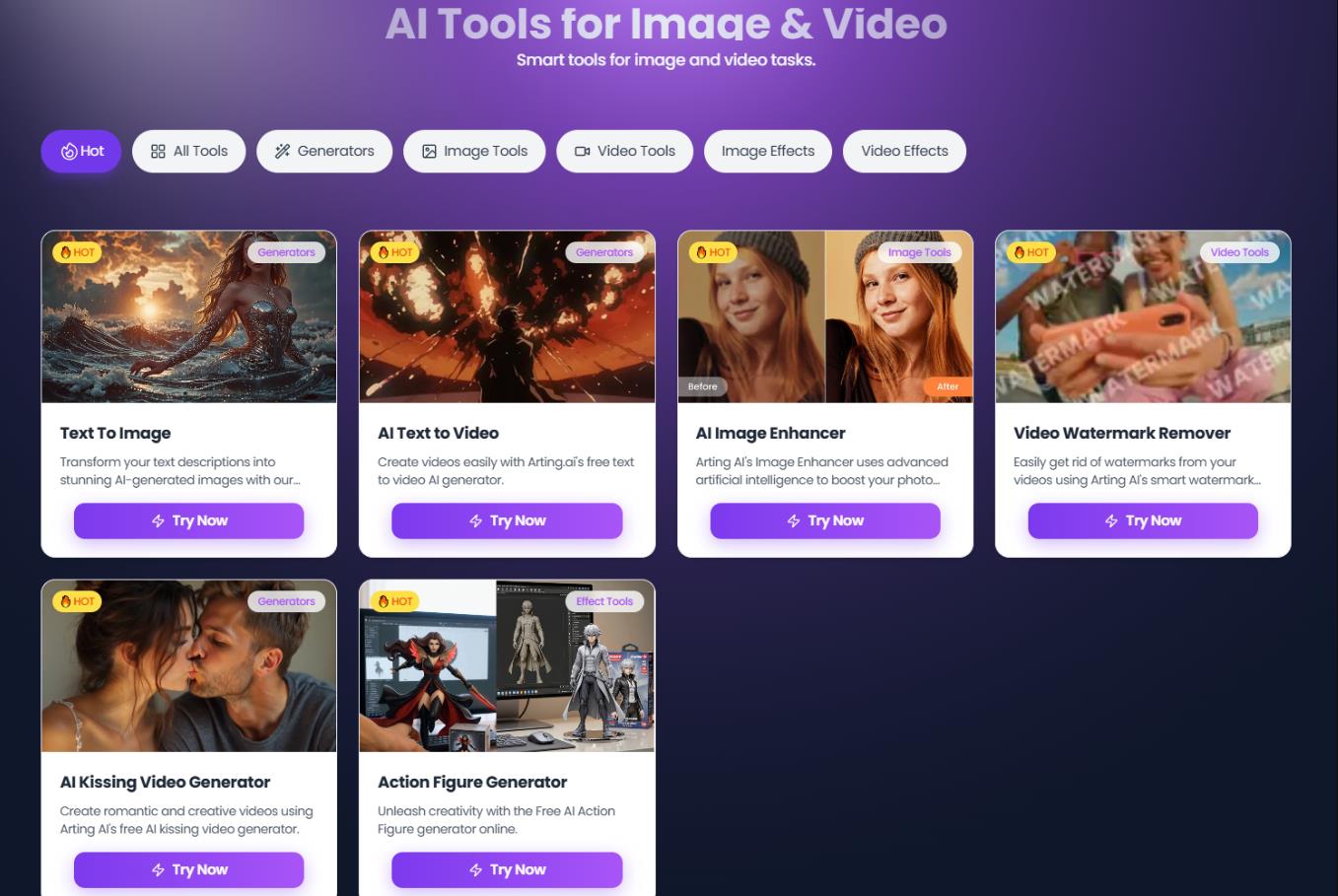
- Avatars and effects. The face swap tool allows quick replacement of faces in photos, videos, or GIFs, which can be used for entertainment or creating content for friends.
- Illustration generation. For hobbies (e.g., creating art for board games or anime characters), the basic functionality is sufficient, especially if anatomical precision isn’t required.
- Study assistance. The math solver and YouTube summarizer help quickly understand study material or extract key points from long lectures.
For business:
- Marketing materials. The tool is suitable for quickly creating ad mockups or generating backgrounds for product photography. However, for final, high-quality creatives that require brand consistency, the generation quality may fall short.
- SMM content. Generating images for social media posts (Instagram, Telegram) is fast. But for video content (Reels, TikTok), the service often produces inconsistent results that require regeneration.
Pricing
The platform uses an internal currency called coins. Plans are offered as one-time packages that never expire:
| Plan |
Price |
Coins |
|
Standard Pack |
$9.99 |
800 |
|
Boost Pack |
$19.99 |
2,000 |
|
Pro Pack |
$39.99 |
4,500 |
|
Ultra Pack |
$99.99 |
12,000 |
|
Power Pack |
$159.99 |
25,000 |
The cost of generation depends on complexity: video processing requires significantly more coins than image creation. The platform offers refunds for failed generations after review by support.
User reviews and reputation
Public opinion about the service is currently limited. On Trustpilot, the platform has a rating of 2.5/5 based on fewer than 10 reviews.
Positive feedback, mostly found on social media, focuses on free access to image generation and the absence of watermarks. Users note that the service handles simple images well, including specific prompts.
Negative reviews are more numerous and center around several issues:
- Marketing mismatch. Claims of being “completely free” don’t match reality, as the system often requests payment or login after a few generations.
- Video issues. One of the most common complaints is that the video generator either doesn’t work or fails to follow the prompt.
- Artifacts. Image and video quality often suffers from typical AI errors (distorted proportions, extra limbs).
- Technical bugs. Users encounter unresponsive buttons and file upload errors.
- Low entry barrier. Many tools work without registration or payment.
- No watermarks. Ready-made images can be used immediately.
- Multi-functionality. Saves time spent searching for specialized services.
- Speed. Basic generations happen in seconds.
- Flexible payment. The pay-as-you-go (coins) system is more convenient than a monthly subscription for irregular use.
- Unstable quality. Models often produce artifacts and fail to follow prompts accurately.
- Weak video generator. Video creation functionality works inconsistently.
- Marketing exaggerations. The promised “completely free” experience is limited in practice.
- Weak customer support.
Comparison with competitors
Arting AI isn’t a direct competitor to market leaders in terms of quality, but it occupies the niche of a “budget aggregator.” There are other Sora alternatives worth noting:
- Leonardo.ai offers more powerful control over generation but has strict limits in its free version and requires a subscription for serious work.
- Midjourney remains a leader in image quality but requires Discord and a paid subscription.
- Kling AI / Runway specialize in video and do it better than Arting’s built-in modules.
- Grok Imagine / ChatGPT provide more stable and predictable free generation for simple tasks, though with a narrower set of tools.
Arting wins on versatility and the ability to try different models in one place. But don’t expect stable performance or consistently high-quality output.
Market timing: can Arting AI replace Sora?
The Sora shutdown has created a temporary vacuum in the market. Thousands of users now have to look for alternatives. Queries like “Sora alternative” or “free Sora replacement” are actively rising. This kind of situation is a golden hour for smaller services. Arting AI looks appealing, but it’s unlikely to become a true replacement. At best, it serves as a free buffer for the short term. It’s a tool for quick experiments, not for serious work.
Conclusion
Arting AI offers a convenient sandbox for getting started with neural networks. It’s well suited for beginners who want to try different generation models without committing to subscriptions, as well as for anyone who needs simple images or study utilities.
However, the platform clearly feels unfinished. The unstable video generator and inconsistent detail quality make it more of a “entry ticket” to the world of AI generation for newcomers rather than a reliable working tool.
Our verdict: Arting AI is interesting as a budget alternative to mature services like Midjourney or Runway. But before using it, it’s worth being realistic about the trade-offs. If you need predictable, high-quality results for business, it’s better to invest in specialized platforms. If your goal is to get visuals for personal projects quickly and for free, Arting AI might be a useful option.
❓ Frequently Asked Questions
Answers to relevant questions about this AI tool
Sources
-
Arting AI — arting.ai
-
Arting AI Pricing — arting.ai
-
Arting AI Terms & Condition — arting.ai
-
Arting AI Private Policy — arting.ai
-
Trustpilot - Arting — trustpilot.com




Trustpilot reviews for Arting AI are terrible right now.