Noty.ai is an AI meeting assistant that transcribes calls straight from your browser, with no bot joining. We cover how it works, what the summaries and to-do lists deliver, what the plans cost, and where the limits sit.
Noty AI Review: Meeting Notes Without the Bot
On this page
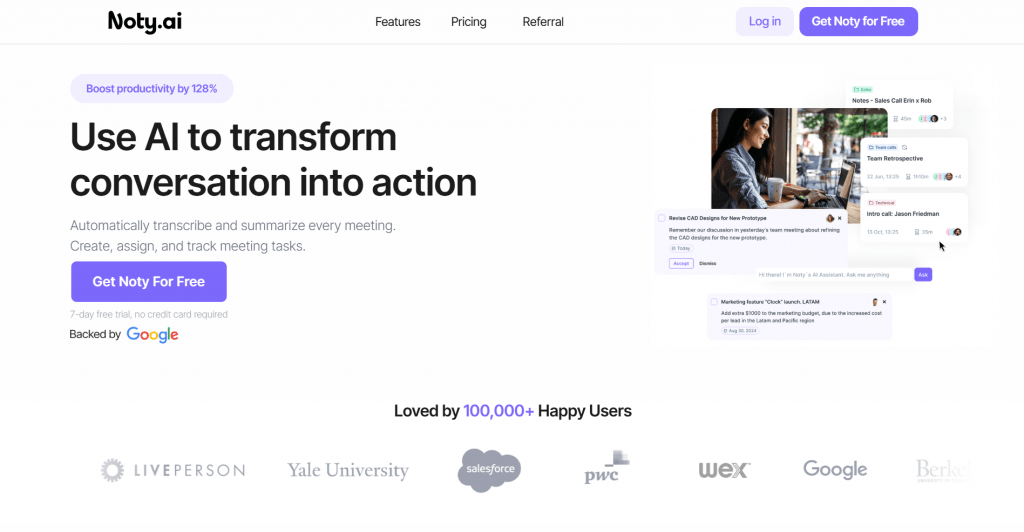
Noty.ai is an AI note-taking assistant that transcribes your meetings live, then turns the meeting transcripts into summaries, to-do lists, and follow-up emails. It runs as a Chrome extension that listens from your own browser tab, so no bot ever joins your call. The engine is powered by Google Gemini, the developer is backed by Google for Startups, and the extension holds a 4.8 rating on the Chrome Web Store. This review covers how it works, who it serves, what the plans cost, and where the limits sit.
How Noty.ai Takes Notes Without Joining the Call
The workflow is three steps, and none of them involve inviting anything to your meeting:
-
Install the extension. Noty.ai lives in Chrome and connects to your Google account, with calendar integration so it knows which call you’re on.
-
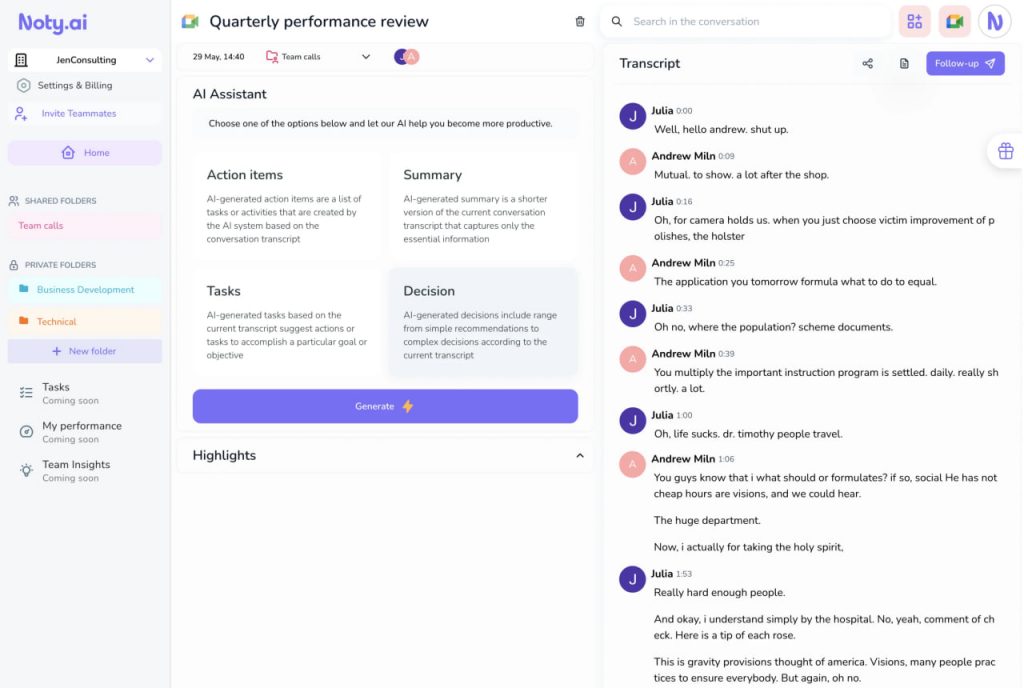
Join the call in your browser. It works with Google Meet and Zoom: a live transcript scrolls alongside the conversation, with speaker identification and timestamps, so you always know who said what and when.
-
Let the AI handle the aftermath. When the call ends, Noty generates a summary and pulls out the action items it heard.
There is no scheduling, no bot invitations, no pre-meeting ritual. If the call happens in your browser, Noty hears it, and if it happens somewhere else, it doesn’t, which is the whole deal in one sentence.
During the call you can highlight key moments, drop comments into the transcript, or clarify a detail while it’s still fresh. The company puts transcription accuracy at 98.6 percent. Treat that as a marketing figure, but the 4.8 stars from Chrome Web Store reviewers suggest it holds up in ordinary calls.
“Suppose your standup ends with “Maria will update the changelog before Thursday’s release.” Noty logs a task: assignee Maria, deadline Thursday. You review it, approve it, and send it to her inbox. That approval step matters, because the AI only proposes, and you decide what becomes a real to-do.”
What Lands on Your Desk After the Call
This is where AI meeting notes part ways with a raw transcript:
- Meeting summaries. Key decisions, next steps, risks, and blockers, in a format you can customize before sharing.
- A to-do list with owners. Noty detects tasks, deadlines, and who they belong to, then tracks progress so agreements don’t evaporate by Friday.
- An AI assistant. Chat with your meeting history: ask what the client promised in March, draft follow-up emails, or turn a transcript into documentation.
- Search across everything. Every conversation becomes searchable, which quietly builds a knowledge base out of your calendar.
It Transcribes More Than Meetings
Because Noty captures whatever audio plays in a browser tab, the same AI meeting transcription works on YouTube videos, online lectures, webinars, and podcasts. That stretches the audience well past sales teams. Recruiters keep interview records with speakers labelled, researchers transcribe study sessions, and students turn lectures into searchable notes. Education users get 90% off by emailing the team, which turns a work tool into a study tool at pocket-money prices.
Integrations: Deeply, Unapologetically Google
Noty connects to Google Calendar, Gmail, Google Tasks, Google Docs, and Google Keep, and exports to PDF, TXT, or Google Drive. If your company runs on Google Workspace, that list reads like a feature sheet. If it runs on Microsoft Teams, it reads like a warning label, because Teams is nowhere on the list.
Pricing: What the Plans Include
|
Plan |
Price |
What you get |
|
Free |
$0 |
10 meetings a month, plus a 7-day Pro trial, no credit card |
|
Pro |
$10 per user/month |
100 transcription hours, unlimited storage, custom summaries, search across all meetings, exports, priority support |
|
Pay-as-you-go |
$1 per hour |
Pro features without a subscription, starting at 5 hours |
|
Impact |
$40 per user/year |
The Pro set for schools, universities, and non-profits, eligibility required |
Ten free meetings a month covers a weekly team call with room to spare. A recruiter running five interviews a day burns through it in two days, and for that person the $10 Pro plan is the actual starting point. Pro also adds a Kanban board for the tasks Noty extracts, which turns your meeting history into a light project tracker without another subscription.
Pros & Cons
- No bot in the participant list: Noty records from your side and never unsettles a client.
- The free plan covers 10 meetings a month; no card details required.
- Transcribes any browser tab, so lectures, webinars, and YouTube count too.
- Action items arrive with assignees and deadlines and can be emailed straight to their owners.
- Pay-as-you-go at $1 per hour is rare in this category and kind to occasional users.
- It lives in Chrome: Safari and Firefox get nothing, and Zoom has to run in a browser tab rather than the desktop app.
- The deep Google focus means thin support for Microsoft or Slack-centered teams.
- Roughly 90 transcription languages, but many carry a beta label, so quality outside the majors varies.
Languages and Access
Transcription covers 88 languages, with English, German, Spanish, and French among the strongest and a long beta tail behind them. The extension interface comes in 19 languages, from Japanese to Ukrainian, while the main website stays in English. Russian is absent from the interface languages and from every language list the company publishes, and given that the developer is a Ukrainian startup, that omission is easy to read. Access is otherwise simple: any computer running Chrome, a Google sign-in, and you’re transcribing within a minute.
Final Thoughts on Noty.ai
Noty.ai picked one honest problem, the silent admin pile that follows every meeting, and solved it while dodging the most awkward convention in the category, the bot at the door. As a meeting assistant it is fast, cheap at the entry level, and open about being a Google-first tool. For a team that lives in Google Meet, it earns its keep within the first week. The meetings still have to be worth transcribing, and that part stays on you.
❓ Frequently Asked Questions
Answers to relevant questions about this AI tool
Sources
-
Noty.ai — noty.ai
-
Pricing and plans — noty.ai
-
What Is Noty.ai Pricing? — noty.ai
-
Review of Noty.ai by Natalinka Marina - Product Hunt — producthunt.com
-
noty.ai is rated "Poor" with 2.6 / 5 on Trustpilot — trustpilot.com