


GeoFinderAI works out where a photo was taken by reading its visual clues, buildings, terrain, signage, and shows the spot on a map with a confidence radius. Useful for organizing shots, verifying images, or travel planning. We cover how it works and what it costs.
GeoFinderAI – AI Tool for Image Geolocation
On this page
While browsing the internet, you might come across an interesting place in photos. However, identifying the location can be difficult without geotags.
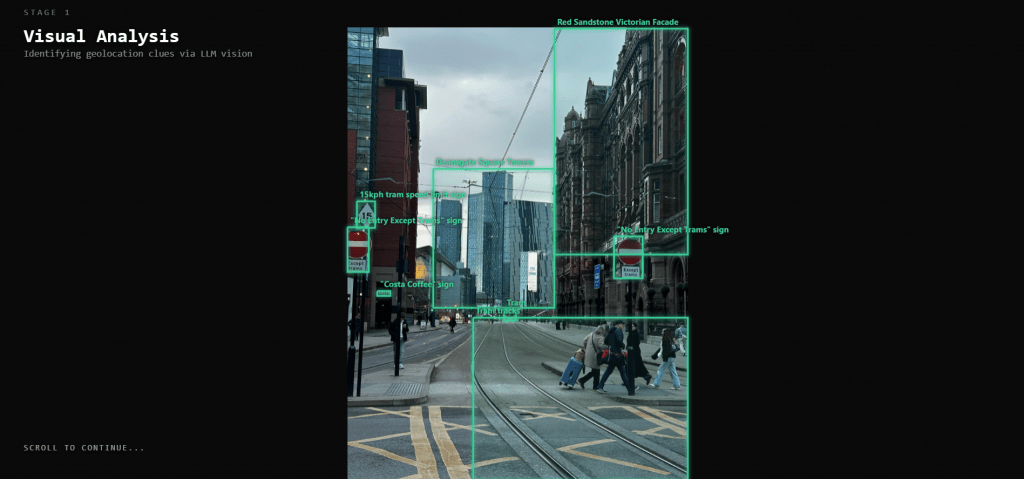
GeoFinderAI is designed for photographers, researchers, investigators, travel enthusiasts, and real estate professionals. If you’re looking for an app that analyzes visible details in pictures, this one is for you. It analyzes architecture, landscapes, signage, and environmental features to help determine where the image was taken.
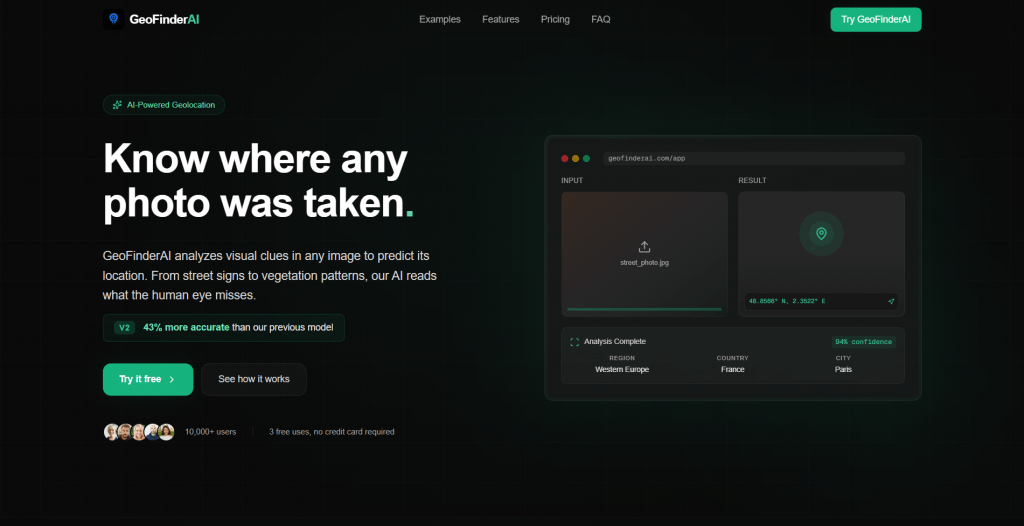
What Does GeoFinderAI Do?
GeoFinderAI analyzes your images. This assistant helps identify their locations with remarkably high accuracy.
Simply upload your image to the tool, which will then assess buildings, trees, and weather conditions to identify the location. It provides the exact coordinates of the pictures, as well as the confidence level of the results.
This is useful for recalling places in photos taken by photographers. It is also suitable for researching image sources and validating image authenticity for investigators.
How to Start Using GeoFinderAI
Getting started is easy, especially with the service’s free trial. New users can try 5 free location searches. Here’s what you do:
- Visit geofinderai.com and upload a photo in JPEG, PNG, GIF, BMP, or WebP format.
- The AI analyzes visual elements to determine the location.
- View the predicted geographic coordinates on an interactive map.
- Check the radius to see the confidence level of the guess.
- Purchase tokens when the free uses are exhausted.
Everything happens in your browser, without software downloads or complicated setups. After the free trial, you can purchase token packs that fit your needs.
Who Can Use GeoFinderAI?
Multiple professional and personal groups benefit here. The platform works for anyone who needs to identify or verify image locations. Here’s who can try it:
- Photographers: Find where photos were taken, sort them by location, and keep track of shooting spots.
- Researchers: Verify image authenticity, confirm location claims, and analyze geographic data from visual sources.
- Investigators: Check evidence photos, confirm where someone was, and identify the source of images.
- Real Estate Professionals: Identify property locations from photos and analyze details.
- Travel Enthusiasts: Discover where travel photos were taken, explore new locations, and plan trips based on scenic images.
- Content Creators: Verify the accuracy of locations in photos.
It’s useful for anyone who needs to organize, verify, or learn more about picture locations.
GeoFinderAI Pricing
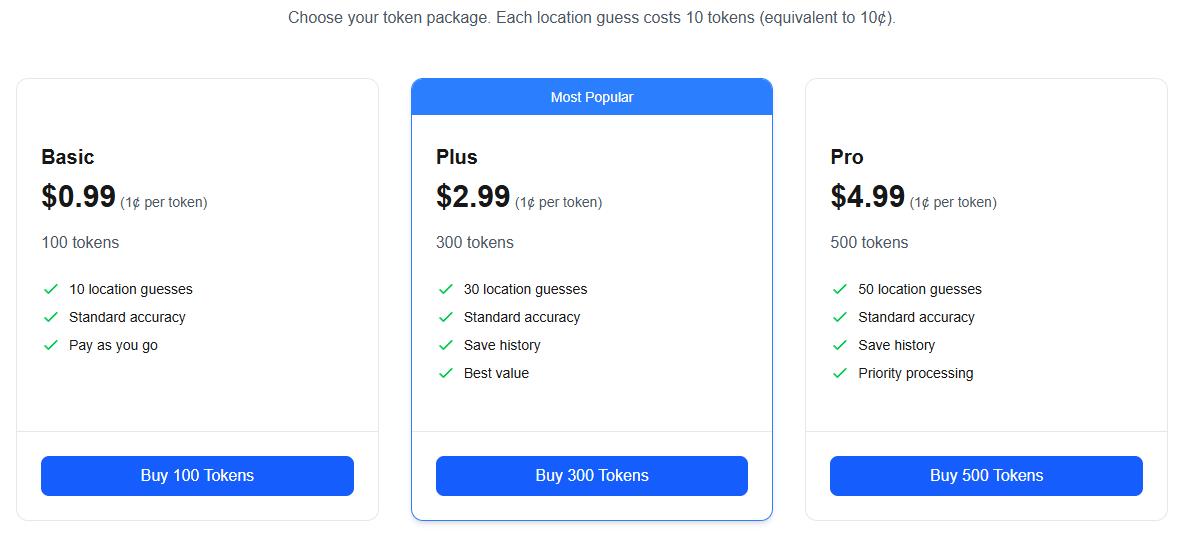
This assistant uses a token system: each search costs 10 tokens. This is equivalent to $0.10.
New users get 5 free attempts to test it. After using those, you can pick a token plan to continue:
- Basic ($0.99): Includes 100 tokens and provides 10 geolocation attempts with standard precision.
- Plus ($2.99): The most popular option. It includes 300 tokens (30 searches) and saves your analysis history.
- Pro ($4.99): Unlocks 500 tokens for 50 geolocation searches.
All packages have a consistent cost of 1¢ per token. This allows you to choose a plan based on your usage needs.
- 5 free initial uses to test the tool before purchasing.
- High accuracy in predicting image locations from visual analysis.
- Multiple image format support.
- Large file size allowance (up to 10MB per image).
- The interactive map lets you see the predicted locations.
- Token pricing is consistent at 1¢ per token.
- Save history feature available in the Plus and Pro plans.
- Priority processing option for time-sensitive analyses.
- Accuracy depends on the visibility of details in the image.
- Pictures without distinctive landmarks may yield less accurate results.
- The token system requires purchases after free uses expire.
- Blurry or obscured images may produce unreliable results.
- No subscription option (only pay-per-use).
- Requires an internet connection for analysis.
Final Thoughts
This assistant serves as a practical app for extracting geolocation data from images uploaded online. The platform delivers geolocation predictions based on visual analyses of architectural, landscape, and environmental details.
You can use the app for photo organization, location verification, research, investigation, or travel planning. The tool works well when images contain clear visual landmarks and distinctive features. It is ideal for quick verification without extensive research. This service aims to make AI-powered geolocation accessible and affordable.
❓ Frequently Asked Questions
Answers to relevant questions about this AI tool
Sources
-
GeoFinderAI — geofinderai.com
-
GeoFinderAI App — geofinderai.com
-
GeoFinderAI Pricing — geofinderai.com
-
GeoFinderAI on Product Hunt — producthunt.com
-
GeoFinderAI on App Store — apps.apple.com







Does Geofinder support international numbers?
The interface is very clean and simple.
The SMS consent approach is a smart way to bypass privacy laws.