
A family of mobile apps for the rapid batch scanning of old photos with AI.
Photomyne Review: Is the Paid Version Worth the Cost?
On this page
If boxes of family albums are gathering dust in your closet and rolls of film sit on the shelves, you have probably thought about digitization. Buying a professional scanner can be expensive and complicated, while photos taken with a phone usually look crooked and full of glare. Photomyne is a niche tool that tries to solve this problem through software rather than hardware.
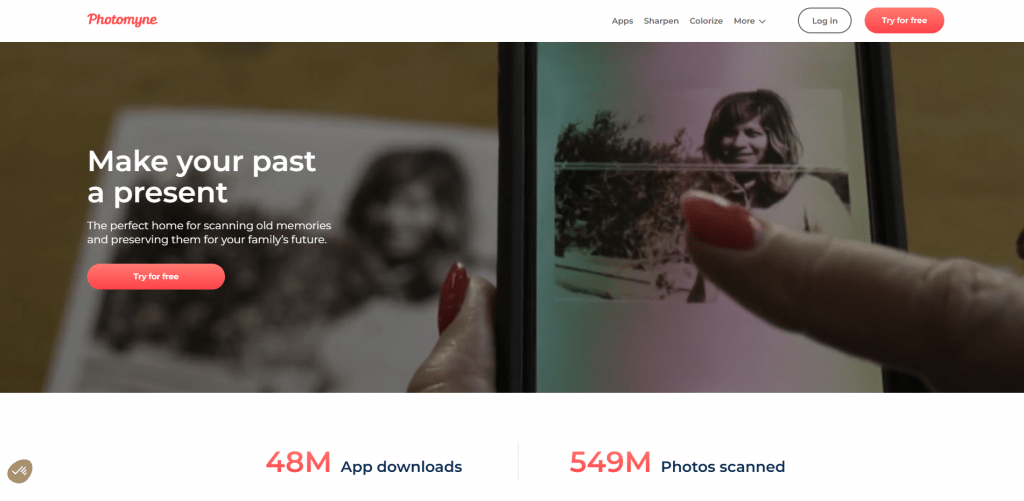
In this review, we will examine what the algorithms from the Israeli developers are capable of, how much it costs, and most importantly: does the paid version truly justify its price, or can you get by with makeshift alternatives?
What Is Photomyne
Photomyne is a family of mobile applications for the rapid digitization of physical media. Unlike universal “document scanners,” this service is specifically tailored for visual memories: old prints, slides for slide projectors, and negative films.
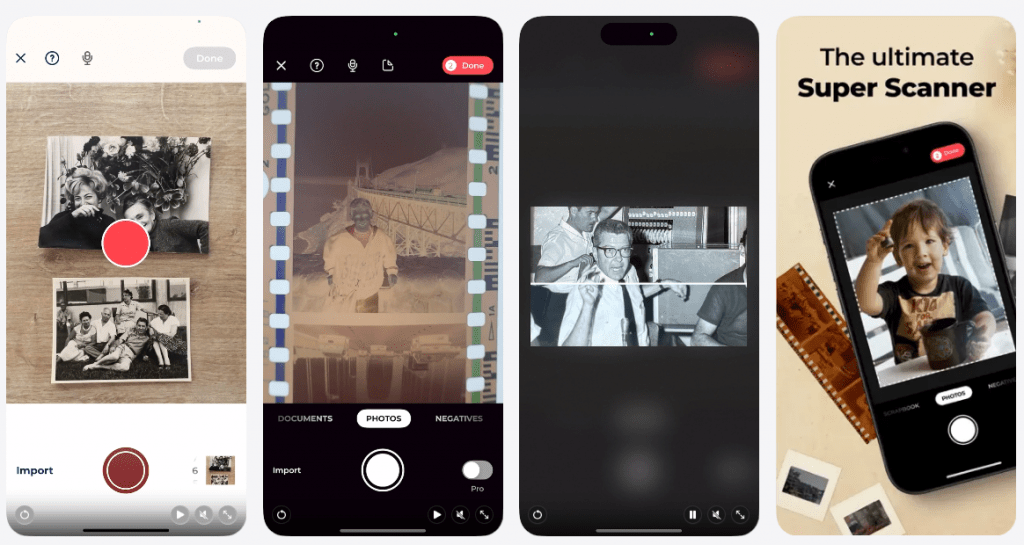
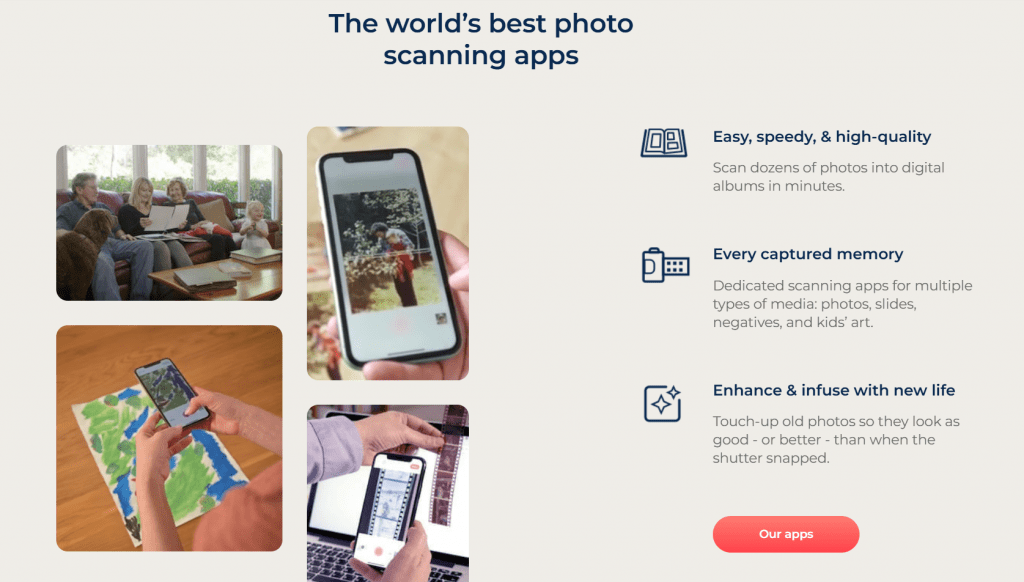
The company was founded in 2014, and its main differentiator is its focus on batch scanning. The system can process up to 10 photographs in a single frame, automatically cropping edges, correcting perspective, and “pulling out” colors.
As of 2026, this is not just one application but an entire ecosystem:
- Photo Scan — the basic scanner for ordinary photographs.
- SlideScan — a tool for transparencies (diapositives).
- FilmBox — for scanning negatives (with color inversion).
- Colorize — a separate module for coloring black-and-white images using a neural network.
What It Is Used For
Photomyne’s target audience falls into the 40+ age range or consists of younger relatives who are organizing an inheritance. The primary usage scenarios are as follows:
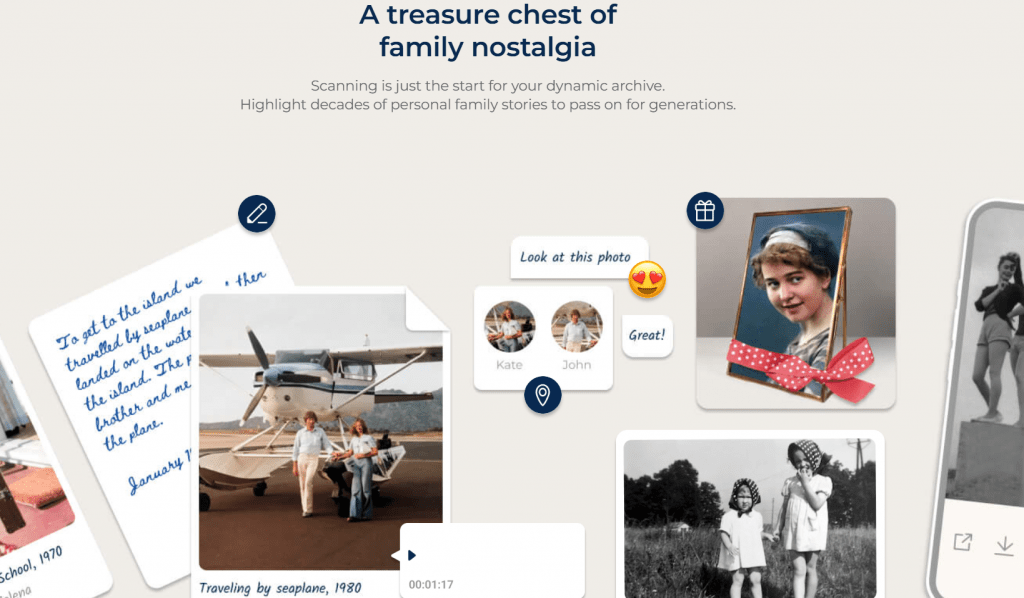
- Preserving archives — transferring crumbling albums and faded prints to digital form before they physically deteriorate.
- Freeing up space — getting rid of tons of paper when moving (downsizing), provided a digital copy exists.
- Quick restoration — improving the sharpness of “blurry” faces and basic color correction.
- Film photography — developing old rolls without chemicals or a lab (simply by re-photographing the negative against a light source).
How the Technology Works
Photomyne uses computer vision to automate the workflow. The mechanics are straightforward: you point the camera at an album spread, take a picture, and the application independently finds the rectangular photographs, crops them, rotates them if necessary (portrait/landscape), and organizes them into virtual shelves.
For negatives and slides, there is a nuance: you need an even light source. It is generally recommended to use a computer monitor backlight or a branded light pad. If you simply photograph film against a window, the result will be poor — the algorithm will not be able to correctly handle glare and grain.
Synchronization happens via the cloud. You scan on your phone, and then through the web version or desktop, you organize albums and download the full versions.
On Which Platforms Photomyne Is Available
The applications are distributed through the App Store and Google Play. Recently, the service has been actively developing a web version for computers, which is available only to subscribers.
- Mobile OS: iOS and Android.
- Desktop: Access to scans via a browser (macOS/Windows) without needing to install additional software.
- Hardware: The manufacturer produces accessories—macro lenses for capturing fine details of slides and LED panels for backlighting.
Nuances of Use
Although the marketing promises “magic,” reality imposes certain limitations.
Quality vs. Speed
This is the main compromise. Photomyne produces results at a “good enough for social media and family chats” level, but not archive-quality scanning. If you view an image with significant magnification, the mobile sensor will blur fine details (paper texture, tiny scratches), whereas a professional flatbed scanner will preserve everything in detail.
Influence of External Factors
The quality of the final image heavily depends on the lighting in the room and the steadiness of your hands. The auto-crop sometimes makes mistakes, cutting off a corner of the image or including a finger, requiring manual correction.
The Paid Gate
The free version is more of a demo mode. It allows you to evaluate the technology, but places watermarks on exports and strictly limits the number of scans.
Pricing
Photomyne uses a freemium model. The free version has severe limitations. To fully use the app, you will have to pay.
|
Tariff Plan |
Cost |
Key Limitations and Features |
|---|---|---|
|
Free Version (Basic) |
$0 |
Watermarks on all saved photos, ads, strict limit on the number of scans |
|
Monthly Subscription |
$9.99–14.99 |
Full functionality, unlimited scanning. Ideal for a “sprint” digitization over a weekend |
|
Yearly Subscription |
$59.99 |
The most cost-effective tariff for large volumes of work. Often includes a 3-day free trial |
|
One-Time Payment (Lifetime) |
$90–100 |
Not always available (look for promotions). Pay once for two licenses (two devices) |
Prices are indicated for the US market in US dollars. In European App Stores and Google Play, they may be converted according to the store’s internal exchange rate. The Colorize function (coloring black-and-white photos) and advanced restoration are often sold as separate in-app purchases or are only included in more expensive subscriptions. The cost also depends on app store promotions.
Important: The subscription auto-renews. You must cancel it in your App Store/Google Play account settings, not within the application itself.
User Reviews and Ratings
In official stores, the application consistently has high ratings — 4.6 — 4.7 on iOS and around 4.0 on Android. Users specifically praise the concept: “Saved my grandfather’s photos,” “Fast and simple,” and “Finally I can see what was on those old slides.”
However, on specialized forums and launch sites (like Reddit or Amazon), the tone is different. Technically savvy users complain about two points:
- Aggressive marketing. Constant pop-ups suggesting an upgrade are annoying during the workflow.
- Lens quality. Buyers of branded macro lenses complain that with them, the image turns out blurry around the edges, and support suggests “removing the lens”—ironic given that money was paid for it.
Audience verdict: Excellent software for family history, but not for museum-quality archiving.
- Batch processing allows scanning entire album spreads without having to remove each photo individually.
- The intuitive interface requires no instructions and is suitable even for the most elderly users.
- High speed turns the tedious process into a conveyor belt of hundreds of photos per hour.
- Cross-platform nature and web access allow you to manage the library from your computer.
- Built-in AI for restoration and coloring noticeably “brings to life” old black-and-white images.
- Detail and resolution are inferior to the results of professional flatbed scanners.
- Scanning quality heavily depends on ideal lighting, and aggressive macro lenses can worsen the image.
- Constant reminders about the paid subscription and ads in the free version distract from the process.
- Difficulties with canceling automatic recurring charges are encountered by some inattentive users.
Conclusion
Photomyne is a case where “good enough” turns out to be the enemy of “perfect.” The paid version of the service is definitely worth its money if you have a specific task: to convert a dozen albums and several boxes of slides into digital form over a weekend without buying an expensive scanner or mastering Photoshop. You are paying for time and convenience of batch processing.
However, if you are a perfectionist who needs maximum resolution for retouching every speck of dust, or if you only have a couple of dozen images, consider budget alternatives (Microsoft Lens) or professional services. Photomyne is a bridge between the past and the digital present, built quickly — not from granite, but from sturdy plastic.
❓ Frequently Asked Questions
Answers to relevant questions about this AI tool
Sources
-
Photomyne — photomyne.com
-
Join Photomyne Photo Scanner App — photomyne.com
-
Photomyne Family Nostalgia Apps — photomyne.com
-
Photo Scan App by Photomyne - App Store — apps.apple.com
-
Read Customer Service Reviews of www.photomyne.com - Trustpilot — trustpilot.com
-
Scanning Goes Mobile: An In-Depth Review of Photomyne — organizingphotos.net