AI for Restoring Old Photos: Best Online and Desktop Tools
On this page
The digitization and recovery of vintage photographs have evolved from tedious manual retouching into an automated, machine-learning workflow. Physical prints are highly vulnerable to environmental degradation, including chemical fading, silver nitrate mirroring, and structural fracturing of the paper emulsion. While digital preservation used to require professional cloning and color-grading expertise, modern artificial intelligence models can extract surface defects and reconstruct missing details within minutes. This reviewed list examines the leading AI tools currently available for old photo restoration, detailing their algorithmic capabilities, core performance parameters, and target application fields to help you select the optimal processing pipeline for your archival projects.
Top AI Platforms for Historical Photo Restoration
Remin

Visit the official Remini website
Remini stands as one of the most commercially successful platforms for enhancing severely blurred or low-resolution portraits. The platform completely discarded legacy smoothing filters in favor of deep generative facial reconstruction models. When a degraded print is uploaded, the algorithm maps human facial landmarks and applies a high-definition pixel layer, restoring micro-details such as hair texture, skin pores, and iris definition. While this processing achieves exceptional sharpness on faces, it often creates a synthetic or overly polished finish if the original image lacks sufficient baseline data. The mobile app offers daily generation quotas, but regular enterprise use requires a premium subscription to remove watermarks and access batch cloud processing.
VanceAI Photo
Visit the official VanceAI website
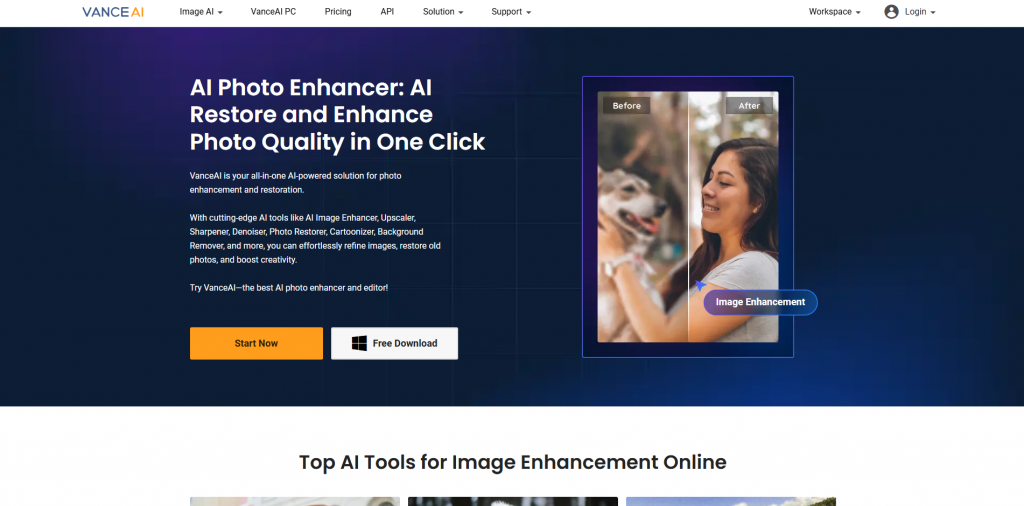
VanceAI Photo Restorer provides a more balanced alternative focused specifically on historical document preservation and scratch suppression. The software uses specialized deep learning frameworks to separate physical paper cracks from the actual image details, making it highly effective for restoring old landscape shots or group family photos. It natively supports multi-file batch uploads, allowing users to process entire scanned albums simultaneously through web browsers or a dedicated local Windows desktop application. The platform operates on a credit-based system, requiring users to sign up and purchase token packages to unlock maximum output resolutions and advanced background colorization filters.
Adobe Photoshop

Visit the official Adobe Photoshop website
Adobe Photoshop remains the definitive industrial standard for professional archivist workflows due to its advanced integrated Neural Filters. The native Photo Restoration filter utilizes the Adobe Sensei engine to analyze local image damage, allowing operators to adjust scratch reduction, face enhancement, and color stabilization independently using precise slider controls. Unlike standalone online upscalers, Photoshop allows for non-destructive, multi-layer editing, meaning you can combine AI automation with manual clone stamping to correct large missing paper tears. The primary drawback is its high hardware resource dependency and a continuous monthly subscription model, which makes it less suitable for casual consumer projects.
MyHeritage

Visit the official MyHeritage website
MyHeritage Reimagine is engineered specifically for genealogical research and the comprehensive recovery of family archives. The platform incorporates a unique suite of tools that combine automated scanning, sharp detail improvement, and highly accurate historical colorization based on deep tonal mapping datasets. A standout feature is its deep nostalgia animation tech, which can convert static restored portraits into brief video sequences. The environment is heavily optimized for human faces, which means it often underperforms when tasked with cleaning up complex background elements or industrial landscapes. Access to maximum output quality and unlimited archival storage requires a dedicated annual subscription.
LetsEnhance

Visit the official LetsEnhance website
LetsEnhance focuses primarily on resolution scaling and texture recovery, making it an excellent utility for enlarging small, low-quality vintage snapshots. The platform employs generative super-resolution models that can upscale images up to 16x without losing structural clarity or introducing edge artifacts. It features distinct processing modes tailored for photographs, digital art, and historical text documents, allowing users to tune the neural network to prioritize sharp text or natural skin tones. While it excels at removing digital noise and print grain, it lacks dedicated manual tools to repair deep physical paper tears or structural creases, requiring a free registration to access its baseline credit tier.
Fotor

Visit the official Fotor website
Fotor provides a highly versatile, consumer-oriented web editor equipped with simplified, one-click AI restoration buttons. It functions as an all-in-one graphic design space where users can instantly colorize black-and-white media, remove minor surface blemishes, and adjust overall contrast levels. The system features a highly accessible free version that handles minor adjustments well, but it does not contain the advanced deep-learning infrastructure needed to parse severe chemical fading or heavy geometric paper warping. For high-volume archival tasks or uncompressed file exports, users must transition to a paid subscription tier.
Comparative Parameters of AI Restoration Software
To optimize your digital archiving workflow, it is necessary to compare how different platforms handle file formats, export constraints, and core processing modes. Some engines prioritize aggressive face generation, while others focus on structural preservation of the original paper grain.
| Platform Name | Processing Deployment | Batch Processing | Supported Export Formats | Primary Technical Strength |
|---|---|---|---|---|
| Remini Enterprise | Web Cloud / Mobile App | Available in Paid Tier | JPEG, PNG | Aggressive low-res facial reconstruction |
| VanceAI Restorer | Web Cloud / Windows Software | Supported Natively | JPEG, PNG | Automated scratch removal and texture preservation |
| Adobe Photoshop | Local Desktop (Mac/Windows) | Via Automated Actions | TIFF, RAW, PSD, PNG, JPEG | Professional non-destructive layer control |
| MyHeritage Reimagine | Web Cloud / Mobile App | Limited Support | JPEG, PNG | Historical portrait colorization and animation |
| LetsEnhance | Web Cloud Interface | Supported Natively | JPEG, PNG, WEBP | High-definition super-resolution upscaling up to 16x |
| Fotor Editor | Web Cloud / Mobile App | Requires Paid Upgrade | JPEG, PNG, PDF | Multi-purpose consumer graphic editing tools |
Technical Checklist for Selecting a Restoration Tool
Selecting the proper restoration software depends directly on the specific degradation profile of your physical media. Severe physical damage, such as deep cracks across crucial image elements, requires a platform with strong generative inpainting capabilities like Photoshop or VanceAI. If your archive consists mostly of low-resolution portrait thumbnails that are completely unblurred, Remini offers the fastest path to rebuilding facial structures. For institutional collections where maintaining the original print grain and paper texture is paramount, you should avoid aggressive face-prior models and utilize LetsEnhance or local Photoshop filters instead.
Budgetary constraints and file volumes also dictate your infrastructure choices. Casual family historians processing a limited number of monochrome snapshots will find the web interfaces of MyHeritage or Fotor sufficient for quick colorization and lighting adjustment. Conversely, handling professional or commercial museum collections requires desktop setups that support uncompressed RAW or TIFF file formats to prevent compression artifacts. Ensuring that your workflow maintains a balance between automated defect removal and human verification prevents the AI from introducing incorrect historical revisions, preserving the authentic archival value of your photographs.
Conclusion
Deep learning models have effectively democratized the field of historical image preservation. By automating the extraction of surface scratches and chemical fading, these platforms make it possible to process large physical photo collections that would otherwise deteriorate over time. Each tool carries distinct processing limitations, meaning success relies on matching the software engine to the specific damage profile of your media. Combining automated machine-learning passes with careful manual oversight ensures your vintage images retain their historical authority while achieving modern visual clarity.