Building a color palette from scratch is where design projects stall. ColorMagic fixes that: type a keyword, brand, or mood and get a matching palette in seconds. We cover how it works, its free tools, and why designers love it.
ColorMagic AI: Free Color Palette Generator
On this page
ColorMagic.app is a completely free, open-source, browser-based AI tool for generating color palettes. Unlike multi-functional graphic editors or image generators, ColorMagic focuses exclusively on color. However, several powerful killer features make it a unique offering compared to the typical freemium competitors with subscriptions.
How ColorMagic Works: Features and Benefits
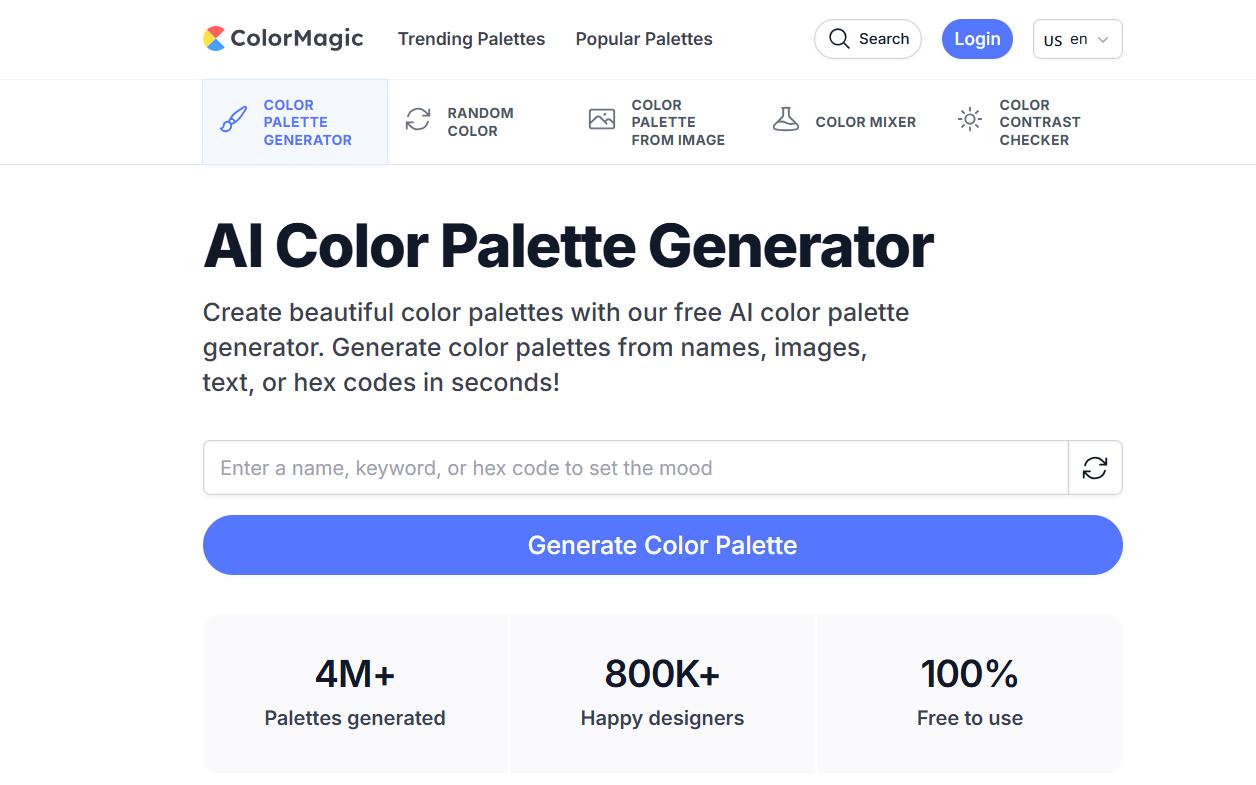
ColorMagic’s interface is built on the “one window” principle: input → result → export in seconds. You are presented with just the main input field and a generate button. The output is a five-color palette.
Under the hood is an AI model (previously cited as GPT-3; the current specific model is not disclosed) trained on a large dataset of design information.
AI-Powered Generation
The main “magic” happens in the input field. The service offers several ways to generate palettes:
- By Text Description: You can enter brand names (Coca-Cola), character names (Elsa, Ariel), styles (Japanese 90s), or moods (luxury minimalism). The AI interprets the request and selects a corresponding color scheme.
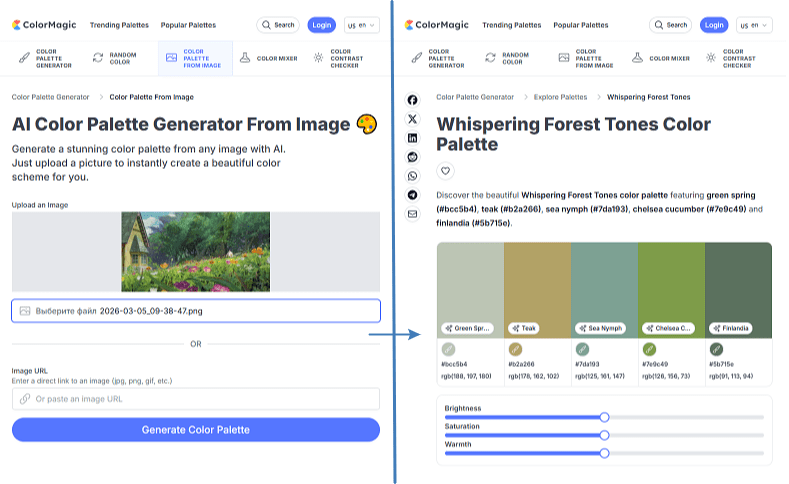
- By Uploaded Image: The neural network analyzes a photo, extracts its dominant colors, and builds a harmonious scheme based on them.
- By HEX Code: If you have a single base color, the service will generate a complementary palette around it.
- Random Generation: For quick inspiration.
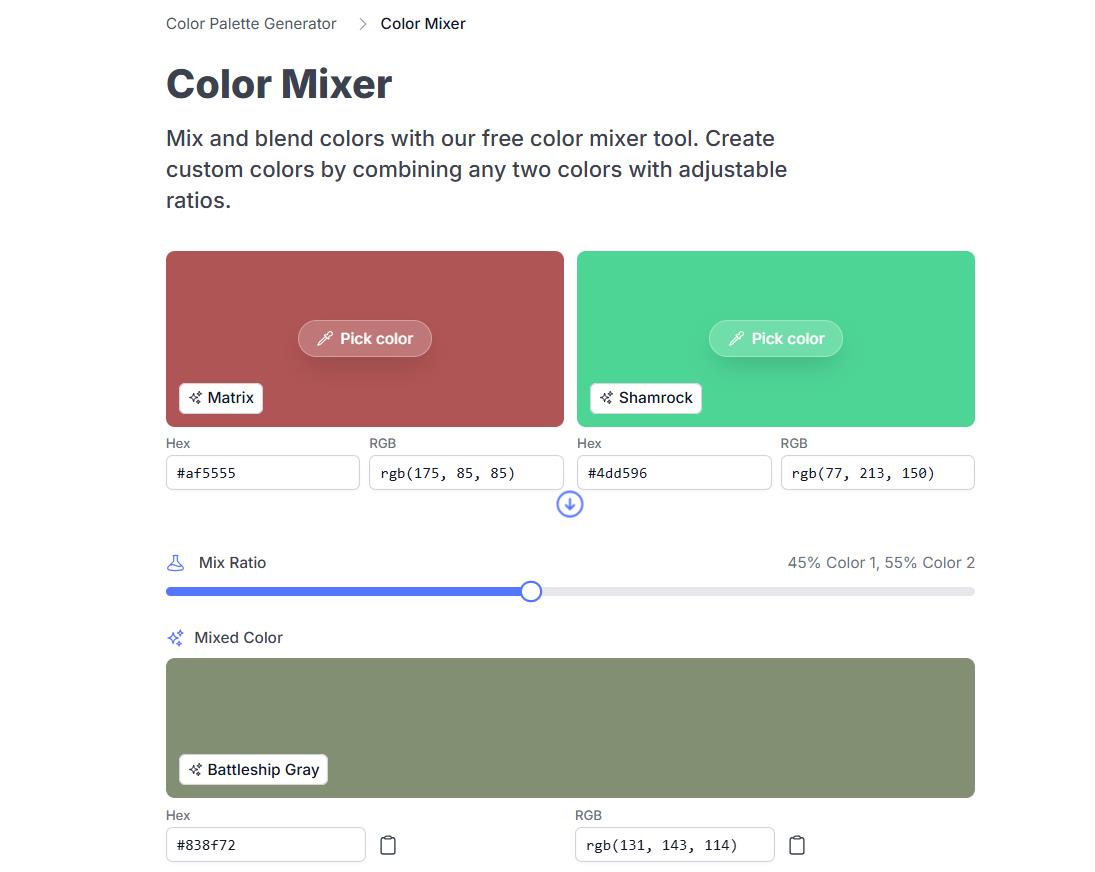
- Color Mixer: A feature for blending two colors in a specified proportion. The result displays in real-time, receives a name (e.g., “Fresh Eggplant”), and can be used to instantly generate a full palette.
Also worth noting is the culturally-adaptive AI—it considers global design trends and preferences from different countries, which can be useful for international projects.
Heads up: The service does not generate images. Its sole purpose is colors.
Working with References (Image2Palette)
The image upload feature is more than just extracting dominant colors. The AI analyzes the image and builds a harmonious scheme based on it. This is an ideal tool for creating a brand guide from a photo reference.
Color Mixer: The Chemistry of Color
This is a unique fine-tuning function. If a generated palette is close to ideal but one color feels “off,” the user can go into Color Mixer. This mode lets you blend two colors with a 0–100% ratio slider in real-time.
- Naming the Result: Each resulting color gets a poetic name like “Fresh Eggplant,” adding charm and an inspirational touch to the service.
- Deep Generation: From the resulting mixed color, you can instantly generate a new, full palette.
Export and Accessibility Tools
All generated palettes can be saved to favorites (requires a quick login), copied in HEX, RGB, or CSS formats, and downloaded as PNGs.
For web development, there’s a built-in CSS Gradient Generator (ready-to-use gradient code) and a Color Contrast Checker to verify color accessibility against WCAG standards.
Library and API
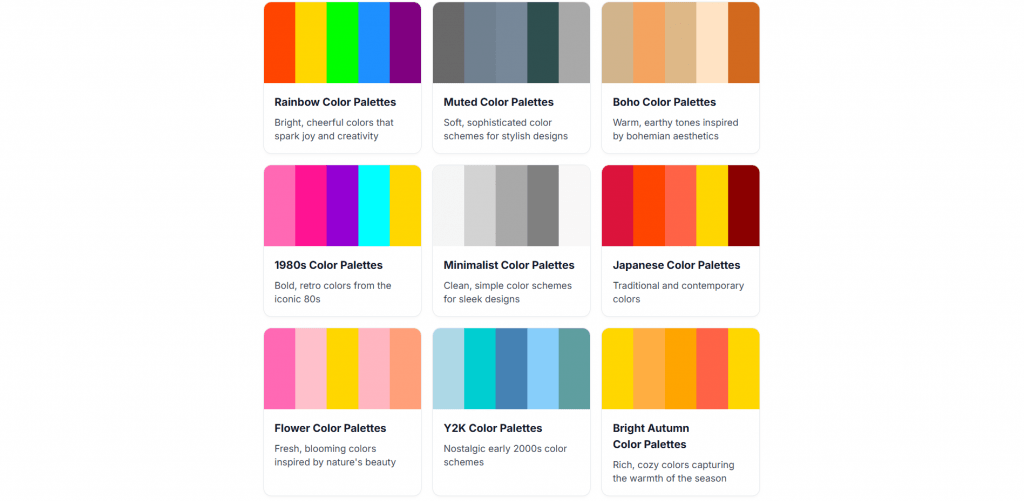
The /palette/explore section contains thousands of ready-made palettes filterable by tags (Decades: 80s, 90s; Themes: Disney, Studio Ghibli; Styles: Pastel, High Contrast, Y2K). It functions like Pinterest but provides ready-made technical color codes.
A separate Colors API (endpoint /api/palette/search?q={query}) allows developers to embed palette search functionality into their own tools completely free of charge.
How Much Does It Cost?
ColorMagic is 100% free. No limits, credits, subscriptions, or watermarks. The full code is available on GitHub. Registration is only required to save palettes to “Favorites,” reducing the entry barrier to zero.
In a market saturated with freemium AI services and expensive PRO tiers, ColorMagic positions itself as a “people’s tool.” This generates significant goodwill and community loyalty, though without the same viral growth as Coolors.
User Feedback and Reputation
Users frequently praise the speed, the accuracy in capturing brand/character semantics (especially Disney), and, of course, the fact that it’s free.
Illustrators particularly value the service for its accurate palette generation based on names (Ariel, Elsa, Ghibli characters), helping maintain color consistency within a universe.
Despite community love, there is constructive criticism—users always want more.
- No Post-Processing: You cannot finely adjust a single color in a palette after generation. This forces designers to take screenshots and finish the work in Figma or Photoshop.
- Platform Limitations: Lack of mobile apps, offline mode, and browser extensions.
- Export Limitations: No support for professional formats (SVG, Adobe Swatch Exchange, JSON), which cuts off some enterprise users.
- API “As-Is”: According to the developers’ disclaimer, the API may change or disappear without notice. This is a significant risk if you are building critical commercial software around it.
-
Completely free with no paid tier, subscription, or hidden limits
-
Generates palettes from multiple inputs: a name, keyword, brand, text, image, or hex code
-
Exports in formats designers actually use: hex, CSS, gradient code, and PNG
-
Extra free tools included: color mixer, contrast checker (WCAG), and random color generator
-
No signup needed to generate or export; account only required to save favorites
-
Large, browsable library of themed palettes for inspiration
-
Saving favorite palettes requires creating an account
-
No native design-app integrations (Figma, Adobe), so exports are manual
-
Focused only on palettes, not a broader design tool
-
Results can vary, so a prompt may need a few tries to get the right scheme
Comparison with Competitors
ColorMagic occupies the niche of a “fast, semantic AI for color,” positioned between complex professional editors and image generators.
| Platform |
Strengths |
Why Choose ColorMagic? |
|
Coolors.co |
Powerful manual editing, libraries, community. |
No cost, no limits, superior AI for character-based palettes. |
|
Adobe Color |
Integration with Creative Cloud, vast database. |
Simplicity, no Creative Cloud subscription required, open-source. |
|
Midjourney/Flux |
Generates images with colors, strong visualization. |
Accuracy of color codes, not just images. Instant CSS/HEX output. |
|
Huemint |
Advanced color harmony for graphic design. |
Semantic search by names and cultural context. |
Who Will Find ColorMagic Useful?
Based on our testing and observations, we’ve identified five key user groups:
- UI/UX Designers and Web Developers: Use the tool for rapid interface prototyping. The ability to instantly get CSS code and CSS gradients significantly speeds up development.
- Illustrators and Character Artists: The most loyal and discussed audience, based on Reddit and X (Twitter).
- SMM Specialists and Content Creators: Need aesthetic combinations for Instagram feeds, TikTok visuals, and creating branded templates.
- Non-Designers (Enthusiasts, Small Business Owners): People without professional training who want to quickly design a blog or website.
- Software Developers: Use the API to integrate color picking into their own applications and services.
Who Should Look Elsewhere?
- Those who need offline access or a mobile app.
- Those seeking a “Coolors killer” with extensive editing capabilities.
- Those who need image generation, not just colors.
Summary
ColorMagic.app is a niche but solid tool. It doesn’t try to replace multi-functional platforms like Coolors or Adobe Color. Its goal is to quickly provide a usable color scheme based on a request and then get out of the way. For illustrators working with media universes and developers needing a simple API, the service can be a useful daily assistant. The main thing is to remember its limitations in post-processing and not rely on it where fine manual control is needed.
❓ Frequently Asked Questions
Answers to relevant questions about this AI tool
Sources
-
ColorMagic — colormagic.app
-
ColorMagic - AI Color Palette Generator From Image — colormagic.app
-
Login - ColorMagic - AI Color Palette Generator — colormagic.app
-
About — colormagic.app
-
ColorMagic: Generate ideal color palettes with the power of GPT-3 AI — producthunt.com